Photos+ Cloud Library
ダウンロード: App Store

このページはアプリまたはその開発者の公式ページではなく、情報提供および論評を目的として作成された独立した編集出版物です。明示的に別段の記載がない限り、アプリおよびその開発者は、MWM、Apple、Google Play、アプリのパブリッシャー、またはアプリの開発者と提携、承認、後援、認可、またはその他の公式的な関係はなく、このページのいかなる内容も、アプリがMWMのサービスを使用して開発されたことを意味するものではありません。すべての商標、ロゴ、スクリーンショット、その他のコンテンツはそれぞれの所有者の財産です。


ロゴ: Photos+ Cloud Library
ダウンロード: App Store

Photos+ Cloud Library

プロシューマーとアーキビストのための究極のセカンダリ保管庫。OneDrive、Google Drive、またはS3アカウントを接続して、未編集の写真やビデオをAI整理機能と自動更新なしのサブスクリプションで保存。

主要数値

ダウンロード

8K+

ユーザー評価

4.1/5

評価数

0

開発元

Pixegram, LLC

カテゴリ

Photo & Video

対応言語

1

最新バージョン

5.1

サイズ

48.5 MB

リリース日

2017年11月16日
機能

あなたのデジタル遺産を完全に管理する

オリジナルの未編集メディアのための高性能なセカンダリライブラリ。あなた自身のクラウドストレージを利用し、プロ仕様の整理ツールで強化。

独自のストレージを持ち込む

S3、Google Drive、またはDropboxを接続して、ベンダーロックインを排除。ファイルは撮影時のまま、圧縮なしであなたのアカウントに保存されます。

プロワークフロー同期

現場向けに設計。何十ギガバイトものアップロードをキューに入れ、モバイルデータでライブラリを管理。Wi-Fi接続時に自動的に大量のアップロードを実行します。

以下のスクリーンショットと説明は、アプリの公式ストアリスティングから直接取得されたものであり、アプリ開発者の所有物です。

アプリストア

スクリーンショット
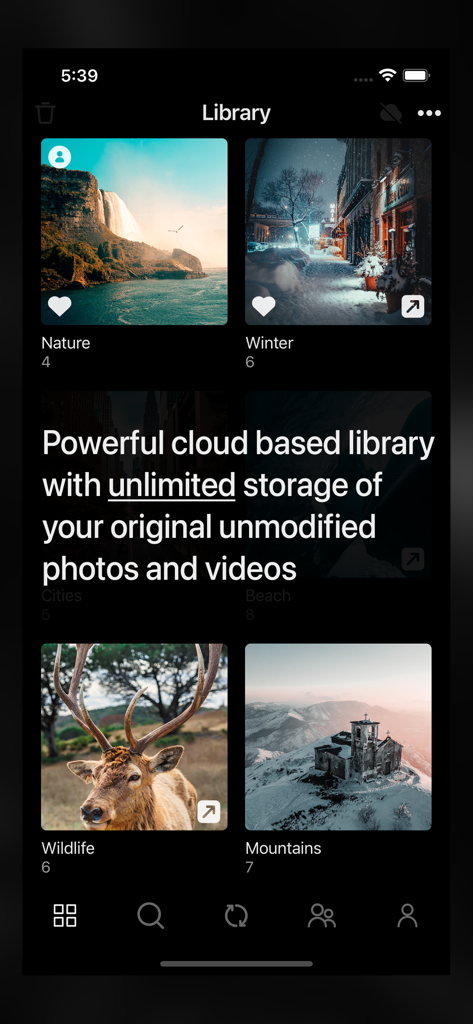
Photos+ Cloud Library - Photos Plus Cloud Libraryアプリが、無制限ストレージメッセージと共に写真アルバムを表示している様子
Photos Plus Cloud Libraryアプリが、無制限ストレージメッセージと共に写真アルバムを表示している様子

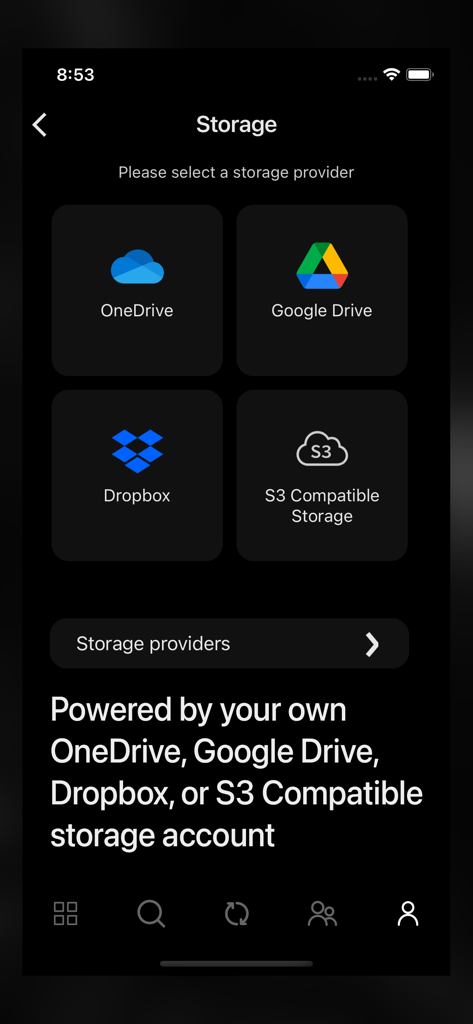
Photos+ Cloud Library - Photos+アプリのストレージ選択画面で、OneDrive、Google Drive、Dropbox、S3互換ストレージアカウントのオプションが表示されている様子
Photos+アプリのストレージ選択画面で、OneDrive、Google Drive、Dropbox、S3互換ストレージアカウントのオプションが表示されている様子

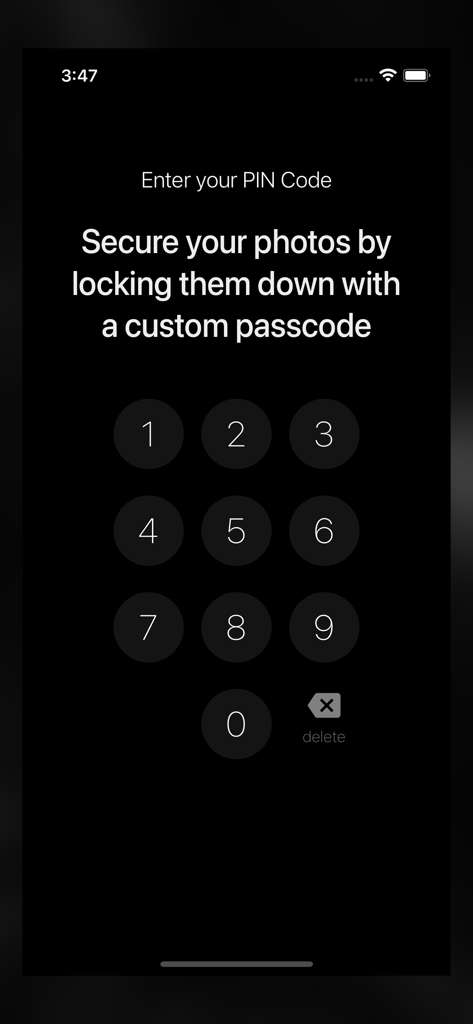
Photos+ Cloud Library - アプリ内の写真を保護するためにカスタムPINコードを入力するための数字キーパッドインターフェース
アプリ内の写真を保護するためにカスタムPINコードを入力するための数字キーパッドインターフェース

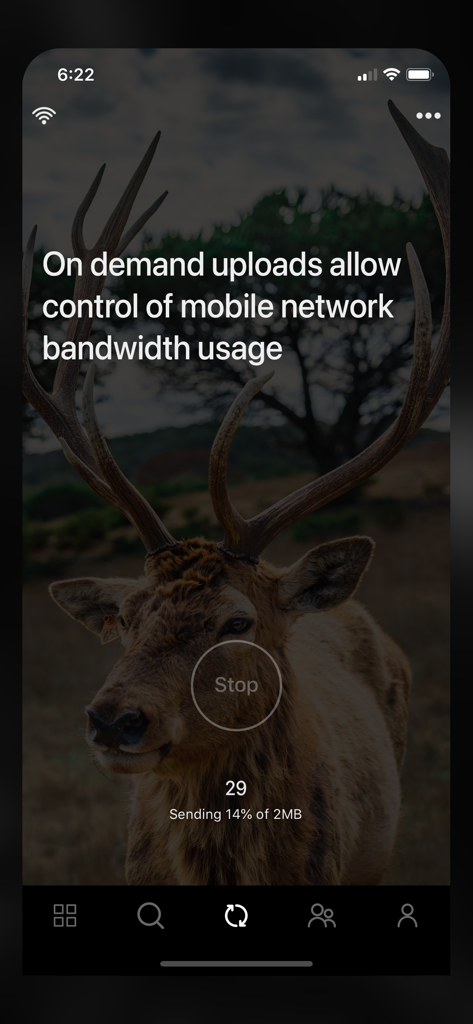
Photos+ Cloud Library - オンデマンドアップロードの進行状況とモバイル帯域幅制御を示すアプリインターフェース
オンデマンドアップロードの進行状況とモバイル帯域幅制御を示すアプリインターフェース

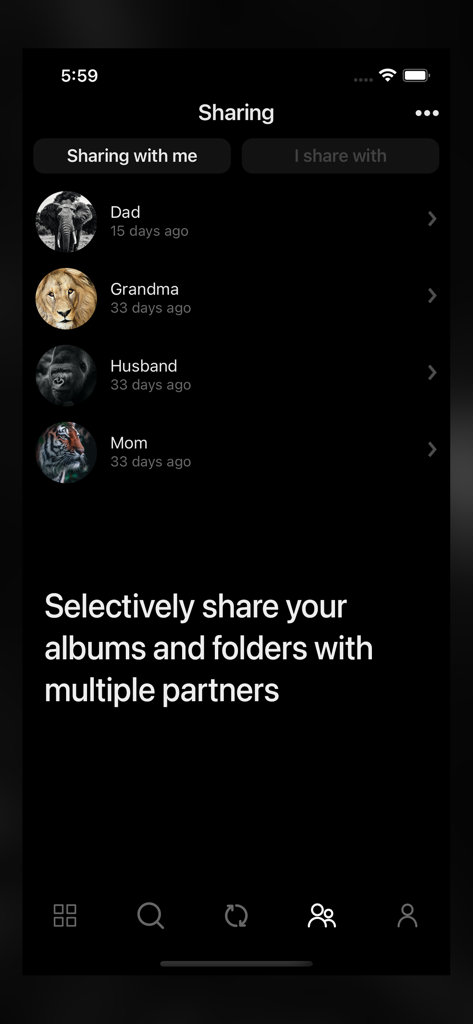
Photos+ Cloud Library - Photos Plusアプリの共有画面で、パートナーリストとアルバムを選択的に共有するオプションが表示されている様子
Photos Plusアプリの共有画面で、パートナーリストとアルバムを選択的に共有するオプションが表示されている様子

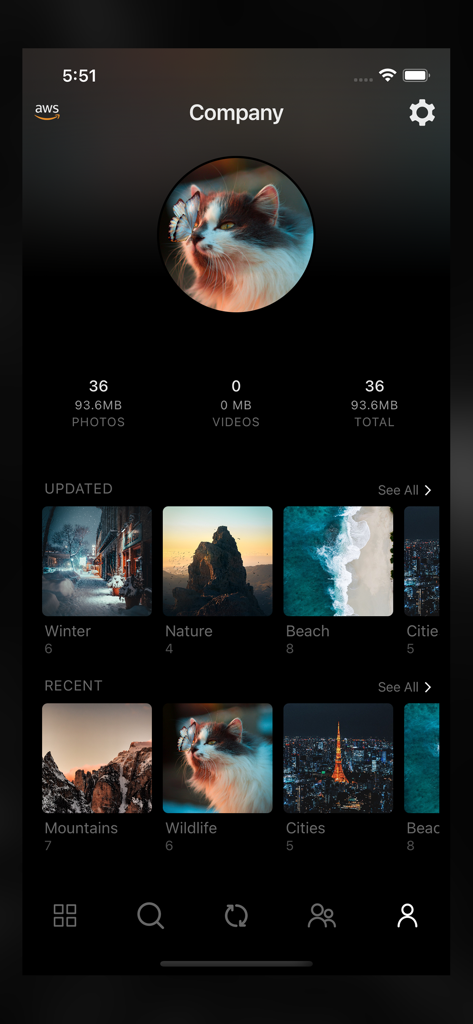
Photos+ Cloud Library - Photos Plusアプリのインターフェースで、写真ストレージ統計と、自然や野生動物のような整理された画像アルバムを持つユーザープロフィールが表示されている様子

Photos Plusアプリのインターフェースで、写真ストレージ統計と、自然や野生動物のような整理された画像アルバムを持つユーザープロフィールが表示されている様子

説明

Photos+ is a cloud based photos library with unlimited storage of your original unmodified photos and videos and powered by your own cloud storage account. You can choose from OneDrive, Google Drive, Dropbox, or any other S3-compatible storage platform. Use it as a second photo library to separate your precious photos from your main photo library, or use it as your primary photo library, resting assured that your photos are safely stored in your own cloud storage platform. When used with OneDrive, Google Drive or Dropbox, you’re only limited by the available free storage of your accounts. When used with other S3-compatible storage platforms, there is no limit to the number of photos and videos you can store and with most S3-compatible cloud storage providers, you only pay for the actual storage you use. • Synchronize / upload on demand. Photos+ was designed with professional photographers and videographers in mind who may shoot tens of gigabytes of content out on the field on a typical shoot. With our synchronize on demand feature, you can create new albums, select photos and videos for upload, and manage all other aspects of your cloud library while using a minimal amount of mobile network bandwidth while out on a shoot, and then optionally leave the actual heavy lifting of the actual uploading for when you’re back home on WIFI. • Powerful partner sharing. Photos+ takes the concept of partner sharing to the limit by allowing you to not only add multiple partners, but to selectively share individual albums or folders with each partner on a per partner basis. • Automatic image classification. Just like your built-in photo library, Photos+ automatically categories all your photos using advanced AI image classification so your can quickly search your photos based on tags. • Location based searches and automatic reverse geocoding. Photos and videos containing latitude/longitude data are automatically reverse geocoded to their respective cities, counties, countries and named places and become instantly searchable by location. • The safest cloud storage platforms where you can store your priceless photos and videos. With Photos+, your photos and videos are safely stored in your own account with the storage platform you configure, so your photos and videos are also available for direct download from OneDrive, Google Drive, Dropbox, or the S3-compatible storage platform you are using even without the Photos+ app. Subscription Pricing and Terms - Subscriptions will not automatically renew. If you take no action, your subscription will expire in 365 days and you will not be automatically charged again. Instead you will have the option to renew your subscription at the end its current term or simply let it expire. - Subscriptions are nonrefundable, so please choose this option carefully. - Please refer to the In-App purchases section for pricing.

Download

ダウンロード: App Store

このページはアプリまたはその開発者の公式ページではなく、情報提供および論評を目的として作成された独立した編集出版物です。明示的に別段の記載がない限り、アプリおよびその開発者は、MWM、Apple、Google Play、アプリのパブリッシャー、またはアプリの開発者と提携、承認、後援、認可、またはその他の公式的な関係はなく、このページのいかなる内容も、アプリがMWMのサービスを使用して開発されたことを意味するものではありません。すべての商標、ロゴ、スクリーンショット、その他のコンテンツはそれぞれの所有者の財産です。








