PhotoSweeper Mobile
PhotoSweeper Mobile
ダウンロード: App Store

このページはアプリまたはその開発者の公式ページではなく、情報提供および論評を目的として作成された独立した編集出版物です。明示的に別段の記載がない限り、アプリおよびその開発者は、MWM、Apple、Google Play、アプリのパブリッシャー、またはアプリの開発者と提携、承認、後援、認可、またはその他の公式的な関係はなく、このページのいかなる内容も、アプリがMWMのサービスを使用して開発されたことを意味するものではありません。すべての商標、ロゴ、スクリーンショット、その他のコンテンツはそれぞれの所有者の財産です。


ロゴ: PhotoSweeper Mobile
ダウンロード: App Store

PhotoSweeper Mobile

ストレージを解放し、最高の思い出だけを残しましょう。macOSの定番アプリがiPhoneとiPad向けに再設計され、重複、スクリーンショット、不要な写真などを楽々削除します。

主要数値

ダウンロード

300

ユーザー評価

4.3/5

評価数

0

開発元

Maksym Cherniaiev

カテゴリ

Photo & Video

対応言語

7

最新バージョン

1.3.1

サイズ

24.4 MB

リリース日

2024年8月9日
機能

ストレージと思い出を整理しましょう

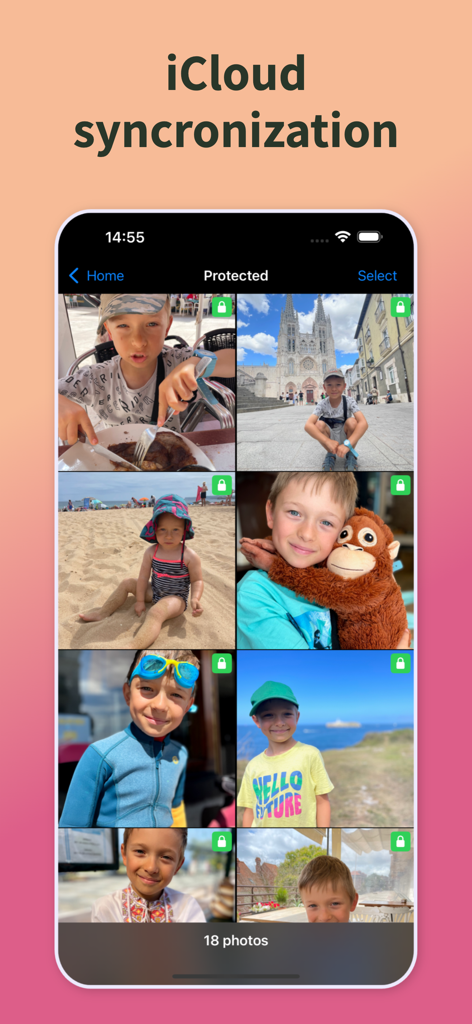
追加のiCloud料金の支払いをやめましょう。AI駆動のツールが、デジタル不要物を排除し、最高のショットを見つけ、数分でライブラリを整理するお手伝いをします。

AI搭載クオリティファインダー

決断疲れを解消します。AIが類似写真のセットごとに最も高品質な写真​​を自動的に特定するため、最高のものだけを保存できます。

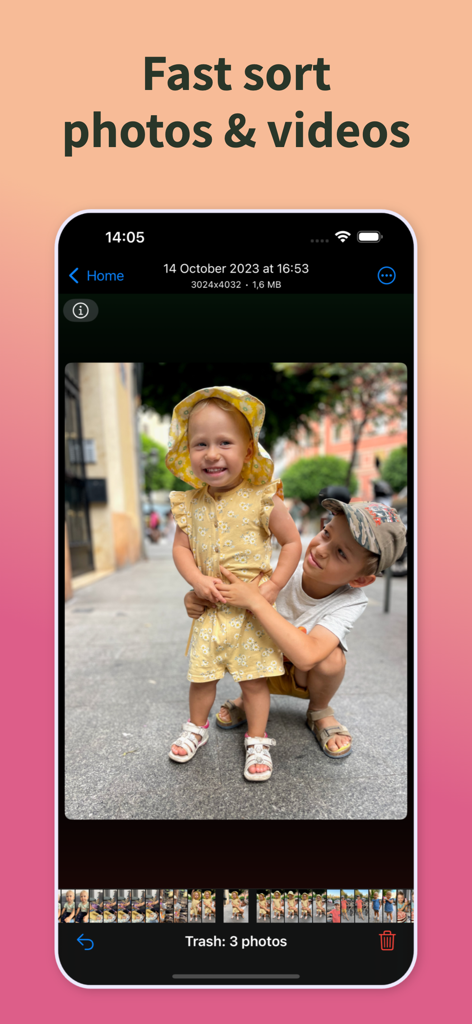
スワイプで整理ソーター

退屈な作業を素早い習慣に変えましょう。直感的なスワイプ操作で、短い休憩時間に何百枚もの写真や動画を整理しましょう。

以下のスクリーンショットと説明は、アプリの公式ストアリスティングから直接取得されたものであり、アプリ開発者の所有物です。

アプリストア

スクリーンショット

PhotoSweeper Mobile - ディスクスペースの節約に焦点を当てた「写真を管理」というタイトルのPhotoSweeper Mobileアプリのプロモーション画面
ディスクスペースの節約に焦点を当てた「写真を管理」というタイトルのPhotoSweeper Mobileアプリのプロモーション画面

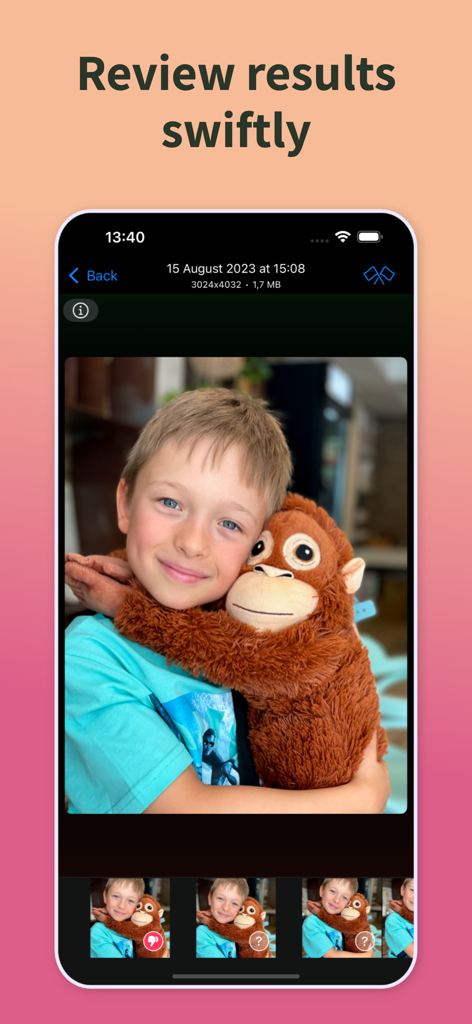
PhotoSweeper Mobile - 子供の類似写真のレビューと削除方法を示すPhotoSweeper Mobileインターフェース
子供の類似写真のレビューと削除方法を示すPhotoSweeper Mobileインターフェース

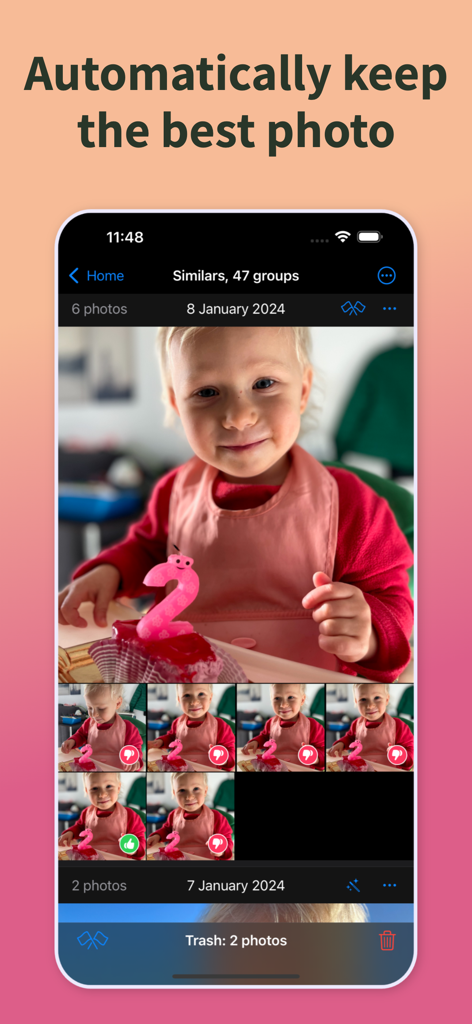
PhotoSweeper Mobile - 類似した子供の写真グループからAIが自動的にベスト写真を選択する様子を示すPhotoSweeper Mobileアプリインターフェース
類似した子供の写真グループからAIが自動的にベスト写真を選択する様子を示すPhotoSweeper Mobileアプリインターフェース

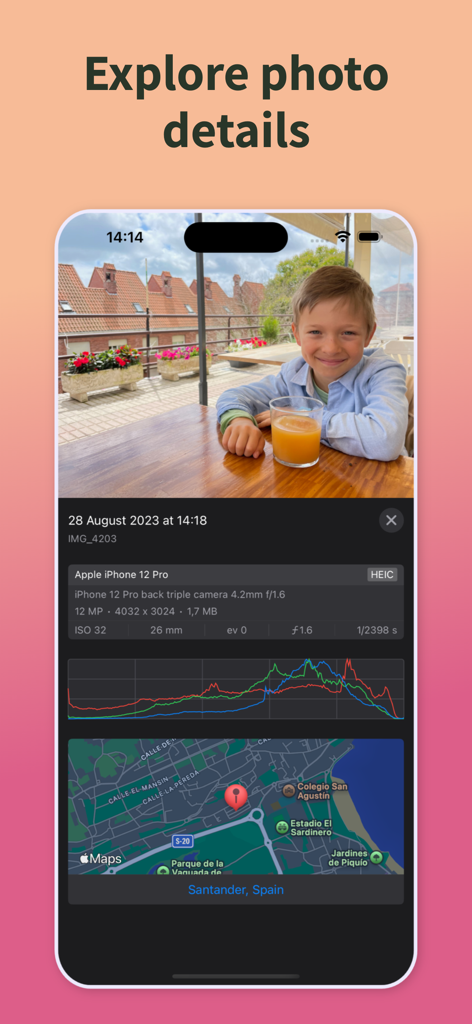
PhotoSweeper Mobile - PhotoSweeper Mobileの詳細な写真メタデータと位置マップ

PhotoSweeper Mobileの詳細な写真メタデータと位置マップ

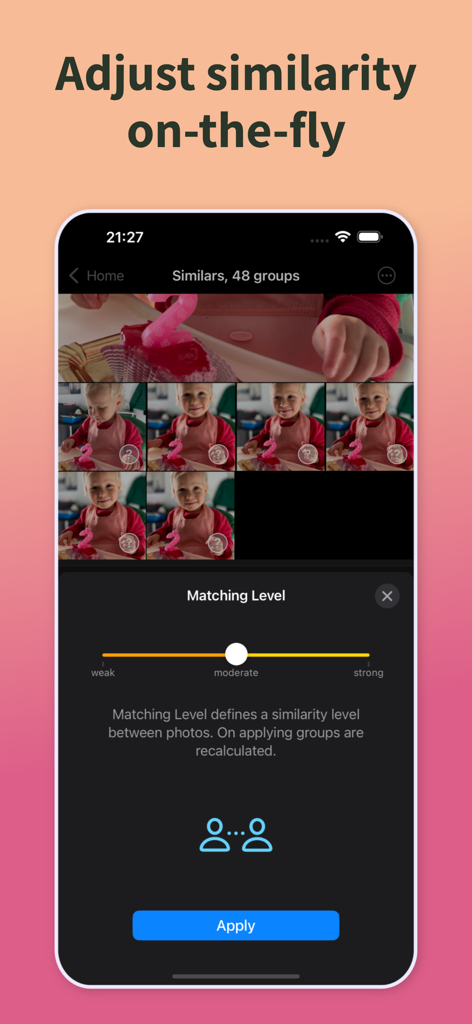
PhotoSweeper Mobile - 簡単なクリーニングのために類似写真間の類似性を調整するためのマッチングレベルスライダーを示すPhotoSweeper Mobileアプリインターフェース
簡単なクリーニングのために類似写真間の類似性を調整するためのマッチングレベルスライダーを示すPhotoSweeper Mobileアプリインターフェース

PhotoSweeper Mobile - 写真と動画の高速ソート機能を示すPhotoSweeper Mobileアプリのインターフェース
写真と動画の高速ソート機能を示すPhotoSweeper Mobileアプリのインターフェース

PhotoSweeper Mobile - iCloud同期機能を備えた保護された家族写真を示すPhotoSweeper Mobileインターフェース

iCloud同期機能を備えた保護された家族写真を示すPhotoSweeper Mobileインターフェース

説明

Meet the LEGEND! The premier photo cleaning tool for macOS is now available on iOS. Completely fresh application, PhotoSweeper delivers top-tier performance in its category, carefully crafted user experience, and an interface that echoes the familiar "Photos" layout. The primary aim of the app is to assist you in sorting through your photos and videos to preserve cherished memories while eliminating unnecessary duplicates and clutter to free up valuable disk space and iCloud storage. Maintaining your Photos library organized can be quite challenging, but PhotoSweeper makes it much simpler. Designed for occasional or daily use, the app streamlines the process. INSTRUMENTS + Exact Copies. Finds exact duplicates and enables you to remove them effortlessly with just a few clicks. + Similar Photos. Identifies alike photos, assists you in examining each group, and determines whether to protect or discard a photo. Once you finish reviewing a group, the next group is displayed automatically. You can adjust the similarity between photos using the Matching Level, which can be changed instantly. + Sorter. Shows all photos & videos, allowing you to swipe up to protect your favorite images, swipe down to delete them. For bulk actions, the "All in One" submode provides this capability. Sorter is accessible for all Media Types. + Large Files. Quickly identifies files that exceed your specified size threshold. + Utility Photos. Helps you detect images that may not have memorable or exciting content — receipts, screenshots, and other technical shots. KEY FEATURES + Search powered by Artificial Intelligence to find the top-quality photo within every set of similar images. + Instantly reading photos/videos from your device, without the need for re-scanning or any additional steps. + iCloud sync across all your Apple devices: kick off your work on your iPad, seamlessly transit to your iPhone, and vice versa. + Fast photo scanning. + Efficient review of similar photos. + Matching Level regulates the similarity between photos, adaptable in real-time. + Showing image details, metadata or location on the map. + Sorting photos by Media Type, such as batch removal of screenshots or large videos. + Optimized specifically for iPad. + Instant restoration upon app launch if the app was terminated in the background. + Effortless undoing any accidental actions with ease. This is just the beginning, more features are coming in the future. PAYMENT Full functionality is accessible right from the start, the only restriction is that you cannot delete photos from your gallery. Available options: One Month Service Access - $1.99 per month (US) One Year Service Access - $9.99 per year (US) Privacy Policy: https://overmacs.com/?p=privacymobile Terms of Use (EULA): https://www.apple.com/legal/internet-services/itunes/dev/stdeula/ SUPPORT For suggestions, or in case of general or technical issues, please contact us directly. We will respond within 12 hours, including holidays. support@overmacs.com

Download

ダウンロード: App Store

このページはアプリまたはその開発者の公式ページではなく、情報提供および論評を目的として作成された独立した編集出版物です。明示的に別段の記載がない限り、アプリおよびその開発者は、MWM、Apple、Google Play、アプリのパブリッシャー、またはアプリの開発者と提携、承認、後援、認可、またはその他の公式的な関係はなく、このページのいかなる内容も、アプリがMWMのサービスを使用して開発されたことを意味するものではありません。すべての商標、ロゴ、スクリーンショット、その他のコンテンツはそれぞれの所有者の財産です。