PhotoSync – transfer photos

PhotoSync – transfer photos

ダウンロード: App Storeダウンロード: Google Play
ロゴ: PhotoSync – transfer photos

PhotoSync – ワイヤレス写真転送のためのプロフェッショナルブリッジ

iOS、Windows、Mac、NAS間で高解像度の写真や動画をシームレスにバックアップ。自動転送、RAWサポート、品質ロスゼロで、完全なデジタル主権を体験してください。

開発元

touchbyte GmbH

カテゴリ

Photo & Video

ダウンロード

1M+

ユーザー評価

4.7/5

評価数

19K+

対応言語

8

すべてのピクセルを制御

このインターフェースを利用する 1M+ 人のユーザー.

iPhone、Mac、NASサーバー間のワイヤレス写真転送とバックアップ

iPhone、Mac、NASサーバー間のワイヤレス写真転送とバックアップ

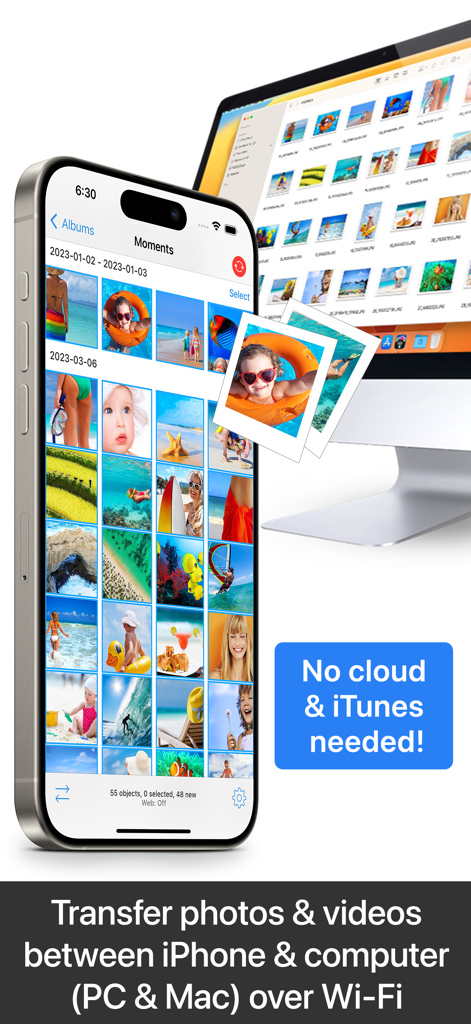
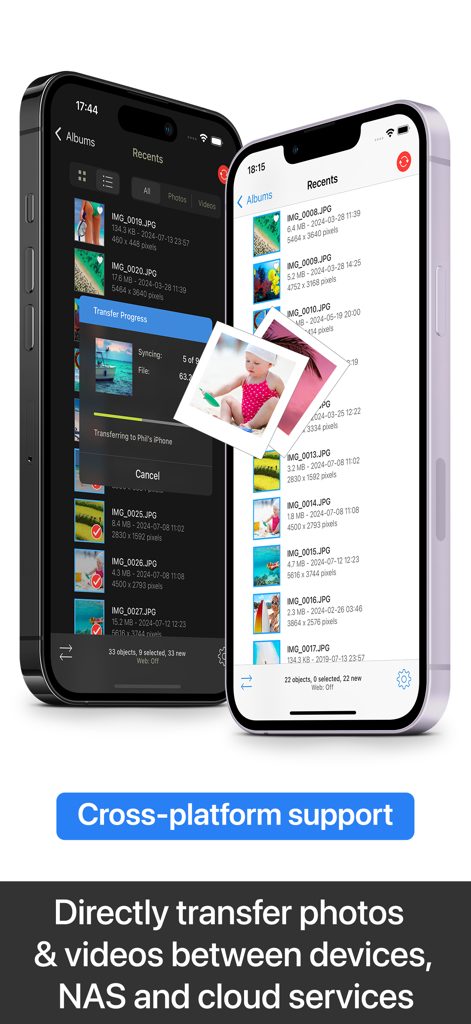
クラウドやiTunesを使用せずに、Wi-Fi経由でiPhoneとコンピューター間で写真や動画をワイヤレス転送
クラウドやiTunesを使用せずに、Wi-Fi経由でiPhoneとコンピューター間で写真や動画をワイヤレス転送

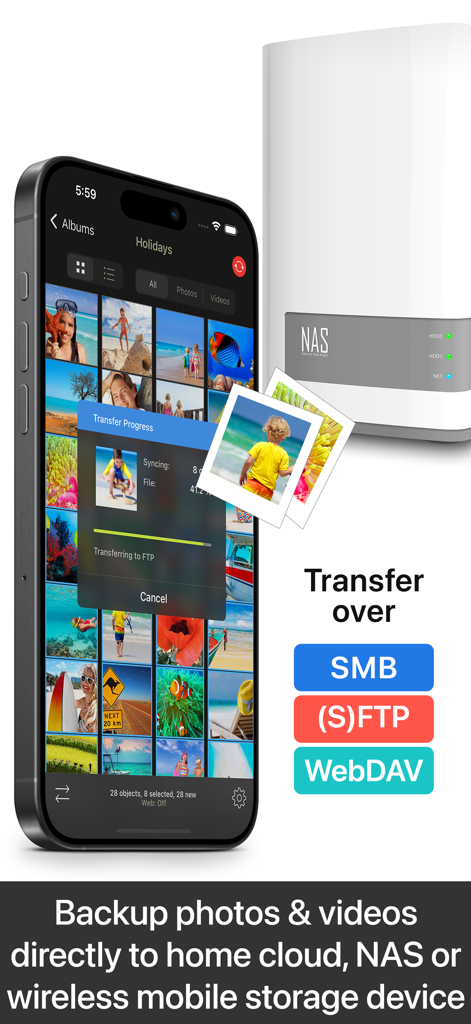
iPhoneからNASストレージデバイスへの写真転送を行うPhotoSyncアプリ
iPhoneからNASストレージデバイスへの写真転送を行うPhotoSyncアプリ

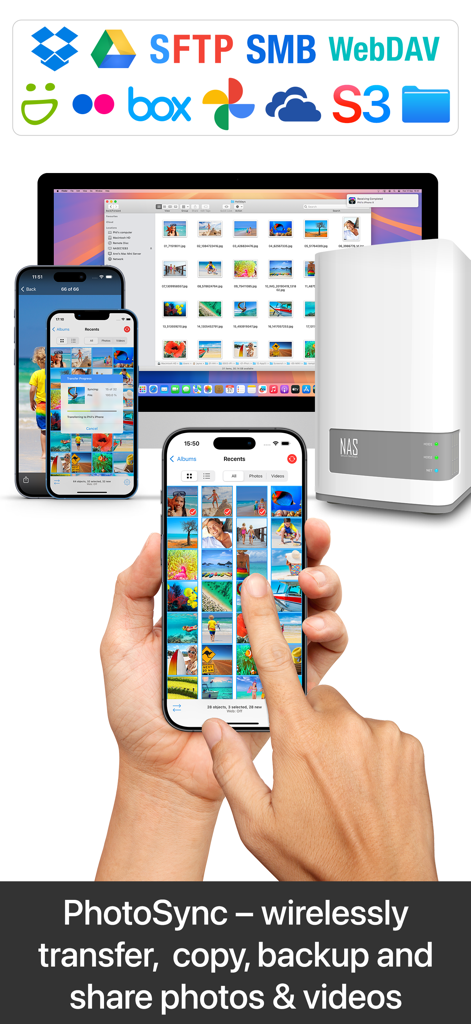
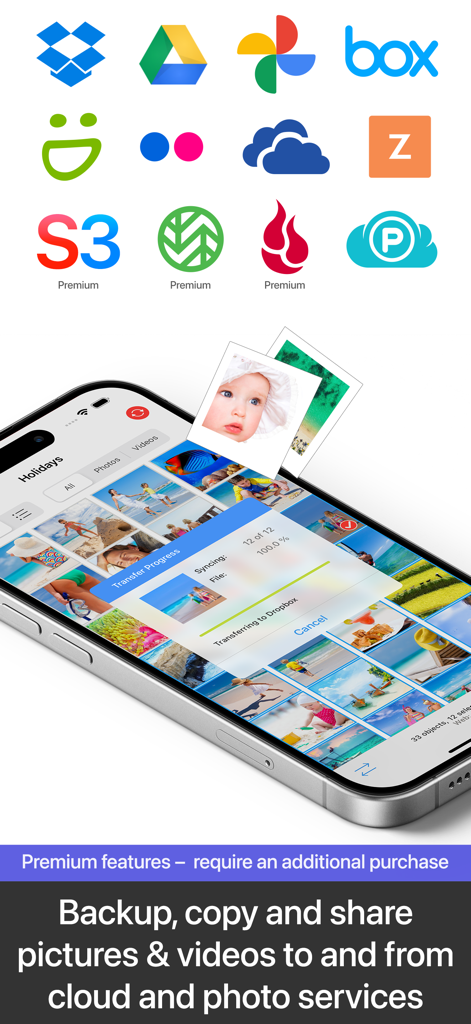
Dropboxに写真を転送するPhotoSyncアプリを表示するスマートフォンの画面。Google DriveやOneDriveなどのさまざまなクラウドサービスのロゴが表示されています。
Dropboxに写真を転送するPhotoSyncアプリを表示するスマートフォンの画面。Google DriveやOneDriveなどのさまざまなクラウドサービスのロゴが表示されています。

クロスプラットフォームの写真と動画転送機能を2台のiPhoneで表示するPhotoSyncアプリのインターフェイス
クロスプラットフォームの写真と動画転送機能を2台のiPhoneで表示するPhotoSyncアプリのインターフェイス

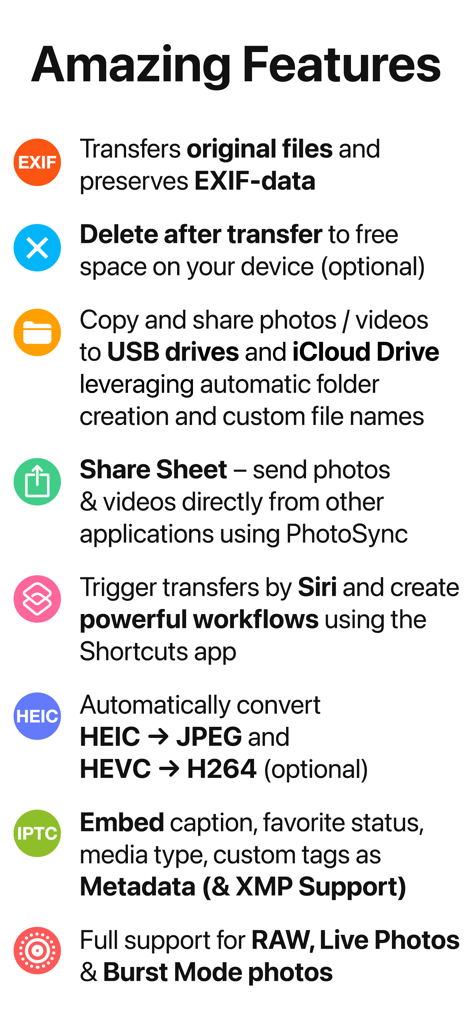
EXIFデータ保存、Siriショートカット、RAWファイルサポートを含むPhotoSyncアプリの機能概要
EXIFデータ保存、Siriショートカット、RAWファイルサポートを含むPhotoSyncアプリの機能概要

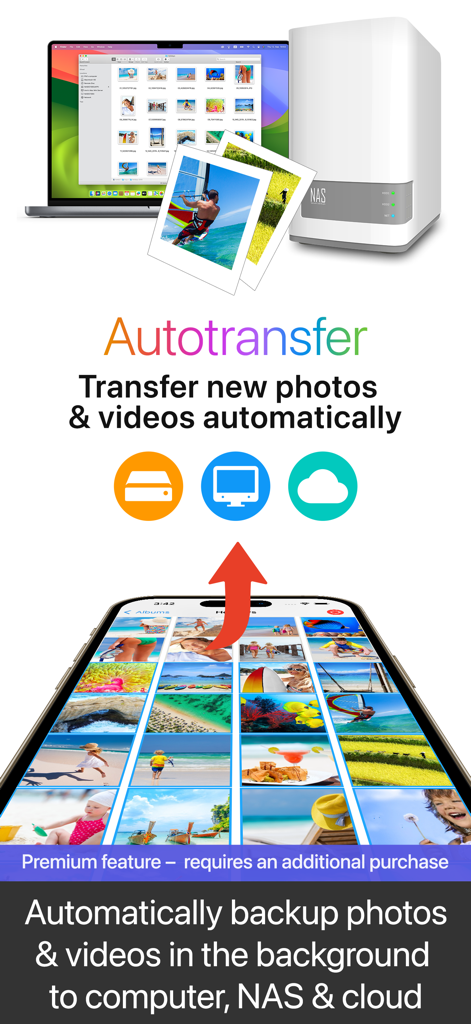
コンピューター、NAS、クラウドへのスマートフォンの自動バックグラウンド写真および動画バックアップ
コンピューター、NAS、クラウドへのスマートフォンの自動バックグラウンド写真および動画バックアップ

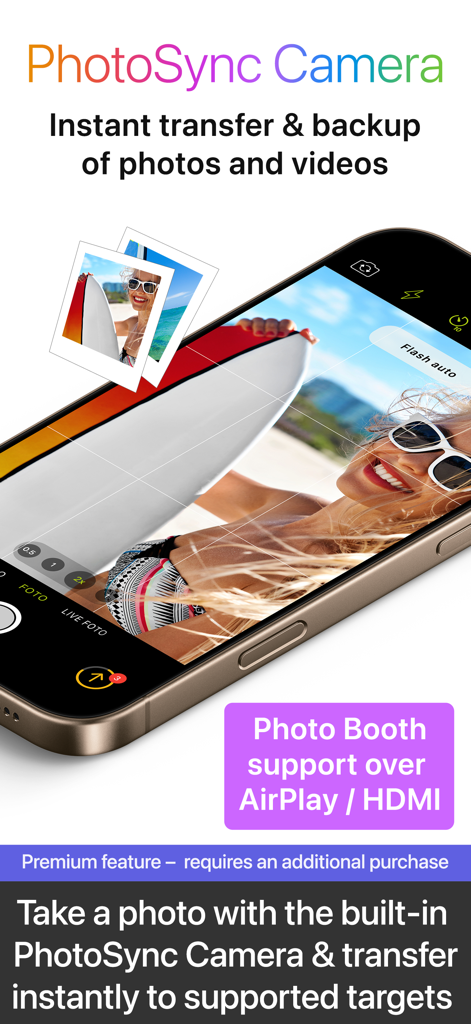
AirPlayサポートによるインスタント写真転送とバックアップのためのPhotoSync Camera機能のインターフェイス
AirPlayサポートによるインスタント写真転送とバックアップのためのPhotoSync Camera機能のインターフェイス

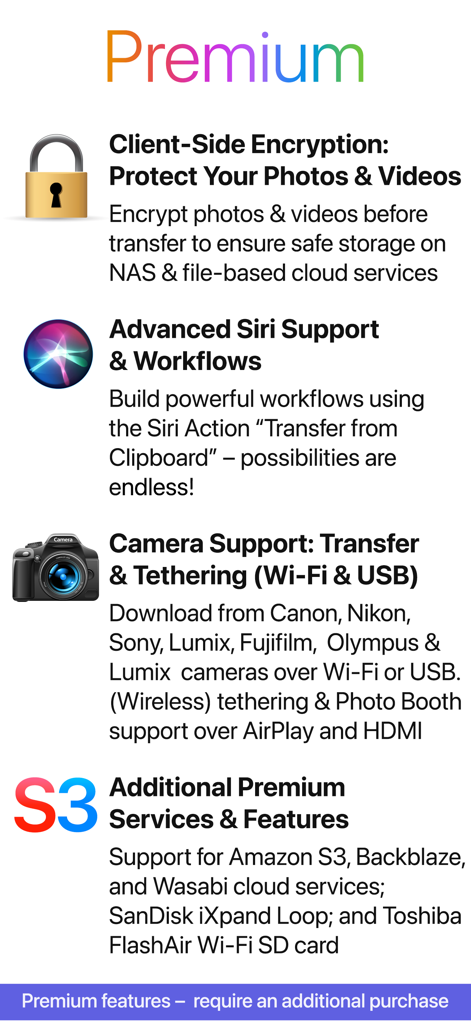
クライアントサイド暗号化、Siriサポート、カメラテザリングを含むPhotoSyncプレミアム機能のリスト
クライアントサイド暗号化、Siriサポート、カメラテザリングを含むPhotoSyncプレミアム機能のリスト

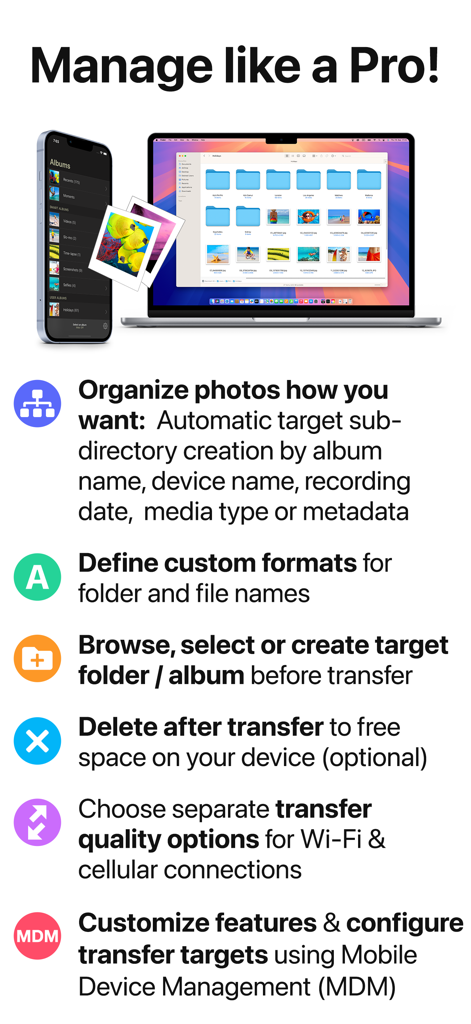
プロの写真整理および転送のためのPhotoSyncアプリの機能を表示するiPhoneとMacBook

プロの写真整理および転送のためのPhotoSyncアプリの機能を表示するiPhoneとMacBook

プロフェッショナルなメディアコントロール、追加料金なし

このアプリを際立たせるツール、 1M+ 人のユーザーが選択.

🔄

無制限のクロスプラットフォームの自由

「壁に囲まれた庭」から抜け出しましょう。クラウドサブスクリプションやiTunesを使わずに、iOS、Mac、Windows、Linux、NAS間で無制限の高解像度写真や動画を移動できます。

💎

プロフェッショナルグレードの整合性

圧縮なし。RAWおよびHEICフォーマットの完全サポートにより、ファイルはそのまま維持され、すべてのEXIF、GPS、IPTCメタデータはキャプチャされたとおりに正確に保存されます。

🛡️

プライバシー中心の自動化

設定して忘れるだけ。ジオフェンシングまたは充電トリガーを使用して、クライアントサイド暗号化でライブラリをプライベートNASに自動バックアップし、データをサードパーティサーバーから遠ざけます。

アプリについて

について知っておくべきこと PhotoSync – transfer photos.

説明

** Cross-platform solution with native apps for mobile devices, Windows & Mac. Also works on Linux ** Reliable and secure software – operating 14 years in the market and continuously updated ** No limitations – transfer and backup an unlimited number of photos & videos. Full-resolution transfer with HEIC and RAW support; all metadata (EXIF, GPS) is preserved ** Flexible: Automatically organise files into folders by recording date, media type, album name and metadata on target device. Customisable file names ** Be totally independent of the cloud and iTunes ** Managed App Configuration over MDM or using a settings file (config.photosync-app.com) —— MAIN FEATURES —— Transfer to / from computer • Directly transfer / backup photos & videos from iPhone / iPad to Windows PC or Mac. Photos & videos are transferred directly over the local Wi-Fi network. No Internet or cloud are required. • Send photos & videos from Windows PC or Mac over Wi-Fi to iPhone / iPad. Received photos & videos are imported directly into the Camera Roll or an album you defined. Transfer between phones and tablets • Directly transfer photos & videos between devices over Wi-Fi, Bluetooth or Personal Hotspot. No computer, Internet or cloud are required. Transfer to / from NAS, cloud and photo services • Backup photos & videos to NAS devices, home cloud and wireless portable hard drives over FTP, SMB, WebDAV and SFTP. PhotoSync works flawlessly with: Synology, QNAP, Buffalo NAS, ownCloud, NextCloud, WD MyCloud, TrueNAS, OpenMediaVault… • Backup photos & videos to / from USB drives, iCloud Drive and local storage via the Files app (iOS13). • Upload photos & videos to popular cloud and photo services like Dropbox, Google Drive, Google Photos, Flickr, OneDrive, PhotoPrism, SmugMug, Box, pCloud, Zenfolio… • Transfer photos & videos directly between devices, services and NAS (e.g. OneDrive to SMB). Visit photosync-app.com for a complete feature list. LIMITATIONS The free version of PhotoSync lets you fully test its transfer functionality. Photos & videos are, however, transferred in low quality. RAW and HEIC photos are converted to JPEG. You can remove these limitations by upgrading to PhotoSync Pro, a one-time purchase, inside the app. —— PREMIUM FEATURES —— Exclusive features for Premium users: Autotransfer Automatically transfer new photos & videos in the background to computer, NAS or supported cloud services, whenever you arrive at pre-selected locations or charge your device. PhotoSync Camera Take a photo with the built-in PhotoSync Camera and instantly transfer it to supported targets. Supports Photo Booth over AirPlay & HDMI. Advanced Siri Support & Workflows Build powerful workflows using the Siri Actions “Transfer from Clipboard” & “Transfer new photos/videos” – possibilities are endless! Client-Side Encryption – Protect Your Photos & Videos Encrypt photos & videos before transfer to ensure safe storage on NAS and file-based cloud services. Camera Support (Wi-Fi & USB) Download from Canon, Nikon, Sony, Fujifilm, Olympus & Lumix cameras and cameras connected over WiFi or USB. (Wireless) tethering & photo booth support over Airplay & HDMI. Additional Premium Services & Features Support for Amazon S3, Backblaze & Wasabi cloud services, SanDisk iXpand Loop, and Toshiba FlashAir Wi-Fi SD cards. Visit premium.photosync-app.com for a complete feature list. Premium features require an additional purchase (one-time purchase or subscription with free trial). LEGAL Duration and price of each subscription is displayed in the PhotoSync app at time of purchase. Payment is charged to the iTunes account at confirmation of purchase. Subscription automatically renews unless automatic renewal is turned off at least 24-hours before the end of the current period. Subscription and auto-renewal can be managed or turned off in the iTunes account settings. Terms & Conditions: https://bit.ly/33KFb1G Privacy Policy: https://bit.ly/30gkaKd

最新バージョン

4.9.7

サイズ

97.5 MB

リリース日

2011年2月18日

プロフェッショナルワークフローを完全に制御

100万人以上のパワーユーザーに加わり、クラウドを回避しましょう。業界で最も信頼されているクロスプラットフォームツールで、RAWファイルの転送、メタデータの保存、ローカルバックアップの自動化を実現。

ダウンロード: App Storeダウンロード: Google Play
FAQ

よくある質問

について知っておくべきこと PhotoSync – transfer photos

PhotoSyncとは何ですか?また、どのような機能がありますか?

PhotoSyncは、写真や動画をワイヤレスで転送、コピー、バックアップ、共有するためのクロスプラットフォームソリューションです。iTunesやインターネットを必要とせずに、モバイルデバイス、コンピューター、NAS、さまざまなクラウドサービスを接続して直接転送できます。

PhotoSyncは転送にインターネットまたはクラウドサービスを必要としますか?

いいえ、PhotoSyncはローカルWi-Fi、Bluetooth、またはパーソナルホットスポット経由でデバイス間の直接転送を可能にします。これらの直接転送方法では、インターネットまたはクラウドサービスは必要ありません。

PhotoSyncはどのデバイスとオペレーティングシステムをサポートしていますか?

PhotoSyncは、モバイルデバイス、Windows、Mac用のネイティブアプリを提供しています。Linuxでも機能し、写真や動画の転送に幅広いクロスプラットフォーム互換性を提供します。

PhotoSyncは写真や動画をフル解像度で転送し、メタデータを保持しますか?

はい、PhotoSyncは無制限の写真や動画をフル解像度で転送します。HEICおよびRAW形式をサポートし、EXIFやGPSを含むすべてのメタデータを保持します。

PhotoSyncの無料バージョンの制限は何ですか?

PhotoSyncの無料バージョンでは、すべての転送機能をテストできます。ただし、写真や動画は低品質で転送され、RAW/HEICファイルはJPEGに変換されます。PhotoSync Proにアップグレードすると、これらの制限は解除されます。

PhotoSyncのオートトランスファー機能とは何ですか?

オートトランスファーは、新しい写真や動画をバックグラウンドで自動的に転送する、PhotoSyncのプレミアム機能です。事前に選択した場所に到着したとき、またはデバイスが充電中のときにアクティブになり、コンピューター、NAS、またはサポートされているクラウドサービスにバックアップします。

PhotoSyncは写真や動画の転送のためにクライアントサイド暗号化を提供していますか?

はい、PhotoSync Premiumにはクライアントサイド暗号化が含まれています。この機能は、転送前に写真や動画を暗号化し、NASやファイルベースのクラウドサービスへの安全な保存を保証します。

PhotoSyncはバックアップのためにどのクラウドおよび写真サービスをサポートしていますか?

PhotoSyncは、Dropbox、Google Drive、Google Photos、Flickr、OneDrive、PhotoPrism、SmugMug、Box、pCloud、Zenfolioなどの人気のあるサービスをサポートしています。プレミアムユーザーは、Amazon S3、Backblaze、Wasabiにもアクセスできます。

PhotoSyncは写真のダウンロードのためにカメラに直接接続できますか?

はい、PhotoSync Premiumは、Wi-FiおよびUSB接続用のカメラサポートを提供しています。Canon、Nikon、Sony、Fujifilm、Olympus、Lumixカメラから写真をダウンロードし、AirPlay/HDMI経由でワイヤレステザーおよびフォトブースをサポートします。

PhotoSyncは転送された写真や動画の整理にどのように役立ちますか?

PhotoSyncは、ターゲットデバイス上の記録日、メディアタイプ、アルバム名、メタデータに基づいてファイルを自動的にフォルダに整理します。ユーザーは柔軟な整理のためにファイル名をカスタマイズすることもできます。

PhotoSync Premium機能の支払いモデルは何ですか?

PhotoSync Premium機能には追加の購入が必要です。これは、1回限りの購入または無料トライアル付きのサブスクリプションである場合があります。支払いはiTunesアカウントを通じて処理されます。

App information, icons, screenshots, and descriptions displayed on this page are sourced from the Apple App Store and are the property of their respective developers. Download estimates and rankings are based on MWM's proprietary models and may not reflect actual figures. This page is provided for informational and analytical purposes only.

Believe this page infringes your intellectual property? File a dispute