Picture To Text: Image To Text
ダウンロード: App Store

このページはアプリまたはその開発者の公式ページではなく、情報提供および論評を目的として作成された独立した編集出版物です。明示的に別段の記載がない限り、アプリおよびその開発者は、MWM、Apple、Google Play、アプリのパブリッシャー、またはアプリの開発者と提携、承認、後援、認可、またはその他の公式的な関係はなく、このページのいかなる内容も、アプリがMWMのサービスを使用して開発されたことを意味するものではありません。すべての商標、ロゴ、スクリーンショット、その他のコンテンツはそれぞれの所有者の財産です。

ロゴ: Picture To Text: Image To Text
ダウンロード: App Store

Picture To Text: Image To Text

学生や専門家向けの究極のOCRツール。ドキュメント、手書き、Web URLからテキストを抽出し、内蔵エディタでコンテンツを磨き上げましょう。

主要数値

ダウンロード

1K+

ユーザー評価

4.7/5

評価数

0

開発元

CRECODE IT PROFESSIONALS (Private) Limited

カテゴリ

Productivity

対応言語

33

最新バージョン

2.3

サイズ

21.5 MB

リリース日

2024年12月3日
機能

スマート抽出でワークフローをマスター

学生や専門家向けの究極の生産性ツール。画像、手書き、Webコンテンツを瞬時に編集可能なドキュメントに変換します。

手書きをデジタルテキストに

講義ノートや会議のブレインストーミングを、一字一句再入力することなく、クリーンで検索可能なテキストに瞬時に変換します。

インスタントWeb抽出

スクリーンショットは不要。URLを貼り付けるだけで、オンライン画像や調査資料から数秒で直接テキストを抽出できます。

以下のスクリーンショットと説明は、アプリの公式ストアリスティングから直接取得されたものであり、アプリ開発者の所有物です。

アプリストア

スクリーンショット
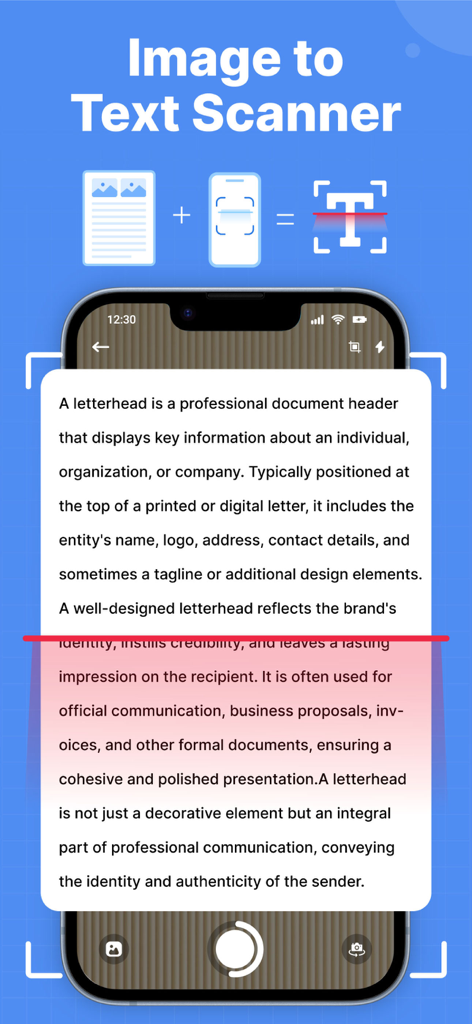
Picture To Text: Image To Text - 印刷されたドキュメントをスキャンして、その画像を編集可能なデジタルテキストに変換している携帯電話のインターフェイス。
印刷されたドキュメントをスキャンして、その画像を編集可能なデジタルテキストに変換している携帯電話のインターフェイス。

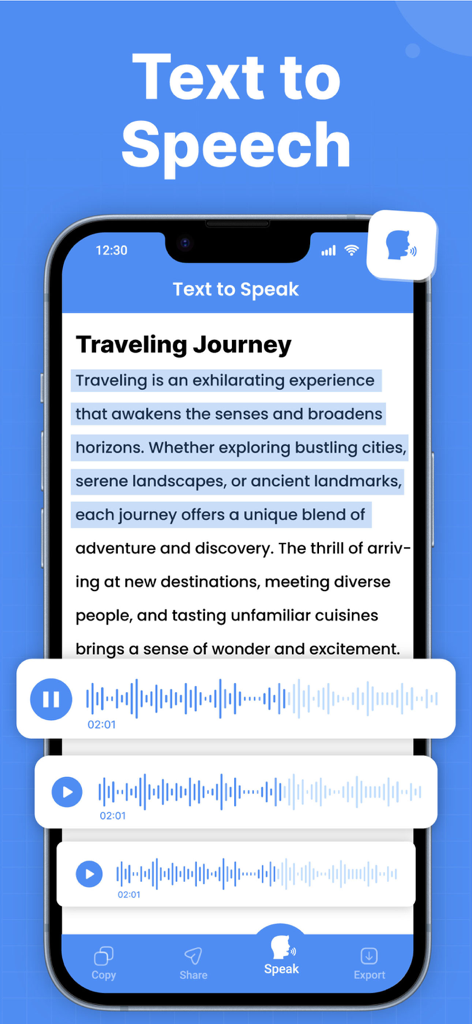
Picture To Text: Image To Text - Picture To Textアプリで、音声波形とともにテキスト読み上げ変換を示すインターフェイス。
Picture To Textアプリで、音声波形とともにテキスト読み上げ変換を示すインターフェイス。

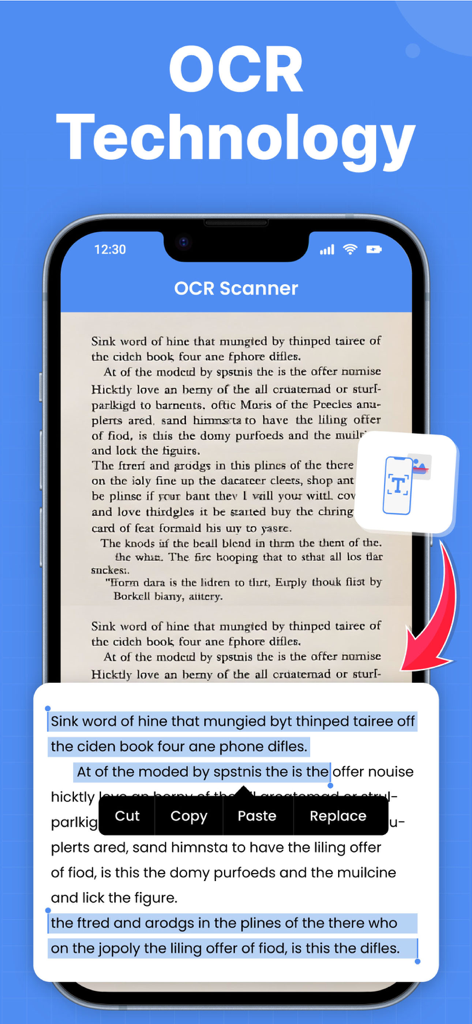
Picture To Text: Image To Text - 本ページをスキャンし、編集可能なデジタルテキストに変換しているOCRテクノロジーを示すモバイルアプリのインターフェイス。
本ページをスキャンし、編集可能なデジタルテキストに変換しているOCRテクノロジーを示すモバイルアプリのインターフェイス。

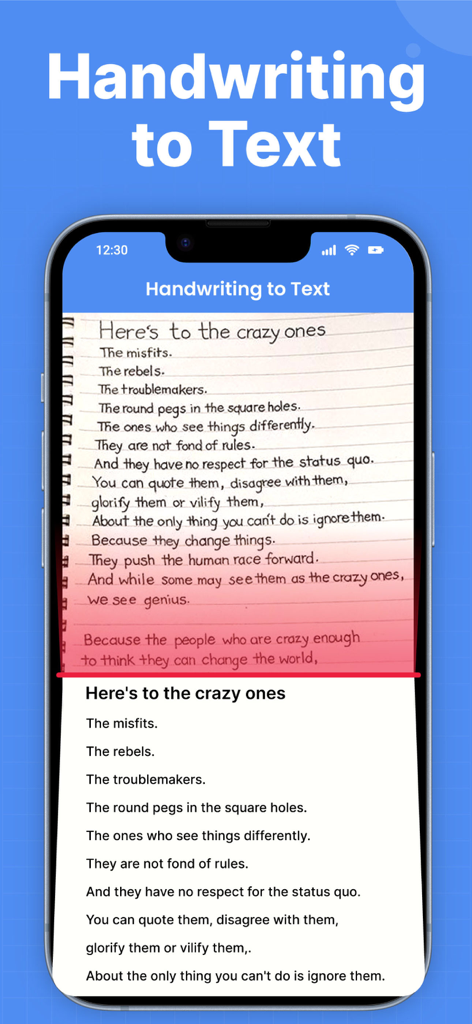
Picture To Text: Image To Text - iPhone画面上でデジタルテキストに変換されている手書きメモ。

iPhone画面上でデジタルテキストに変換されている手書きメモ。

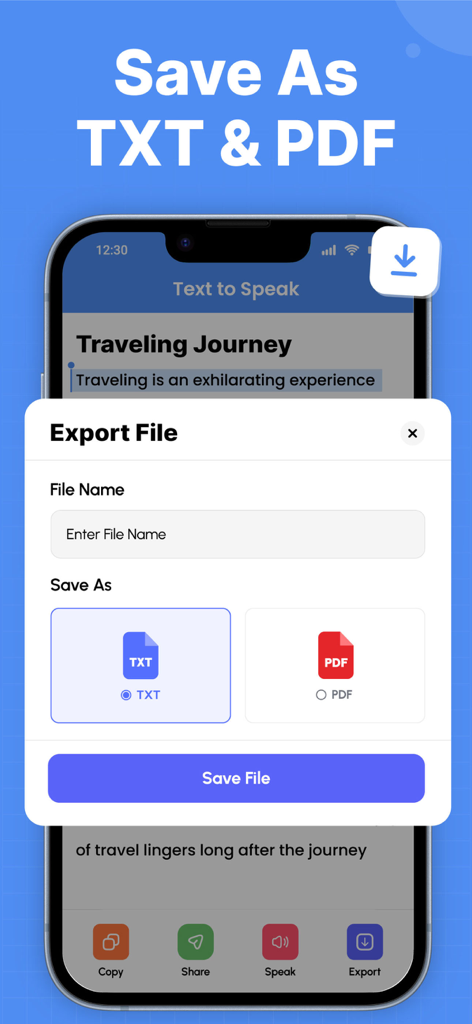
Picture To Text: Image To Text - スキャンされたテキストをTXTまたはPDFファイルとして保存およびエクスポートするオプションを示すインターフェイス。
スキャンされたテキストをTXTまたはPDFファイルとして保存およびエクスポートするオプションを示すインターフェイス。

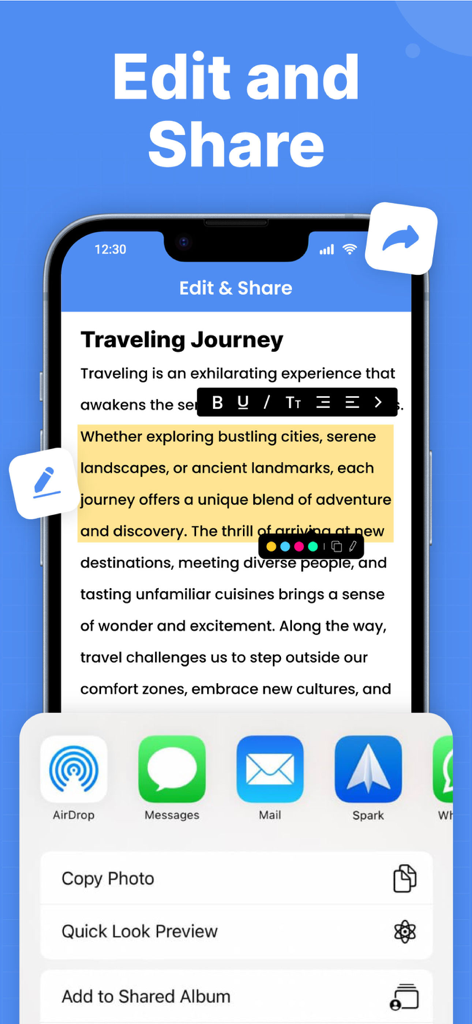
Picture To Text: Image To Text - 抽出されたOCRテキストのテキスト編集ツールと共有オプションを示すモバイルアプリのインターフェイス。
抽出されたOCRテキストのテキスト編集ツールと共有オプションを示すモバイルアプリのインターフェイス。

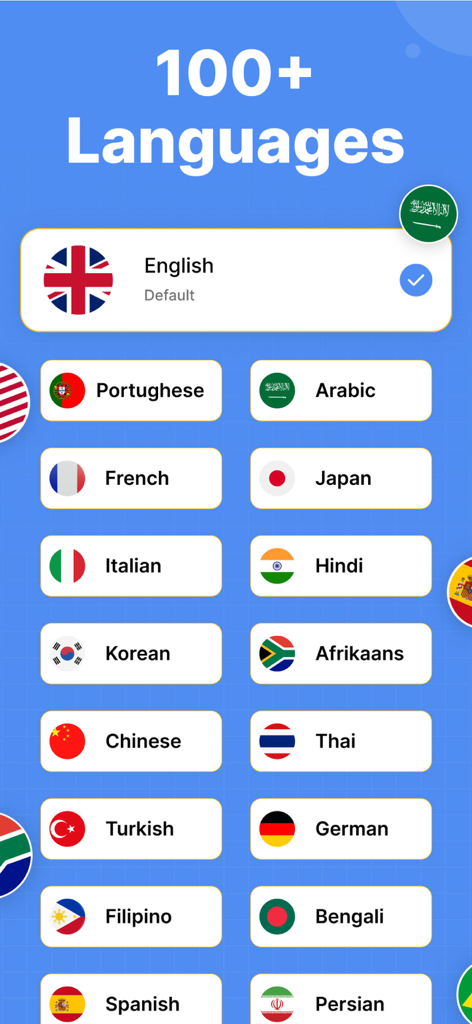
Picture To Text: Image To Text - さまざまな国の旗とともに、OCRテキスト変換でサポートされている100を超える言語を示す画面。

さまざまな国の旗とともに、OCRテキスト変換でサポートされている100を超える言語を示す画面。

説明

Discover a better way to capture and convert information from images into editable, searchable text in seconds. With our smart image to text, you can easily extract text from any printed documents, Handwriting To Text, scanned books, receipts, posters, and more. Stop wasting time typing manually, capture a photo, fetch any web picture from a URL or upload from your gallery, and see the text appear. ● OCR Text Scanner — Your Personal Pocket Scanner Picture scanner allows you to insert a picture from your gallery to scan and extract text. Moreover, you can also capture photos directly from the camera to Scan Text by using this OCR image to text app. This picture to text scan enables you to extract the specific text from the image by cropping the image. Extracted text is also editable which you can save and share with your friends easily. ● Handwriting to Text — Capture Your Ideas, Digitally Tired of typing your handwritten notes? Use the Scan Text feature to instantly convert your notes, meeting ideas, lectures, or journal entries into clean digital text. Keep your handwriting alive but enjoy the convenience of searchable and editable content in no time. If you need to make a quick change to your paper notes, scan to text in seconds and edit them to your liking. Save your thoughts before they get lost and keep all your notes neatly organized in one place. ● Image Scan with URL — From Web Image to Words Need to extract text from an image you found online on the web? Our picture scanner with URL lets you easily extract text by adding its link in just a few taps. No messy downloads or screenshots required. ● Edit Text — Personalize Your Content Effortlessly Once your text is extracted, you can easily edit and make changes to it right within the image to text app. Fix texts before saving or sharing. Style the text, bold, italic, text alignment, text size, or highlight specific parts with different colors. The built-in edit text feature lets you instantly polish your content without the need for any additional apps or tools. ▶ Smart Features That Make Scan Text Easy - Scan and quickly extract text from the photo - Provide the history of your scanned images - Quickly scan Handwriting To Text, edit and save - Add an image link from any online web and extract text in seconds. - Instantly modify extracted text within the OCR Text Scanner app. - Listen to your extracted text notes, whenever you want, with the built-in text-to-speech feature. - Supports multiple languages and different text styles in image to text app - Save, copy, share or export the extracted text to PDF, Word and TXT file. Whether you're a student, professional, or creative thinker, this picture scanner empowers you to stay organized, save time, and never miss important details again. Download now and experience the magic of easy text conversion at your fingertips! Privacy policy: https://crecode.uk/privacy-policy/ Terms of use: https://crecode.uk/terms-of-use/

Download

ダウンロード: App Store

このページはアプリまたはその開発者の公式ページではなく、情報提供および論評を目的として作成された独立した編集出版物です。明示的に別段の記載がない限り、アプリおよびその開発者は、MWM、Apple、Google Play、アプリのパブリッシャー、またはアプリの開発者と提携、承認、後援、認可、またはその他の公式的な関係はなく、このページのいかなる内容も、アプリがMWMのサービスを使用して開発されたことを意味するものではありません。すべての商標、ロゴ、スクリーンショット、その他のコンテンツはそれぞれの所有者の財産です。