Pixart AI Photo Editor
ダウンロード: App Store

このページはアプリまたはその開発者の公式ページではなく、情報提供および論評を目的として作成された独立した編集出版物です。明示的に別段の記載がない限り、アプリおよびその開発者は、MWM、Apple、Google Play、アプリのパブリッシャー、またはアプリの開発者と提携、承認、後援、認可、またはその他の公式的な関係はなく、このページのいかなる内容も、アプリがMWMのサービスを使用して開発されたことを意味するものではありません。すべての商標、ロゴ、スクリーンショット、その他のコンテンツはそれぞれの所有者の財産です。


ロゴ: Pixart AI Photo Editor
ダウンロード: App Store

Pixart AI Photo Editor

次世代クリエイターのためにデザインされた、AIによるオブジェクト削除、驚くべきネオンエフェクト、ワンクリック背景消去で、ソーシャルメディアのプレゼンスを向上させましょう。

主要数値

ダウンロード

348K+

ユーザー評価

4.2/5

評価数

300

開発元

Grisoft Yazilim ve Bilisim Hizmetleri Limited Sirketi

カテゴリ

Photo & Video

対応言語

24

最新バージョン

0.1.9

サイズ

69.9 MB

リリース日

2022年5月29日
機能

数秒でソーシャルフィードをレベルアップ

AIの力を活用して、日常のスナップをプロ級の傑作に変えましょう。不要なものを削除する場合でも、芸術的なひねりを加える場合でも、Pixartはすべてのクリエイターにとってハイエンドな編集を簡単にします。

ワンタップマジック消しゴム

写真に写り込んだ人物、電線、その他の不要なオブジェクトを即座に削除します。AIが隙間をインテリジェントに埋めるため、写真はプライベートスタジオで撮影されたかのように見えます。

プロ級背景切り替え

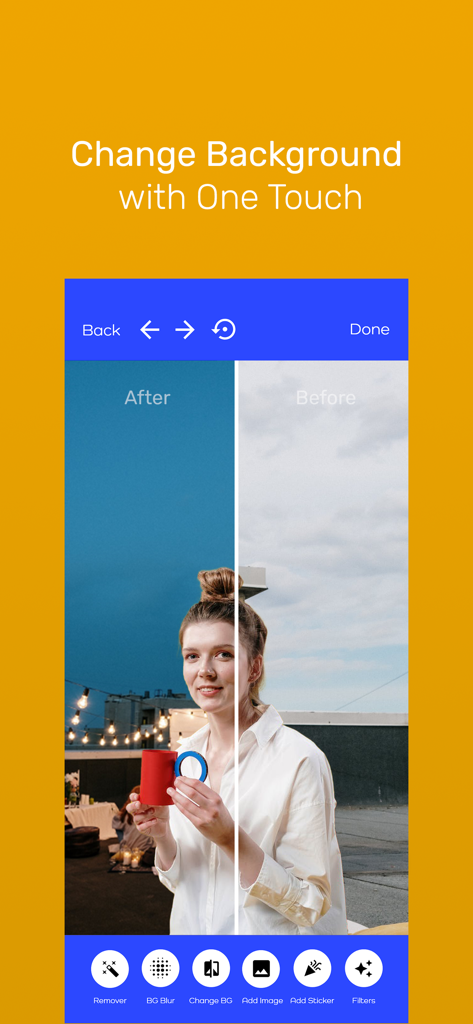
インフルエンサーや副業をしている人に最適です。散らかった背景を数秒で消去し、プロフェッショナルな商品写真や、目を引くおしゃれなライフスタイルポートレートを作成します。

以下のスクリーンショットと説明は、アプリの公式ストアリスティングから直接取得されたものであり、アプリ開発者の所有物です。

アプリストア

スクリーンショット
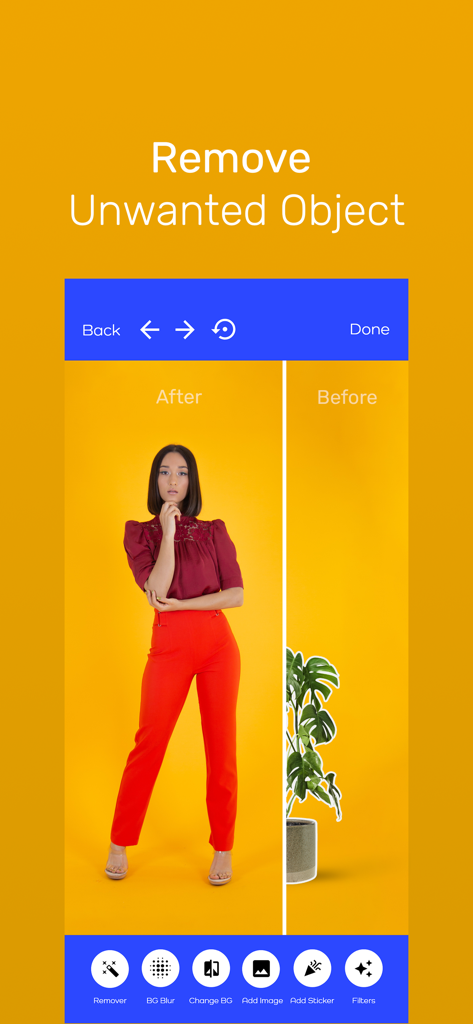
Pixart AI Photo Editor - 女性の写真から植木鉢を取り除くPixart AIアプリの画面分割デモンストレーション
女性の写真から植木鉢を取り除くPixart AIアプリの画面分割デモンストレーション

Pixart AI Photo Editor - Pixart AI Photo Editorを使用した写真の背景変更のビフォーアフター比較
Pixart AI Photo Editorを使用した写真の背景変更のビフォーアフター比較

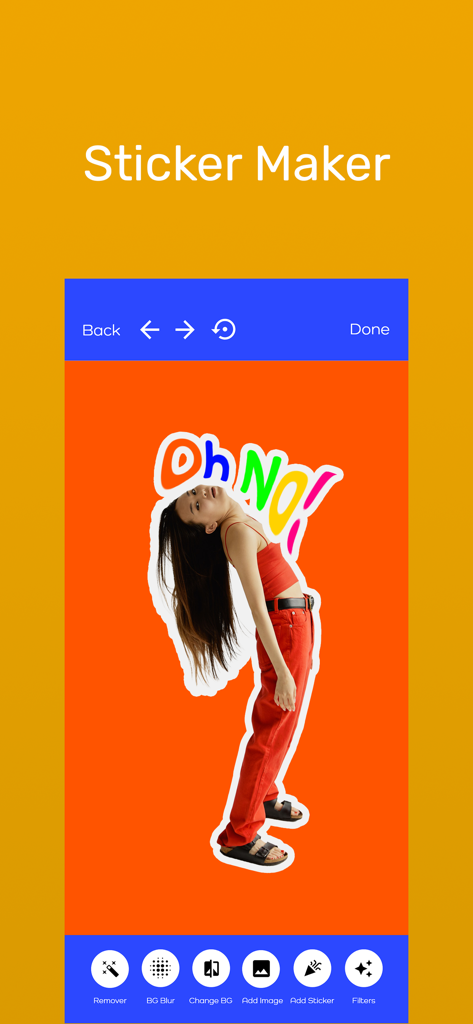
Pixart AI Photo Editor - カラフルなテキストが付いた写真の切り抜きとオレンジ色の背景が表示されているPixart AI Photo Editorステッカーメーカーのインターフェース
カラフルなテキストが付いた写真の切り抜きとオレンジ色の背景が表示されているPixart AI Photo Editorステッカーメーカーのインターフェース

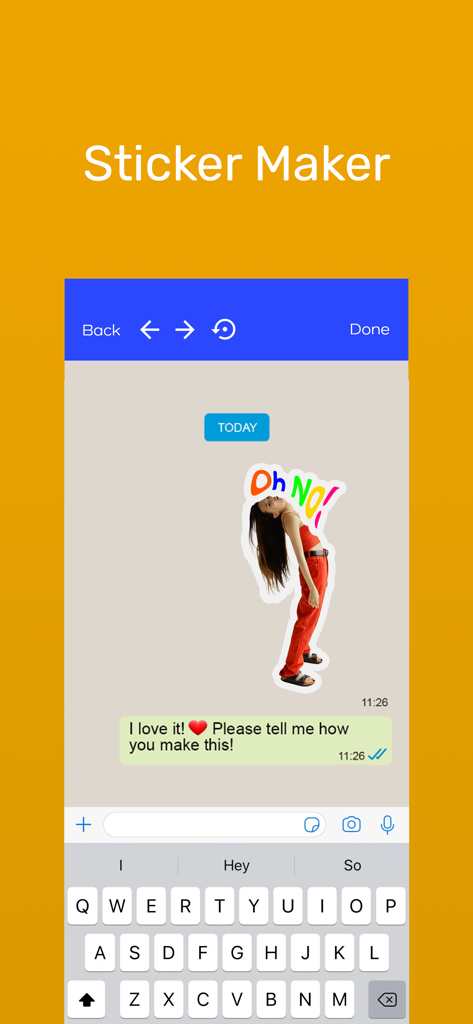
Pixart AI Photo Editor - メッセージアプリでカスタム写真ステッカーが表示されているPixart AIステッカーメーカーツールのインターフェース
メッセージアプリでカスタム写真ステッカーが表示されているPixart AIステッカーメーカーツールのインターフェース

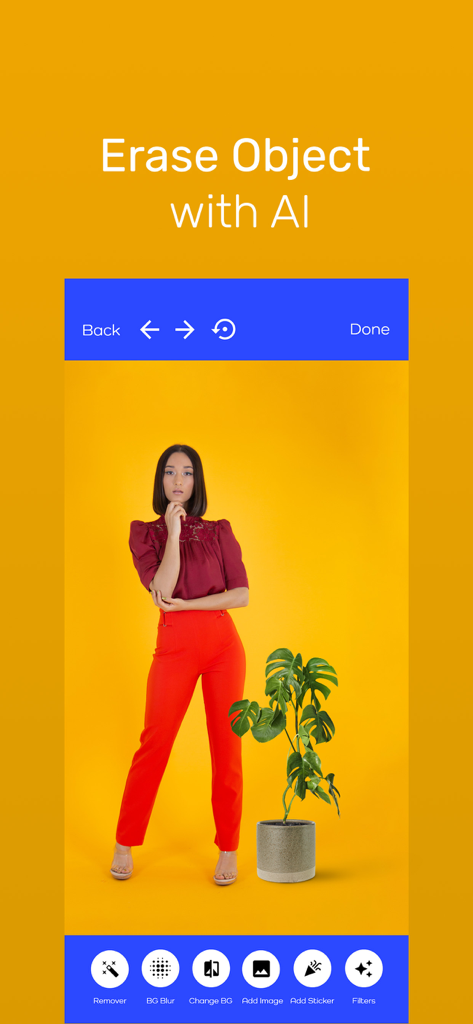
Pixart AI Photo Editor - 黄色い背景に植物の横に立つ女性がいる状態で、オブジェクト消去ツールが表示されているPixart AI Photo Editorアプリのインターフェース
黄色い背景に植物の横に立つ女性がいる状態で、オブジェクト消去ツールが表示されているPixart AI Photo Editorアプリのインターフェース

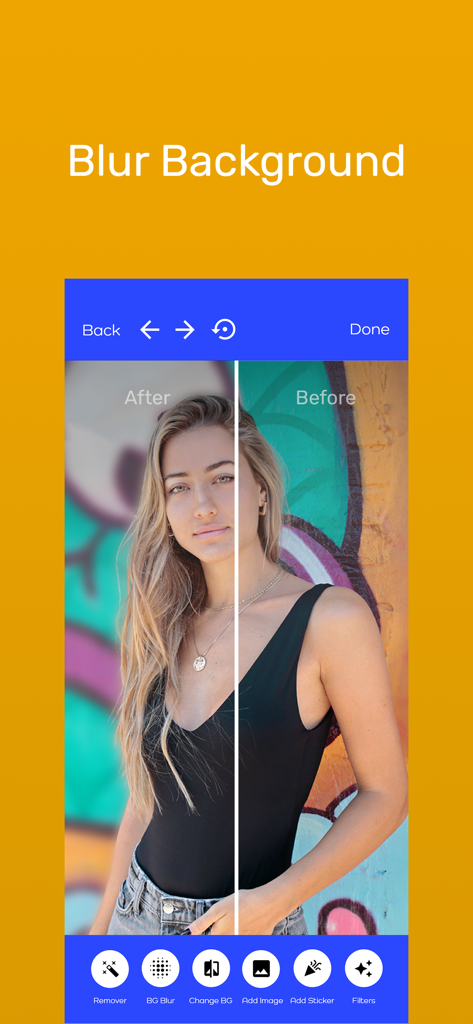
Pixart AI Photo Editor - Pixart AI Photo Editorアプリのぼかし背景機能のビフォーアフター比較

Pixart AI Photo Editorアプリのぼかし背景機能のビフォーアフター比較

説明

Pixart is an AI powered professional photo editor that is both simple but powerful. With Pixart, you can remove objects with one click, erase background, make stickers for messaging apps! Also you can change background, blur background and highlight the object you want! Also you can add so many photo effects to your photos and selfies, including background eraser, adding neon lights, add colorful lines stickers, create artistic black and white photo, blur background like you are using a DSLR camera, and add many filters and photo effects. Photo enhancement is super easy and quick. Nowadays you can capture amazing photos with your phone camera. However, you still need a powerful photo editing tools for photo enhancement to take your images to the next level! Let us help you create stunning photos to attract more followers and likes to your social media account. These powerful photoeffects and photo enhancement tools will make your pictures look like they’re professionally edited with advanced software. However, it only takes seconds to remove image background, add colorful lines and stickers, create black and white photo effects, or even unique effects such as Drip or Shatter . FEATURES OF PIXART PHOTO EDITOR: REMOVE BACKGROUND, ERASE OBJECT, CREATE STICKER, PHOTO PRESETS, BLUR BACKGROUND, AND MORE REMOVE OBJECT Remove unwanted objects with one click! BLACK AND WHITE PHOTO Create artistic black and white photo with our editor. The best thing about this feature is you can select only a part of your photo to have this black and white photo effect. BLUR BACKGROUND Do you want to blur background like if you’re using DSLR camera? Now you can. Use this feature to make as if you take the photo with DSLR camera. MAKE STICKER You can turn your photos into sticker with our AI powered feature! Short and simple. BACKGROUND ERASER Remove image background within seconds with our background eraser feature! Our AI will automatically detect which is the subject and which is the background. CHANGE BACKGROUND WITH ONE CLICK Add any photo as a background and highlight the object that you wanted! Use this effect to create unique photos that stand out from the crowd. NEON LIGHTS Add amazing neon light effect to your photo and add colorful lines and stickers to your photos. SHATTERING PHOTO EFFECTS Create jaw dropping photo using our photo shattering effect. PHOTO PRESETS We have many amazing filters and photo presets for photo enhancement. Try them now and wow your followers! So, download PIXART PHOTO EDITOR now and access all the powerful photo enhancement tools in our app! Please visit for Terms Of Use: https://www.apple.com/legal/internet-services/itunes/dev/stdeula/ Privacy Policy: https://grisoftbilisim.com.tr/pixart-privacy-policy/

Download

ダウンロード: App Store

このページはアプリまたはその開発者の公式ページではなく、情報提供および論評を目的として作成された独立した編集出版物です。明示的に別段の記載がない限り、アプリおよびその開発者は、MWM、Apple、Google Play、アプリのパブリッシャー、またはアプリの開発者と提携、承認、後援、認可、またはその他の公式的な関係はなく、このページのいかなる内容も、アプリがMWMのサービスを使用して開発されたことを意味するものではありません。すべての商標、ロゴ、スクリーンショット、その他のコンテンツはそれぞれの所有者の財産です。








