Playlisty for Apple Music
ダウンロード: App Store

このページはアプリまたはその開発者の公式ページではなく、情報提供および論評を目的として作成された独立した編集出版物です。明示的に別段の記載がない限り、アプリおよびその開発者は、MWM、Apple、Google Play、アプリのパブリッシャー、またはアプリの開発者と提携、承認、後援、認可、またはその他の公式的な関係はなく、このページのいかなる内容も、アプリがMWMのサービスを使用して開発されたことを意味するものではありません。すべての商標、ロゴ、スクリーンショット、その他のコンテンツはそれぞれの所有者の財産です。

ロゴ: Playlisty for Apple Music
ダウンロード: App Store

Playlisty for Apple Music

月額料金ゼロで、SpotifyまたはYouTubeからピンポイントの精度で移行。音楽ライブラリと高品質メタデータを完全に管理したい29万人以上のユーザーに選ばれています。

主要数値

ダウンロード

290K+

ユーザー評価

4.8/5

評価数

1K+

開発元

Obdura Ltd

カテゴリ

Music

対応言語

1

最新バージョン

3.35

サイズ

26.8 MB

リリース日

2019年11月28日
機能

音楽移行をマスターする

欠落したトラックや不正確なマッチングに妥協するのはやめましょう。Playlistyは、サブスクリプション疲れなしで完璧なApple Musicライブラリを構築するために必要な精度と自動化をパワーユーザーに提供します。

比類なきマッチング精度

保存前にマッチングを確認・修正できます。ライブラリのすべてのトラックが常に最高のオーディオ品質と正しいメタデータを持っていることを保証します。

月額サブスクリプションなし

シンプルな買い切り料金でプログレードのツールを体験してください。請求書にさらに定期的な費用を追加することなく、無制限の移行とPro機能のロックを解除します。

以下のスクリーンショットと説明は、アプリの公式ストアリスティングから直接取得されたものであり、アプリ開発者の所有物です。

アプリストア

スクリーンショット
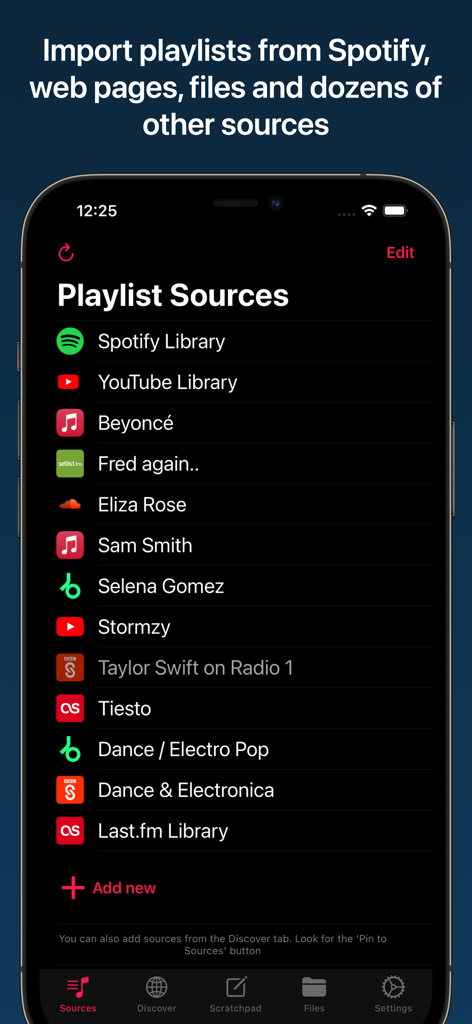
Playlisty for Apple Music - Apple MusicへのインポートのためにSpotifyやYouTubeなどのプレイリストソースのリストを示すPlaylistyアプリのインターフェース。
Apple MusicへのインポートのためにSpotifyやYouTubeなどのプレイリストソースのリストを示すPlaylistyアプリのインターフェース。

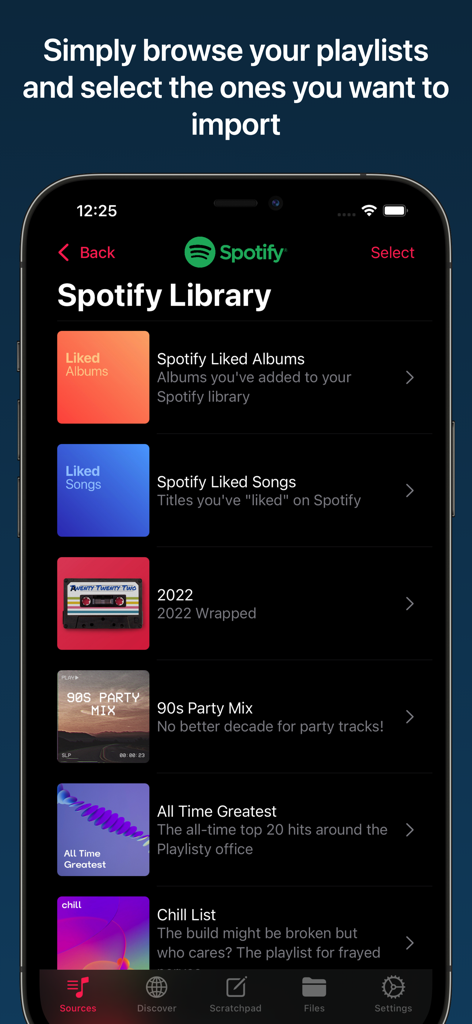
Playlisty for Apple Music - Apple Musicにインポートする準備ができたSpotifyプレイリストのリストを示すモバイルインターフェース。
Apple Musicにインポートする準備ができたSpotifyプレイリストのリストを示すモバイルインターフェース。

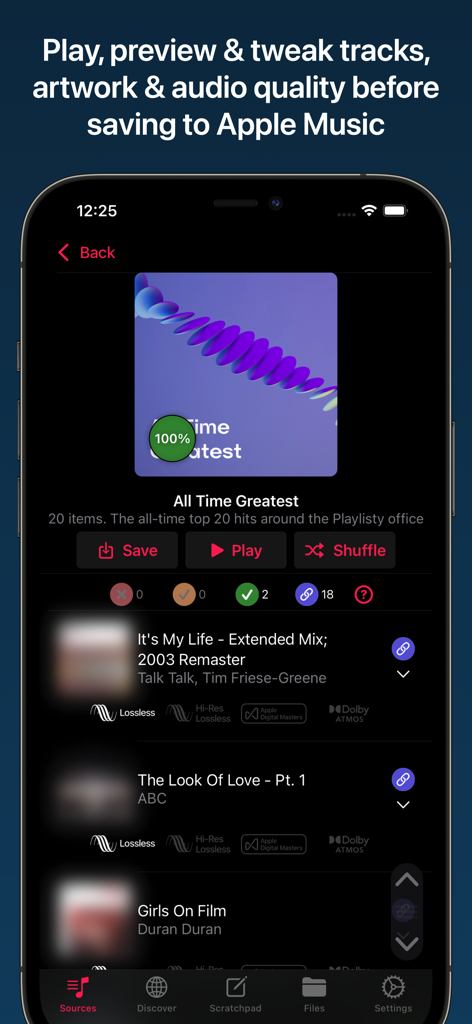
Playlisty for Apple Music - Apple Music用Playlistyでトラックとオーディオ品質をプレビューします。
Apple Music用Playlistyでトラックとオーディオ品質をプレビューします。

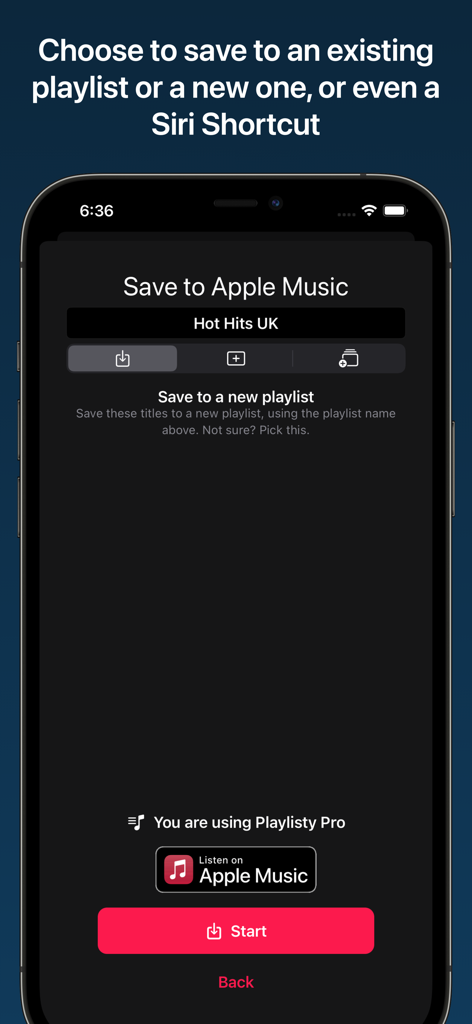
Playlisty for Apple Music - Apple MusicまたはSiriショートカットにプレイリストを保存するためのPlaylistyアプリインターフェースを示すスクリーンショット。
Apple MusicまたはSiriショートカットにプレイリストを保存するためのPlaylistyアプリインターフェースを示すスクリーンショット。

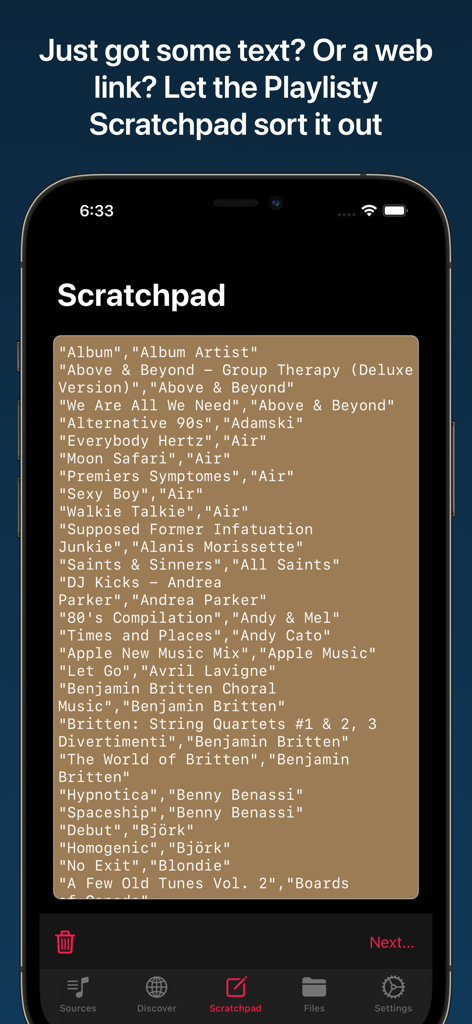
Playlisty for Apple Music - Apple MusicプレイリストにテキストまたはWebリンクをインポートするために使用されるPlaylisty Scratchpad機能を示すスマートフォンの画面。
Apple MusicプレイリストにテキストまたはWebリンクをインポートするために使用されるPlaylisty Scratchpad機能を示すスマートフォンの画面。

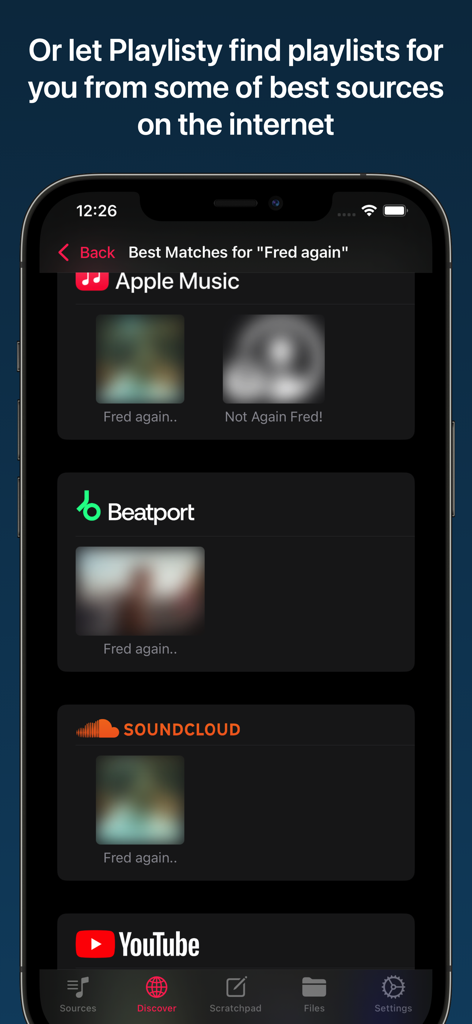
Playlisty for Apple Music - SoundCloud、YouTube、Beatportなどの複数のソースからアーティストFred againのプレイリスト検索結果を示すPlaylistyアプリ。

SoundCloud、YouTube、Beatportなどの複数のソースからアーティストFred againのプレイリスト検索結果を示すPlaylistyアプリ。

説明

Don't put up with bad matches and missing tracks - use the tool that gives you control over your playlist transfers. Important: You'll need a current Apple Music subscription to use "Playlisty for Apple Music". • Copy all of your Spotify playlists, liked songs, albums and artists to Apple Music in just a few taps • Fast & accurate, finds the Apple Music tracks with the best audio quality & artwork • NO SUBSCRIPTION – just a small one-off fee to unlock “Pro” features¹ • Lets you preview & amend matched playlists before saving results to Apple Music • Unique "direct play" feature - browse and play playlists without having to save them • Been sent a link to a Spotify playlist, track or album? Playlisty's unique "scratchpad" will convert it to Apple Music • Back-up your Apple Music playlists & songs to a file to keep them safe • Copy your library playlists, including your liked songs, from multiple other services such as YouTube • Use Siri Shortcuts to automatically sync playlists in the background • Discover new curators, artists & genres on some of the world's best music sites • Import or copy/paste playlists from hundreds of different file formats & web-pages Please note that Playlisty for Apple Music transfers playlists *into* Apple Music, not out. If you are looking to transfer playlists from Apple Music to Spotify please look at our other app: Playlisty for Spotify (https://apps.apple.com/us/app/playlisty-for-spotify/id6478105775) which goes the other way. ¹ The free version of Playlisty allows you to import an unlimited number of playlists, but playlists from certain sources (e.g. Spotify & YouTube) are capped at 20 tracks. Our low-cost "Pro" upgrade unlocks a number of additional features including playlists of unlimited length regardless of source.

Download

ダウンロード: App Store

このページはアプリまたはその開発者の公式ページではなく、情報提供および論評を目的として作成された独立した編集出版物です。明示的に別段の記載がない限り、アプリおよびその開発者は、MWM、Apple、Google Play、アプリのパブリッシャー、またはアプリの開発者と提携、承認、後援、認可、またはその他の公式的な関係はなく、このページのいかなる内容も、アプリがMWMのサービスを使用して開発されたことを意味するものではありません。すべての商標、ロゴ、スクリーンショット、その他のコンテンツはそれぞれの所有者の財産です。