Plotagon Studio
Plotagon Studio
ダウンロード: App Store

このページはアプリまたはその開発者の公式ページではなく、情報提供および論評を目的として作成された独立した編集出版物です。明示的に別段の記載がない限り、アプリおよびその開発者は、MWM、Apple、Google Play、アプリのパブリッシャー、またはアプリの開発者と提携、承認、後援、認可、またはその他の公式的な関係はなく、このページのいかなる内容も、アプリがMWMのサービスを使用して開発されたことを意味するものではありません。すべての商標、ロゴ、スクリーンショット、その他のコンテンツはそれぞれの所有者の財産です。


ロゴ: Plotagon Studio
ダウンロード: App Store

Plotagon Studio

カスタマイズ可能なキャラクター、リアルなボイス、使いやすい監督ツールで、あなたの最もワイルドなアイデアをプロ並みの映画に変えましょう。描画やアニメーションの経験は不要です。

主要数値

ダウンロード

46K+

ユーザー評価

4.4/5

評価数

1K+

開発元

Plotagon Production AB

カテゴリ

Photo & Video

対応言語

1

最新バージョン

1.4.0

サイズ

185.3 MB

リリース日

2024年3月26日
機能

スクリプトからスクリーンまで数分で

次世代クリエイターのための究極のDIYアニメーションスタジオ。描画スキルがない? 問題ありません。あなたのアイデアを持ってきて、残りは私たちの3Dツールに任せてください。

あなただけの象徴的なキャストを作成

カスタム3Dキャラクターをデザインするか、膨大なロケーションライブラリから選びましょう。あなたの俳優とセットは、バイラルデビューの準備ができています。

自動マジックリップシンク

セリフを入力するだけで、キャラクターが瞬時に話すのを見ることができます。リアルなAIボイスを使用するか、完璧なコメディタイミングのために自分の声を録音しましょう。

以下のスクリーンショットと説明は、アプリの公式ストアリスティングから直接取得されたものであり、アプリ開発者の所有物です。

アプリストア

スクリーンショット
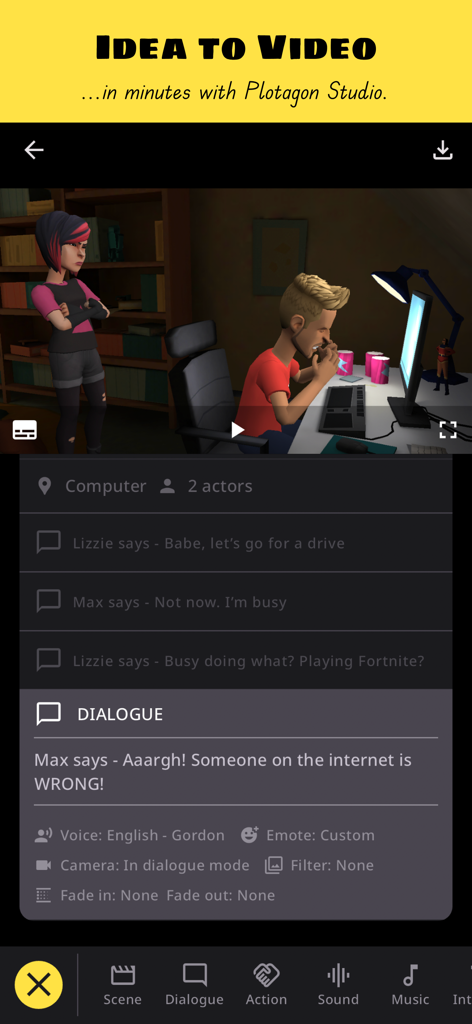
Plotagon Studio - Plotagon Studioアプリのインターフェイスのプレビュー。3Dシーンとダイアログスクリプトのオプションが表示されています。
Plotagon Studioアプリのインターフェイスのプレビュー。3Dシーンとダイアログスクリプトのオプションが表示されています。

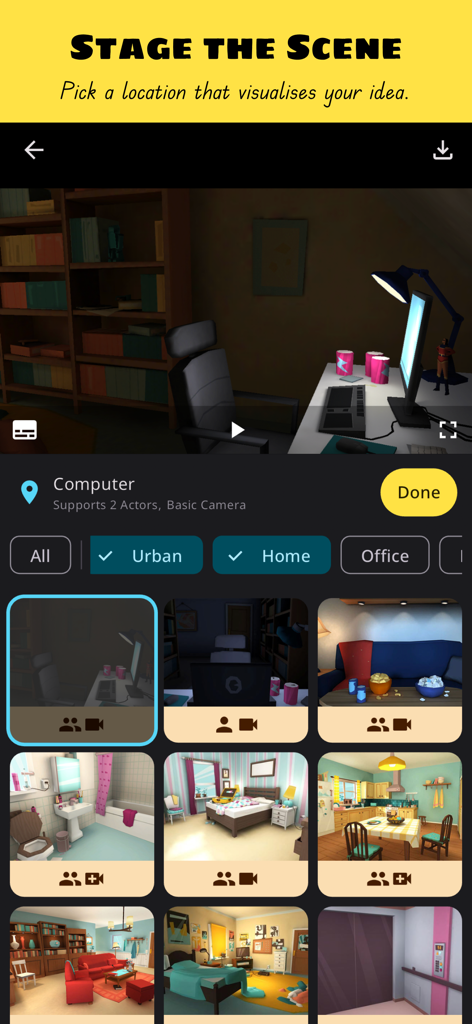
Plotagon Studio - アニメーションビデオ用に選択できる3Dシーンの場所のギャラリーを表示しているPlotagon Studioアプリのインターフェイス。
アニメーションビデオ用に選択できる3Dシーンの場所のギャラリーを表示しているPlotagon Studioアプリのインターフェイス。

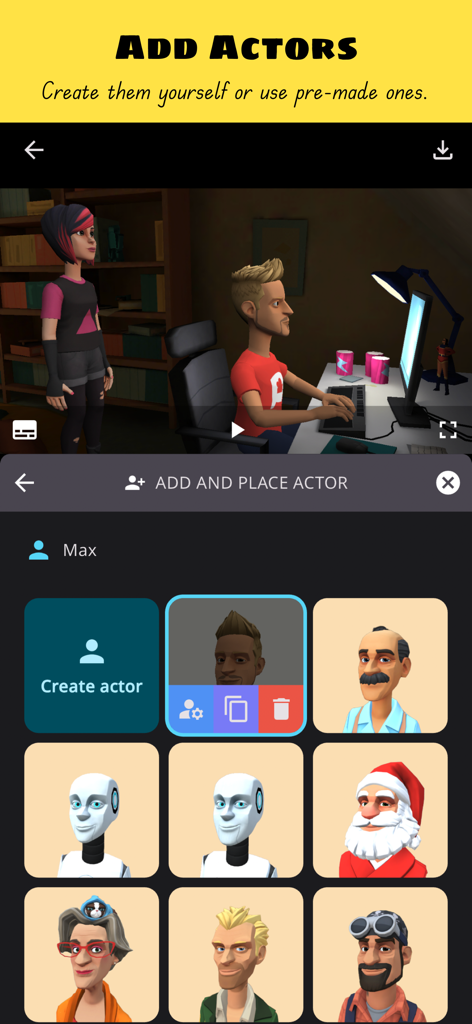
Plotagon Studio - 3Dアニメーションアクターの追加と作成のためのPlotagon Studioインターフェイス。
3Dアニメーションアクターの追加と作成のためのPlotagon Studioインターフェイス。

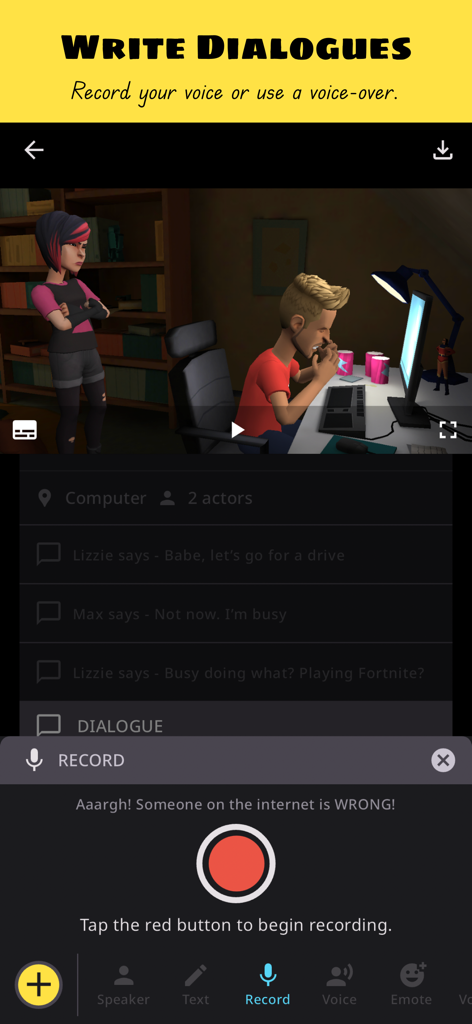
Plotagon Studio - 3Dアニメーションシーンのダイアログ作成およびボイスレコーディングツールを示すPlotagon Studioアプリのインターフェイス。
3Dアニメーションシーンのダイアログ作成およびボイスレコーディングツールを示すPlotagon Studioアプリのインターフェイス。

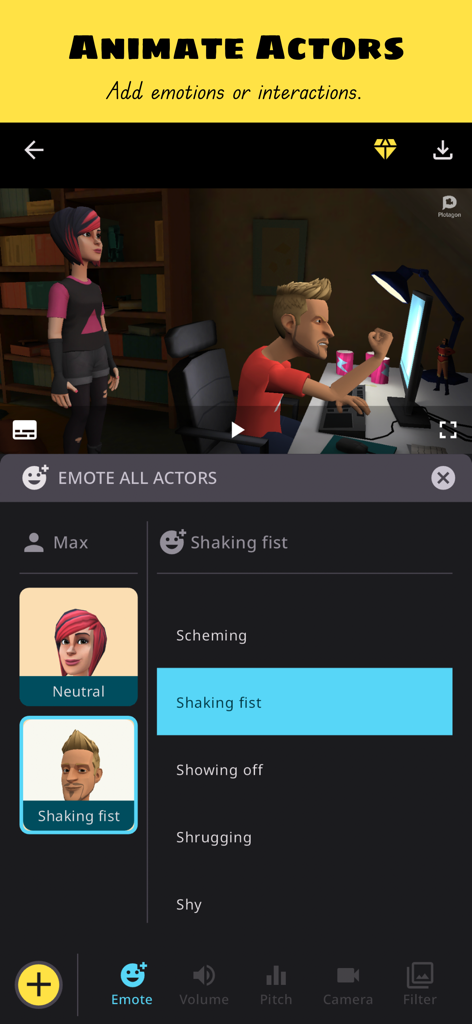
Plotagon Studio - 3Dアニメーションキャラクターのために震える拳の感情を選択しているキャラクタークリエイターを示すPlotagon Studioアプリのインターフェイス。

3Dアニメーションキャラクターのために震える拳の感情を選択しているキャラクタークリエイターを示すPlotagon Studioアプリのインターフェイス。
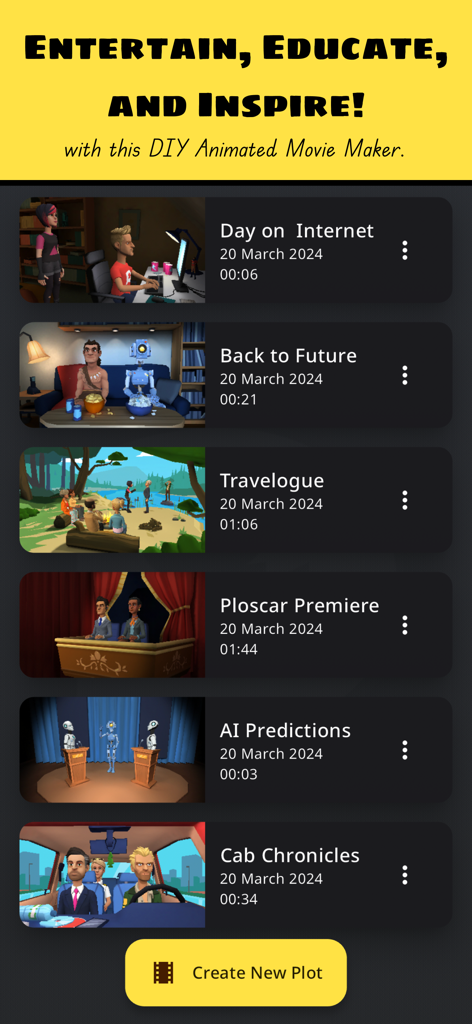
Plotagon Studio - さまざまなサムネイルとタイトルを示すPlotagon Studioアプリのインターフェイス内の3Dアニメーションビデオプロジェクトのライブラリ。

さまざまなサムネイルとタイトルを示すPlotagon Studioアプリのインターフェイス内の3Dアニメーションビデオプロジェクトのライブラリ。

説明

With this app, we aspire to enable anyone with an idea to effortlessly make professional-looking animated videos. Plotagon Studio comes with a rich library of visual content, lifelike voices and creative tools to help bring your stories to life. Have you got an idea and wonder what to do next? Follow along:
 Step 1: Download this app, obviously!
 Step 2: Start creating a Plot. Plots are intuitive storyboards that help you easily organize, preview, and develop your story.
 Step 3: Pick a location that visualises your story.
 Step 4: Add actors. Create them yourself or pick ones from our library.
 Step 5: Write dialogues, record voice overs, give your actors emotions and actions, add audio effects.
 Step 6: Develop your story with our creative tools that allow you to be a video editor in-app. Change camera angles, apply fades and filters.
 Step 7: Save the Plot as a video file. Share your film masterpiece with friends, family, and on social media! That's it! Seven easy steps to becoming the next big content creator internet sensation!* Educate, entertain and inspire with the best DIY animated movie maker! *Disclaimer: Individual results may vary depending on the quality and virality of produced content! ;-) If you have read this far, we thank you for your attention. We also hope you are convinced that Plotagon Studio is worth your time. Give it a try and let us know what you think at support@plotagon.com. Privacy Policy: 
https://www.plotagon.com/v2/privacy-policy/
 Terms of Service:
 https://www.plotagon.com/v2/terms-of-use/

Download

ダウンロード: App Store

このページはアプリまたはその開発者の公式ページではなく、情報提供および論評を目的として作成された独立した編集出版物です。明示的に別段の記載がない限り、アプリおよびその開発者は、MWM、Apple、Google Play、アプリのパブリッシャー、またはアプリの開発者と提携、承認、後援、認可、またはその他の公式的な関係はなく、このページのいかなる内容も、アプリがMWMのサービスを使用して開発されたことを意味するものではありません。すべての商標、ロゴ、スクリーンショット、その他のコンテンツはそれぞれの所有者の財産です。








