Pop Dot Comics
Pop Dot Comics
ダウンロード: App Store

このページはアプリまたはその開発者の公式ページではなく、情報提供および論評を目的として作成された独立した編集出版物です。明示的に別段の記載がない限り、アプリおよびその開発者は、MWM、Apple、Google Play、アプリのパブリッシャー、またはアプリの開発者と提携、承認、後援、認可、またはその他の公式的な関係はなく、このページのいかなる内容も、アプリがMWMのサービスを使用して開発されたことを意味するものではありません。すべての商標、ロゴ、スクリーンショット、その他のコンテンツはそれぞれの所有者の財産です。

ロゴ: Pop Dot Comics
ダウンロード: App Store

Pop Dot Comics

ヴィンテージパルプのテクスチャ、大胆なリキテンスタイン風ポップアート、クラシックなベンデイドットで、コミックの黄金時代を蘇らせましょう。あなたのスナップショットを高解像度の傑作に変え、日曜新聞やパルプフィクションの表紙にふさわしいものにしましょう。

主要数値

ダウンロード

170K+

ユーザー評価

4.4/5

評価数

700

開発元

JixiPix, LLC

カテゴリ

Photo & Video

対応言語

-

最新バージョン

1.48

サイズ

68.3 MB

リリース日

2012年8月24日
機能

すべてのスナップショットをコミックの傑作に

懐かしさと高解像度の創造性を融合させたプロ仕様のコミック効果。描画スキルは不要です。

象徴的なコミックの美学

リキテンスタイン風ポップアートから、ハードなシンシティ風ノワールまで、さまざまなスタイルで黄金時代を追体験しましょう。

ヒーローの物語

カスタマイズ可能な吹き出しと「POW」効果音で個性を加え、家族の瞬間をパルプフィクションの表紙に変えましょう。

以下のスクリーンショットと説明は、アプリの公式ストアリスティングから直接取得されたものであり、アプリ開発者の所有物です。

アプリストア

スクリーンショット
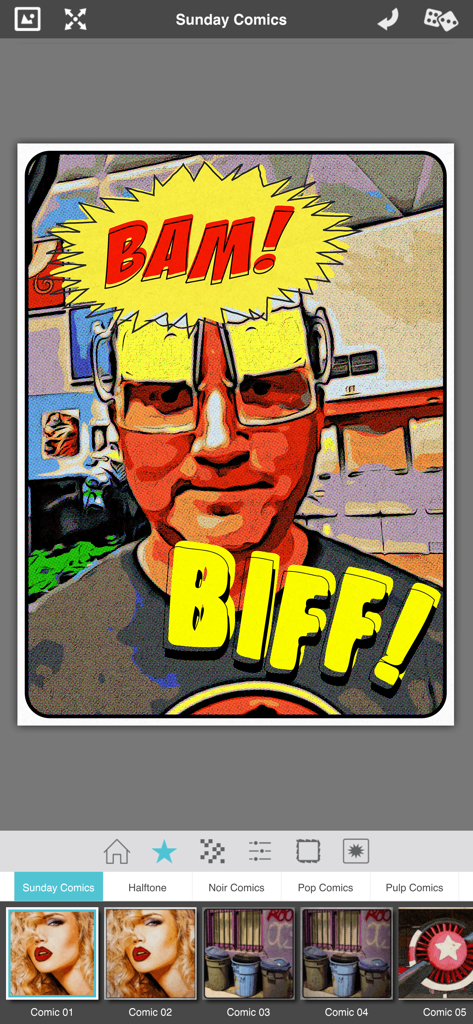
Pop Dot Comics - Pop Dot Comicsアプリのインターフェイス。サンデーコミックフィルターとBAM、BIFFの効果音で編集された写真が表示されています。
Pop Dot Comicsアプリのインターフェイス。サンデーコミックフィルターとBAM、BIFFの効果音で編集された写真が表示されています。

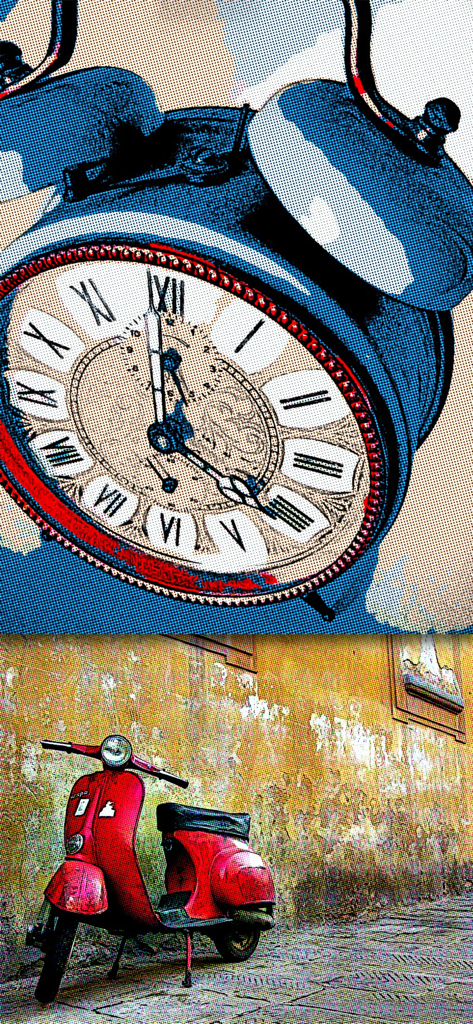
Pop Dot Comics - 目覚まし時計と赤いスクーターに適用されたコミックブックおよびポップアートスタイルの写真フィルターの例。
目覚まし時計と赤いスクーターに適用されたコミックブックおよびポップアートスタイルの写真フィルターの例。

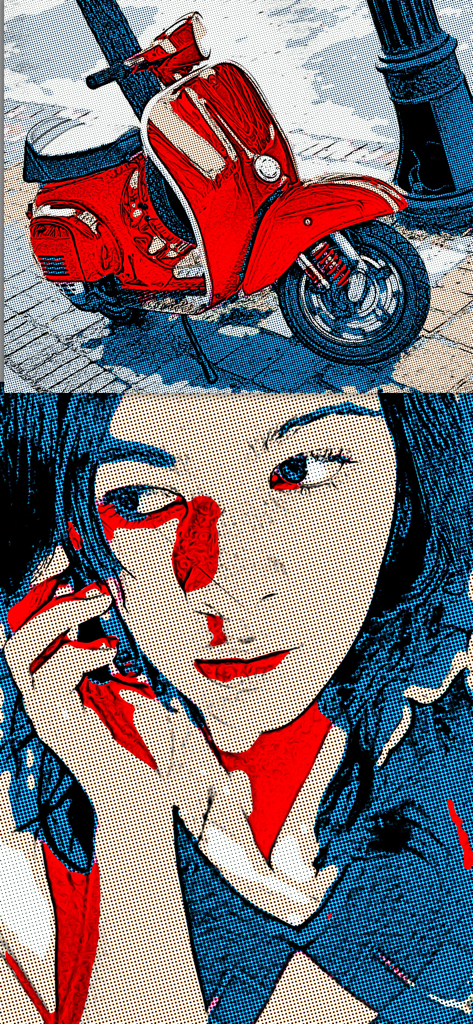
Pop Dot Comics - レトロコミックブックおよびポップアートフィルターで編集された赤いスクーターと女性のポートレート。
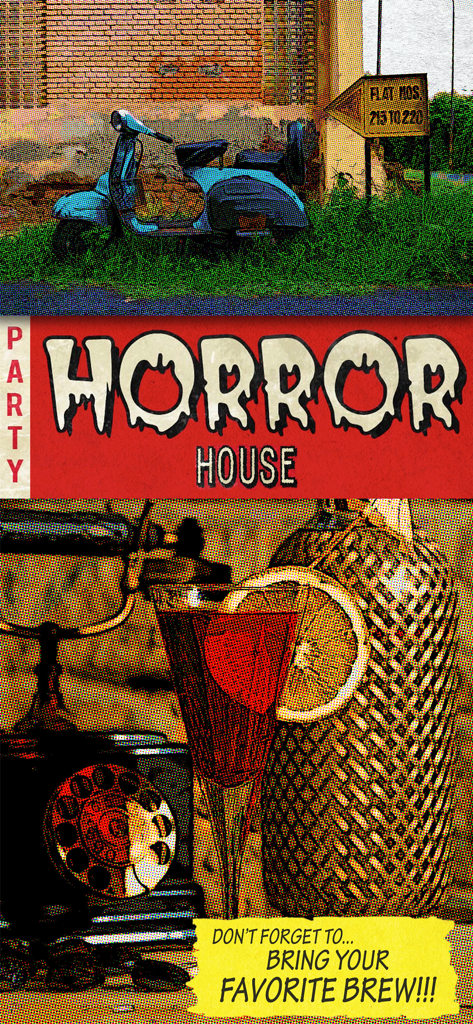
レトロコミックブックおよびポップアートフィルターで編集された赤いスクーターと女性のポートレート。

Pop Dot Comics - ハーフトーンのドットとレトロなイラストがPop Dot Comicsで作成された、ヴィンテージパルプコミックスタイルのフライヤー。
ハーフトーンのドットとレトロなイラストがPop Dot Comicsで作成された、ヴィンテージパルプコミックスタイルのフライヤー。

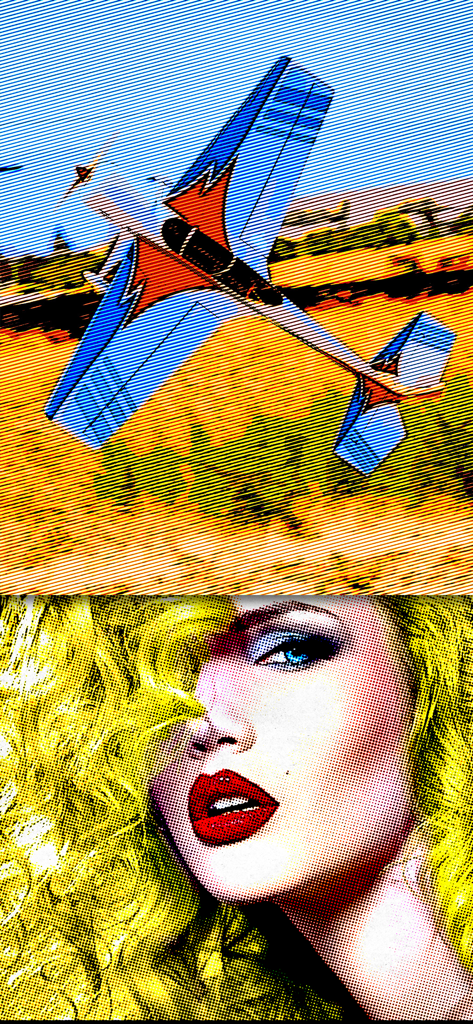
Pop Dot Comics - ベンデイドットを使用した女性の顔と飛行機をフィーチャーしたコミックブックおよびポップアートの写真フィルターの例。

ベンデイドットを使用した女性の顔と飛行機をフィーチャーしたコミックブックおよびポップアートの写真フィルターの例。

説明

Create a comic worthy of the Sunday newspaper or your favorite pulp-fiction cover. Pop Dot Comic is a fun way to create comic-book style illustrations from your snapshot or ones taken of your friends and family. Pop Dot Comic applies thick outlines, bold colors, and plenty of benday dots to newsprint or pulp papers to give every creation the look of one that’s been printed or published. In the past, halftones were tediously inked in by cartoon artists or created in darkrooms. With Pop Dot Comic you can easily and quickly convert your photo into a comic book drawing that’s worthy enough for the Sunday newspaper or your favorite pulp-fiction cover. With a library of included “Fun Stuff”, custom messages can be added to speech bubbles and sound effects will give your creation “POW”. When your finished creating a comic book photo save it to your library or post them to your friends and family for funny moments. 

COMIC STYLES
 • Sunday Comics — Creates a Cartoon Photo 
 • Halftone — Transforms a photo into a Halftone Newspaper Photo
 • Pop Comics — Converts photos into a bright Pop Art Lichtenstein-style Cartoon
 • Pulp Comics — Renders a Cartoon with Vintage Color on Aged Pulp Paper
 • Noir Comics — Creates a contrasted toned or blk/white Comic with selective color like those used in the Sin City series Pop Dot Comics is a professional cartoon effect that can be done directly on your iPhone, iPad and Mac. •Convert all your images and pictures into cartoon-style effect quickly •Choose a preset for a quick start •Use large photos for a high-end result! •Crop your photo to remove unwanted parts of an image •Choose between 5 comic styles: Sunday Comics, Halftone, Noir Comics, Pop Comics, Pulp Comics •Make adjustments to outlines, color, border width, border inset and pulp papers •Choose between Dots, Lines and Halftones •Edit and resize “Fun Stuff” and “Bubbles” with an easy one-finger gesture •Share via Email, Facebook, Twitter and Tumblr •Save to Camera Roll Easy to Use •Tap to edit type in speech & thought bubbles •Long Press to delete fun stuff and bubbles •Pull edges of fun stuff and speech bubbles to resize •Touch and hold center to move FEATURES
 Benday Dots — like those used in the traditional printing process. Benday Dots are two (or more) different small, colored dots combined to create a third color. Back in the day, pulp comic books used Benday Dots in primary colors to inexpensively create the secondary colors such as flesh tone.

 Fully adjustable control on all aspects of the process: Dot or Line size, Outline size, Color variation, Border: Width, Inset, Color & Corner Radius. 

INCLUDES
 Newsprint and Pulp Papers

 UNIVERSAL FEATURES 
All JixiPix Apps come with: Superior Customer Service, Support for High-Resolution Images & Output, Undo/Redo, Randomize Button, Quick Presets and the ability to create Custom Presets, Cropping with the ability to specify aspect ratio, Quick Preview, Email, Print, and the ability to post directly to Facebook, Instagram, Twitter, and Tumblr. We also have an online art gallery and invite our user’s to display their artistic creations on it: http://www.flickr.com/groups/jixipixcreations/

 ***************

 “JixiPix turns any photo into a masterpiece. All that is required of you is the appreciation — we’ll take care of the rest!” JixiPix.com “Creative Tools for Creative People" Photography | Artistic | Graphic Apps
 MAC • iPad • iPhone

Download

ダウンロード: App Store

このページはアプリまたはその開発者の公式ページではなく、情報提供および論評を目的として作成された独立した編集出版物です。明示的に別段の記載がない限り、アプリおよびその開発者は、MWM、Apple、Google Play、アプリのパブリッシャー、またはアプリの開発者と提携、承認、後援、認可、またはその他の公式的な関係はなく、このページのいかなる内容も、アプリがMWMのサービスを使用して開発されたことを意味するものではありません。すべての商標、ロゴ、スクリーンショット、その他のコンテンツはそれぞれの所有者の財産です。








