PPT Editor: Power Point Sheets
ダウンロード: App Store

このページはアプリまたはその開発者の公式ページではなく、情報提供および論評を目的として作成された独立した編集出版物です。明示的に別段の記載がない限り、アプリおよびその開発者は、MWM、Apple、Google Play、アプリのパブリッシャー、またはアプリの開発者と提携、承認、後援、認可、またはその他の公式的な関係はなく、このページのいかなる内容も、アプリがMWMのサービスを使用して開発されたことを意味するものではありません。すべての商標、ロゴ、スクリーンショット、その他のコンテンツはそれぞれの所有者の財産です。

ロゴ: PPT Editor: Power Point Sheets
ダウンロード: App Store

PPT Editor: Power Point Sheets

モバイルファーストのプロフェッショナルのために作られた、軽量AI搭載プレゼンテーションツール。見事なスライドをデザインし、通勤中にオフラインで作業し、すべてのデバイス間でシームレスに同期できます。

主要数値

ダウンロード

12K+

ユーザー評価

3.4/5

評価数

0

開発元

Softcap

カテゴリ

Productivity

対応言語

17

最新バージョン

1.7

サイズ

111.4 MB

リリース日

2024年8月23日
機能

モバイルワークスペースのためのパワフルなツール

AI搭載ツールとシームレスなオフライン編集機能で、iPhoneやiPadをポータブルデザインスタジオに変え、移動中のプロフェッショナルや学生のために設計されています。

プロフェッショナルな編集をその場で行う

高速モバイル生産性のために設計された直感的なツールで、直前の調整を行ったり、ゼロからスライドを作成したりできます。

AI搭載スマートデザイン

デザイン作業を代行してくれるインテリジェントなレイアウト提案により、数秒で見事なインパクトのあるプレゼンテーションを作成できます。

以下のスクリーンショットと説明は、アプリの公式ストアリスティングから直接取得されたものであり、アプリ開発者の所有物です。

アプリストア

スクリーンショット
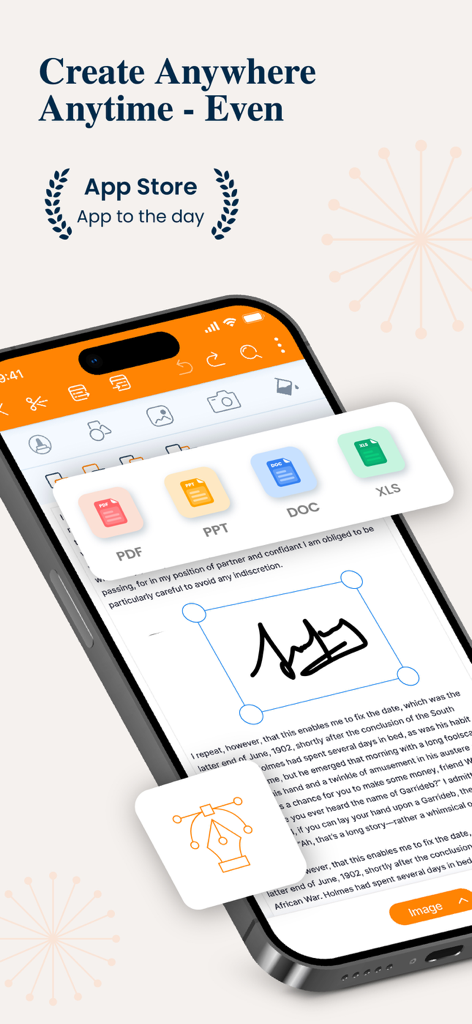
PPT Editor: Power Point Sheets - PPT Editorアプリのインターフェースがスマートフォンに表示され、ドキュメント編集とファイル形式のアイコンが表示されています
PPT Editorアプリのインターフェースがスマートフォンに表示され、ドキュメント編集とファイル形式のアイコンが表示されています

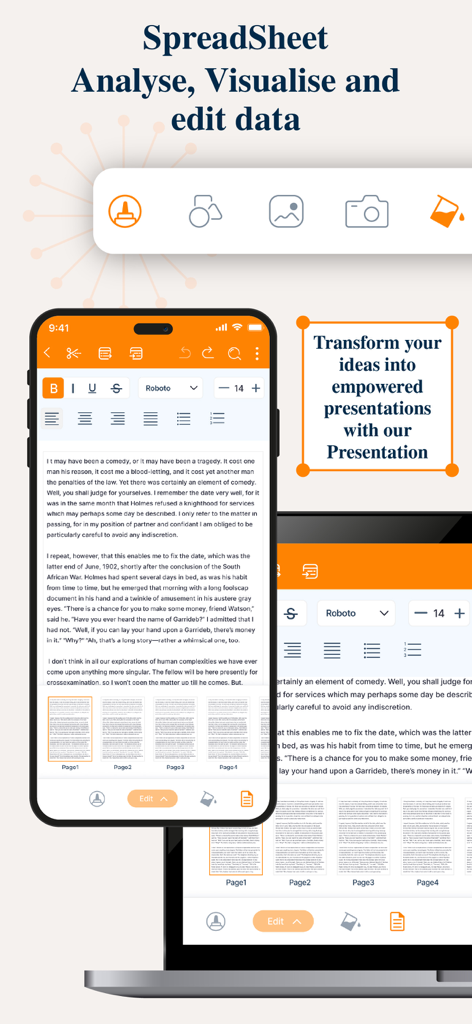
PPT Editor: Power Point Sheets - モバイルおよびラップトップ画面にプレゼンテーションとスプレッドシート編集ツールが表示されています
モバイルおよびラップトップ画面にプレゼンテーションとスプレッドシート編集ツールが表示されています

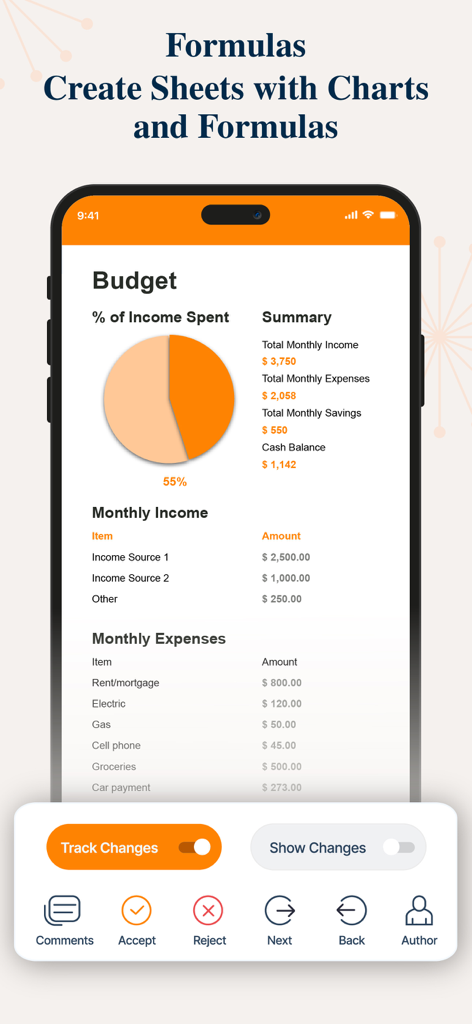
PPT Editor: Power Point Sheets - PPT Editorアプリのスプレッドシート予算ビューで、円グラフと経費リストが表示されています
PPT Editorアプリのスプレッドシート予算ビューで、円グラフと経費リストが表示されています

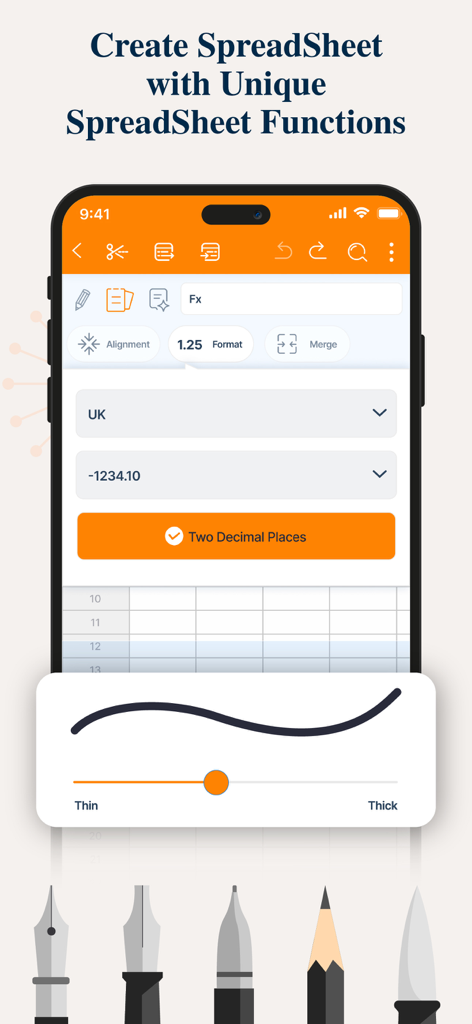
PPT Editor: Power Point Sheets - フォーマットと描画ツールを備えたモバイルデバイスでのスプレッドシート作成および編集インターフェース
フォーマットと描画ツールを備えたモバイルデバイスでのスプレッドシート作成および編集インターフェース

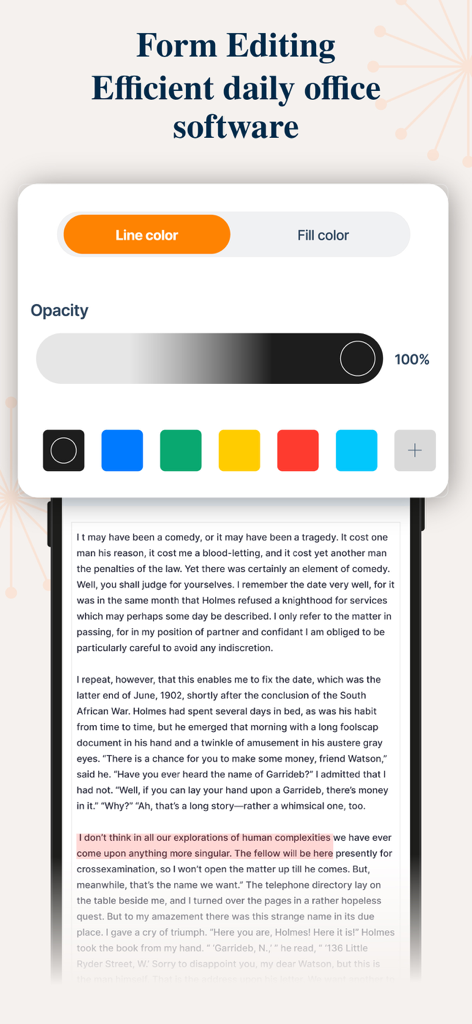
PPT Editor: Power Point Sheets - ドキュメントテキストの色と不透明度コントロールを備えたフォーム編集ツールを表示するモバイルアプリインターフェース
ドキュメントテキストの色と不透明度コントロールを備えたフォーム編集ツールを表示するモバイルアプリインターフェース

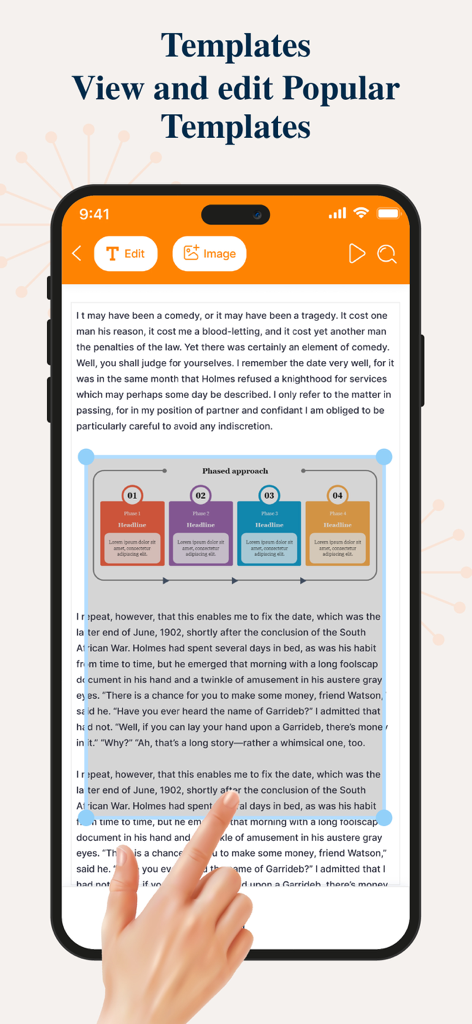
PPT Editor: Power Point Sheets - 携帯電話で段階的なアプローチの図を使用してプレゼンテーションテンプレートを編集しています
携帯電話で段階的なアプローチの図を使用してプレゼンテーションテンプレートを編集しています

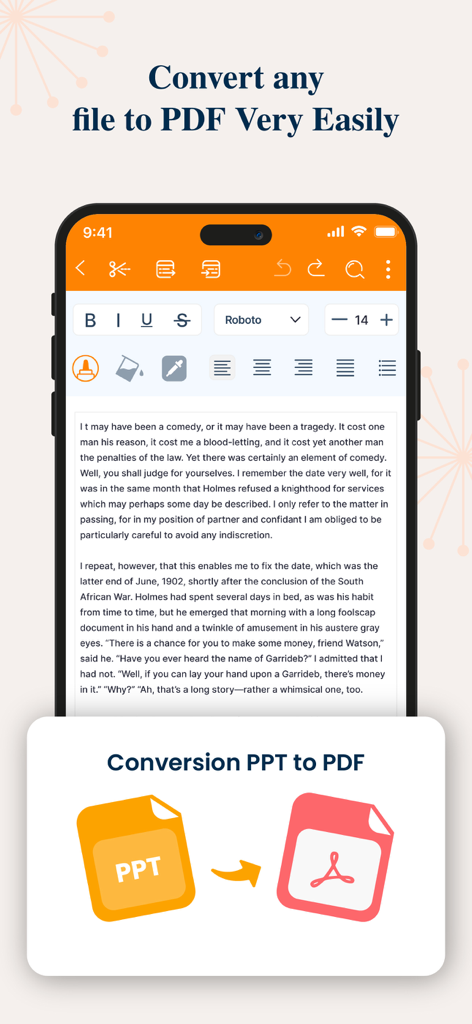
PPT Editor: Power Point Sheets - PPTファイルをPDFドキュメントに変換していることを示すモバイルアプリのインターフェース

PPTファイルをPDFドキュメントに変換していることを示すモバイルアプリのインターフェース

説明

The PPT app gives you access to the familiar slideshow maker tool you already know. Create, edit, view, present, or share presentations quickly and easily from anywhere. Need to access your Power Point: PPT files quickly while on the go? PPT provides a quick view of your recent slides and presentations for easy access on any device. Key Features: Create & Edit Presentations: Craft and polish your slides with intuitive tools that allow you to add text, images, charts, and animations. Easily customize layouts, themes, and templates to match your style. Collaboration Made Easy: Work with others in real-time by sharing your presentations. Receive feedback and make edits simultaneously, ensuring everyone stays on the same page. Seamless Integration: Sync your presentations across devices with cloud storage support. Access your files from anywhere, whether you’re on your phone, tablet, or desktop. Presenter Mode: Present confidently with features like speaker notes, timers, and laser pointer controls. Use your device as a remote to manage your slides during live presentations. Advanced Tools & Features: Utilize smart features like AI-powered design suggestions, automatic slide layout adjustments, and data visualization to make your content more engaging and informative. Offline Access: Keep working on your presentations even without an internet connection. All your changes will sync automatically once you’re back online. Compatibility & Export Options: Easily open and edit files from other presentation software. Export your final product in various formats including PDF, video, and images.The PPT app gives you access to the familiar slideshow maker tool you already know. Create, edit, view, present, or share presentations quickly and easily from anywhere.Transform your presentations with our comprehensive PowerPoint app, designed to elevate your storytelling and make your ideas shine. Whether you’re a business professional, student, or educator, this app offers a powerful set of tools to create, edit, and share stunning presentations on the go. 3-DAY FREE TRIAL • Try out all paid features free for 3 days • Select a plan that best suits your needs • Cancel anytime without any obligations Yearly - Monthly plans at 499 Rs/Month & Yearly Plans at 2999 Rs/Year Subscription will be charged to your credit card through your App Store account. Your subscription will automatically renew unless canceled at least 24 hours before the end of the current period. Terms of use - https://sites.google.com/view/ppt-editor-terms-of-use/home Privacy Policy - https://sites.google.com/view/ppt-editor-privacy-policy/home

Download

ダウンロード: App Store

このページはアプリまたはその開発者の公式ページではなく、情報提供および論評を目的として作成された独立した編集出版物です。明示的に別段の記載がない限り、アプリおよびその開発者は、MWM、Apple、Google Play、アプリのパブリッシャー、またはアプリの開発者と提携、承認、後援、認可、またはその他の公式的な関係はなく、このページのいかなる内容も、アプリがMWMのサービスを使用して開発されたことを意味するものではありません。すべての商標、ロゴ、スクリーンショット、その他のコンテンツはそれぞれの所有者の財産です。








