Pro Camera by Moment

Pro Camera by Moment

ダウンロード: App Store
ロゴ: Pro Camera by Moment

Moment Pro Camera:ポケットに入るプロフェッショナルな手動コントロール

クリエイターのために作られた手動カメラアプリで、あなたのクリエイティブなビジョンを取り戻しましょう。RAW、Apple Log、4Kで撮影し、フォーカスピーキングや波形、LUTのようなプロツールを、高速で直感的なインターフェースで使いこなしましょう。

開発元

Moment Inc.

カテゴリ

Photo & Video

ダウンロード

1M+

ユーザー評価

4.4/5

評価数

21K+

対応言語

1

あなたのクリエイティブ・コマンドセンター

このインターフェースを利用する 1M+ 人のユーザー.

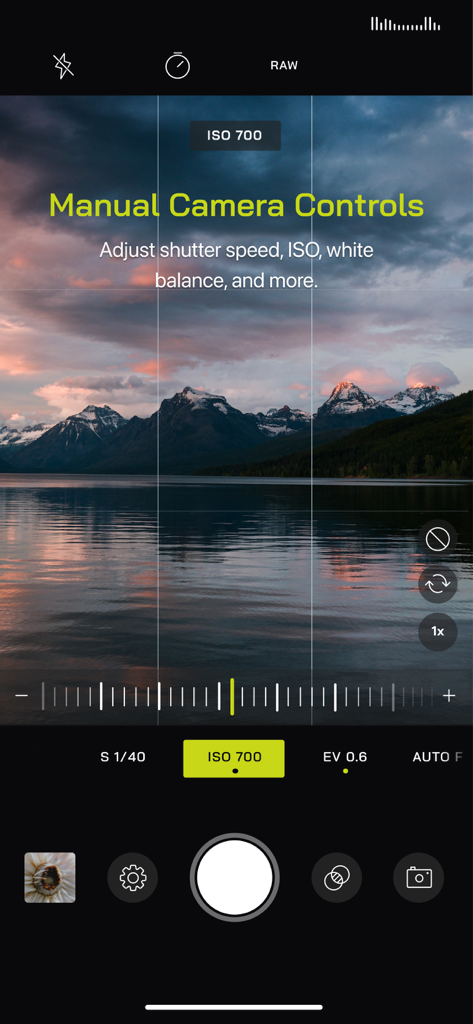
Moment Pro Cameraのユーザーインターフェース。夕暮れ時の山と湖の風景写真の上に、手動露出とISOコントロールが表示されています。
Moment Pro Cameraのユーザーインターフェース。夕暮れ時の山と湖の風景写真の上に、手動露出とISOコントロールが表示されています。

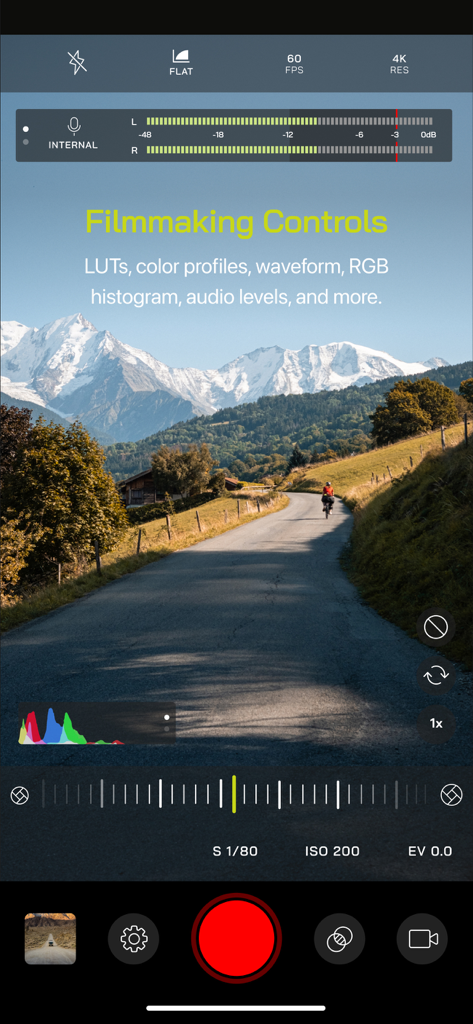
Moment Pro Cameraアプリのインターフェース。山の風景の上に、オーディオレベルや手動ビデオ設定を含む映画制作コントロールが表示されています。
Moment Pro Cameraアプリのインターフェース。山の風景の上に、オーディオレベルや手動ビデオ設定を含む映画制作コントロールが表示されています。

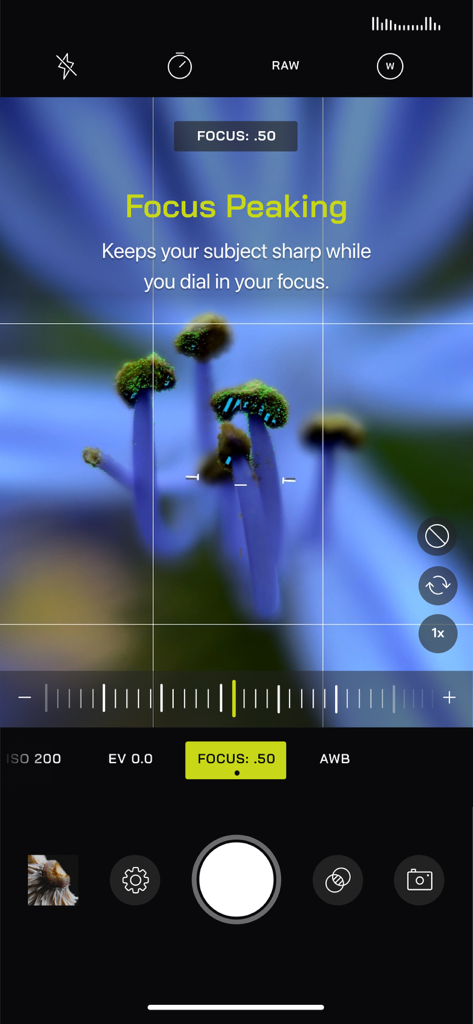
Moment Pro Cameraのインターフェース。花のクローズアップ写真にフォーカスピーキング機能が表示されています。
Moment Pro Cameraのインターフェース。花のクローズアップ写真にフォーカスピーキング機能が表示されています。

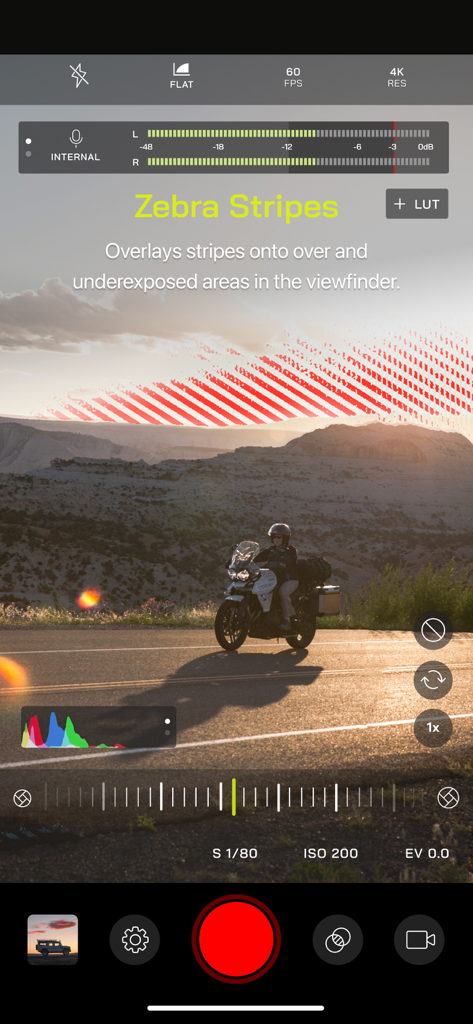
手動露出コントロールのためのゼブラストライプが表示されたMoment Pro Cameraのインターフェース。
手動露出コントロールのためのゼブラストライプが表示されたMoment Pro Cameraのインターフェース。

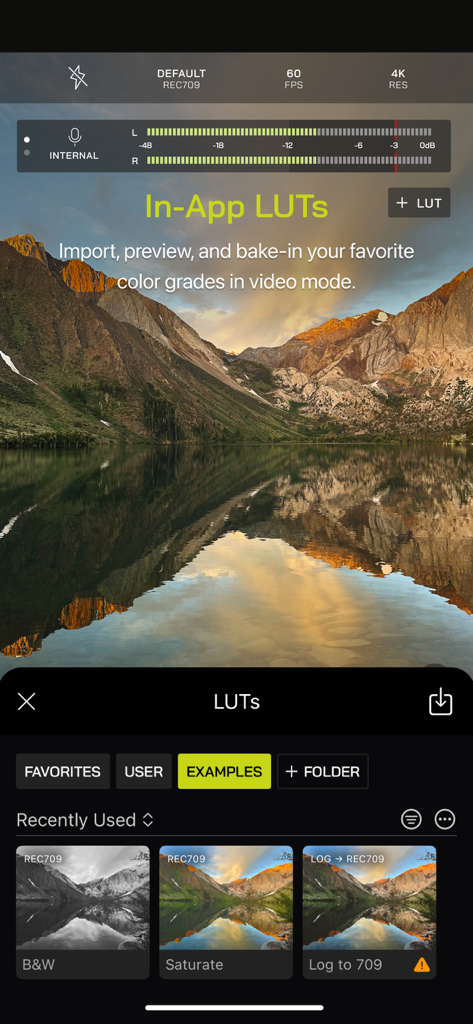
プロのビデオ編集のためのアプリ内LUTとカラーグレーディングオプションが表示されたMoment Pro Cameraアプリのインターフェース。
プロのビデオ編集のためのアプリ内LUTとカラーグレーディングオプションが表示されたMoment Pro Cameraアプリのインターフェース。

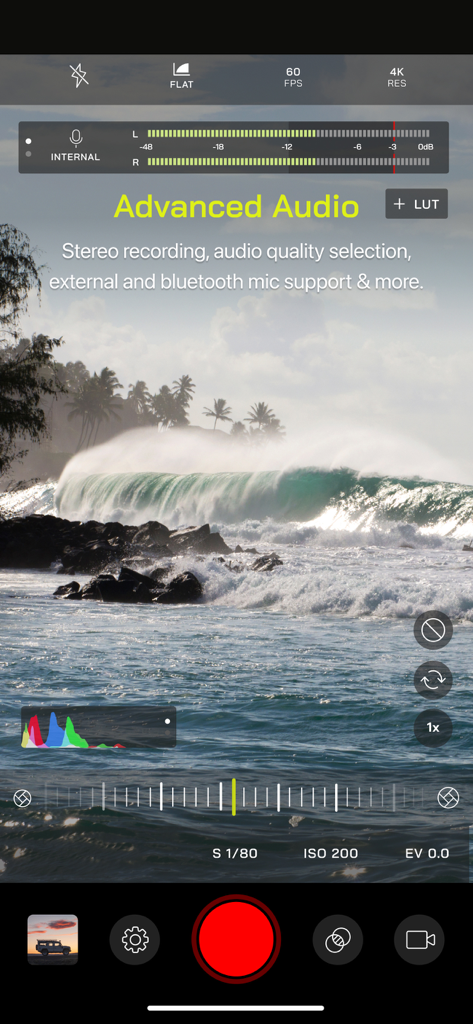
手動コントロールとオーディオメーターを備えたMoment Pro Cameraのビデオ録画インターフェース。
手動コントロールとオーディオメーターを備えたMoment Pro Cameraのビデオ録画インターフェース。

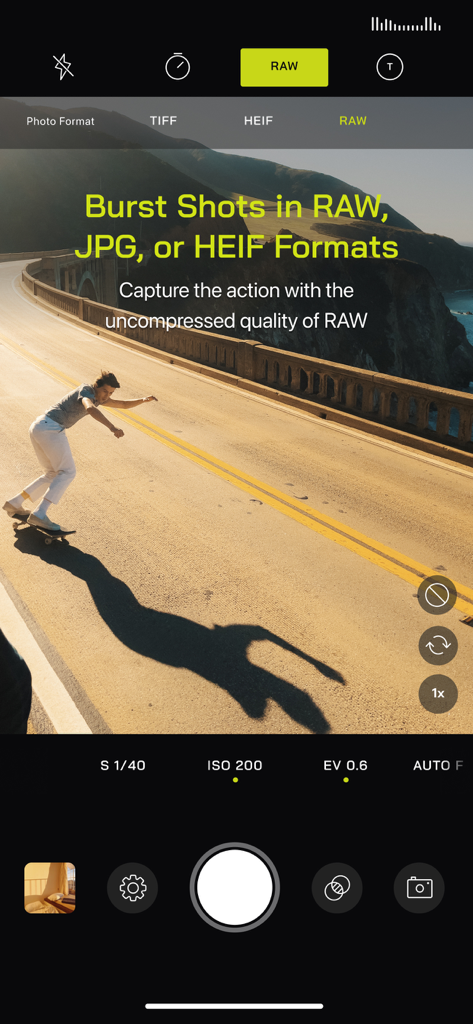
アクション中のスケートボーダーを写したRAW形式のバーストショットを表示するMoment Pro Cameraのインターフェース。
アクション中のスケートボーダーを写したRAW形式のバーストショットを表示するMoment Pro Cameraのインターフェース。

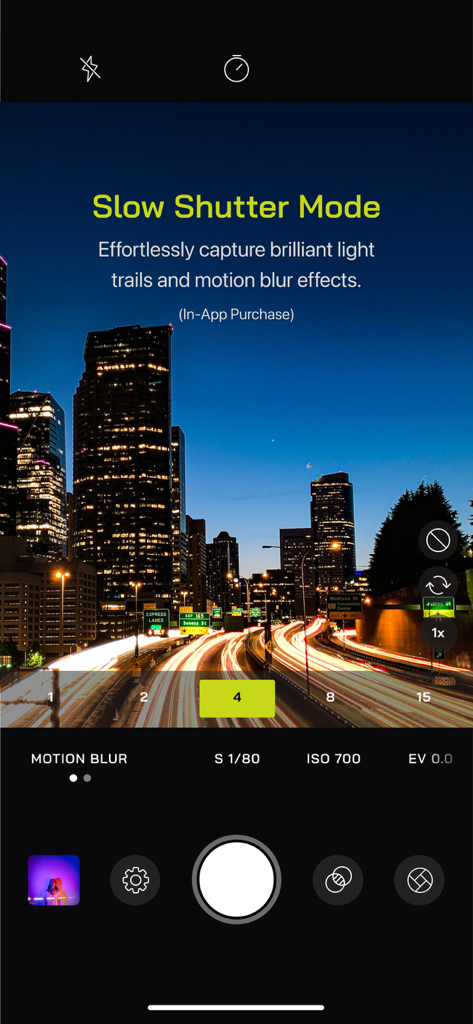
夜の街の風景の光跡を捉えるスローシャッターモードを表示するMoment Pro Cameraアプリのインターフェース。
夜の街の風景の光跡を捉えるスローシャッターモードを表示するMoment Pro Cameraアプリのインターフェース。

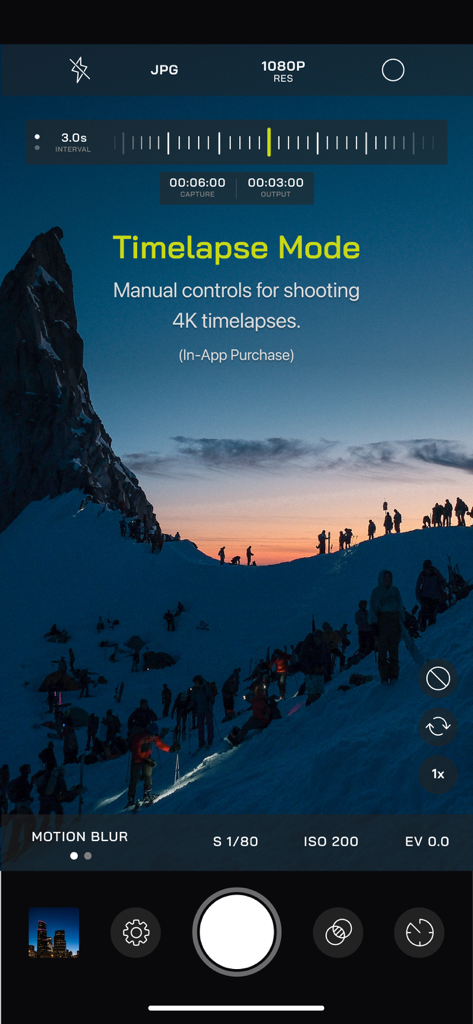
雪山の風景の上に手動タイムラプスモードコントロールを表示するMoment Pro Cameraアプリのインターフェース。

雪山の風景の上に手動タイムラプスモードコントロールを表示するMoment Pro Cameraアプリのインターフェース。

現代のクリエイターのためのプロフェッショナルコントロール

このアプリを際立たせるツール、 1M+ 人のユーザーが選択.

🎛️

精密な手動コントロール

直感的なスライダーでISO、シャッタースピード、フォーカスを微調整し、プロフェッショナルな調整を素早く行えます。

🎬

シネマティックな映像制作

Apple Log、カスタムLUT、リアルタイム波形をアンロックし、モバイルデバイスで直接ハリウッドのようなハイエンドなルックを実現しましょう。

📸

非圧縮品質

ProRAWとTIFFでキャプチャし、あらゆるディテールを保存することで、LightroomやDarkroomでのプロフェッショナルな編集に最大限の柔軟性をもたらします。

アプリについて

について知っておくべきこと Pro Camera by Moment.

説明

Pro Camera by Moment is the manual camera app that gives you full creative control and professional-level performance, all at an affordable price. It brings us closer to what we love about our DSLR and mirrorless cameras – exposure controls, precise focus, rich colors, smooth video, crisp audio – without being complicated. If you are looking for a powerful and easy-to-use camera app, Pro Camera is for you. We make it fast and intuitive to switch between modes, dial in your shot, and keep shooting. Plus, we give you all the manual controls you’ll need: shutter speed, ISO, white balance, focus, and more. Your favorite settings can be saved and recalled on demand. For filmmakers – the features you need, not the ones you don’t. LUTs, color spaces, bitrates, dual-channel audio meters, real-time waveforms, fast access to frame rates, and more. For photographers – easier than shooting on your DSLR. Shoot in RAW (even in bursts), capture brackets, and more. You can even create stunning timelapses and light trail effects (in-app purchase required). For everyone else – inspired by the pros we made the interface simple, fast, and easy to use. We provide getting started tips, video tutorials, and full-time customer service to get you set up. We love hearing from you. If you have any features, ideas, or feedback please email us at hello@shopmoment.com or DM us on Instagram @moment. GENERAL FEATURES + Full manual: control shutter speed, iso, exposure, focus, and white balance with easy-to-use sliders + Focus peaking: manually dial in your focus using highlighted in-focus regions + Zebra stripes: quickly determine over- and under-exposed areas in the viewfinder + Split focus and exposure: take control of tricky lighting scenarios + Viewfinder grid: choose from thirds, square, and golden ratio + Gyroscope: ensure your shot is level with an on-screen gyroscope and haptic feedback PHOTOGRAPHY FEATURES + RAW and TIFF: shoot photos in RAW/ProRAW format for better editing, or TIFF for high-quality printing + RAW+JPG option: simultaneously get the best of both worlds + Burst mode: capture burst shots in RAW format – capture action while maintaining the uncompressed quality pros want with RAW + Bracketing: capture multiple exposures to stack later in your favorite editing apps FILMMAKER FEATURES + Import, organize, and use your favorite LUTs + Color spaces: choose between Rec.709, Rec.2020 HDR, Display P3, and Apple Log (on compatible devices) + Codecs: shoot in HEVC, H.264, or any of the 422 ProRes variants + Video bitrates: get precise control over video quality with standard, medium, and high bitrate options + RGB histogram: dial in your video color, balance, and exposure + Waveform monitor: evaluate video brightness and exposure across your shot in real time + Audio meters: get just the right sound levels with real-time, precise, dual-channel audio levels + HDMI clean feed output: preview on a bigger screen + Video stabilization: make your videos buttery smooth + Video formats: change your resolution and frame rate on screen, without digging into a settings menu + Anamorphic: use the Moment Anamorphic lens to shoot amazing, letterbox style photos and videos, with a de-squeeze option built in PREMIUM FEATURES (In-App Purchases) + Timelapse mode: capture stunning time-lapse videos + Slow Shutter mode: long exposure shots with motion blur or light trails WORKS WITH + iPhone 16 Camera Control: get quick access to manual settings + Lens control: manually control which of the triple/dual lenses you want to shoot with so you can use Moment lenses over each one + Moment lenses: access options like anamorphic de-squeeze and distortion correction + Moment battery case: works with the DSLR-like shutter button on our photography cases for half-press and full-press capture. Take better photos, faster. + Apple Watch: use your watch as a remote to shoot photos or record videos + Siri Shortcuts: quick access to capture a photo or start a video

最新バージョン

5.8.5

サイズ

118.5 MB

リリース日

2014年11月18日

あなたのビジョンを完全にクリエイティブにコントロール

100万人以上のプロシューマーや映画制作者が、過度に処理されたルックから真の手動精度へと移行しました。Pro Cameraをダウンロードして、あなたのiPhoneをプロフェッショナルツールに変えましょう。

ダウンロード: App Store
FAQ

よくある質問

について知っておくべきこと Pro Camera by Moment

Pro Camera by Momentとは何ですか?

Pro Camera by Momentは、DSLRおよびミラーレスカメラに着想を得た、手頃な価格でプロフェッショナルなパフォーマンスと完全なクリエイティブコントロールを提供するマニュアルカメラアプリです。

Pro Camera by Momentはマニュアルカメラコントロールを提供していますか?

はい、Pro Camera by Momentは、直感的なスライダーを使用して、シャッタースピード、ISO、露出、フォーカス、ホワイトバランスの完全な手動制御を提供します。

ユーザーはPro Camera by Momentでカスタムカメラ設定を保存できますか?

はい、Pro Camera by Momentでは、ユーザーはお気に入りのカメラ設定を保存し、オンデマンドで素早く呼び出すことができます。

Pro Camera by Momentで利用できる映画制作機能は何ですか?

Pro Camera by Momentは、LUT、カラースペース、ビットレート、デュアルチャンネルオーディオメーター、リアルタイム波形、フレームレートへのクイックアクセスなどの映画制作機能を提供します。

Pro Camera by MomentはRAW写真キャプチャをサポートしていますか?

はい、Pro Camera by Momentは、編集を向上させるためにRAW/ProRAW形式で写真を撮影し、写真家のためにTIFFおよびRAW+JPGオプションもサポートしています。

Pro Camera by Momentはカスタマーサポートやチュートリアルを提供していますか?

Pro Camera by Momentは、ユーザーがアプリをセットアップして使用するのを支援するために、開始のヒント、ビデオチュートリアル、および常駐のカスタマーサービスを提供しています。

Pro Camera by Momentのフォーカスピーキングとは何ですか?

Pro Camera by Momentのフォーカスピーキングは、フォーカスが合っている領域を強調表示することで手動でフォーカスを調整し、被写体がシャープであることを保証します。

Pro Camera by Momentのゼブラストライプはどのように機能しますか?

Pro Camera by Momentのゼブラストライプは、ビューファインダー内で直接露出オーバーおよび露出アンダーの領域をすばやく示し、露出制御を支援します。

Pro Camera by Momentにはビデオ録画用のオーディオメーターが含まれていますか?

はい、Pro Camera by Momentは、映画製作者が最適なサウンドレベルを達成するのに役立つ、リアルタイムで正確なデュアルチャンネルオーディオメーターを備えています。

Pro Camera by Momentのタイムラプスモードは無料機能ですか?

いいえ、Pro Camera by Momentのタイムラプスモード(4Kタイムラプスの手動制御を提供)は、アプリ内購入が必要なプレミアム機能です。

Pro Camera by Momentの低速シャッターモードは無料で含まれていますか?

いいえ、Pro Camera by Momentの低速シャッターモード(モーションブラーやライトトレイル効果を作成)は、アプリ内購入が必要なプレミアム機能です。

Pro Camera by MomentはMomentレンズと互換性がありますか?

はい、Pro Camera by MomentはMomentレンズと連携し、アナモルフィックデスキーズや歪み補正などのオプションを提供します。

Pro Camera by MomentでカスタムLUTを使用できますか?

はい、Pro Camera by Momentでは、ユーザーはお気に入りのLUTをインポート、整理、および適用して、ビデオモードでカラーグレーディングを行うことができます。

App information, icons, screenshots, and descriptions displayed on this page are sourced from the Apple App Store and are the property of their respective developers. Download estimates and rankings are based on MWM's proprietary models and may not reflect actual figures. This page is provided for informational and analytical purposes only.

Believe this page infringes your intellectual property? File a dispute