
このページはアプリまたはその開発者の公式ページではなく、情報提供および論評を目的として作成された独立した編集出版物です。明示的に別段の記載がない限り、アプリおよびその開発者は、MWM、Apple、Google Play、アプリのパブリッシャー、またはアプリの開発者と提携、承認、後援、認可、またはその他の公式的な関係はなく、このページのいかなる内容も、アプリがMWMのサービスを使用して開発されたことを意味するものではありません。すべての商標、ロゴ、スクリーンショット、その他のコンテンツはそれぞれの所有者の財産です。

ProCam - Capture ProRAW photos
ISO、シャッタースピード、フォーカスの直感的な片手操作で、iPhoneをパワフルなDSLRに変えましょう。買い切り型で、見事なProRAW写真と長時間露光をキャプチャ—サブスクリプションは不要です。
ダウンロード
422K+ユーザー評価
評価数
4K+開発元
カテゴリ
Photo & Video対応言語
4最新バージョン
4.9サイズ
19.0 MBリリース日
2021年6月22日プロフェッショナルなコントロールを、シンプルに。
ProCamは、ハイエンドDSLRのパワーをiPhoneにもたらし、高度なマニュアル設定と、意図を大切にする真剣なクリエイターのために設計されたミニマルな片手操作インターフェースを組み合わせています。
完全なマニュアル操作
直感的なスワイプ操作でISO、シャッタースピード、フォーカスを完全にコントロールし、計算処理をバイパスして、あなたが思い描く通りの雰囲気で撮影できます。
ProRAW & RAWワークフロー
センサーのダイナミックレンジを最大限に引き出します。LightroomやDarkroomで作品を微調整する際の究極の柔軟性のために、非圧縮データをキャプチャしてください。
よくある質問
について知っておくべきこと ProCam - Capture ProRAW photos
Is ProCam a free app?
いいえ、ProCamは10枚の写真の無料トライアルを提供しています。無制限のアクセスには、アプリ内での1回限りの購入が必要です。
Does ProCam support video recording?
いいえ、ProCamは写真撮影専用に設計されています。写真撮影のみをサポートしており、ビデオ録画機能は含まれていません。
What shooting modes does ProCam offer?
ProCamは2つの主要な撮影モードを提供しています:詳細な設定制御のためのマニュアルモードと、素早いタップ撮影のためのセミオートモードです。
How does ProCam's Manual Mode work?
ProCamのマニュアルモードでは、プロの写真家がシャッター、ISO、フォーカス、ホワイトバランスを詳細に制御できます。ユーザーは水平方向にスワイプしてこれらのコントロールを調整します。
How does ProCam's Semi Auto Mode work?
ProCamのセミオートモードにより、素早いポイントアンドシュート写真撮影が可能になります。ユーザーはカメラディスプレイをタップして露出とフォーカスを設定し、マニュアルコントロールを非表示にするオプションもあります。
What image formats does ProCam support for capturing photos?
ProCamは、JPEG、HEIF、RAW、RAW+JPEG、ProRAW、ProRAW+JPEG形式での写真撮影をサポートしています。RAWとProRAWは、より詳細な編集制御を提供します。
Can users lock camera controls in ProCam?
はい、ProCamでは、設定が確立された後、ワンボタンタップでシャッター、ISO、フォーカス、ホワイトバランスを含むすべてのカメラコントロールをフリーズできます。
Does ProCam include Exposure Bracketing?
はい、ProCamには露出ブラケット機能があり、異なる露出レベルで3枚の写真を撮影します。ユーザーはそれらをブレンドしたり、最も適切に露出された画像を選択したりできます。
How does the Exposure Meter function in ProCam?
ProCamの露出計は、ショットが露出オーバーかアンダーかを知らせます。ユーザーはこのメーターを使用して、最適な写真品質のために露出を調整します。
Can I view metadata for photos taken with ProCam?
はい、ProCamは、EXIFデータ、ファイルサイズ、寸法、およびすべてのバージョン(例:トリミングやフィルターなどの編集)に関する情報を含む、写真のメタデータを表示します。
Can ProCam launch directly from the lock screen?
はい、ProCamはロック画面ウィジェットを提供しており、ユーザーはロック画面からアプリをすばやく起動して直接写真をキャプチャできます。
Does ProCam offer photo recovery?
はい、まれにキャプチャまたは保存に失敗した場合、ProCamユーザーはアプリの設定セクション内で復旧された写真にアクセスできます。
Can I add author and copyright information to my photos in ProCam?
はい、ProCamでは、写真の作成者名と著作権情報をカスタマイズできます。このカスタマイズは、写真撮影前に行う必要があります。
How does ProCam handle sharing different photo versions?
ProCamは、RAW/ProRAW画像などの写真のオリジナル、編集済み、または代替バージョンの共有を可能にします。ユーザーは共有するバージョンを選択できます。
以下のスクリーンショットと説明は、アプリの公式ストアリスティングから直接取得されたものであり、アプリ開発者の所有物です。
アプリストア
スクリーンショット
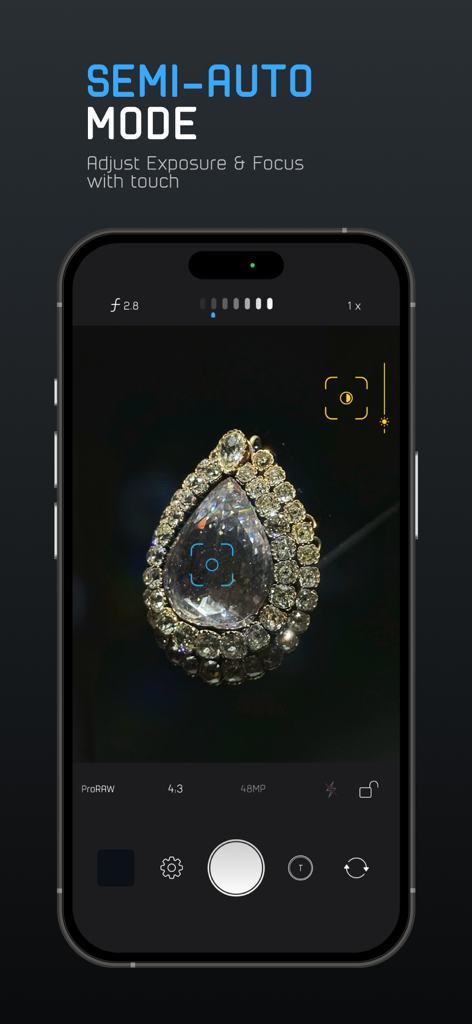
ProCamアプリのインターフェースが、iPhone上の露出とフォーカスを調整するタッチコントロールを備えたセミオートモードを示しています。
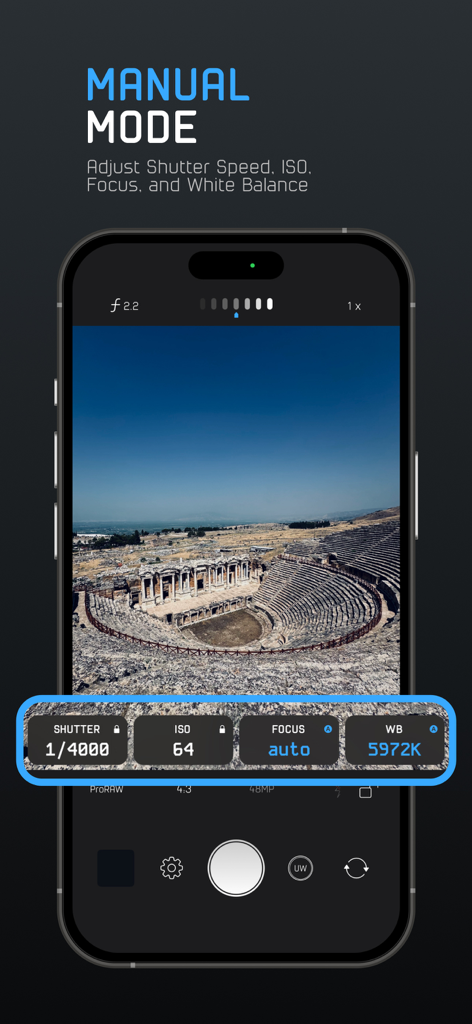
ProCamアプリのマニュアルモードインターフェースには、風景写真の上にシャッタースピード、ISO、フォーカス、ホワイトバランスのコントロールが表示されています。
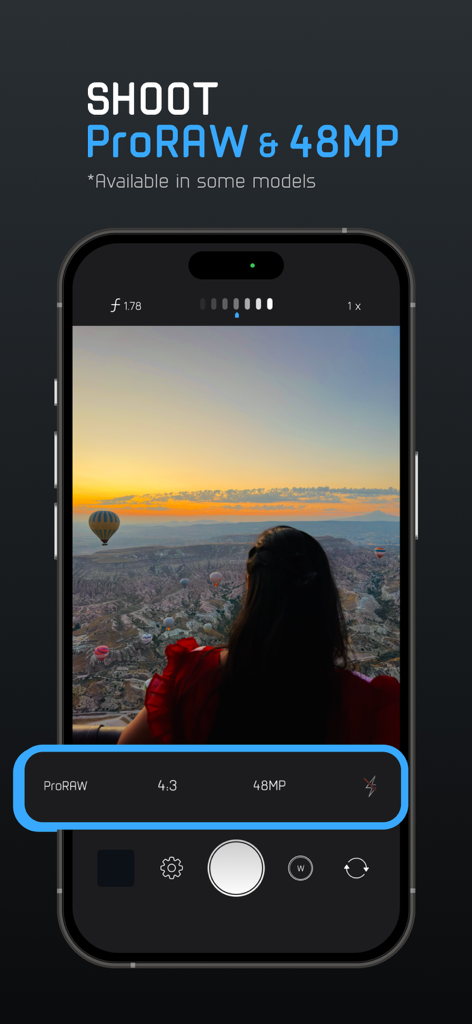
ProCamアプリのインターフェースに、iPhone上のProRAWと48MP写真キャプチャ設定が表示されています。
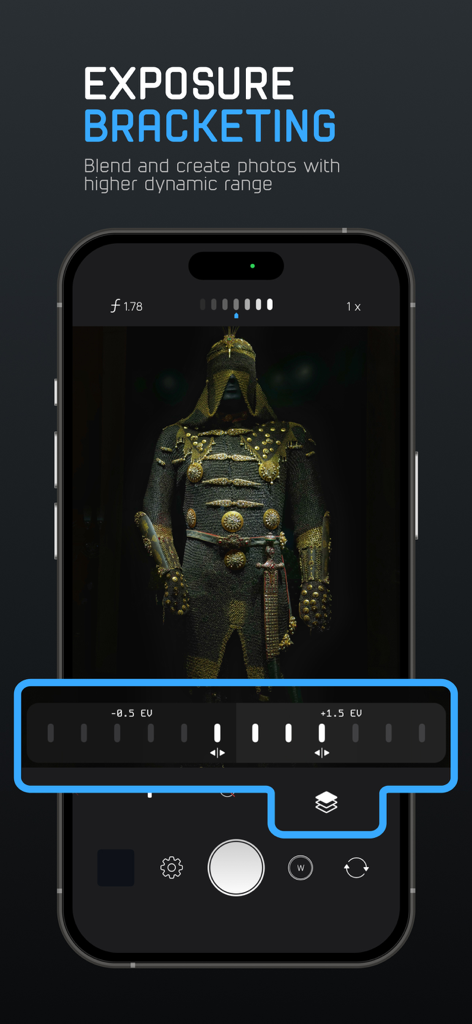
ProCamアプリのインターフェースに、より高いダイナミックレンジの写真を取得するための露出ブラケットコントロールが表示されています。
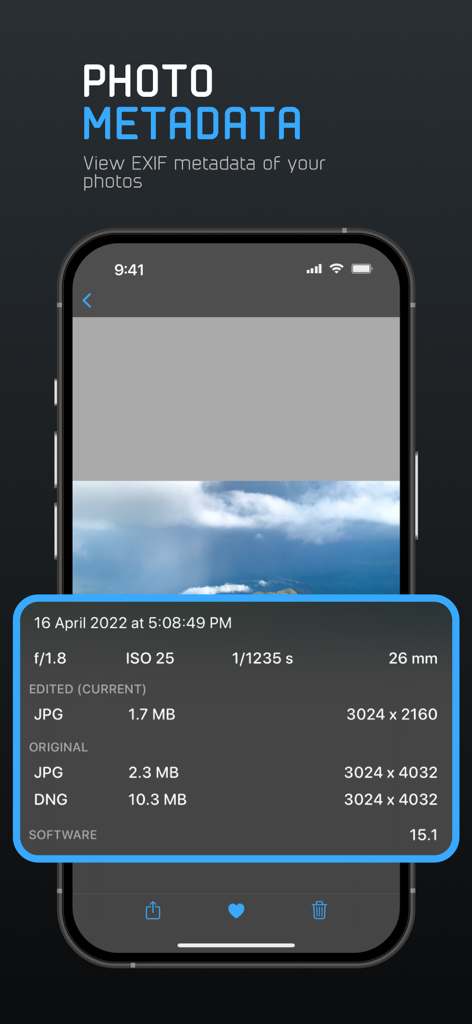
ProCamアプリのスクリーンショットで、ISO、シャッタースピード、ファイル形式を含む写真の詳細なEXIFメタデータが表示されています。
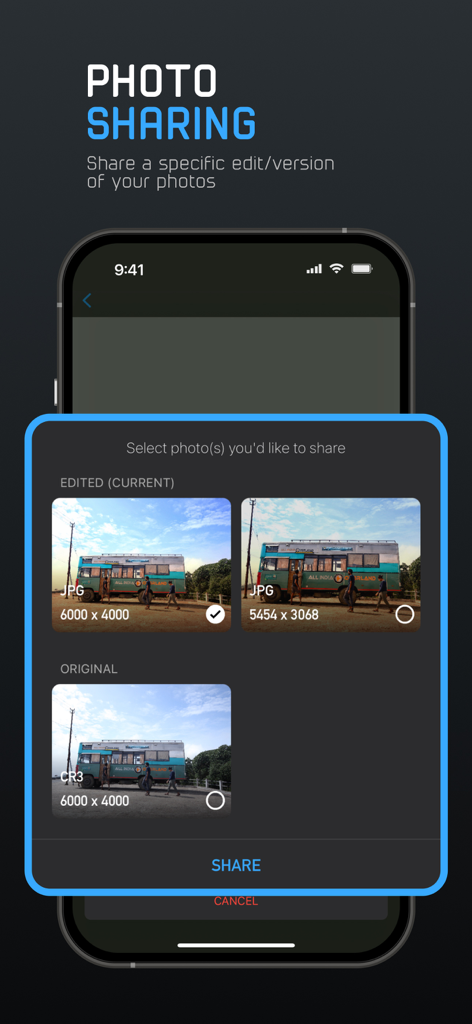
ProCamアプリのインターフェースで、RAWやJPGなどの異なる形式で写真のオリジナルまたは編集済みバージョンを共有するオプションが表示されています。
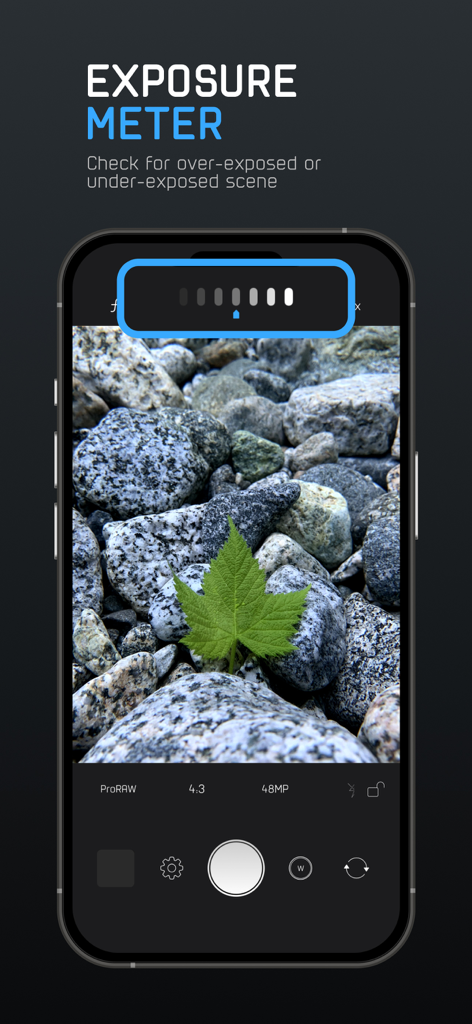
ProCamアプリのスクリーンショットで、マニュアル写真撮影用の露出計ツールが表示されています。
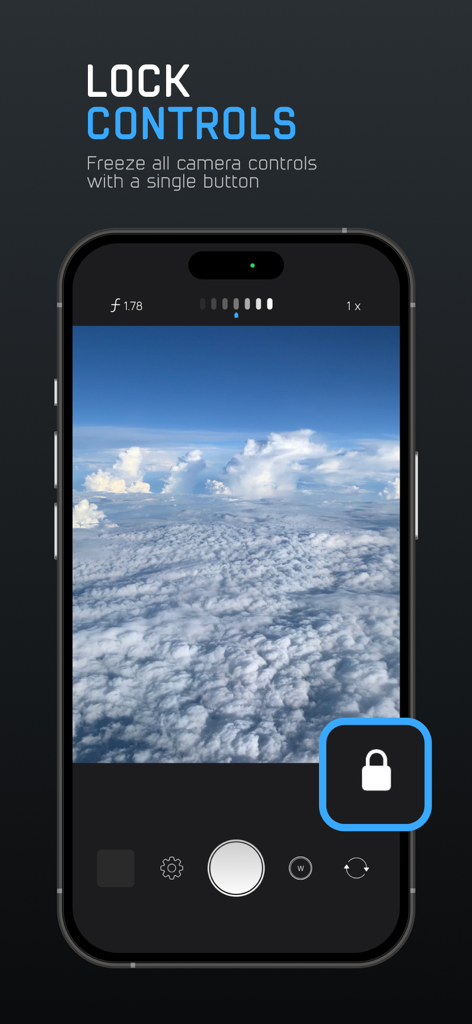
ProCamアプリのロックコントロール機能を使用してマニュアルカメラ設定をフリーズするスマートフォン画面。
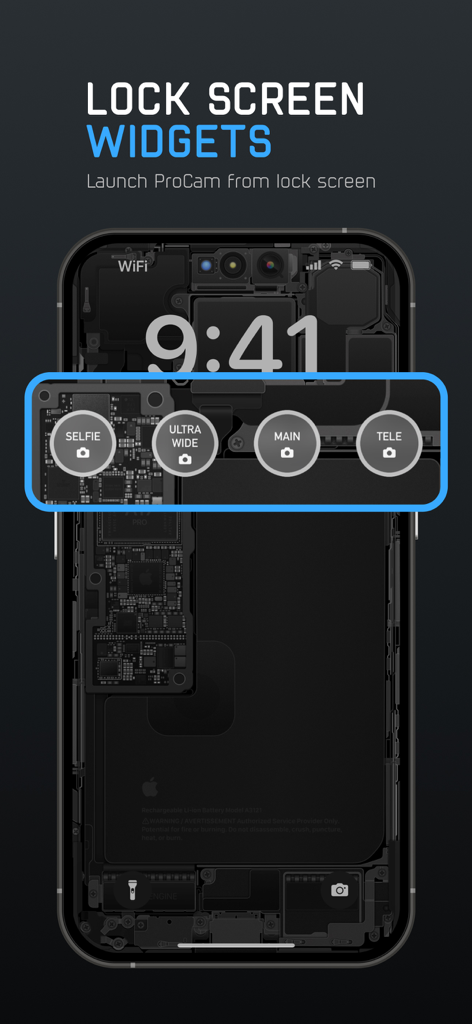
iPhoneのロック画面に、セルフィー、超広角、メイン、望遠カメラモードを素早く起動するためのProCamウィジェットが表示されています。
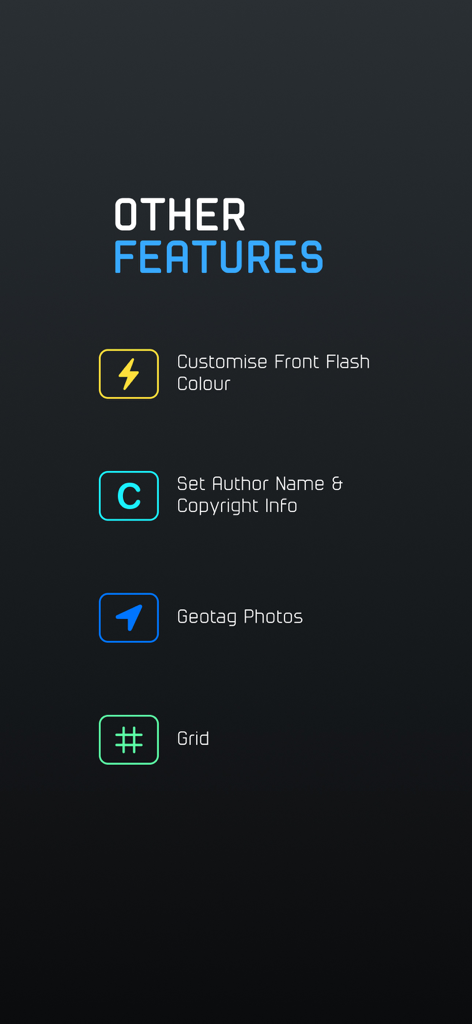
ProCamアプリの画面に、カスタムフラッシュカラー、著作権設定、ジオタグ、コンポジショングリッドなどの追加の写真撮影機能が表示されています。
説明
Download
類似アプリ
似た機能とユーザー体験を持つアプリ

Blackmagic Camera
Blackmagic Design Inc

飓风相机
Hangzhou Ostar Media Co.,Ltd.

ProMovie Recorder
Panda Apps Limited

ReLens Camera-DSLR Portrait
Pixl Concerto Technology Limited

Leica LUX - Pro Manual Camera
Leica Camera AG

FotorGear - Camera in Pocket
Shenzhen Fotorgear Technology Co., Ltd.

Unsharp
北北 宋

ProCam:Professional RAW Camera
BRAND CELLAR HOLDINGS PTE LTD

Vibe Cam - Moments Never Fade
森 林
このページはアプリまたはその開発者の公式ページではなく、情報提供および論評を目的として作成された独立した編集出版物です。明示的に別段の記載がない限り、アプリおよびその開発者は、MWM、Apple、Google Play、アプリのパブリッシャー、またはアプリの開発者と提携、承認、後援、認可、またはその他の公式的な関係はなく、このページのいかなる内容も、アプリがMWMのサービスを使用して開発されたことを意味するものではありません。すべての商標、ロゴ、スクリーンショット、その他のコンテンツはそれぞれの所有者の財産です。