
このページはアプリまたはその開発者の公式ページではなく、情報提供および論評を目的として作成された独立した編集出版物です。明示的に別段の記載がない限り、アプリおよびその開発者は、MWM、Apple、Google Play、アプリのパブリッシャー、またはアプリの開発者と提携、承認、後援、認可、またはその他の公式的な関係はなく、このページのいかなる内容も、アプリがMWMのサービスを使用して開発されたことを意味するものではありません。すべての商標、ロゴ、スクリーンショット、その他のコンテンツはそれぞれの所有者の財産です。


PureStatus: ByeBye Blur Status
圧縮であなたの美的感覚を台無しにするのをやめましょう。精密コンプレッサーとスマートステータススプリッターで、高品質でぼやけていない動画や写真を即座にアップロードしましょう。
ダウンロード
1M+ユーザー評価
評価数
44K+開発元
カテゴリ
Photo & Video対応言語
6最新バージョン
2024.08サイズ
60.5 MBリリース日
2022年12月8日すべてのステータスにプロフェッショナルHD品質
WhatsAppの圧縮で4K動画を台無しにするのをやめましょう。当社のスマートテクノロジーにより、ステータスアップデートはクリアでプロフェッショナル、ピクセルパーフェクトな状態を保ちます。
クリアなHD動画
あなたのハイエンドiPhoneの映像を、意図された通りのまま共有しましょう。ぼやけたピクセルに別れを告げ、グローバルな視聴者のために純粋な鮮明さで挨拶しましょう。
インテリジェント自動スプリッター
長いクリップを簡単に共有できます。最大HD解像度を維持しながら、動画をシームレスな30秒セグメントに自動的にカットします。
よくある質問
について知っておくべきこと PureStatus: ByeBye Blur Status
PureStatus: ByeBye Blur Statusとは何ですか?
PureStatusは、WhatsAppに動画や写真をステータスとしてアップロードする際に、品質が低下するのを防ぐように設計されたアプリです。メディアを正確に圧縮し、WhatsAppステータスで可能な限り最高のHD品質を維持します。
PureStatusはWhatsAppの動画ステータスの品質をどのように向上させますか?
PureStatusはアップロード前に動画を正確に圧縮し、WhatsAppのサイズ縮小プロセスでステータス用の最高のHD動画品質が得られるようにします。ぼやけやピクセル損失を防ぎます。
PureStatusは、すでに低品質の動画の品質を向上させることができますか?
いいえ、PureStatusは、すでに低品質または以前に共有された動画の元の品質を向上させることはできません。HD品質の動画をWhatsAppステータスで共有する際に、そのHD品質を維持するように設計されています。
PureStatusを使用してHD WhatsAppステータスをアップロードするにはどうすればよいですか?
PureStatusを使用するには、アプリをダウンロードし、開き、動画を選択して圧縮し、WhatsAppステータスに直接共有して、クリアなHD動画をお楽しみください。
PureStatusには動画分割機能がありますか?
はい、PureStatusにはVideo Status Splitter機能が含まれています。長い動画を自動的に30秒の部分にカットし、ユーザーがHD品質を維持しながら拡張動画をWhatsAppステータスにアップロードできるようにします。
PureStatusで圧縮した後に動画を編集するとどうなりますか?
PureStatusで圧縮した後に動画を編集またはトリミングすると、WhatsAppステータスにアップロードする際に品質が失われます。圧縮後の編集は避けることをお勧めします。
PureStatusはHD写真をWhatsAppステータスで共有するために使用できますか?
はい、PureStatusの写真機能は、HD写真をWhatsAppステータスにアップロードするために特別に設計されています。チャットで送信すると、動画として送信されます。
PureStatusはWhatsApp以外のソーシャルメディアへの共有をサポートしていますか?
はい、PureStatusアプリを使用すると、圧縮されたメディアをStatus、Stories、DMなど、お気に入りのソーシャルメディアプラットフォームに直接共有できます。
PureStatusで圧縮するのに最適な動画の種類は何ですか?
最良の結果を得るには、常にPureStatusで高品質の動画を圧縮してください。このアプリはHD動画の品質を維持しますが、すでに低品質のコンテンツや以前に共有された動画を改善するものではありません。
PureStatusは動画圧縮のために使いやすいですか?
はい、PureStatusは簡単なワンタッチ圧縮を備えた使いやすいインターフェースを備えています。動画品質を維持するための、高速で簡単でクリーンなユーザーエクスペリエンスを提供することを目指しています。
以下のスクリーンショットと説明は、アプリの公式ストアリスティングから直接取得されたものであり、アプリ開発者の所有物です。
アプリストア
スクリーンショット
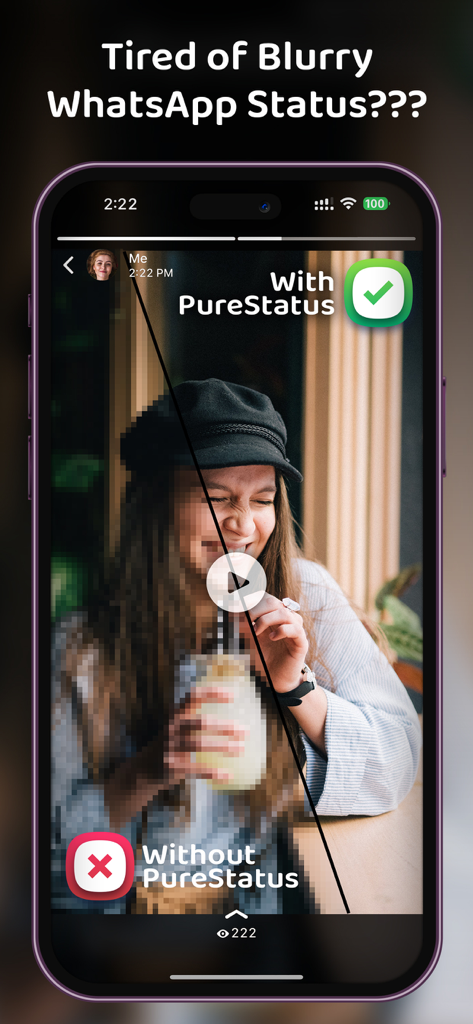
ぼやけた動画ステータスとPureStatusアプリを搭載したスマートフォンのクリアHD動画ステータスのサイドバイサイド比較。
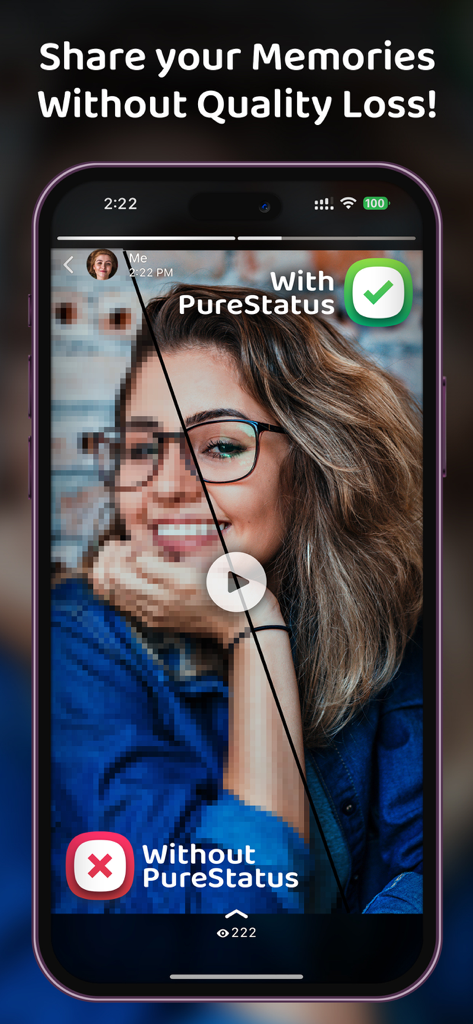
PureStatusなしのぼやけたピクセル化された動画と比較した、PureStatusによるクリアHD動画品質を示す分割画面比較。
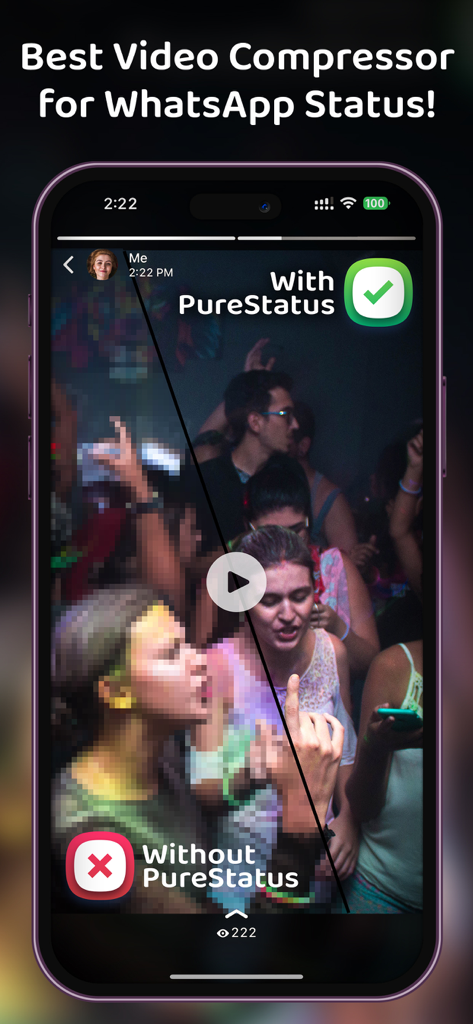
PureStatusアプリを使用したWhatsAppステータスのぼやけた品質とクリアな品質の比較。
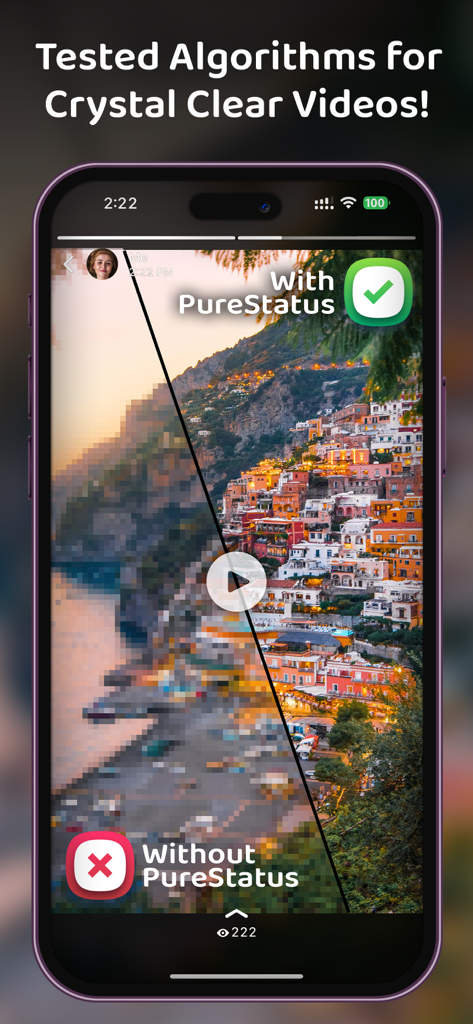
PureStatusを使用したWhatsAppステータスのぼやけた品質とクリアな品質の比較。
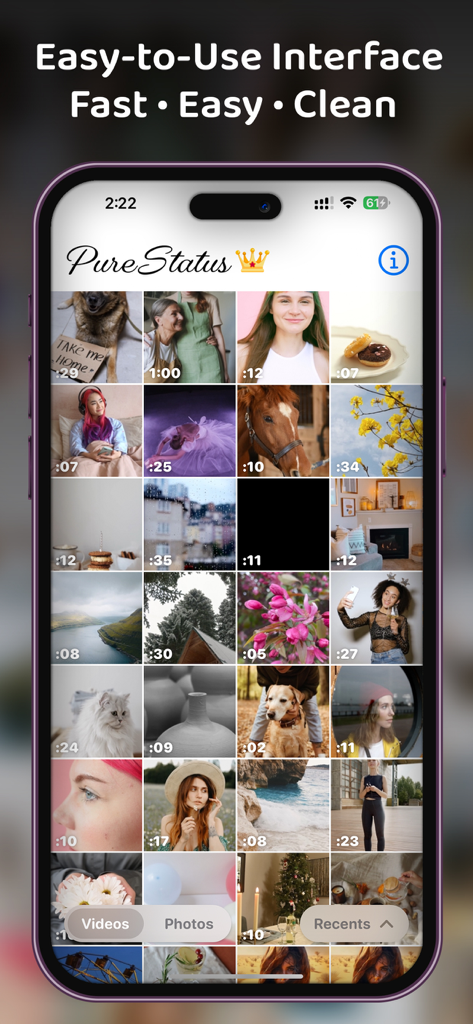
ステータス選択用の動画や写真のグリッドを表示するPureStatusアプリのユーザーインターフェイス。
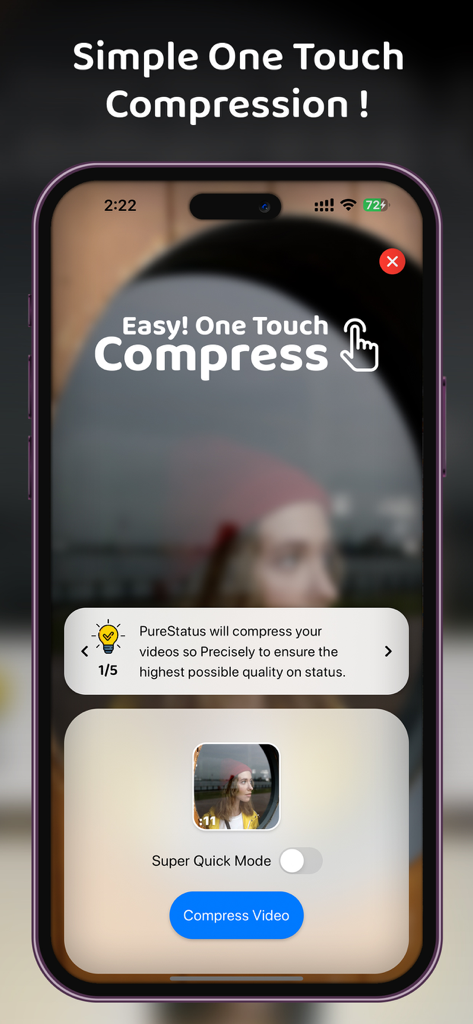
HDステータスアップデート用のシンプルなワンタッチ動画圧縮ボタンを備えたPureStatusアプリのインターフェイス。
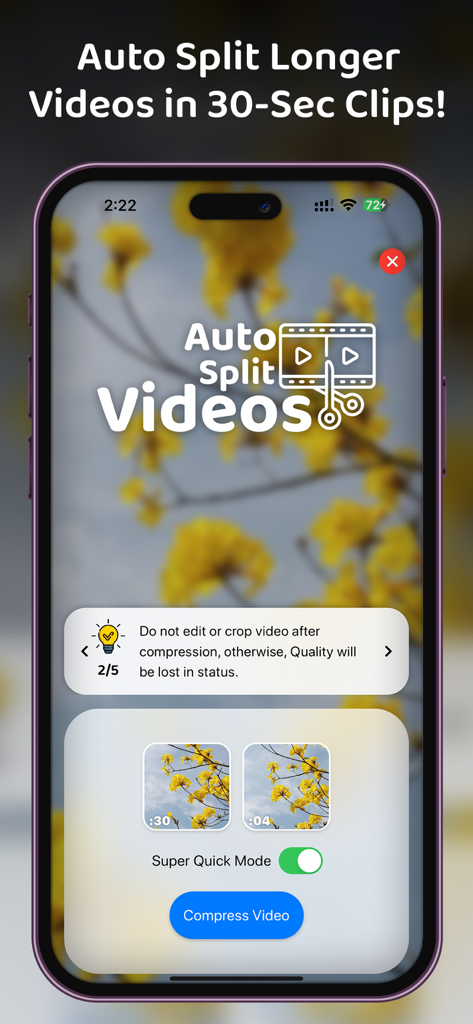
WhatsAppステータス用に30秒のクリップを作成する自動分割動画機能を示すPureStatusアプリのインターフェイス。
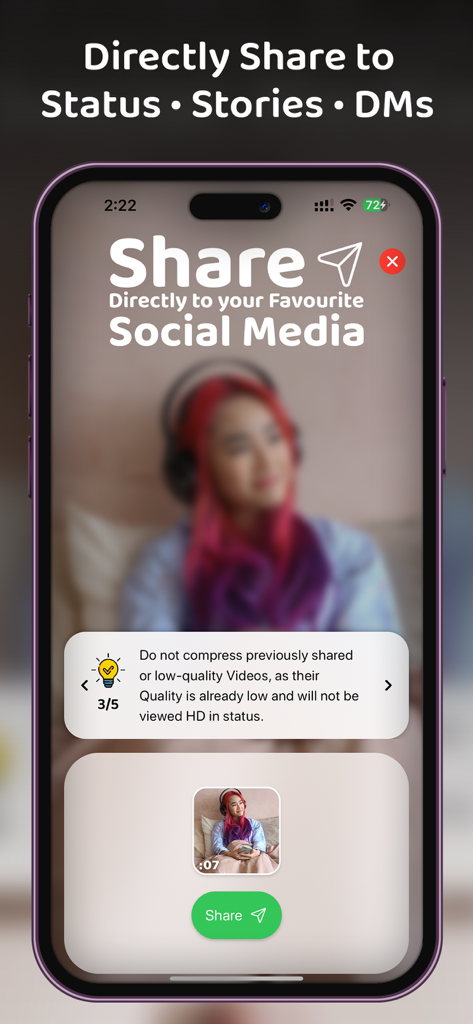
ソーシャルメディアステータスやストーリーにHD動画を直接共有するためのPureStatusアプリのインターフェイスを示すスマートフォンの画面。
説明
Download
類似アプリ
同じカテゴリのトップランクアプリ

CapCut: Photo & Video Editor
BYTEDANCE PTE. LTD.

Instagram, Inc.

YouTube
Google LLC

Canva: AI Photo & Video Editor
Canva Pty Ltd

Snapchat
Snap, Inc.

快手
Beijing Kwai Technology Co., Ltd.

Edits: Video Editor
Instagram, Inc.

Meitu- AI Photo & Video Editor
Xiamen Meitu Technology Co., Ltd.

Google Photos: Backup & Edit
Google LLC
このページはアプリまたはその開発者の公式ページではなく、情報提供および論評を目的として作成された独立した編集出版物です。明示的に別段の記載がない限り、アプリおよびその開発者は、MWM、Apple、Google Play、アプリのパブリッシャー、またはアプリの開発者と提携、承認、後援、認可、またはその他の公式的な関係はなく、このページのいかなる内容も、アプリがMWMのサービスを使用して開発されたことを意味するものではありません。すべての商標、ロゴ、スクリーンショット、その他のコンテンツはそれぞれの所有者の財産です。