Quick Edit: Video,Photo Editor

Quick Edit: Video,Photo Editor

ダウンロード: App Store
ロゴ: Quick Edit: Video,Photo Editor

Quick Edit:切り抜きなしのプロフェッショナル動画・写真編集

トレンドのFX、ぼかし背景、透かしゼロで、Instagram、TikTok、個人のブランドに最適な4Kコンテンツを作成しましょう。

開発元

Monjur Morshed

カテゴリ

Graphics & Design

ダウンロード

46K+

ユーザー評価

4.6/5

評価数

300

対応言語

16

制限のないビジュアル

このインターフェースを利用する 46K+ 人のユーザー.

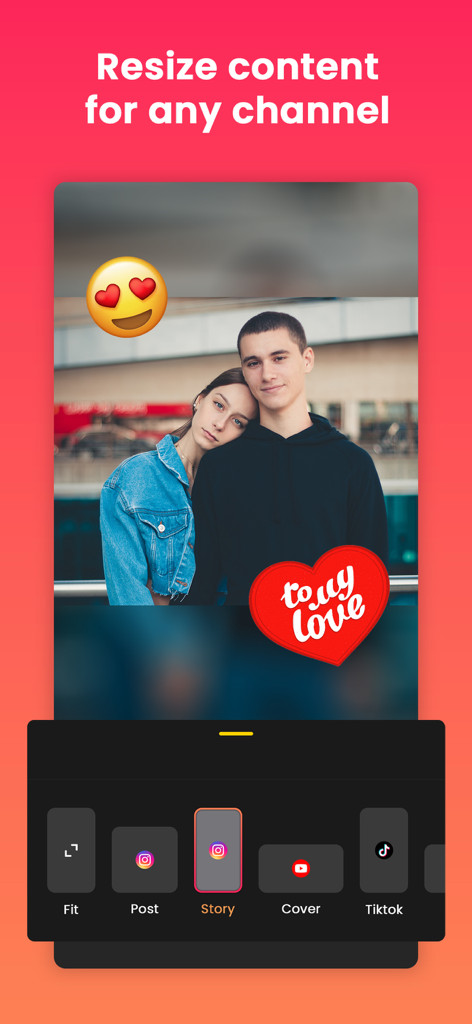
InstagramストーリーとTikTok用の写真リサイズオプション、ステッカー、ぼかし背景が表示されているモバイルアプリ画面
InstagramストーリーとTikTok用の写真リサイズオプション、ステッカー、ぼかし背景が表示されているモバイルアプリ画面

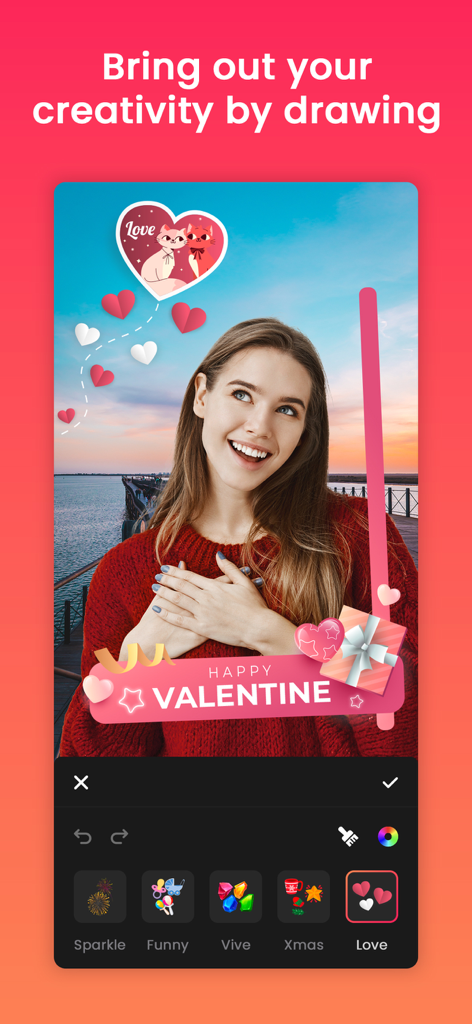
女性がQuick Editアプリを使用して、バレンタインデーテーマのステッカーや描画を写真に追加している様子
女性がQuick Editアプリを使用して、バレンタインデーテーマのステッカーや描画を写真に追加している様子

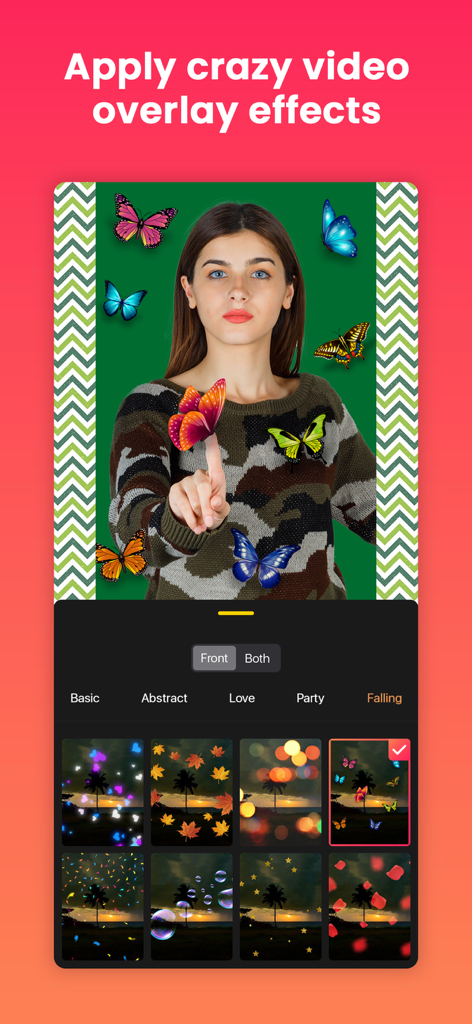
Quick Editアプリのインターフェースに、蝶やボケ効果のような動画オーバーレイエフェクトが表示されている
Quick Editアプリのインターフェースに、蝶やボケ効果のような動画オーバーレイエフェクトが表示されている

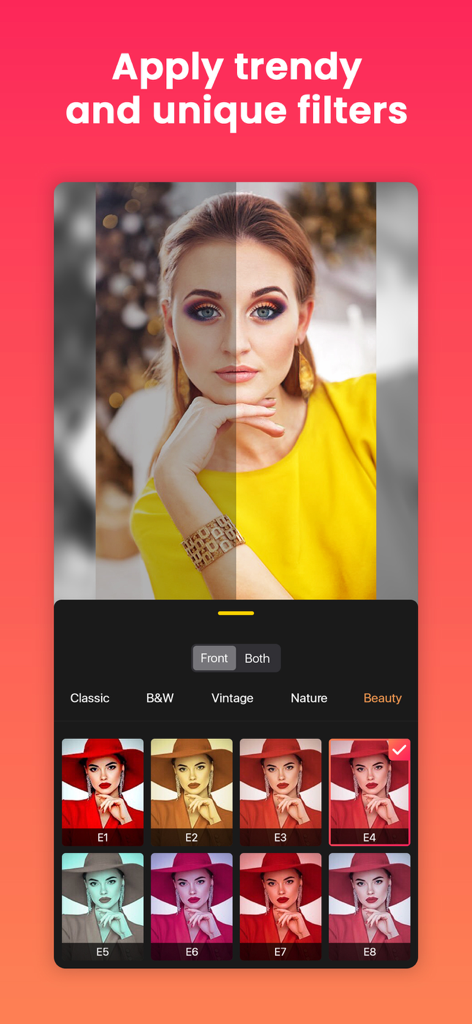
Quick Editアプリの画面に、トレンドの写真フィルターと、編集前後の比較が表示されている
Quick Editアプリの画面に、トレンドの写真フィルターと、編集前後の比較が表示されている

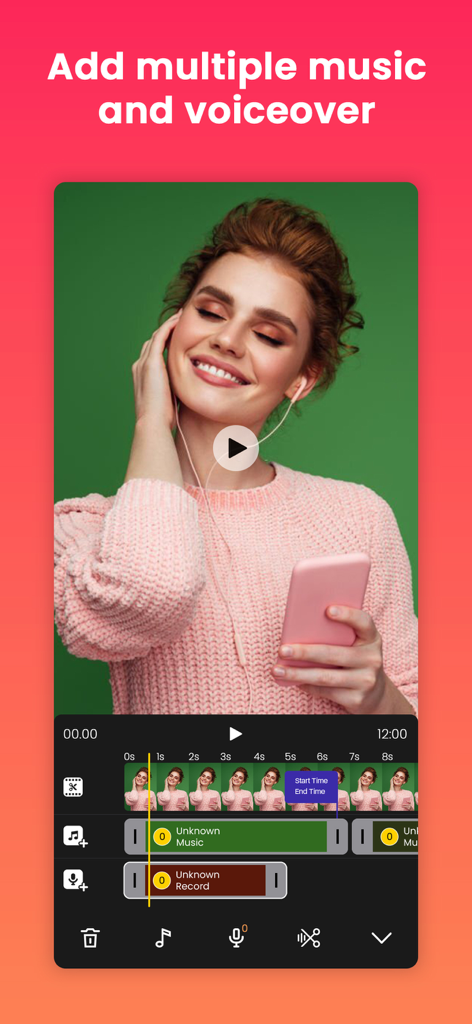
複数の音楽とボイスオバートラックが表示されているモバイル動画編集タイムライン
複数の音楽とボイスオバートラックが表示されているモバイル動画編集タイムライン

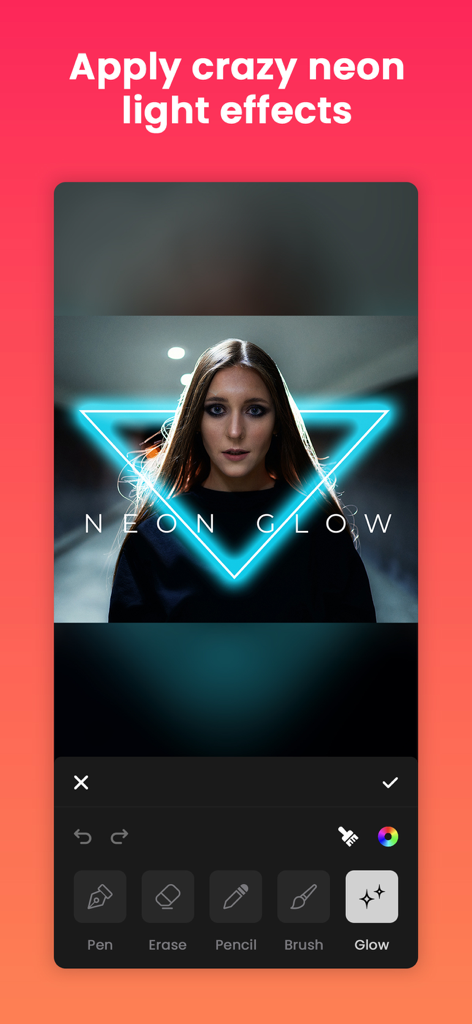
Quick Editモバイルアプリのポートレートに青いネオングロー効果を適用している
Quick Editモバイルアプリのポートレートに青いネオングロー効果を適用している

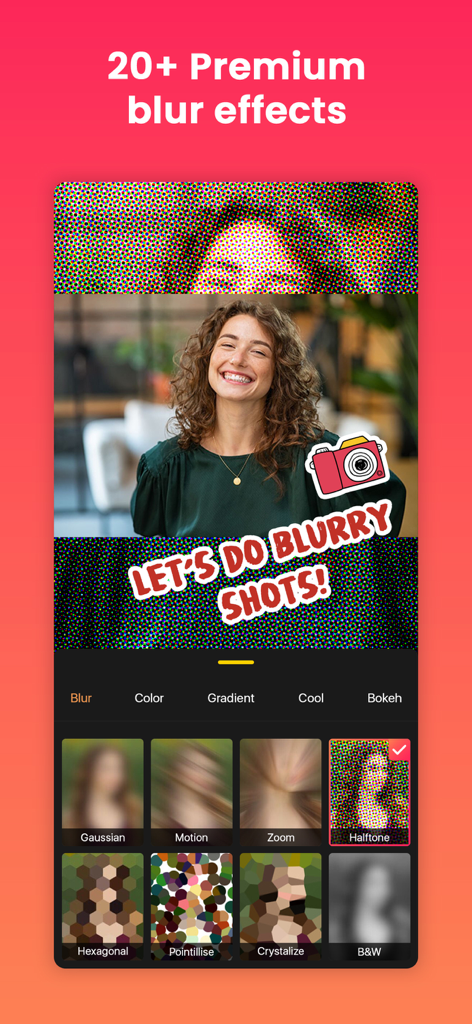
ポートレート写真用のプレミアムぼかし効果と背景オプションが表示されているQuick Editアプリのインターフェース
ポートレート写真用のプレミアムぼかし効果と背景オプションが表示されているQuick Editアプリのインターフェース

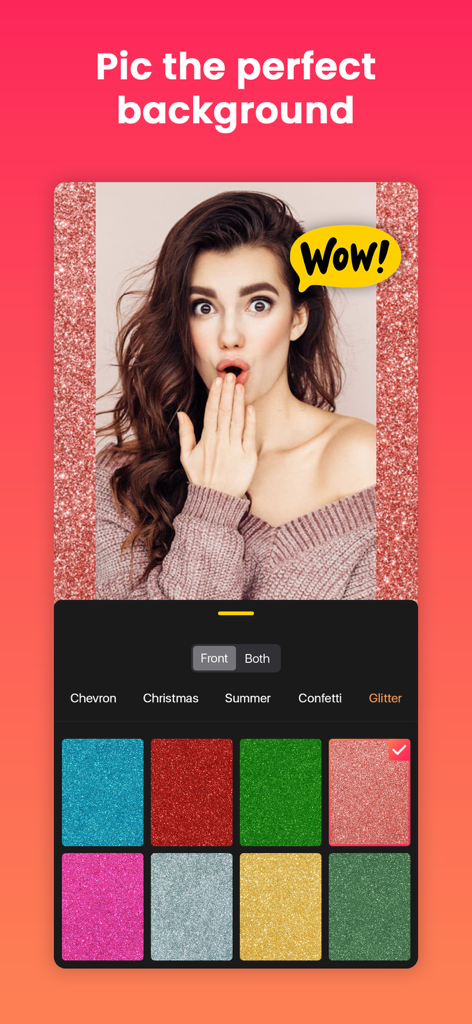
Quick Editアプリで、グリッター背景とさまざまなカラーオプションを持つポートレート写真が表示されているモバイル画面
Quick Editアプリで、グリッター背景とさまざまなカラーオプションを持つポートレート写真が表示されているモバイル画面

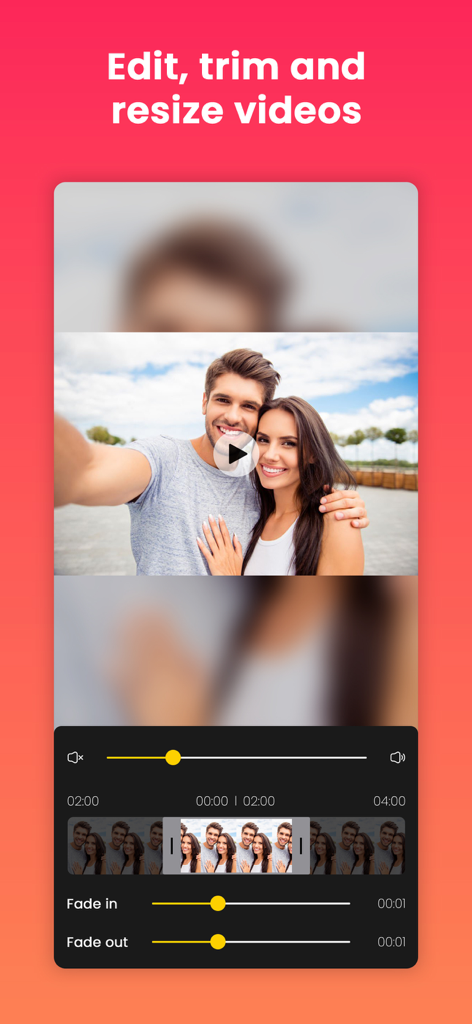
タイムラインとフェード効果を備えた動画のトリミングとリサイズを行うQuick Editアプリのインターフェース
タイムラインとフェード効果を備えた動画のトリミングとリサイズを行うQuick Editアプリのインターフェース

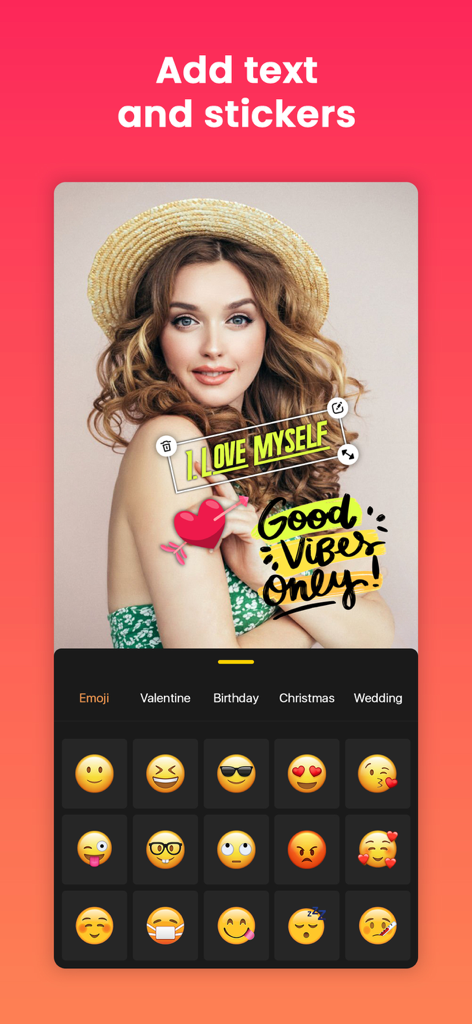
テキストステッカーと絵文字選択メニューでポートレートをカスタマイズしている様子が表示されているQuick Editアプリのインターフェース

テキストステッカーと絵文字選択メニューでポートレートをカスタマイズしている様子が表示されているQuick Editアプリのインターフェース

プロのように作成し、制限なく投稿

このアプリを際立たせるツール、 46K+ 人のユーザーが選択.

📐

常に完璧なフィット

ソーシャルメディアプラットフォームにあなたのビジョンを切り取らせるのはやめましょう。美しい背景で元のフレームをそのままに、写真や動画をあらゆるアスペクト比に簡単にリサイズできます。

💎

クリスタルクリアな4K、透かしなし

プロ品質のエクスポートでフィードをレベルアップしましょう。邪魔なロゴはなく、あなたの個人ブランドやビジネスを本当にエリートに見せる高忠実度のコンテンツだけです。

🎨

ワンタップで美学マジック

GlitchやRetroなどの160種類以上のユニークなFX、95種類以上のシネマティックフィルター、数秒で音楽やボイスオーバーを追加できる簡単なツールで、トレンドを先取りしましょう。

アプリについて

について知っておくべきこと Quick Edit: Video,Photo Editor.

説明

Post full size photos and videos to instagram without cropping. Best no crop InstaSize photo and video editor for Instagram, Facebook, Twitter, Youtube, Messenger, Sms, E-mail etc. Square insta pic is the best way to quick square video and photo. Bring your content to life with audio, FX, frame, emoji, sticker, overlay, text, draw, trim, move, rotate, scale, flip and more. You can even add music from our library, iTunes, or record voice-overs with ease. Plus, our app boasts 4k resolution and no watermark for a truly professional feel. Looking for a powerful InstaFit video and photo editing app that's perfect for Instagram, YouTube, Facebook, Messenger, Sms, E-mail and more. Look no further than No Crop - Square Fit Insta size! With our app, you can easily enhance, customize and create stunning videos and Pictures with just a few taps. FEATURES: - Video editing: Trim, enhance and customize your videos with fade in and fade out volume effects, add Background musics, canvas layout for Instagram size, and more. - Photo editing: Edit still photos or create videos from photos with our huge collection of effects, text, stickers, filters and more. - Music and voice-over: Add your favorite music or voice-over to your videos from our library or iTunes, and easily adjust sound levels. - Filters: Choose from over 95+ unique filters, including Classic, Black & White, Cinematic, more. - Adjust: Enhancing your photos and videos with adjusted filters. - FX: Use over 160+ Unique FX, such as Glitch, Retro, Abstract and more. - Canvas: Create stunning art on canvas with our free canvas sizes and ratios for Square fit Content. - Flip: Quickly flip your videos and photos to get the perfect output. - Backgrounds: Choose from over 130+ backgrounds, including Gaussian, Motion, Pointillise, Zoom, Hexagonal,Crystallise and Black and White Blur, Pattern, Color and Gradient Colour and more Backgrounds. - Stickers and emojis: Add personality to your videos and photos with over 400+ free stickers and countless emojis. - Draw: Sign to your content with amazing drawing features including neon glow. - Overlay: Add photos from gallery as an overlay. - Text with fill-fit: Easily add different types of color text with a variety of fonts and frames to your videos and photos, and fill-fit your work smartly. - Export and share: Save your photos and videos in maximum high resolution up to 4K, and easily share full size video and picture without cropping on Instagram, Facebook, Messenger, SMS, mail and more. With all these features and more, No Crop Square Fit InstaSize is the perfect app for anyone looking to create stunning videos and photos with ease. Download now and start creating your own unique masterpieces! SETTINGS: Change settings very easily. You can't imagine how easy it is! This page holds workable options like Video Settings, Purchase, Feedback & others. Go to video settings and select Video Resolution, Frame Rate, Format MP4 or MOV. SUBSCRIPTION PRICE: # Free Trial - Free for the first 03 days, then $5.99/Month. # Establish your membership with 2.99/Week or $5.99/Month or 20.99/Year. # When the purchase is confirmed payment will be charged to the iTunes account. # Membership will renew automatically unless auto-renew is turned off at least 24 hours before the conclusion of the latest period. # Subscriptions may be managed by the user, Just go to settings option then iTunes Account & App Store > Apple ID > Subscriptions to manage your membership and turn off auto-renew. # Cancel subscription after the end of the current period. # When the customer purchases a subscription, any unused portion of a free trial period, if offered, will be forfeited. Terms Of Use: https://sites.google.com/view/appwallitermsofuse/termsofuse Privacy-Policy: https://sites.google.com/view/appwallitermsofuse/privacy-policy If you found a bug, Please contact us without hesitation for the latest feature. Email us at: appwalli.app@gmail.com

最新バージョン

1.4.2

サイズ

132.3 MB

リリース日

2022年10月20日

あなたの美学を4Kの完璧さへ

究極の切り抜きなし、透かしなしスタジオを使用する何千人ものクリエイターに参加しましょう。3日間の無料トライアルを開始し、外出先でのプロフェッショナル編集をアンロックしましょう。

ダウンロード: App Store

App information, icons, screenshots, and descriptions displayed on this page are sourced from the Apple App Store and are the property of their respective developers. Download estimates and rankings are based on MWM's proprietary models and may not reflect actual figures. This page is provided for informational and analytical purposes only.

Believe this page infringes your intellectual property? File a dispute