QuickStar
QuickStar
ダウンロード: App Store

このページはアプリまたはその開発者の公式ページではなく、情報提供および論評を目的として作成された独立した編集出版物です。明示的に別段の記載がない限り、アプリおよびその開発者は、MWM、Apple、Google Play、アプリのパブリッシャー、またはアプリの開発者と提携、承認、後援、認可、またはその他の公式的な関係はなく、このページのいかなる内容も、アプリがMWMのサービスを使用して開発されたことを意味するものではありません。すべての商標、ロゴ、スクリーンショット、その他のコンテンツはそれぞれの所有者の財産です。


ロゴ: QuickStar
ダウンロード: App Store

QuickStar

リスト疲れから解放されましょう。時計のような無限ループで1日をマッピングし、iPadを最も重要なタスクのための専用常時稼働ミッションコントロールに変えましょう。

主要数値

ダウンロード

0

ユーザー評価

1.0/5

評価数

0

開発元

Ines Landberg

カテゴリ

Productivity

対応言語

1

最新バージョン

11.3

サイズ

25.9 MB

リリース日

2024年7月31日
機能

ビジュアル精度で1日をマスターする

QuickStarは、圧倒的なリストを、一目で1日を把握する必要のあるビジュアル思考者やプロフェッショナル向けに設計された、直感的な時計のようなタイムラインに置き換えます。

ビジュアル時計タイムライン

実際の時計を模した円形のインターフェースにタスクをマッピングします。垂直リストの不安なしに、「時間盲」を克服し、フローを管理するのに最適です。

常時稼働デスクモード

iPadを専用の生産性ダッシュボードに変えましょう。作業中は、タイムラインを表示したまま、画面をスリープさせずに集中力を維持しましょう。

以下のスクリーンショットと説明は、アプリの公式ストアリスティングから直接取得されたものであり、アプリ開発者の所有物です。

アプリストア

スクリーンショット
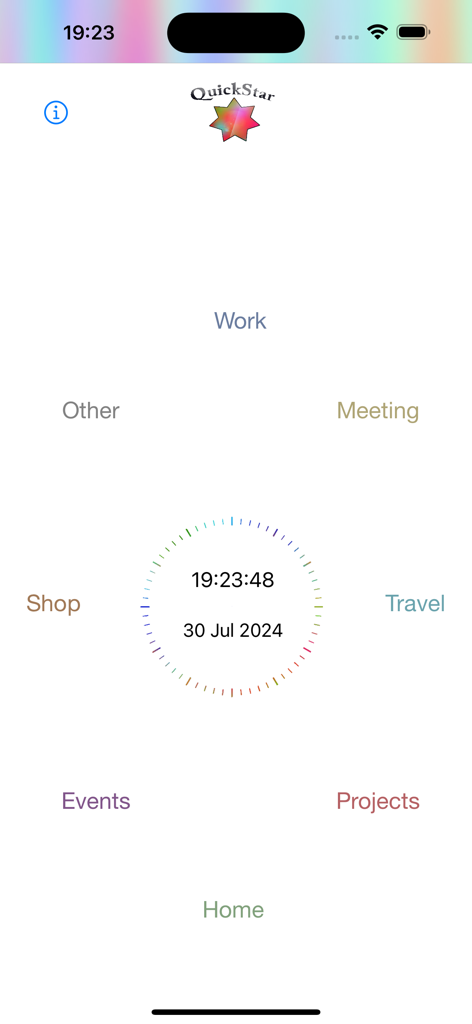
QuickStar - QuickStarアプリのホーム画面。中央のデジタル時計と日付の周りに、ワーク、ホーム、プロジェクトなどのカテゴリが円形に配置されています。
QuickStarアプリのホーム画面。中央のデジタル時計と日付の周りに、ワーク、ホーム、プロジェクトなどのカテゴリが円形に配置されています。

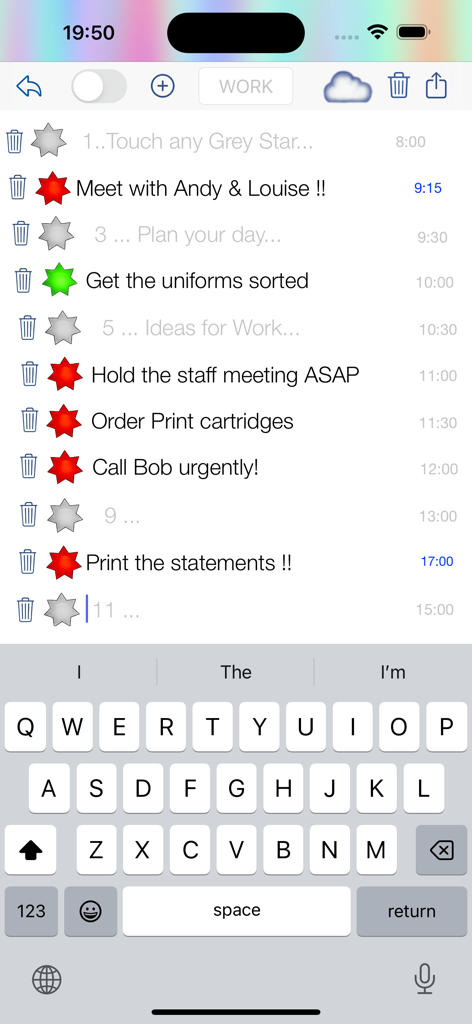
QuickStar - QuickStarアプリのモバイルインターフェース。赤い星と緑のステータス星が付いた作業タスクリストと、アクティブなキーボードが表示されています。
QuickStarアプリのモバイルインターフェース。赤い星と緑のステータス星が付いた作業タスクリストと、アクティブなキーボードが表示されています。

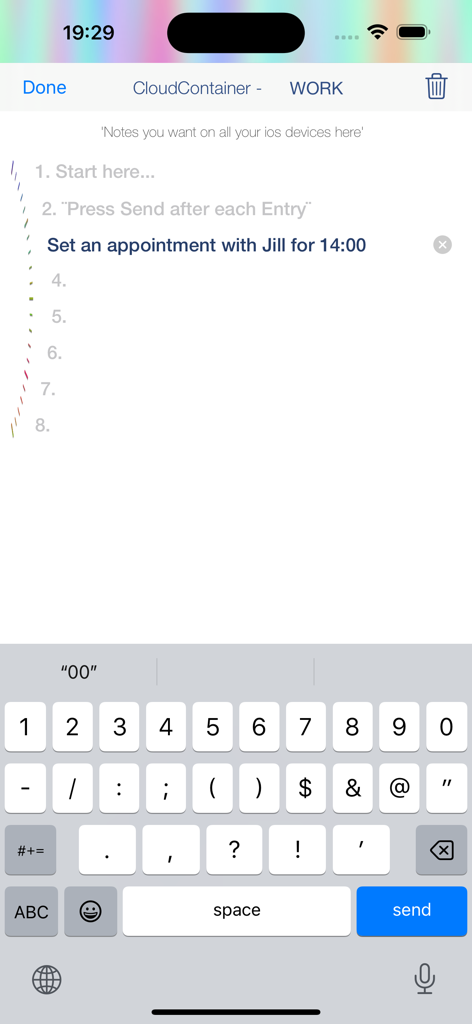
QuickStar - iPhone上のQuickStarアプリのインターフェース。ユーザーがキーボードをアクティブにして、1400時に作業予定を追加している様子が表示されています。
iPhone上のQuickStarアプリのインターフェース。ユーザーがキーボードをアクティブにして、1400時に作業予定を追加している様子が表示されています。

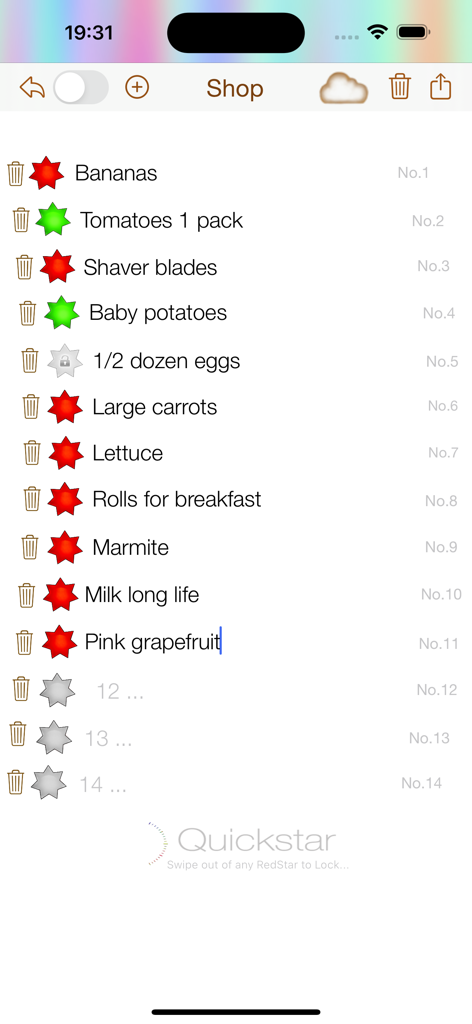
QuickStar - QuickStarアプリのインターフェース。赤と緑の完了星が付いた食料品リストが表示されています。
QuickStarアプリのインターフェース。赤と緑の完了星が付いた食料品リストが表示されています。

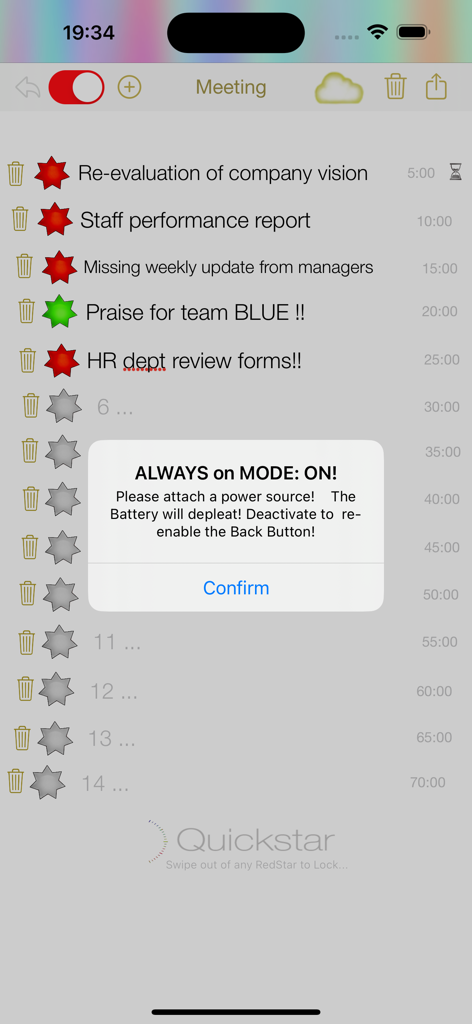
QuickStar - QuickStarアプリのインターフェース。赤と緑の星が付いたタスクリストと、常時稼働モードの通知が表示されています。

QuickStarアプリのインターフェース。赤と緑の星が付いたタスクリストと、常時稼働モードの通知が表示されています。

説明

Welcome to QuickStar. This app has been designed to be used mainly with iPad, but the iPhone app can be used as stand alone or better in conjunction with the iPad version for all your super fast, saved entries for all your Daily Planning, Ideas, Tasks and To Do’s. About QuickStar: QuickStar is an app for planning. Instead of lists, QuickStar allows you to plan within a clocklike timeline, that you are in control of and can change however you want. Fill in your procedure for the day. Using the infinity loop method, as soon as you edit or make a new entry the star turns red. Adjust the time, continuing your existing timeline and keep ‘starring’ away. Using the App for the first Time - Select a Tab at the bottom of the screen. The entry points are set in a clockwise direction. Start at the top or anywhere you like. Touch the Grey Star and Punch in your entry. Touch the Red Star to mark completion, which turns the star Green. Tap trash can ONCE to delete entry, TWICE to delete both entry and schedule entry. You’re done INSTRUCTIONS: for example WORK TAB. Plan your Work day. Fill in your meetings, ToDo’s… @ work, First TOUCH the Grey Star at the top. The Keyboard should display and you can immediately enter your ToDo or Note & Adjust the time if need be.Now you can simply dismiss the keyboard and the entry is saved or touch the next Grey Star. Pop the next entries into the circular timeline. You can scroll the screen to get to any of the STARS. Next try 'Always on Mode’. This will keep your iPad awake permanently or on a countdown timer for 10min. You will need to attach a power source. This is for your very busy day. When you need to reference your screen all the time & you don’t want the iPad, to go to sleep. Setup your iPad in front of you, so it is always there through the WORK day. So everything gets done, in order, on time and you arrive prepared and not stressed for your appointments. Once you have put all your entries in you will notice the star goes RED immediately. Once you have completed an item 'Star' it off. Your RED star turns GREEN. Once you have completed the. loop start deleting old entries and thus using the infinity loop method and you can keep going. Lastly… QuickStar planning in a clock theme means your entries are endless. With QuickStar you have nice big stars to ‘star off’ as you go. QuickStar forces you to condense your scheduling entries to a minimum, so you know at a glance what you need to do quickly and you can keep on top of everything. Your timeline could be minutes, hours, days, items or just numbered or anything you can dream up! Go QuickStar!

Download

ダウンロード: App Store

このページはアプリまたはその開発者の公式ページではなく、情報提供および論評を目的として作成された独立した編集出版物です。明示的に別段の記載がない限り、アプリおよびその開発者は、MWM、Apple、Google Play、アプリのパブリッシャー、またはアプリの開発者と提携、承認、後援、認可、またはその他の公式的な関係はなく、このページのいかなる内容も、アプリがMWMのサービスを使用して開発されたことを意味するものではありません。すべての商標、ロゴ、スクリーンショット、その他のコンテンツはそれぞれの所有者の財産です。








