RCF LiveRemote
RCF LiveRemote
Download on App Store

This page is not an official page of the app or its developer, but an independent editorial publication created for informational and commentary purposes. Unless expressly stated otherwise, neither the app nor its developer is affiliated with, endorsed by, sponsored by, authorized by, or otherwise officially connected with MWM, Apple, Google Play, the app publisher, or the app's developer, and nothing on this page implies that the app was developed using MWM's services. Any trademarks, logos, screenshots, and other content remain the property of their respective owners.

Logo of RCF LiveRemote
Download on App Store

RCF LiveRemote

Take total control of your ART 9-AX and SUB-AX speakers from the sweet spot. Manage internal mixers, 8-band EQs, and delay lines with precision directly from your smartphone or tablet.

Key Figures

Downloads

3K+

User Rating

4.6/5

Total Ratings

0

Publisher

RCF SPA

Category

Music

Locales

1

Latest Version

1.3.5

Size

32.5 MB

First Released

May 12, 2022
Features

Professional Control at Your Fingertips

Transform your mobile device into a powerful command center for your RCF sound system, designed to give gigging musicians and DJs total wireless authority over their mix.

Wireless Mixing from the 'Sweet Spot'

Stop walking back and forth to your speakers. Adjust levels, 3-band EQs, and internal reverb from the dance floor to ensure your audience hears exactly what you hear.

Streamline Your Setup

Leave the external mixer at home. Harness an internal 6-in, 2-out digital mixer with professional ducking, phantom power, and Bluetooth streaming built directly into your ART 9-AX.

The following screenshots and description are sourced directly from the app's official store listing and are the property of the app developer.

App Store

Screenshots
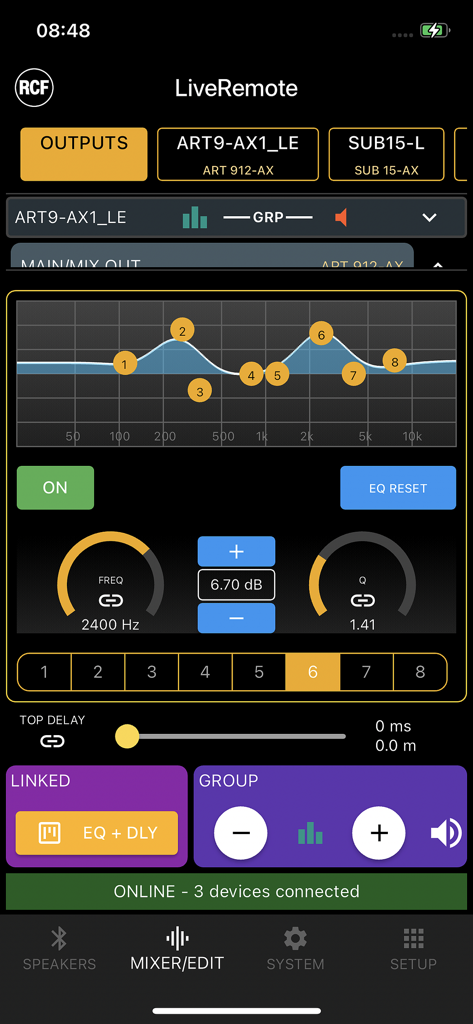
RCF LiveRemote - RCF LiveRemote app interface showing 8-band parametric EQ settings for professional speaker control
RCF LiveRemote app interface showing 8-band parametric EQ settings for professional speaker control

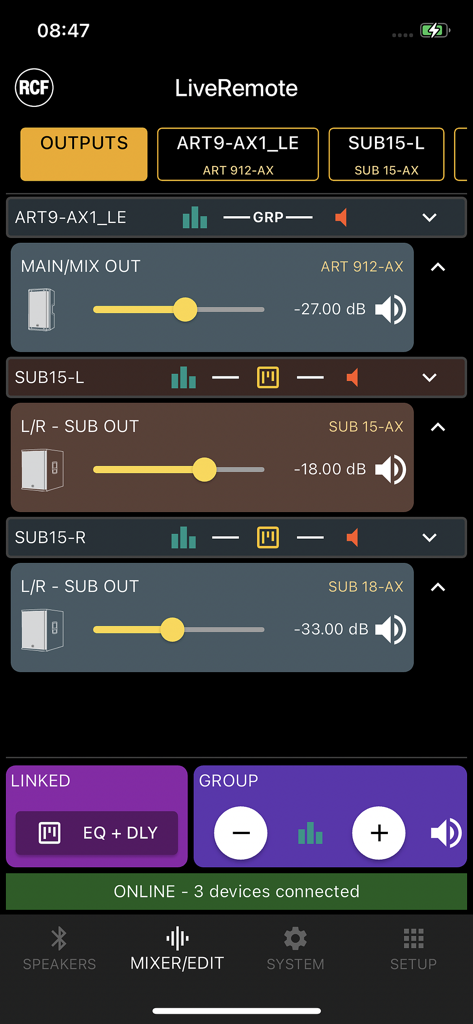
RCF LiveRemote - RCF LiveRemote app interface displaying volume controls for ART 9-AX and SUB-AX professional speakers
RCF LiveRemote app interface displaying volume controls for ART 9-AX and SUB-AX professional speakers

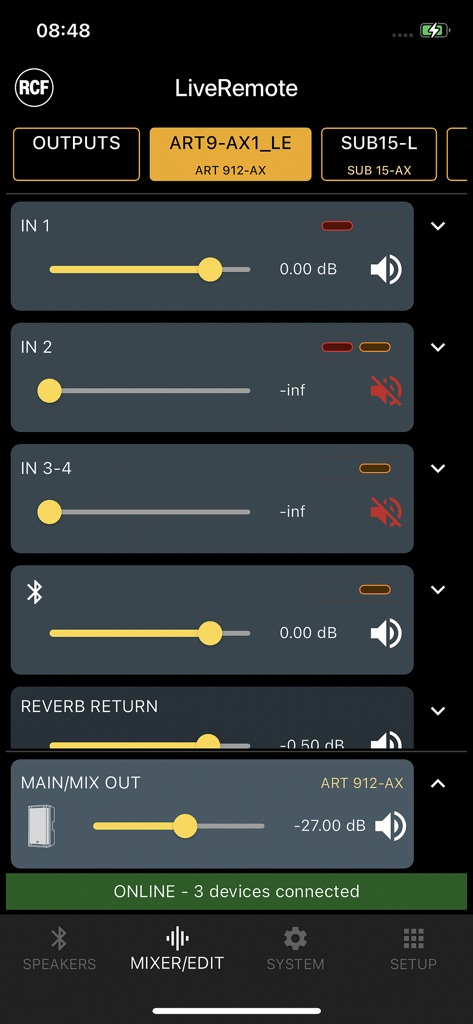
RCF LiveRemote - RCF LiveRemote app interface showing digital mixer control with volume sliders for professional speakers.
RCF LiveRemote app interface showing digital mixer control with volume sliders for professional speakers.

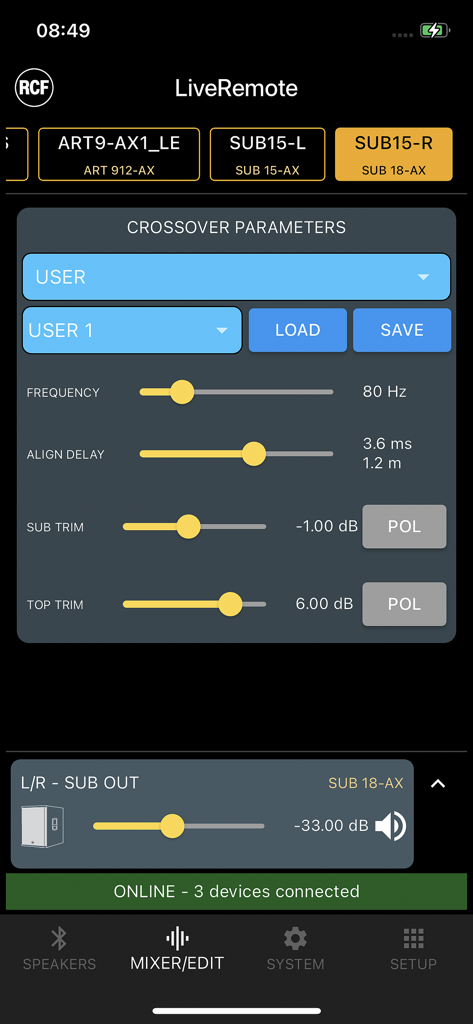
RCF LiveRemote - Crossover parameters screen in the RCF LiveRemote app showing frequency and alignment delay settings for professional audio equipment
Crossover parameters screen in the RCF LiveRemote app showing frequency and alignment delay settings for professional audio equipment

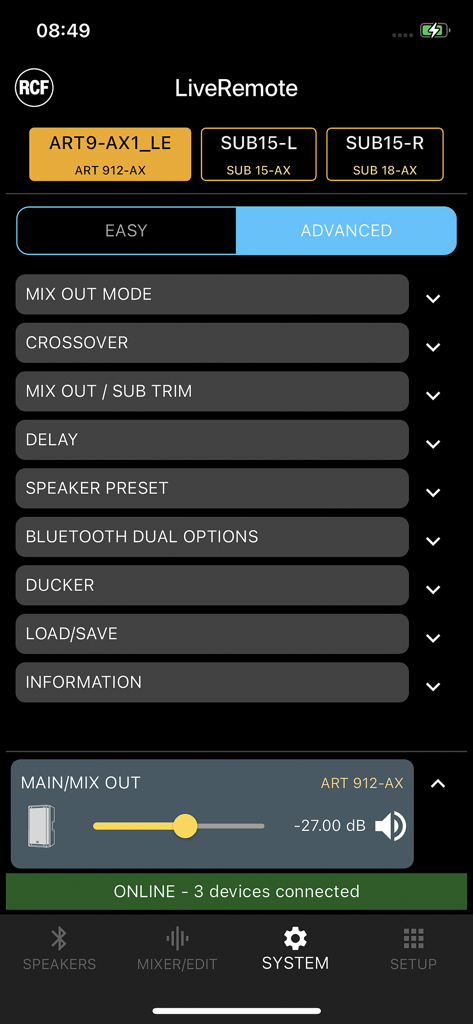
RCF LiveRemote - RCF LiveRemote app system menu for controlling ART 912-AX speakers and subwoofers.
RCF LiveRemote app system menu for controlling ART 912-AX speakers and subwoofers.

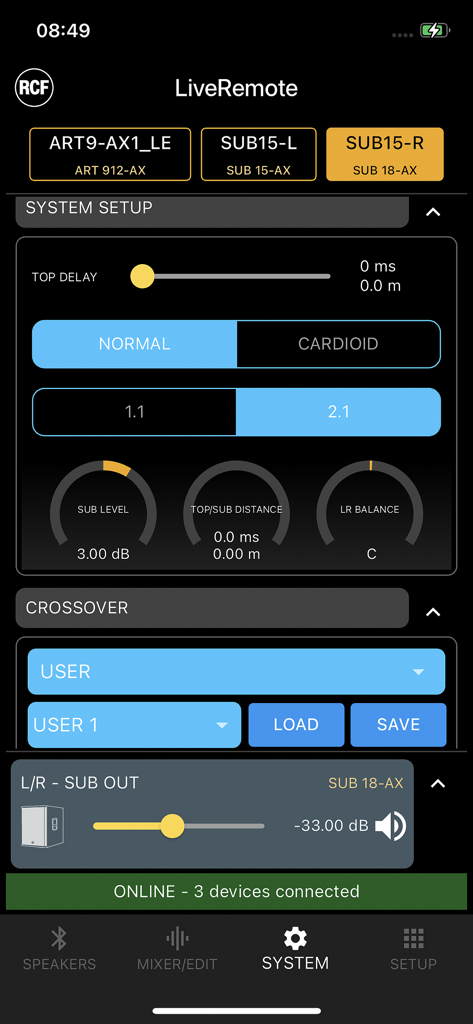
RCF LiveRemote - RCF LiveRemote app system setup screen with speaker delay and crossover settings
RCF LiveRemote app system setup screen with speaker delay and crossover settings

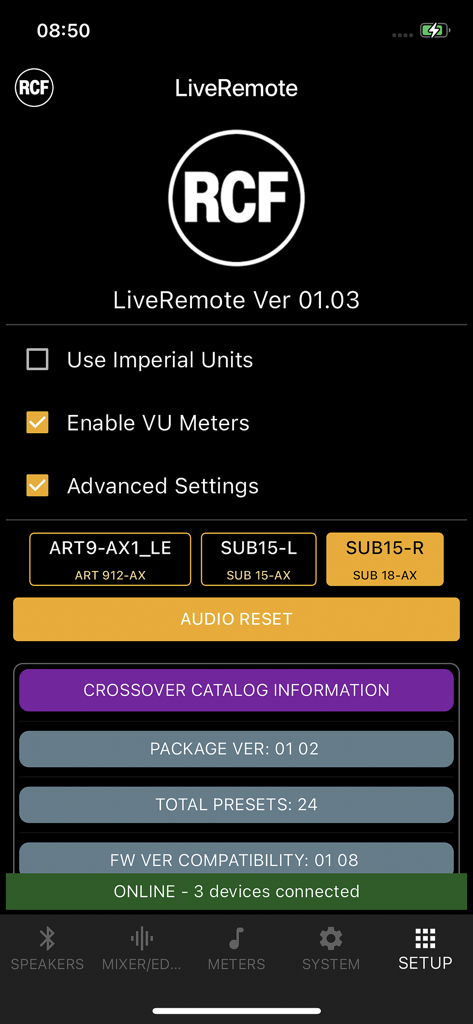
RCF LiveRemote - Setup page of the RCF LiveRemote app showing connected speakers and system settings

Setup page of the RCF LiveRemote app showing connected speakers and system settings

Description

The RCF LiveRemote App allows full control of several active speakers and subwoofers from your smartphone, via Bluetooth, and it has been updated to include the remote control of additional speaker models. If control-only is required, up to 8 speakers can be connected. When in Dual Mode (available for ART 91x-AX Models) only two speakers can be linked for both audio and control. The following RCF products are supported: ART 910-AX/912-AX/915-AX Single and Dual mode supported SUB 15-AX / SUB 18-AX Control-only Internal features are fully accessible via LiveRemote, and they vary depending on which unit is connected. For specific feature, please refer to the Product Reference Guide. FOR ART 9-AX SPEAKERS * 6-in, 2-out internal digital mixer, with STEREO or MONO setting * on all inputs: HPF, 3-band EQ is available * on channels 1 and 2: individual 48V on/off, dynamics block * Bluetooth audio streaming: on a dedicated input channel, in stereo or mono according to the selected mode * flexible ducker section * internal reverb REVERB with individual channel sends and 3 presets * internal crossover: with 4 USER locations and several presets to match the ART 9-AX with selected RCF subwoofer models * output system section: affects both speaker and SUB out; 5-band fully parametric EQ, up to 45 meters internal delay * Dual mode links both Bluetooth audio and control between two units, a Master and a Slave * when Dual mode is desired, it must must be enabled on the active speaker, in order to be visible from the app FOR SUB AX SUBWOOFERS * stereo input and outputs, to allow both 2.1 and 1.1 configurations * internal crossover: with 4 USER locations and several presets to match the SUB with several RCF speaker models * additional factory-tuned presets can be uploaded from the app to 4 USER APP locations; a full preset catalog update can be performed via firmware update with future upgrades * output system section: affects both SUB and crossover outputs; 8-band fully parametric EQ, up to 45 meters internal delay * grouping is possible for output levels (relative level control) and MUTEs * on more than one unit, output system sections can be linked from the app, so that delay and EQ are linked together. This option is ideal for 2.2 configurations * dual mode is not available on SUB models, as they do offer control via Bluetooth but not Bluetooth audio; SUB products can be linked for paired remote control COMMON FEATURES - On the SPEAKERS page, it is possible to view all available devices and select which one shall be connected; this operation needs to be restarted (DISCONNECT > SCAN > CONNECT) if the available devices change - Speaker name can be modified only on the physical display of the product itself - within the setup PAGE, it is possible to view delay lines values in feet by tapping on the Use Imperial Units Flag - VU Meters Enable (within the setup PAGE) creates a further tab on the lower bar, and shows the VU Meters of one unit only; it is intended for debugging audio connections

Download

Download on App Store

This page is not an official page of the app or its developer, but an independent editorial publication created for informational and commentary purposes. Unless expressly stated otherwise, neither the app nor its developer is affiliated with, endorsed by, sponsored by, authorized by, or otherwise officially connected with MWM, Apple, Google Play, the app publisher, or the app's developer, and nothing on this page implies that the app was developed using MWM's services. Any trademarks, logos, screenshots, and other content remain the property of their respective owners.