Read&Write

Read&Write

Download on App Store
Logo of Read&Write

Read&Write: Empowering Independent Learning and Literacy

Unlock your academic potential with personalized support for dyslexia, ADHD, and language learning. From text-to-speech to smart word prediction, gain the confidence to read and write in any app.

Download on App Store

Publisher

Everway Opco Ltd.

Category

Education

Downloads

23K+

User Rating

2.8/5

Total Ratings

100

Locales

12

Literacy Made Visual

Discover the interface used by 23K+ users.

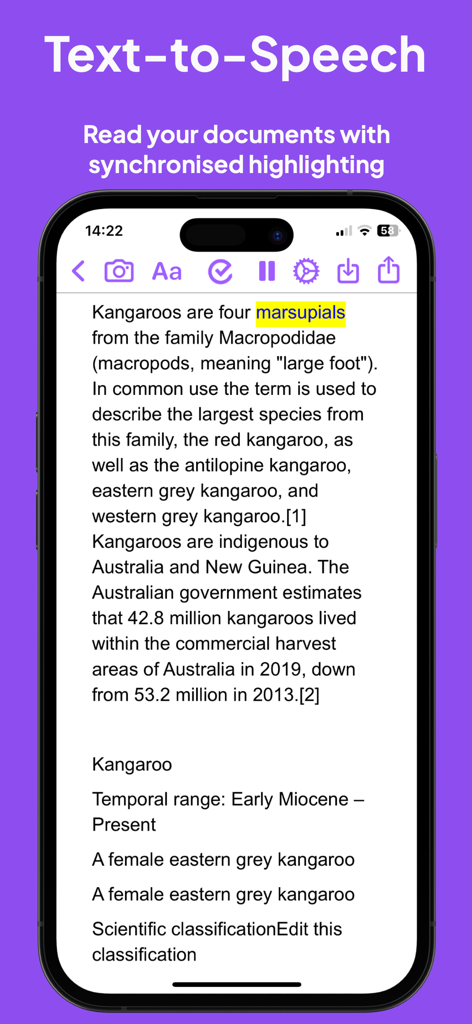
Read and Write app text to speech feature with synchronized highlighting on an iPhone.
Read and Write app text to speech feature with synchronized highlighting on an iPhone.

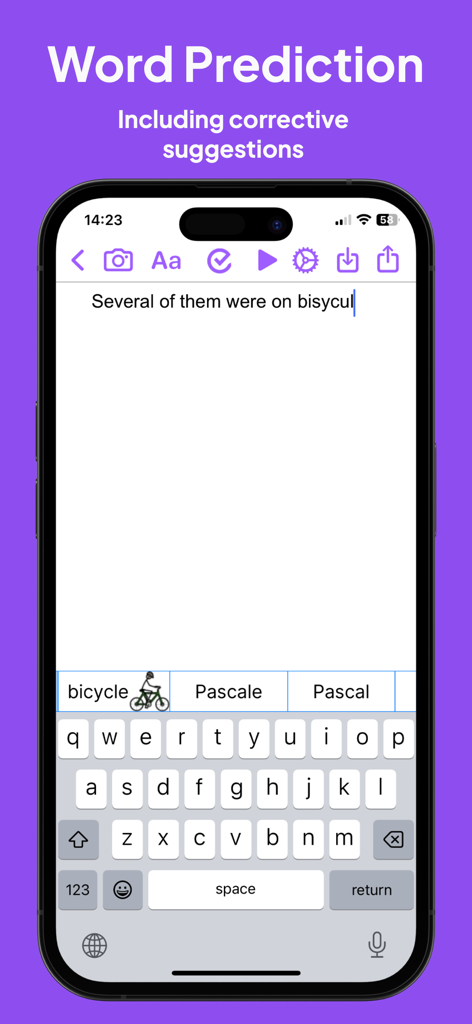
Read and Write app interface showing word prediction and picture dictionary suggestions for a misspelled word.
Read and Write app interface showing word prediction and picture dictionary suggestions for a misspelled word.

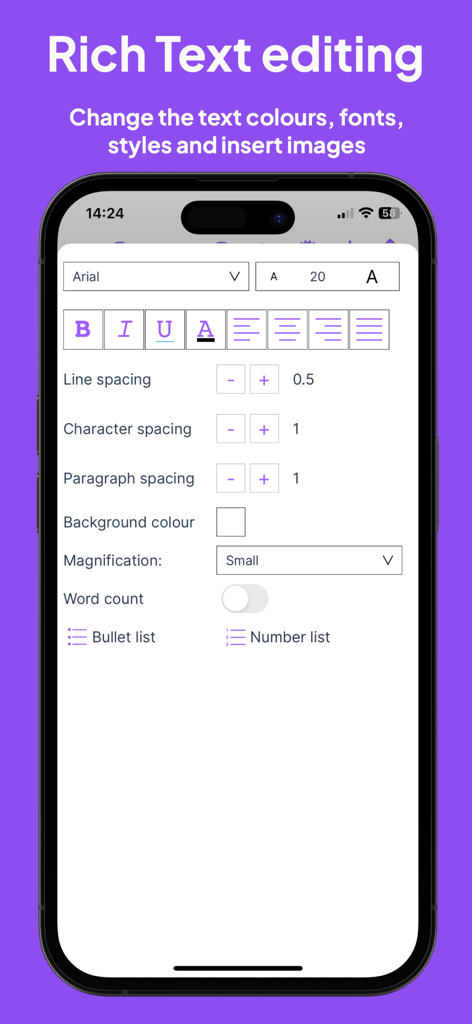
Rich text editing interface in the Read and Write app showing font styles and spacing controls
Rich text editing interface in the Read and Write app showing font styles and spacing controls

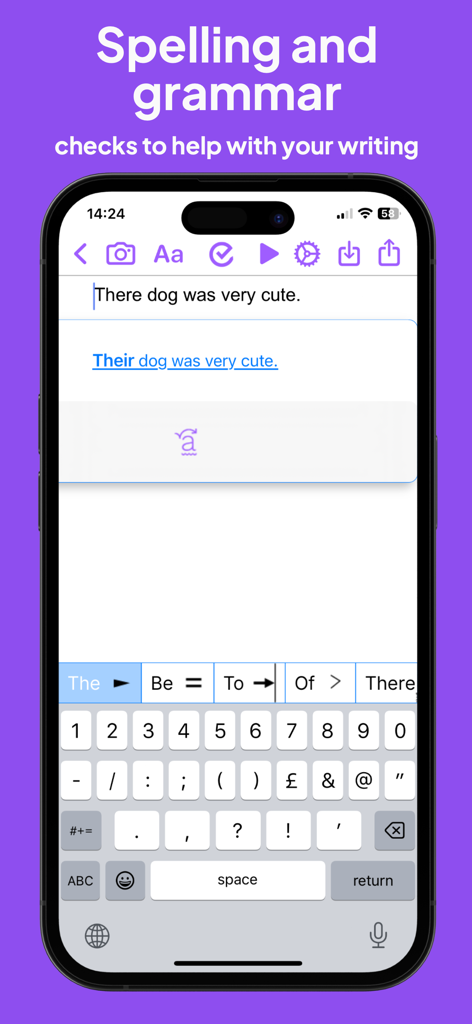
Screenshot of the Read and Write app showing a grammar correction for a sentence and its predictive keyboard.
Screenshot of the Read and Write app showing a grammar correction for a sentence and its predictive keyboard.

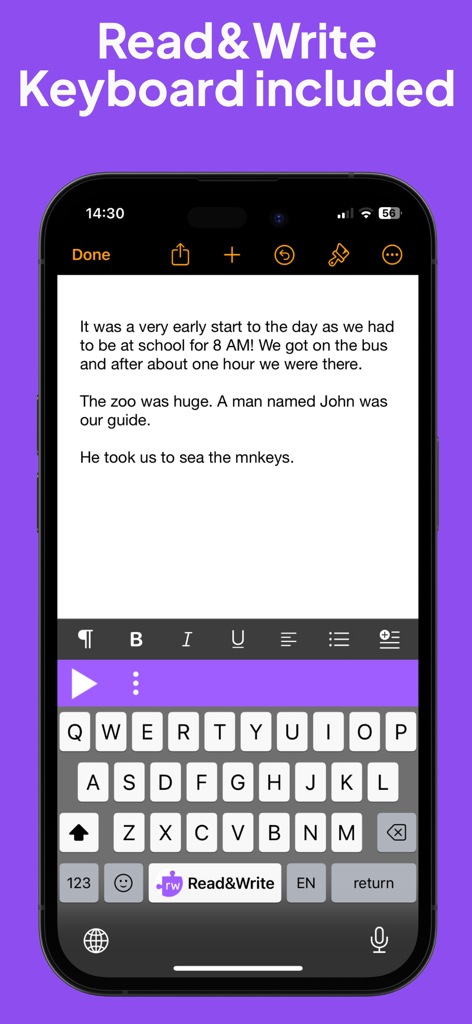
Mobile phone screen showing the Read and Write assistive keyboard extension for reading and writing support
Mobile phone screen showing the Read and Write assistive keyboard extension for reading and writing support

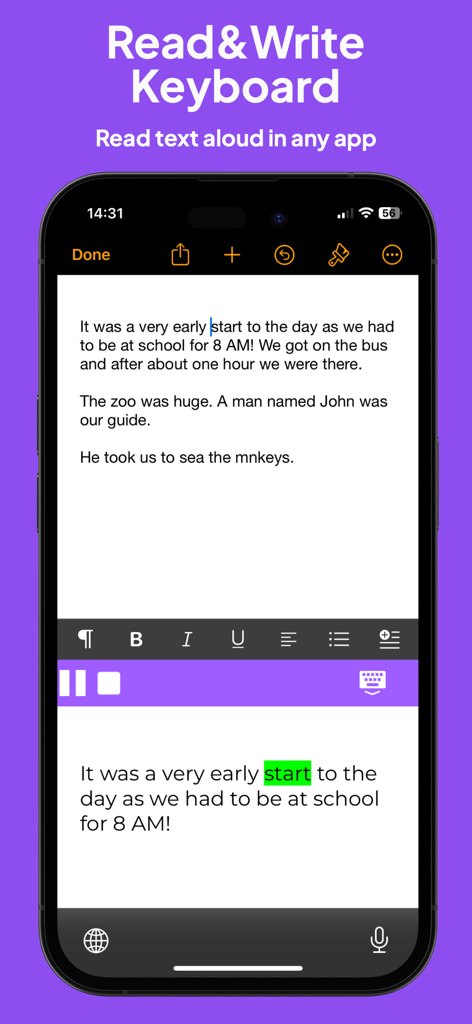
Read and Write app keyboard showing text to speech with visual word highlighting
Read and Write app keyboard showing text to speech with visual word highlighting

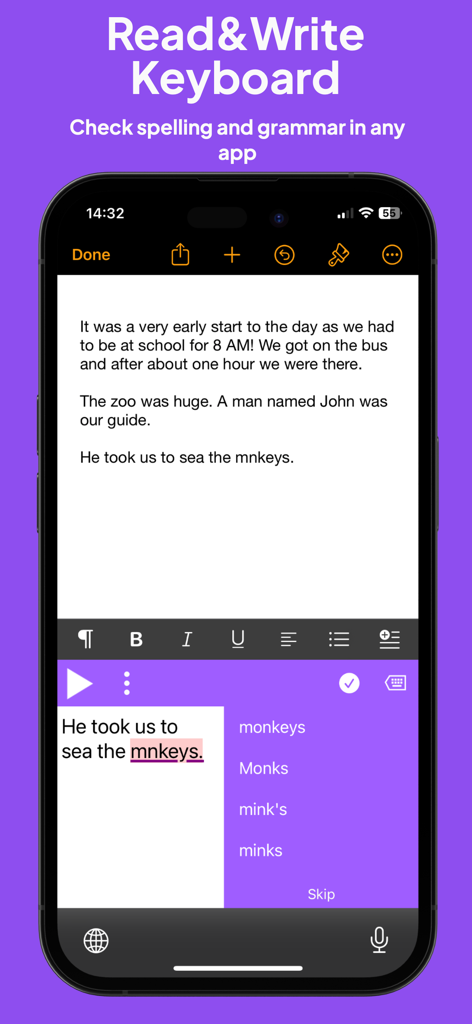
Smartphone screen showing the Read and Write keyboard providing spelling and grammar suggestions for a misspelled word in a document
Smartphone screen showing the Read and Write keyboard providing spelling and grammar suggestions for a misspelled word in a document

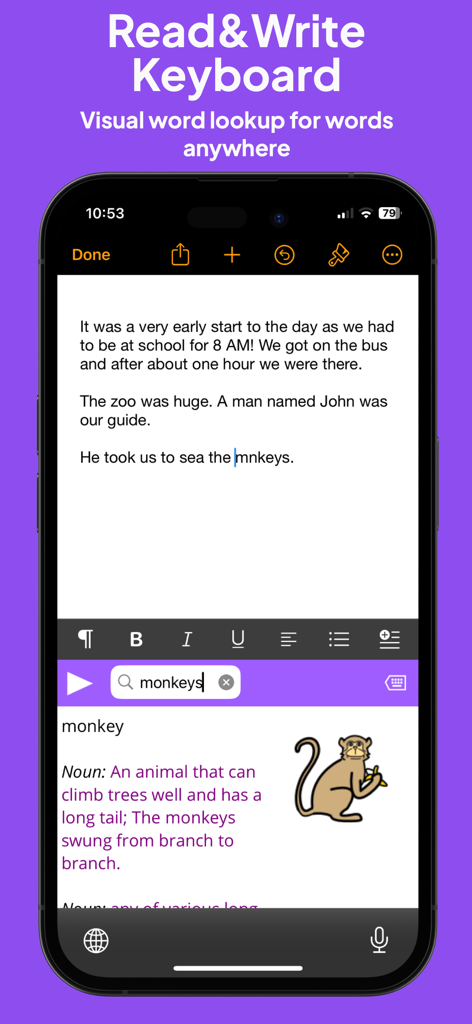
Read and Write keyboard extension showing a picture dictionary definition for the word monkey.

Read and Write keyboard extension showing a picture dictionary definition for the word monkey.

Empower Your Literacy Journey

The tools that make this app stand out, trusted by 23K+ users.

🎧

Read with Total Clarity

Dual-color highlighting follows high-quality text-to-speech, allowing you to see and hear words simultaneously to boost comprehension and reduce cognitive fatigue.

💡

Smart Writing Support

Overcome the blank page with intelligent word prediction and a picture dictionary that turns frustrating spelling hurdles into easy victories across all your assignments.

⌨️

Support in Every App

Our system-wide keyboard extension provides 'stealth' assistance in Google Classroom, Safari, and social media, ensuring you have help without feeling singled out.

About the app

Everything you need to know about Read&Write.

Description

Read&Write for iPad is a reading and writing app with high-quality text-to-speech, formatting controls, a wide range of fonts and styles and cloud storage integration. Read&Write provides visual highlighting in-sync with spoken words, a great range of colour and font settings to allow for optimum reading, and word prediction to help with writing. Read&Write is a quality app for proofreading text through listening, helping with reading and literacy development, and creating audio files from any text. PRODUCT FEATURES • Text-to-Speech - Type into Read&Write and have the text read back to you. You can check text and proofread it quickly and easily. - You can import documents into Read&Write from apps such as Mail, or import directly from Dropbox, Google Drive and OneDrive.. Read&Write can open a range of document formats including Word doc, PDF and epub. - Text from any app can be copied and pasted into Read&Write ready to be read back. - Apple's speech recognition can be used to dictate text directly into Read&Write, and can be listened back to ensure it is right. - The Apple spell check works in Read&Write too, further helping accuracy. - You can save the text as an audio file using the same high-quality voice. • Word Prediction Word prediction helps with writing more quickly and accurately. • Visual Highlighting Text is highlighted as the text is read back. Highlighting allows you to coordinate reading and listening. Read&Write lets you pick the colour and style of highlighting required. There are four highlighting modes to choose from: none, word by word, word trail, or sentence by sentence highlighting. • Font & Layout Change the font type, size or colour to suit your needs. Layout the text for easier reading by adjusting the character, line and paragraph spacing and adjusting the page margins. Text can be formatted bold, italic and underlined to emphasise. Images can be inserted into the text from the camera or your library. • Save to Audio Convert any text into an audio file using any of the high-quality voices. This is quick and easy, allowing text to be listened to on the move. Great for proofreading on the go. • Share your text Text created within Read&Write can be emailed, messaged, printed, opened in another app, or copied and pasted into another app, like Safari. • Read webpages You can now read webpages in Safari and other browsers, using the "Read&Write Toolbar" extension from the share menu. * Spellcheck & Grammar check Use the Read&Write spellcheck feature that can provide you with additional word descriptions and pictures to help you find the correct word. Also included in this app is the Read&Write Keyboard app, which is a powerful keyboard replacement that works in every app. Supporting reading, writing, comprehension and vocabulary development, Read&Write provides a rich set of features which extend accessibility and provide a range of tools to help with literacy including: • Text to speech • Prediction • Dictionary / Talking dictionary • Picture Dictionary • Check It • Talk&Type (available for iOS 10 and above) • Speak as I type • OpenDyslexic font support • Language translation in Safari (French or Spanish, Locale dependent) • French language localisation The Read&Write keyboard app provides help everywhere it’s needed whether it’s working on documents, presentations, being creative or just using mail. It’s great for those with individual needs such as Dyslexia and those where English is not their first language, but it’s designed for everyone.

Latest Version

7.14.0

Size

254.4 MB

First Released

Jan 29, 2015

Ready to unlock your full potential?

Join thousands of students and professionals gaining independence with the iPad app designed for dyslexia, ELL, and neurodivergent learners. Start reading and writing with confidence today.

Download on App Store

App information, icons, screenshots, and descriptions displayed on this page are sourced from the Apple App Store and are the property of their respective developers. Download estimates and rankings are based on MWM's proprietary models and may not reflect actual figures. This page is provided for informational and analytical purposes only.

Believe this page infringes your intellectual property? File a dispute