Remote Control for Roku & TCL
ダウンロード: App Store

このページはアプリまたはその開発者の公式ページではなく、情報提供および論評を目的として作成された独立した編集出版物です。明示的に別段の記載がない限り、アプリおよびその開発者は、MWM、Apple、Google Play、アプリのパブリッシャー、またはアプリの開発者と提携、承認、後援、認可、またはその他の公式的な関係はなく、このページのいかなる内容も、アプリがMWMのサービスを使用して開発されたことを意味するものではありません。すべての商標、ロゴ、スクリーンショット、その他のコンテンツはそれぞれの所有者の財産です。

ロゴ: Remote Control for Roku & TCL
ダウンロード: App Store

Remote Control for Roku & TCL

お使いのRoku、TCL、Hisense、またはInsignia TVの強力なコマンドセンターを携帯電話に。電池切れの心配はもう不要、シームレスなスクリーンミラーリングとTVキャストを指先で体験しましょう。

主要数値

ダウンロード

30K+

ユーザー評価

4.2/5

評価数

0

開発元

MOBILESOURCE CORPORATION

カテゴリ

Utilities

対応言語

1

最新バージョン

1.3.1

サイズ

68.7 MB

リリース日

2022年6月20日
機能

ホームエンターテイメントをマスターする

RokuおよびTCLデバイス向けの究極のデジタルコンパニオン。シームレスなコントロール、鮮やかなスクリーンミラーリング、そしてリモコン紛失時代に終止符を打ちましょう。

これさえあれば、もうリモコンはいらない

リモコンの紛失や電池切れの心配はもうありません。お使いのiPhoneが、いつでも使える完全機能のリモコンになります。

シームレスなスクリーンミラーリング

モバイルコンテンツを生き生きとさせましょう。お気に入りの動画や写真をキャストしたり、ワンタップで高画質に画面をミラーリングしたりできます。

以下のスクリーンショットと説明は、アプリの公式ストアリスティングから直接取得されたものであり、アプリ開発者の所有物です。

アプリストア

スクリーンショット
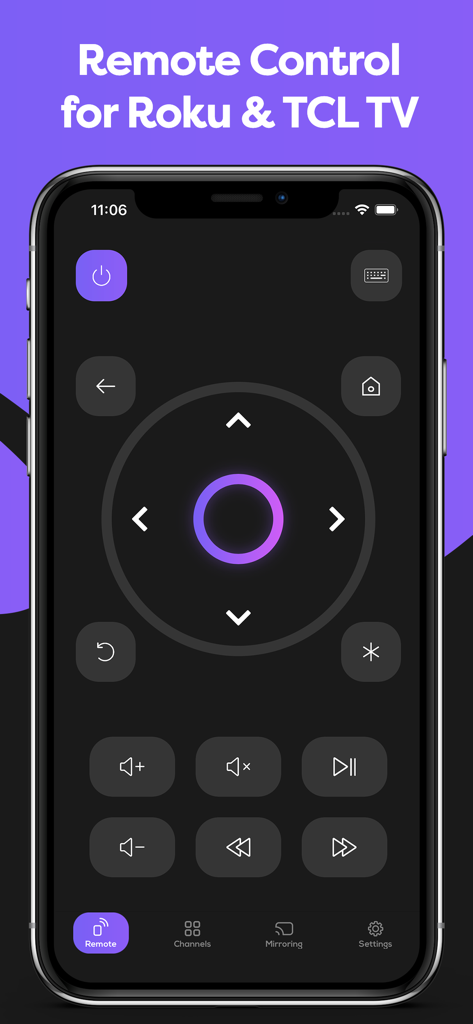
Remote Control for Roku & TCL - RokuおよびTCL TV用のデジタルリモコンが表示されたスマートフォンのアプリインターフェイス。
RokuおよびTCL TV用のデジタルリモコンが表示されたスマートフォンのアプリインターフェイス。

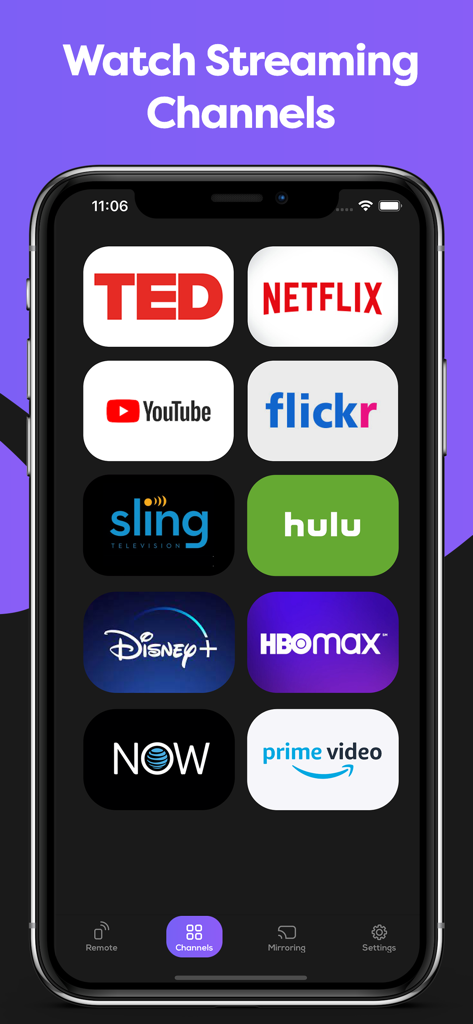
Remote Control for Roku & TCL - Netflix、Hulu、Disney Plusなどのストリーミングチャンネルが表示されたRokuおよびTCLリモコンアプリのインターフェイス。
Netflix、Hulu、Disney Plusなどのストリーミングチャンネルが表示されたRokuおよびTCLリモコンアプリのインターフェイス。

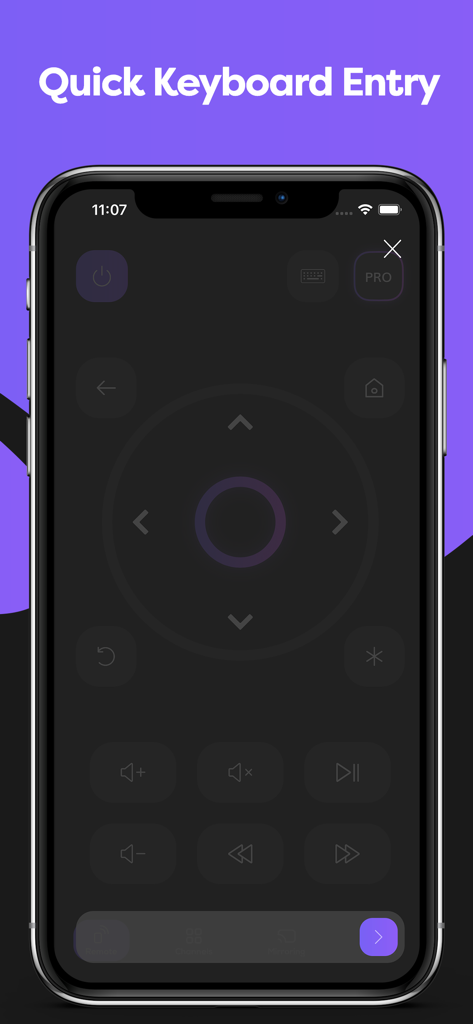
Remote Control for Roku & TCL - Remote Control for Roku and TCLアプリのインターフェイスでのクイックキーボード入力機能。

Remote Control for Roku and TCLアプリのインターフェイスでのクイックキーボード入力機能。

説明

It is the 21st century, and everything is becoming digital: books, games, meetings. Why? It is more convenient and comfortable. That is why we want to introduce our new app - the Smart Remote app for TCL and Roku TV. Smart Remote app transforms your phone into a remote control center for the Roku, TCL, Hisense or Insignia TV. It is easy to understand with our intuitive display, and right after install you can begin to control your Smart TV, Roku TV, Streaming Stick, Express, Player or Box. Did we tell you that our app offers your remote Mirroring Screen for TCL, Roku or Smart TV? If you have eyesight problems and always need to put your glasses on or go near a TV, forget it! Now you can just look at your smartphone and see everything you need. Not only Screen Mirroring, but also you can make a TV cast of your favorite videos. We all know the eternal problem of remotes is getting lost. One of the best things is that you won’t lose a phone at the apartment, or at least you can call your phone to find it. Now you won’t need an old Hisense or Insignia remote because you have one on your phone. It acts as a TCL TV remote, and it doesn’t need batteries. It perfectly and automatically connects with Roku as well. For you, nothing will change, except now you always know where your TV remote control is. Just connect it through your Wi-Fi, and it is ready to go. New TLC, Roku, Hisense or Insignia remote will have the same functionality and even more: · Power On / Off · Volume Up / Down Control · Roku Channels Control · Navigation Buttons Up / Down / Left / Right · You still can use play, pause, fast forward, and rewind while the player is active · You always know where your TV remote is · It works with Roku and Hisense as well as a familiar remote control · You can use the Screen Mirroring function if something is not visible clearly or enjoy streaming videos or photos from your phone on a bigger screen with a TV cast function. So don’t waste your time finding your remote or buying new batteries. Just downloading the Smart Remote app transforms your phone into the remote control for the TCL, Roku, Insignia, Hisense, or other TV. Easy to use, everything an old Insignia TV remote had, now in your smartphone, is your new Insignia. It will automatically connect to your Smart TV, so you don’t need to do it every time. You can use TV to cast it.

Download

ダウンロード: App Store

このページはアプリまたはその開発者の公式ページではなく、情報提供および論評を目的として作成された独立した編集出版物です。明示的に別段の記載がない限り、アプリおよびその開発者は、MWM、Apple、Google Play、アプリのパブリッシャー、またはアプリの開発者と提携、承認、後援、認可、またはその他の公式的な関係はなく、このページのいかなる内容も、アプリがMWMのサービスを使用して開発されたことを意味するものではありません。すべての商標、ロゴ、スクリーンショット、その他のコンテンツはそれぞれの所有者の財産です。








