RescueTime
RescueTime
ダウンロード: App Store

このページはアプリまたはその開発者の公式ページではなく、情報提供および論評を目的として作成された独立した編集出版物です。明示的に別段の記載がない限り、アプリおよびその開発者は、MWM、Apple、Google Play、アプリのパブリッシャー、またはアプリの開発者と提携、承認、後援、認可、またはその他の公式的な関係はなく、このページのいかなる内容も、アプリがMWMのサービスを使用して開発されたことを意味するものではありません。すべての商標、ロゴ、スクリーンショット、その他のコンテンツはそれぞれの所有者の財産です。


ロゴ: RescueTime
ダウンロード: App Store

RescueTime

ハイパフォーマーのためのインテリジェントなコンパニオン。強力なデスクトップアプリとペアにして、時間をマスターし、中断をブロックし、データ駆動型のインサイトとガイド付き集中セッションを通じて毎日のディープワーク目標を達成します。

主要数値

ダウンロード

6K+

ユーザー評価

1.9/5

評価数

100

開発元

RescueTime, Inc

カテゴリ

Productivity

対応言語

1

最新バージョン

3001

サイズ

36.0 MB

リリース日

2022年11月3日
機能

集中力を取り戻し、1日をマスターする

シームレスなクロスプラットフォームエクスペリエンスで生産性を変革しましょう。モバイルデバイスをデスクトップアシスタントとペアにして、気を散らすものを排除し、ディープワークの目標を達成します。

ガイド付き集中セッション

モバイルの気を散らすものをミュートし、コンピューターと同期して、最も重要なタスクの途切れることのないフロー状態を維持します。

スマート生産性アシスタント

デスクトップワークとモバイルの習慣のギャップを埋める、リアルタイムの通知とパーソナライズされた毎日の目標を受け取ります。

以下のスクリーンショットと説明は、アプリの公式ストアリスティングから直接取得されたものであり、アプリ開発者の所有物です。

アプリストア

スクリーンショット
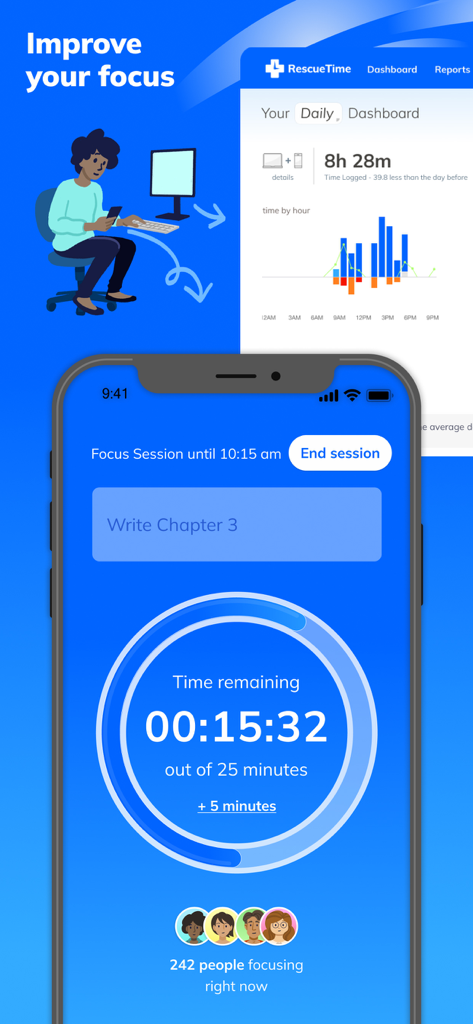
RescueTime - RescueTimeアプリインターフェースは、電話の集中セッションタイマーとコンピューター画面の生産性ダッシュボードを表示しています
RescueTimeアプリインターフェースは、電話の集中セッションタイマーとコンピューター画面の生産性ダッシュボードを表示しています

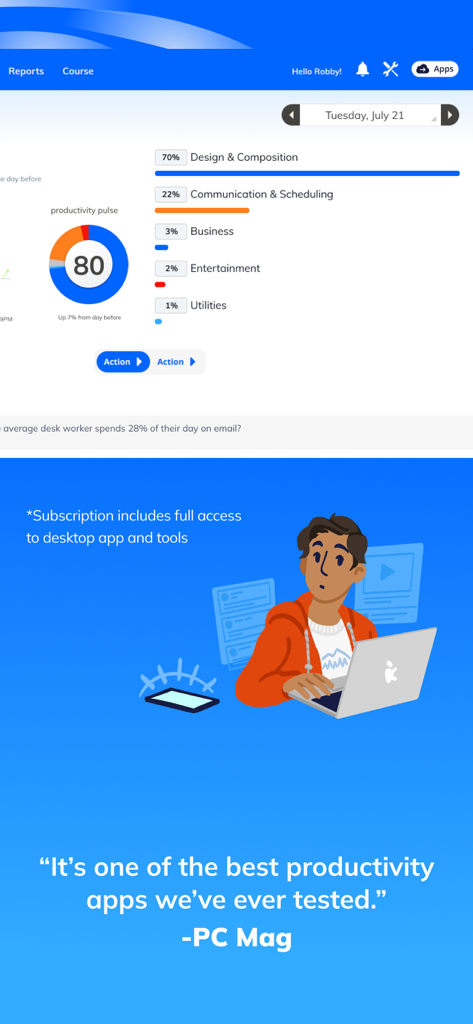
RescueTime - RescueTimeダッシュボードは、生産性パルススコア80、時間の内訳、およびPC Magからの推奨引用を表示しています。
RescueTimeダッシュボードは、生産性パルススコア80、時間の内訳、およびPC Magからの推奨引用を表示しています。

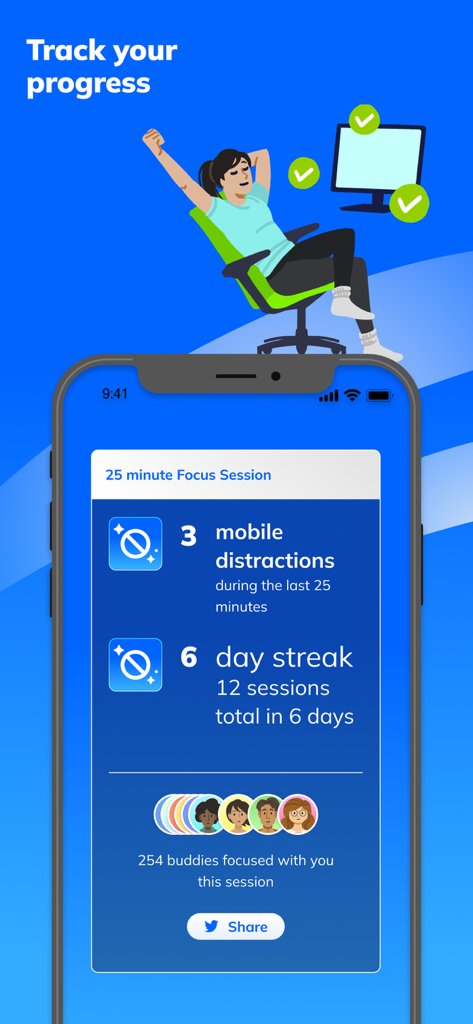
RescueTime - RescueTimeアプリインターフェースは、気を散らすものの数と毎日の連続記録情報を含む25分間の集中セッションの概要を表示しています
RescueTimeアプリインターフェースは、気を散らすものの数と毎日の連続記録情報を含む25分間の集中セッションの概要を表示しています

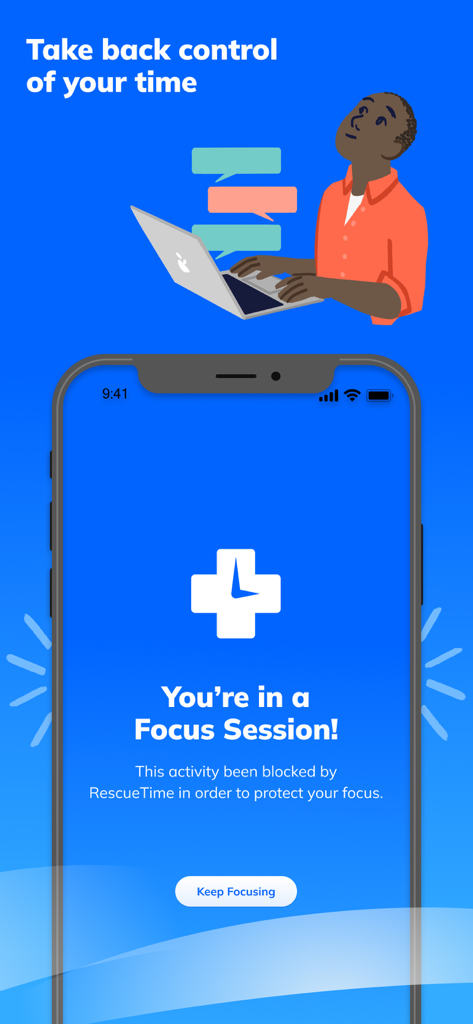
RescueTime - RescueTimeモバイルアプリは、作業集中を保護するためにアクティブな集中セッションを表示しています

RescueTimeモバイルアプリは、作業集中を保護するためにアクティブな集中セッションを表示しています

説明

**RescueTime for iOS is designed to pair with our powerful desktop time management app.** Over the past 14 years, RescueTime has helped 2.5 million people understand how they spend their time, block distractions, and focus on the work they want to get done. Once you download the app on your iPhone or iPad, we’ll send you instructions on how to set up the RescueTime Desktop Assistant. MOBILE FEATURES: >> Guided Focus Sessions Take back control of your time with guided Focus Sessions. Choose what you want to work on, set a timer, and RescueTime will guide prevent you from being distracted by your phone or distracting apps or websites on your computer. >> Assistant The RescueTime Assistant pairs with our desktop app and gives you a personal daily Focus Work goal and automatically keeps track as you work on your computer. You can also track time spent focusing and enter offline time from your phone. >> Total Privacy Location data is stored locally on your device and never shared. YOUR RESCUETIME DESKTOP ACCOUNT: RescueTime’s desktop app is a powerful desktop time tracker and productivity tool that shows you the exact time you’ve spent on websites, apps, meetings, communication tools, and gives you breakdowns of time spent on Focus Work and Personal time. (Note: Due to Apple restrictions RescueTime can’t track your time spent on apps and websites on your phone.) >> Real-Time Nudges to Stay Focused We’ll send you quick messages when you get distracted and help guide you back to focus. >> Weekly Reports Track your progress over time and build a better phone habit! >> Support, Privacy, and More You have total control over what RescueTime tracks and when. If you have any questions, our support team is here to help. Just send an email to support@rescuetime.com. >>Terms of Service This app offers optional in-app purchases with auto-renewing monthly and annual subscriptions. For more information about our terms of service, go here: https://www.rescuetime.com/tos

Download

ダウンロード: App Store

このページはアプリまたはその開発者の公式ページではなく、情報提供および論評を目的として作成された独立した編集出版物です。明示的に別段の記載がない限り、アプリおよびその開発者は、MWM、Apple、Google Play、アプリのパブリッシャー、またはアプリの開発者と提携、承認、後援、認可、またはその他の公式的な関係はなく、このページのいかなる内容も、アプリがMWMのサービスを使用して開発されたことを意味するものではありません。すべての商標、ロゴ、スクリーンショット、その他のコンテンツはそれぞれの所有者の財産です。








