Schoolwork

Schoolwork

ダウンロード: App Store
ロゴ: Schoolwork

Schoolwork:すべての教師がすべての生徒の可能性を最大限に引き出す力を

iPadの教室を個別学習環境に変えましょう。管理業務の時間を節約し、生徒の進捗状況を深く把握し、すべてを1か所で行えます。

ダウンロード: App Store

開発元

Apple Inc.

カテゴリ

Education

ダウンロード

86K+

ユーザー評価

3.7/5

評価数

500

対応言語

33

あなたの教室を、視覚的に

このインターフェースを利用する 86K+ 人のユーザー.

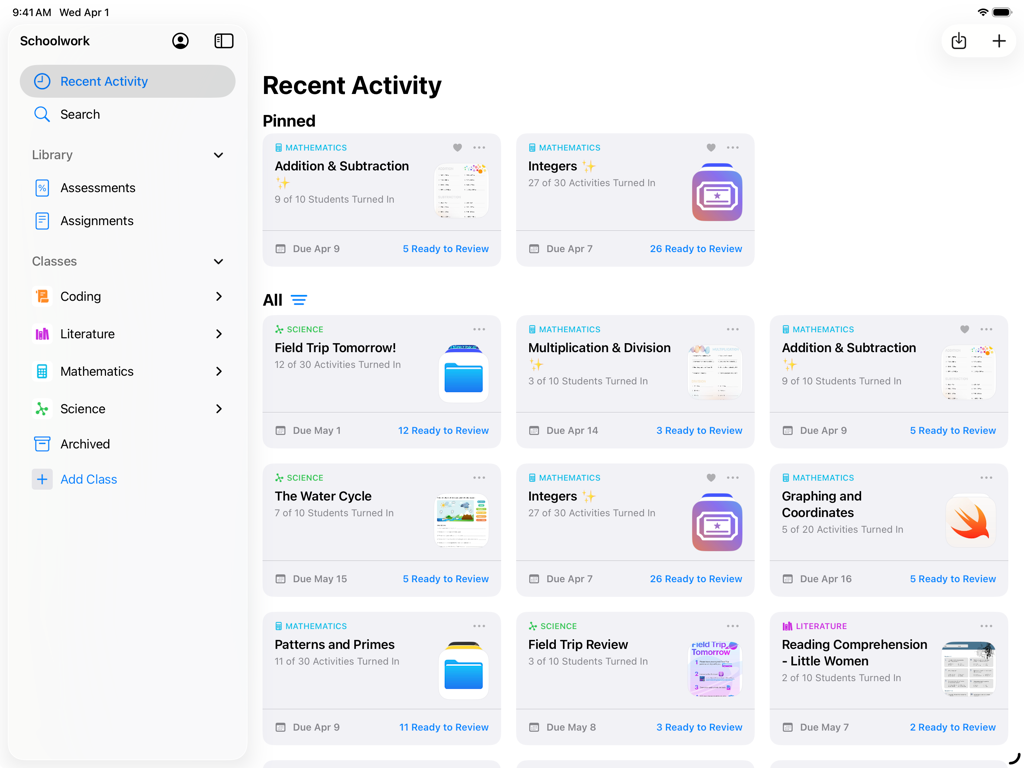
iPadのSchoolworkアプリのダッシュボード画面。教師が管理するクラスのアクティビティと生徒の進捗状況を表示。
iPadのSchoolworkアプリのダッシュボード画面。教師が管理するクラスのアクティビティと生徒の進捗状況を表示。

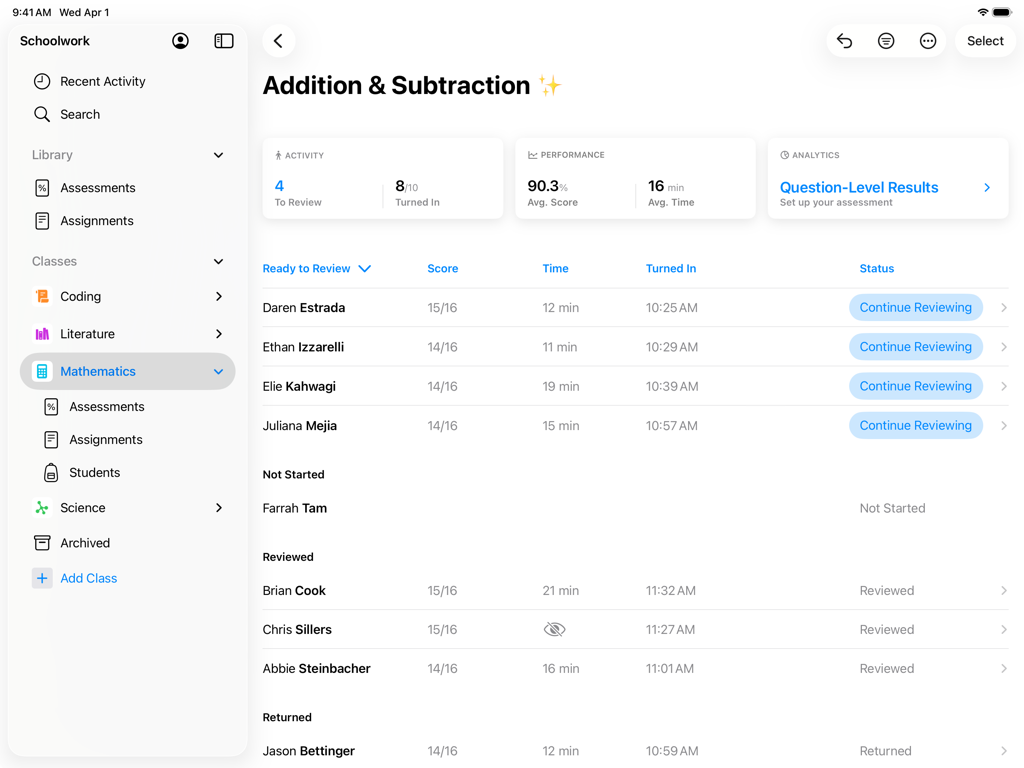
教師用ダッシュボードで、数学の課題に対する生徒のスコアと進捗状況を表示するSchoolworkアプリ。
教師用ダッシュボードで、数学の課題に対する生徒のスコアと進捗状況を表示するSchoolworkアプリ。

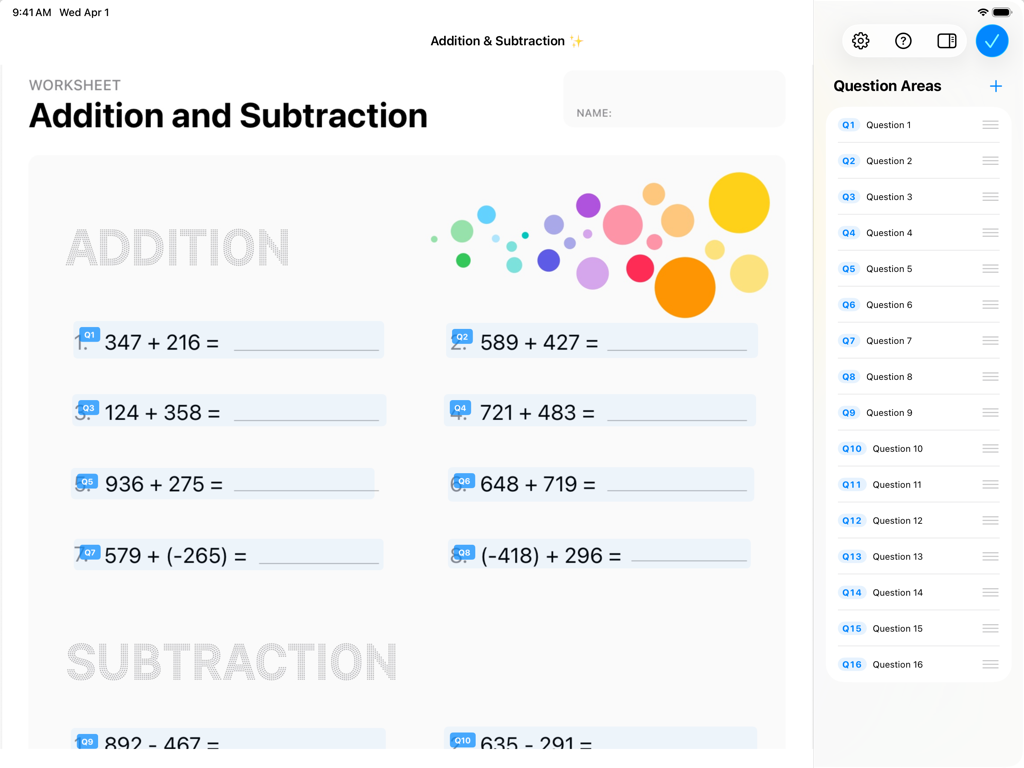
Apple Schoolworkアプリのインターフェース。足し算の問題と質問領域のサイドバーリストが表示されたデジタル数学ワークシート。
Apple Schoolworkアプリのインターフェース。足し算の問題と質問領域のサイドバーリストが表示されたデジタル数学ワークシート。

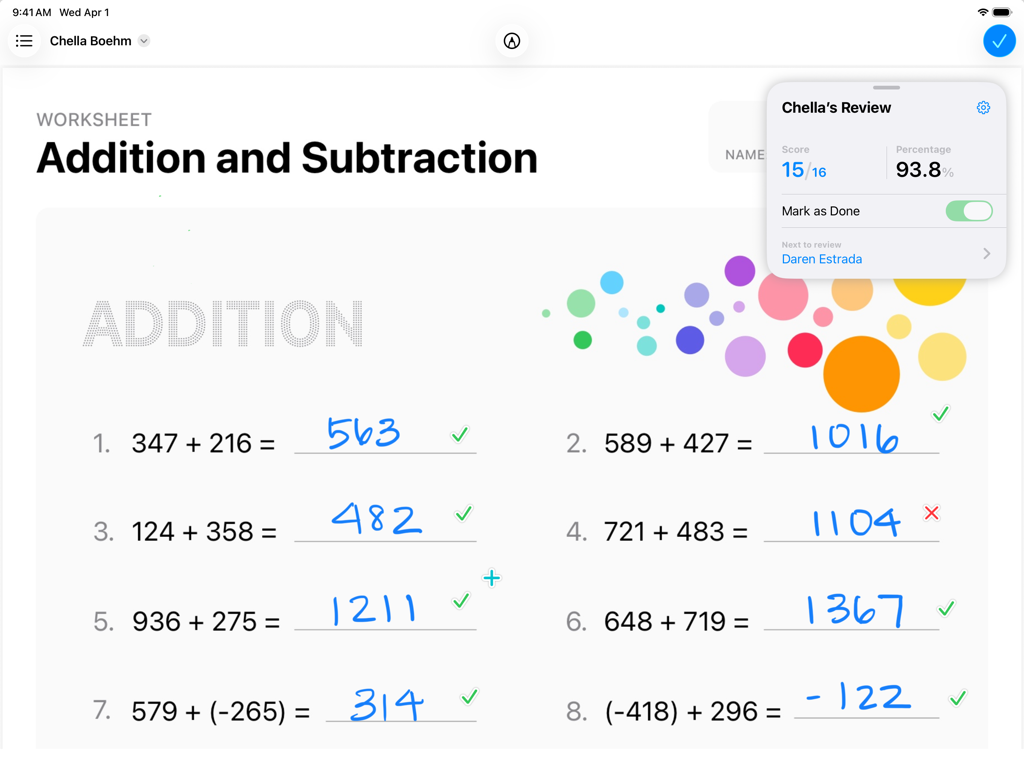
iPad上のApple Schoolworkアプリで採点中の数学ワークシート。生徒の進捗状況と手書きの回答を表示。
iPad上のApple Schoolworkアプリで採点中の数学ワークシート。生徒の進捗状況と手書きの回答を表示。

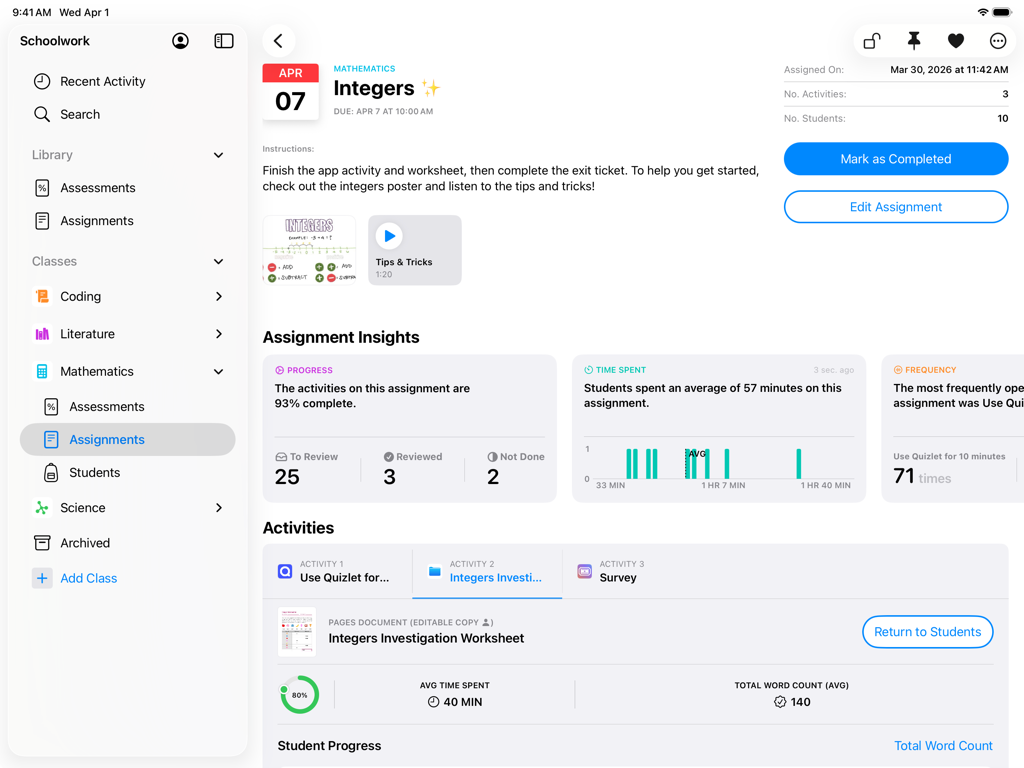
iPad上のApple Schoolworkアプリのインターフェース。数学の課題の洞察と生徒の進捗状況の追跡を表示。
iPad上のApple Schoolworkアプリのインターフェース。数学の課題の洞察と生徒の進捗状況の追跡を表示。

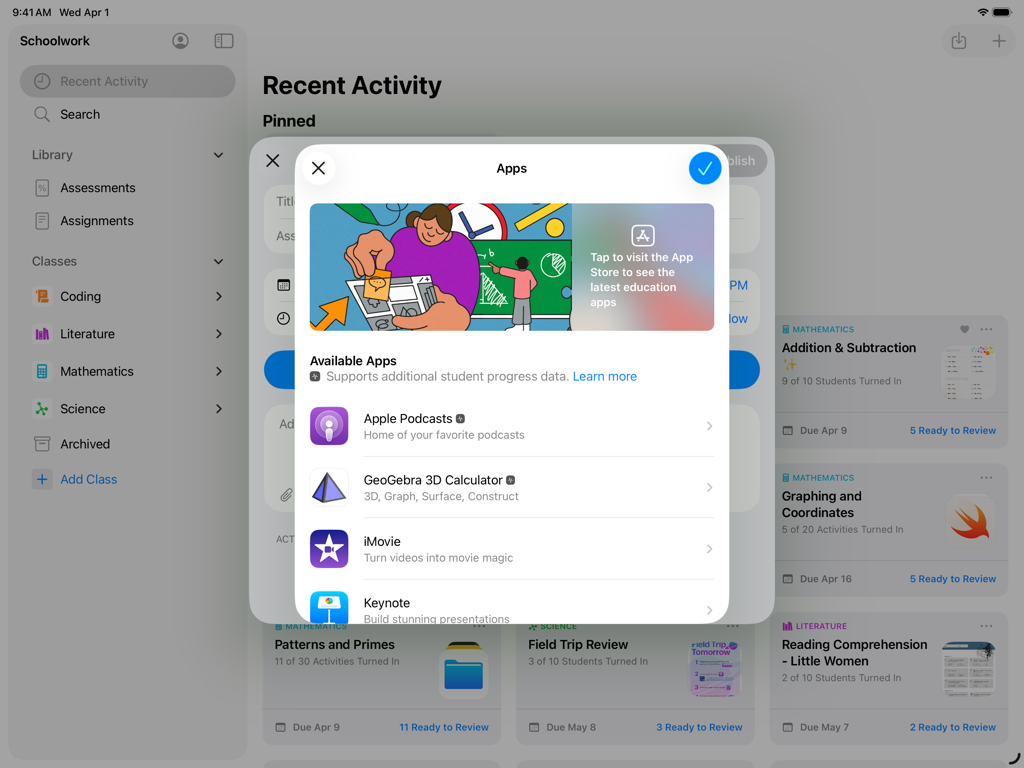
iPadのSchoolworkアプリのスクリーンショット。生徒の課題のために教育アプリを選択するメニューを表示。
iPadのSchoolworkアプリのスクリーンショット。生徒の課題のために教育アプリを選択するメニューを表示。

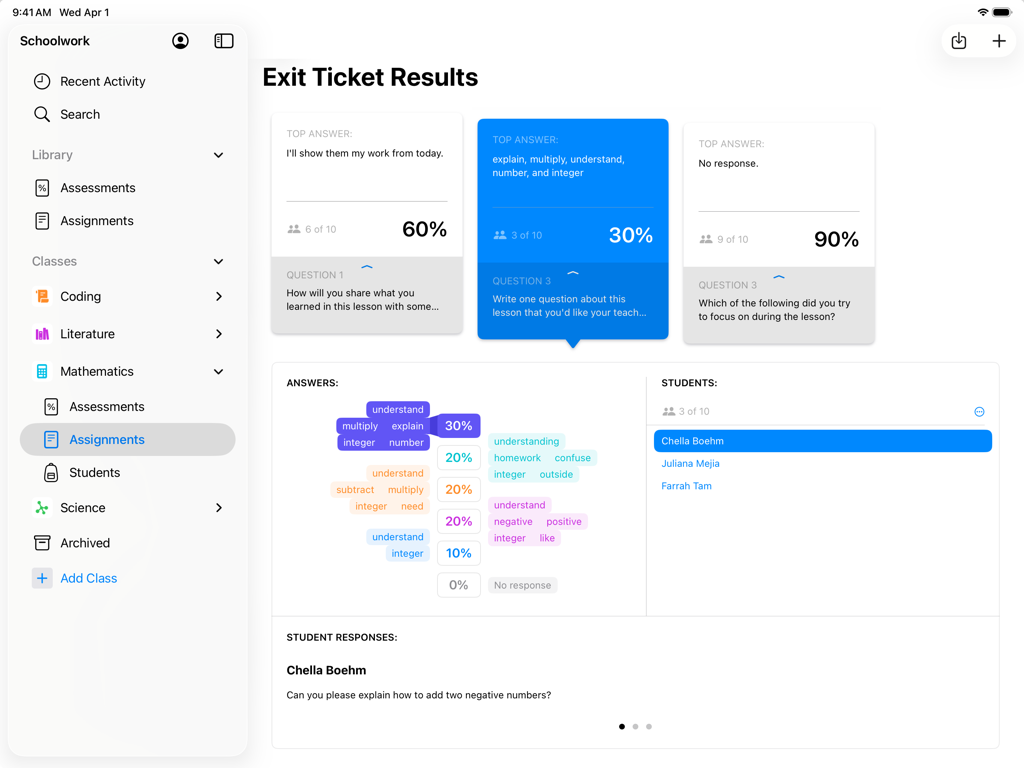
iPad上のApple Schoolworkアプリで、出口チケットの結果と生徒の評価データを表示する教師ビュー。
iPad上のApple Schoolworkアプリで、出口チケットの結果と生徒の評価データを表示する教師ビュー。

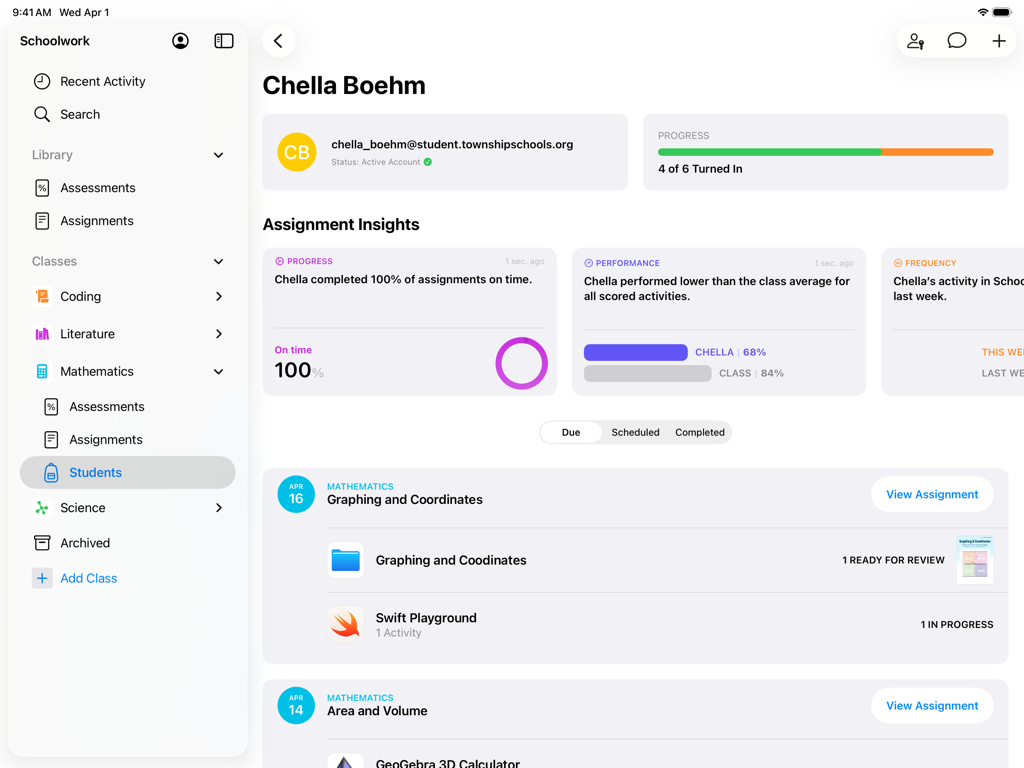
Schoolworkアプリの生徒プロフィールビュー。課題の進捗状況とパフォーマンスの洞察を表示。
Schoolworkアプリの生徒プロフィールビュー。課題の進捗状況とパフォーマンスの洞察を表示。

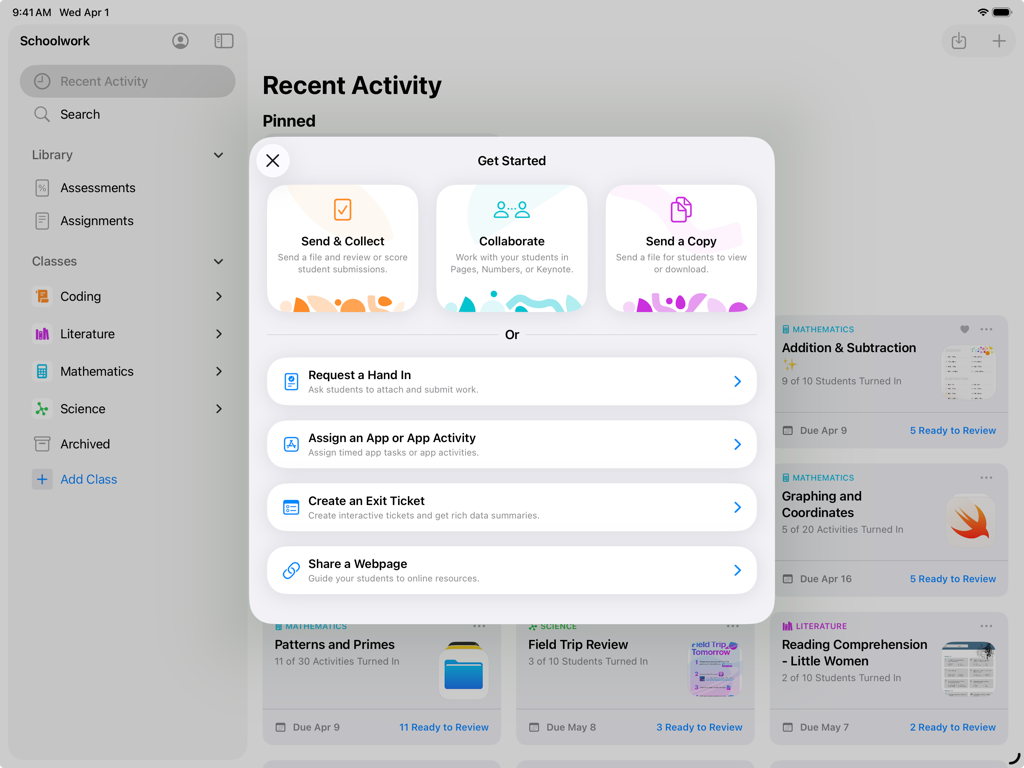
iPadのSchoolworkアプリ。「開始する」メニューを表示し、教師向けの課題と共同作業のオプションを提供。

iPadのSchoolworkアプリ。「開始する」メニューを表示し、教師向けの課題と共同作業のオプションを提供。

精度で指導力を強化

このアプリを際立たせるツール、 86K+ 人のユーザーが選択.

✍️

手書きでのフィードバックと採点

Apple Pencilで、パーソナルなタッチを提供します。PDF、写真、課題を、アプリ内で直接、紙に書くように自然にマークアップできます。

📊

データに基づいた指導

生徒がどこでつまずいているかを正確に特定します。すべての学習アプリでアイテムレベルのデータと進捗状況の追跡を使用して、個別サポートを提供します。

🔗

シームレスなアプリ連携

1回のタップで、外部アプリ内の特定の活動を割り当てます。生徒は直接タスクにジャンプでき、スコアと所要時間を即座に確認できます。

アプリについて

について知っておくべきこと Schoolwork.

説明

Schoolwork is an iPad app that helps teachers save time, identify trends, and maximize each student’s potential. Using Schoolwork, teachers can create and send assessments, assignments, class announcements, or study reminders. With Schoolwork, teachers can send any document or file as a classroom assessment. They can review and score student work, and analyze student performance per item. For assignments, teachers can easily share materials, send students to a specific activity in an app, collaborate with students, and view student progress. Teachers can see analytics, insights, and progress information on how students performed, making it easier to individualize instruction based on student needs. Students get one central place to see assessments, assignments, announcements, submit work, and view their own progress. Keep students focused and organized • Students have one place to go to see their assessments, assignments, and announcements • Students can see what is due this week, across all their classes • In Pages, Keynote, and Numbers, and other supported apps, students can submit homework right from within the app Collaborate and give real-time feedback • Easily collaborate with individual students or with the entire class in just a few taps • Add comments to students’ work while they’re working on an assignment, or after completing an assessment • Easily review and score assessments with or without points • Use Apple Pencil or your finger to mark up documents, assessments, PDFs, photos, and more Assign specific activities within an app • With apps optimized for Schoolwork, you can review an app’s list of assignable activities, then easily send one or more to a class or student • With a single tap, students are brought directly to the assigned activity within the app • For activities you assign in Schoolwork, you’ll be able to view student progress, including quiz scores, points earned, and time spent Personalize instruction • See a holistic view of a student’s progress, including submitted work and progress in apps, all in one place • Use student progress to find students who might need an extra challenge, or extra support • On assessments, use item-level data to identify trends and inform instructional next steps Get started easily • Your existing classes in Apple School Manager automatically show in Schoolwork • Easily create new classes yourself right from within Schoolwork Privacy In order for teachers to view student progress or activities they assign in Schoolwork, schools are required to enable the Student Progress feature in Apple School Manager. Student progress is only reported for teacher-assigned activities that students complete while using a school-provided Managed Apple Account. All student progress data is encrypted in transit and at rest. If a school does not opt in, teachers and students can still use Schoolwork without this feature. In order to provide and improve Schoolwork, Apple collects non-personally identifiable data about how users interact with the app.

最新バージョン

3.2.1

サイズ

166.9 MB

リリース日

2018年8月6日

Schoolworkの力で授業を変革しましょう

今すぐダウンロードして、インパクトのある課題作成、リアルタイムの進捗状況の追跡、すべての生徒の可能性の開花をiPadから始めましょう。

ダウンロード: App Store

App information, icons, screenshots, and descriptions displayed on this page are sourced from the Apple App Store and are the property of their respective developers. Download estimates and rankings are based on MWM's proprietary models and may not reflect actual figures. This page is provided for informational and analytical purposes only.

Believe this page infringes your intellectual property? File a dispute