Screen Recorder: The recording
ダウンロード: App Store

このページはアプリまたはその開発者の公式ページではなく、情報提供および論評を目的として作成された独立した編集出版物です。明示的に別段の記載がない限り、アプリおよびその開発者は、MWM、Apple、Google Play、アプリのパブリッシャー、またはアプリの開発者と提携、承認、後援、認可、またはその他の公式的な関係はなく、このページのいかなる内容も、アプリがMWMのサービスを使用して開発されたことを意味するものではありません。すべての商標、ロゴ、スクリーンショット、その他のコンテンツはそれぞれの所有者の財産です。


ロゴ: Screen Recorder: The recording
ダウンロード: App Store

Screen Recorder: The recording

指先一つでゲームプレイとチュートリアルを支配する能力が手に入る。

主要数値

ダウンロード

2.5M+

ユーザー評価

3.6/5

評価数

9.9K

開発元

Denis Scorobogaci

カテゴリ

Lifestyle

対応言語

33

最新バージョン

4.6

サイズ

72.3 MB

リリース日

2019年11月7日
機能

モバイルゲーマーとコンテンツクリエーター向けの包括的な録画・編集ソリューション

アプリ「Screen Recorder: The recording」機能分析

高解像度・高フレームレート画面録画

高品質な映像と音声をキャプチャし、プロフェッショナルなコンテンツ制作を可能にします。ユーザーは無制限の時間で1080Pの解像度と60fpsのフレームレートで録画でき、ビットレートも調整可能です。

Face Camリアクションオーバーレイ

ユーザーの表情やコメントを録画したゲームプレイやチュートリアル映像に重ねて表示できます。Face Camの位置とサイズは自由に編集可能で、カメラロールの動画をリアクションとして挿入することも可能です。

マイク音声同時録音

画面録画と同時にマイクからの音声を収録することで、ゲーム実況、解説、チュートリアルなどのコンテンツに音声による説明やリアクションを追加できます。

以下のスクリーンショットと説明は、アプリの公式ストアリスティングから直接取得されたものであり、アプリ開発者の所有物です。

アプリストア

スクリーンショット
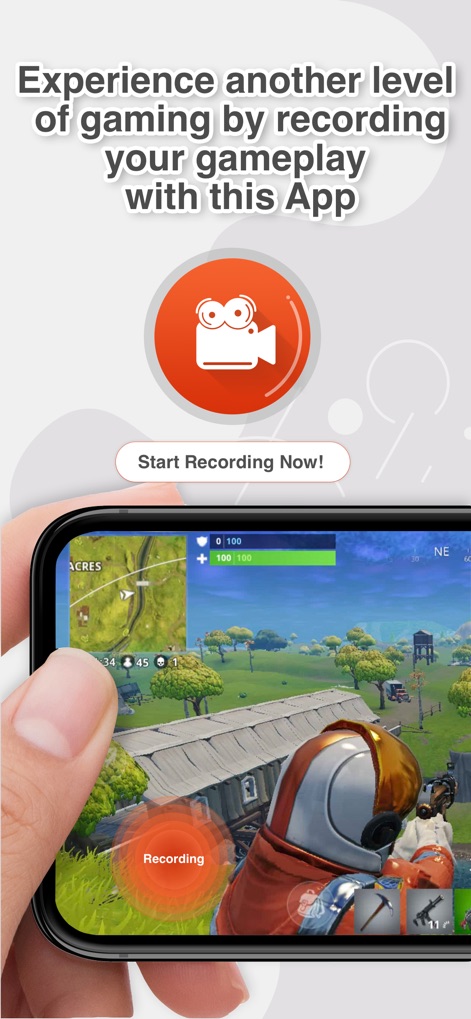
Screen Recorder: The recording - ユーザーは、このアプリでゲームプレイ画面を簡単に記録し、画面に表示される直感的な録画ボタンで即座に記録を開始できます。

ユーザーは、このアプリでゲームプレイ画面を簡単に記録し、画面に表示される直感的な録画ボタンで即座に記録を開始できます。

ゲームプレイを記録
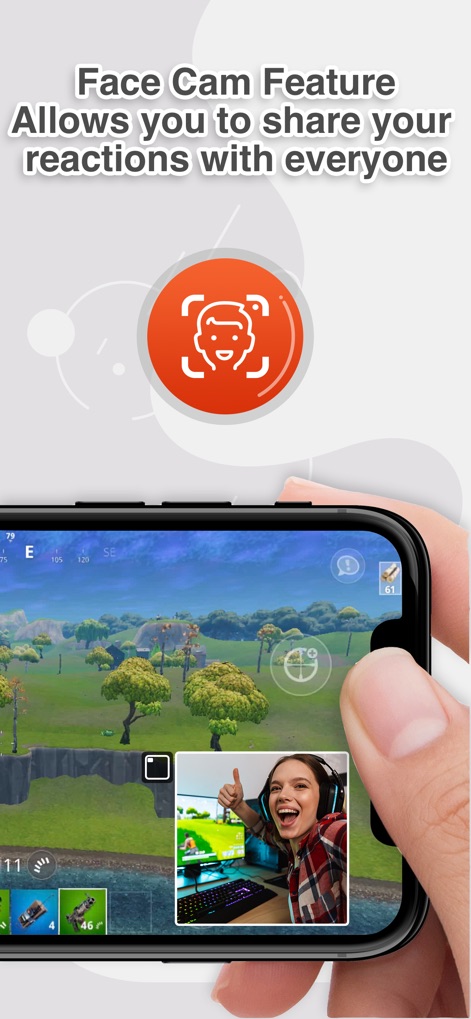
Screen Recorder: The recording - Face Cam機能を使用して、自身のリアクションを動画に追加し、視聴者と共有できます。ゲーム画面に重ねて表示されるリアクション映像のサイズや位置も自由に調整可能です。

Face Cam機能を使用して、自身のリアクションを動画に追加し、視聴者と共有できます。ゲーム画面に重ねて表示されるリアクション映像のサイズや位置も自由に調整可能です。

リアクションを追加
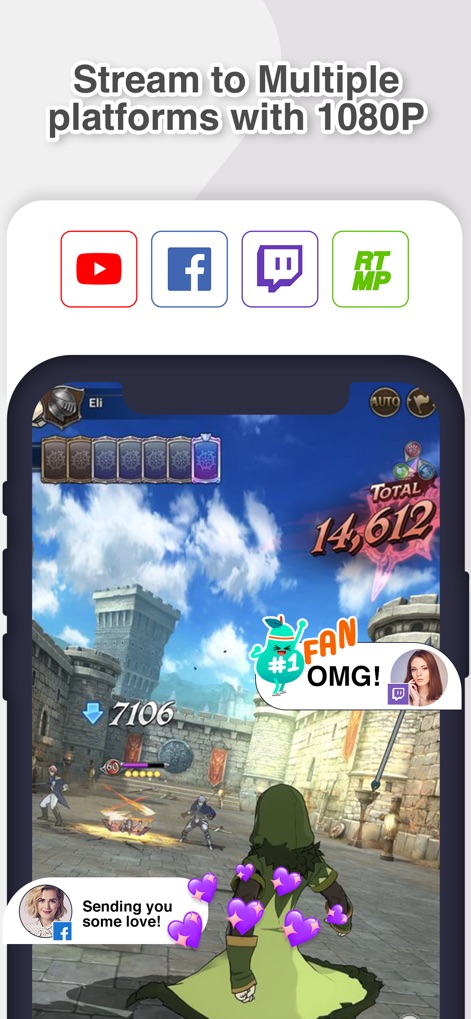
Screen Recorder: The recording - ユーザーは、YouTubeやTwitchなどの複数の主要プラットフォームへの共有アイコンを通じて、1080Pの高画質でライブ配信が可能です。また、視聴者からのリアルタイムコメントやエフェクトも統合表示されます。

ユーザーは、YouTubeやTwitchなどの複数の主要プラットフォームへの共有アイコンを通じて、1080Pの高画質でライブ配信が可能です。また、視聴者からのリアルタイムコメントやエフェクトも統合表示されます。

マルチプラットフォーム配信
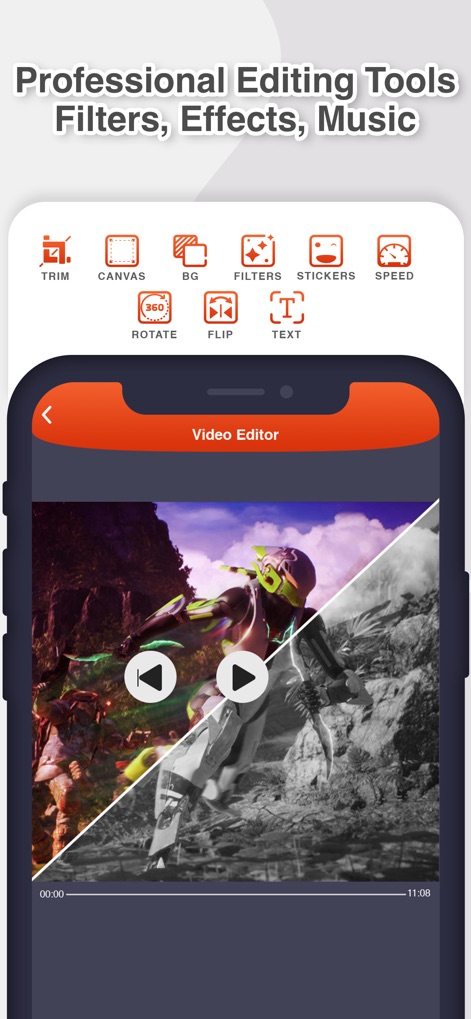
Screen Recorder: The recording - トリミング、フィルター、テキスト追加など、多彩な編集ツールアイコンが提供され、ユーザーは動画を細部までカスタマイズできます。フィルター適用前後の比較表示により、効果を視覚的に確認しながら編集を進めることが可能です。

トリミング、フィルター、テキスト追加など、多彩な編集ツールアイコンが提供され、ユーザーは動画を細部までカスタマイズできます。フィルター適用前後の比較表示により、効果を視覚的に確認しながら編集を進めることが可能です。

プロフェッショナル編集ツール
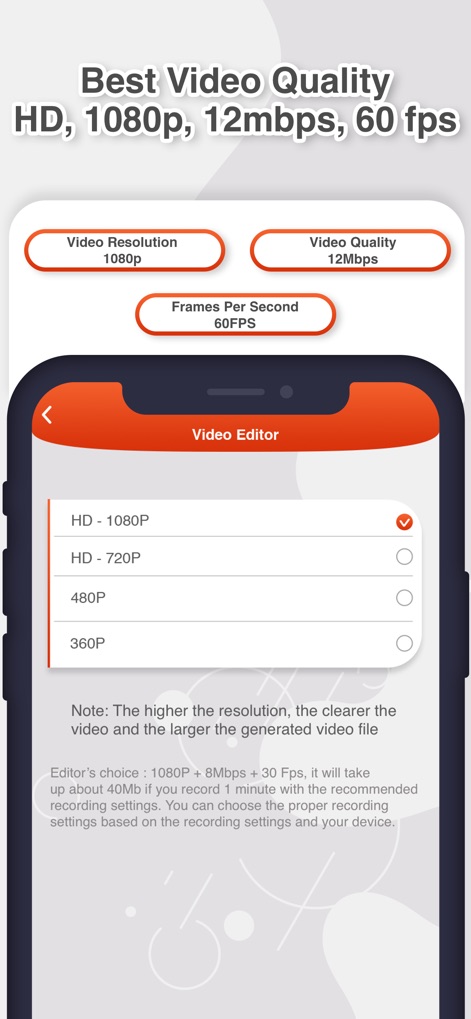
Screen Recorder: The recording - 本アプリは、HD 1080Pの解像度選択や60fpsの高フレームレート設定など、最高のビデオ品質オプションを提供し、ユーザーはコンテンツに最適な設定を選択できます。

本アプリは、HD 1080Pの解像度選択や60fpsの高フレームレート設定など、最高のビデオ品質オプションを提供し、ユーザーはコンテンツに最適な設定を選択できます。

最高の録画品質
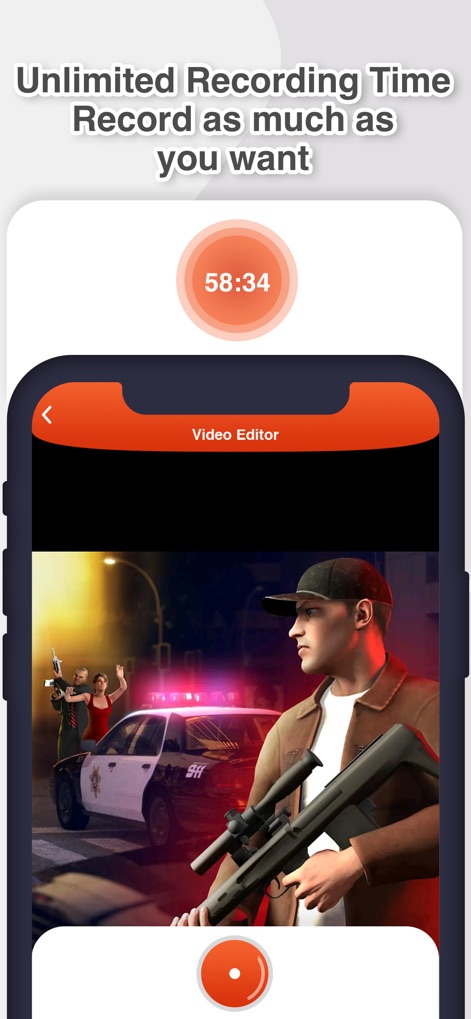
Screen Recorder: The recording - ユーザーは、画面上部に表示される「58:34」という長い録画時間を示すタイマーから、時間制限なく記録できることを視覚的に確認できます。さらに、録画中であることを示す赤い記録ボタンも表示されており、操作状況が明確です。

ユーザーは、画面上部に表示される「58:34」という長い録画時間を示すタイマーから、時間制限なく記録できることを視覚的に確認できます。さらに、録画中であることを示す赤い記録ボタンも表示されており、操作状況が明確です。

無制限の録画時間

説明

RecPro is the best application that allows you to record the screen of your phone with Face Cam and the ability to edit to further improve your recording! Now you can easily record the screen of your iPhone and iPad, insert a reaction with audio comments and edit it in any of your applications, favorite games, tutorials. Screen Recording: - Unlimited screen recording time. - Screen recording with microphone function. - Setting permission. Resolution: Hd-1080P, Hd-720P, 480P, 360P. - Frame cleanliness setting. Frame rate: 60fps, 50fps, 30fps, 25fps, 24fps. - Bit rate setting. Bit rate: 12Mbps, 8Mbps, 6Mbps, 5Mbps, 4Mbps, 3Mbps, 2Mbps, 1Mbps. Face Cam: - Add a Face Cam reaction to your videos. - Edit the position and size of your Face Cam reaction. - Use the video from the camera roll to insert your reaction. Video Editor: - Playback speed: Normal 1.00x. Low 0.20x. High 4.00x. - Set the video size: 1:1 / 4:5 / 16:18 / 16:9 / 9:16 / 5.5 '' / 5.8 '' / 3:4 / 4:3 / 2: 3 / 3:2 / 2:1 / 1: 2. - Text: Color palette. Large number of fonts. Unlimited number of text inserts. - Filters: 15 filters. Stickers: 10 packs of stickers with many variations for all occasions. - Rotate video in different directions. - Flip video. - Change the background in different colors of the palette. - Share. - Save video to camera roll. - Download video from camera roll for editing. RecPro is compatible with all devices with iOS 11 and higher. Please feel free to contact us for help with setup and troubleshooting! Starting with the 4.0 update of the app, we added the Coins system to use some of the premium features of the app. You can get coins for free by watching a short commercial, or you can buy them in our store: 100 coins - $2.99; 220 coins - $5.99; 400 coins - $9.99; 1000 coins - $19.99. Screen Recorder - RecPro offers three premium subscription plans. The subscription plan are renewed automatically, but you can cancel at any time. Get RecPro Premium and enjoy: - Remove all ads. - Unlimited recording time. - Full access to all features of the application. - Face Cam feature. * RecPro Premium - The duration of the plan is one week (which is provided with a 3-day free trial), and the price is $ 4.99 per week. * RecPro Premium month plan duration is one month and the price is $ 9.99 per month. * RecPro Premium year, the duration of the plan is one year, and the price is $ 29.99 per year. * Subscription payments will be debited from your iTunes account after confirmation of your purchase and from the beginning of each renewal period. A subscription with a free trial period is automatically converted to a paid subscription. You can cancel your subscription or free trial in iTunes settings at least 24 hours before the end of the free trial. The cancellation will take effect the day after the last day of the current subscription period, and you will be transferred to a free service. You can unsubscribe at this address: https://support.apple.com/en-us/HT202039 * Please note: any unused portion of the free trial period (if offered) will be canceled when you purchase a premium subscription during the free trial period. Please read and accept our Privacy Policy and Terms of Use before using Screen Recorder - RecPro and subscribing to RecPro Premium. You can access them in the application or on our website using the links below: Privacy Policy: https://recpro.onetapinstall.xyz/privacy.html Terms of Use: https://recpro.onetapinstall.xyz/terms.html You can contact us by visiting this page on our website: https://recpro.onetapinstall.xyz

Download

ダウンロード: App Store

このページはアプリまたはその開発者の公式ページではなく、情報提供および論評を目的として作成された独立した編集出版物です。明示的に別段の記載がない限り、アプリおよびその開発者は、MWM、Apple、Google Play、アプリのパブリッシャー、またはアプリの開発者と提携、承認、後援、認可、またはその他の公式的な関係はなく、このページのいかなる内容も、アプリがMWMのサービスを使用して開発されたことを意味するものではありません。すべての商標、ロゴ、スクリーンショット、その他のコンテンツはそれぞれの所有者の財産です。








