Screen Recording ™

Screen Recording ™

ダウンロード: App Store
ロゴ: Screen Recording ™

Screen Recording ™: クリエイターのための高性能キャプチャ

カスタムFPSとビットレートでUltra HD品質を解放します。数回のタップで、プロフェッショナルなゲームプレイ、チュートリアル、アプリのデモを録画、トリミング、共有できます。

ダウンロード: App Store

開発元

Andy Sutanto

カテゴリ

Photo & Video

ダウンロード

9K+

ユーザー評価

4.8/5

評価数

200

対応言語

1

プロパフォーマンスを可視化

このインターフェースを利用する 9K+ 人のユーザー.

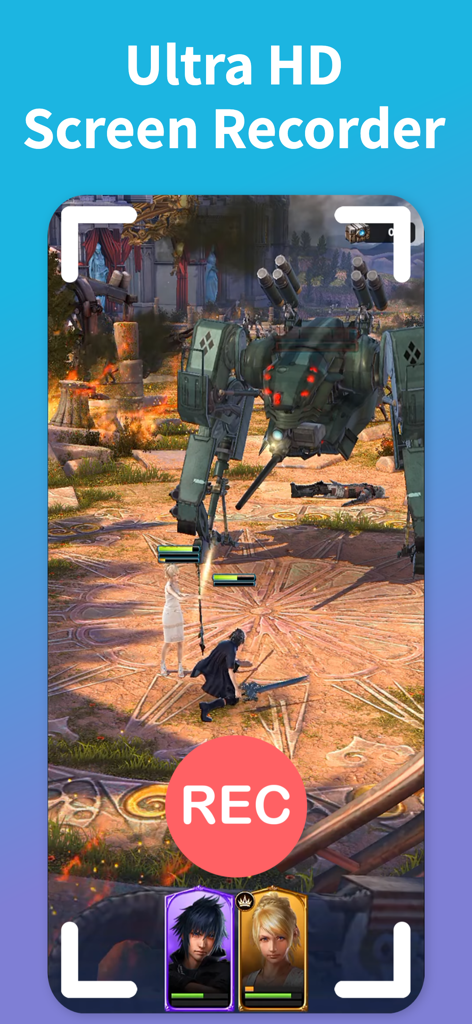
Ultra HD Screen Recorderアプリを使用してキャプチャされているモバイルゲームのスクリーンショット、目立つ赤いRECボタンが表示されています
Ultra HD Screen Recorderアプリを使用してキャプチャされているモバイルゲームのスクリーンショット、目立つ赤いRECボタンが表示されています

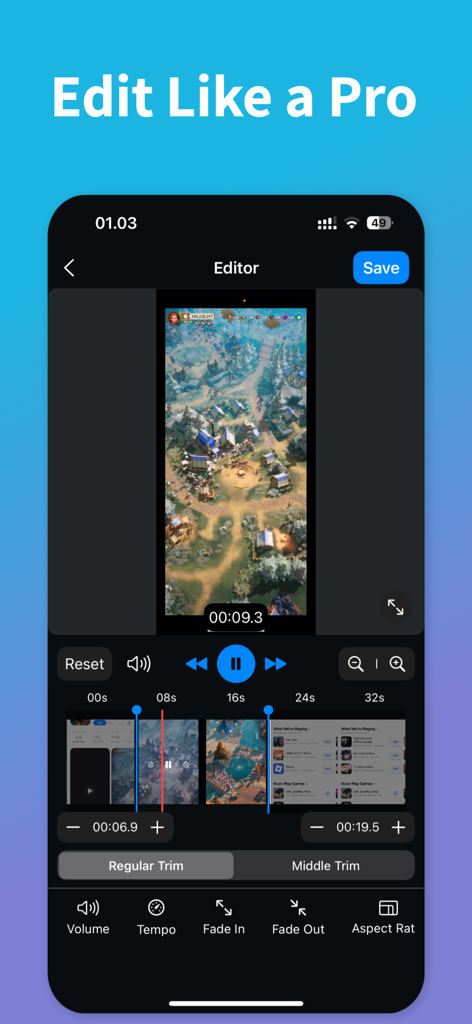
Screen Recordingアプリのインターフェース、プロフェッショナルなビデオ編集ツールとトリミング中のゲーム録画が表示されています
Screen Recordingアプリのインターフェース、プロフェッショナルなビデオ編集ツールとトリミング中のゲーム録画が表示されています

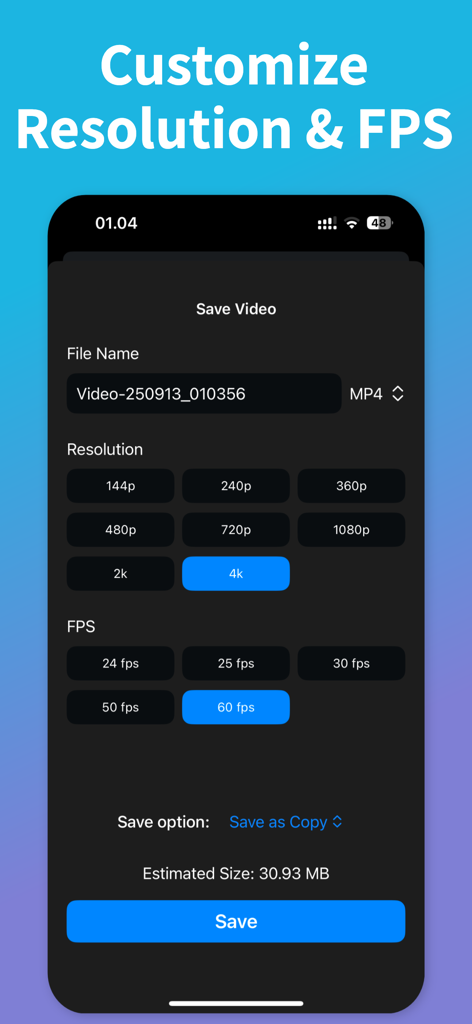
ビデオ解像度とフレームレートをカスタマイズするためのScreen Recordingアプリのインターフェース
ビデオ解像度とフレームレートをカスタマイズするためのScreen Recordingアプリのインターフェース

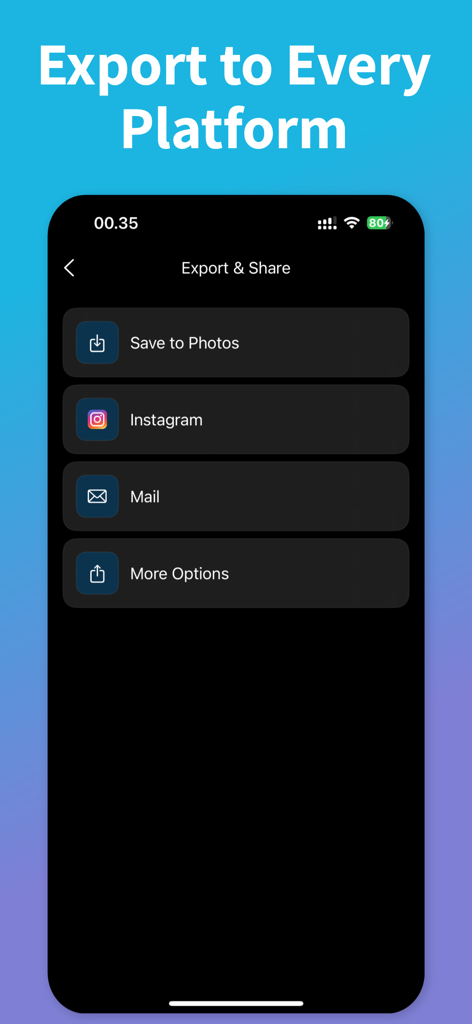
ソーシャルメディアオプションが表示されたScreen Recordingアプリのエクスポートおよび共有メニュー。
ソーシャルメディアオプションが表示されたScreen Recordingアプリのエクスポートおよび共有メニュー。

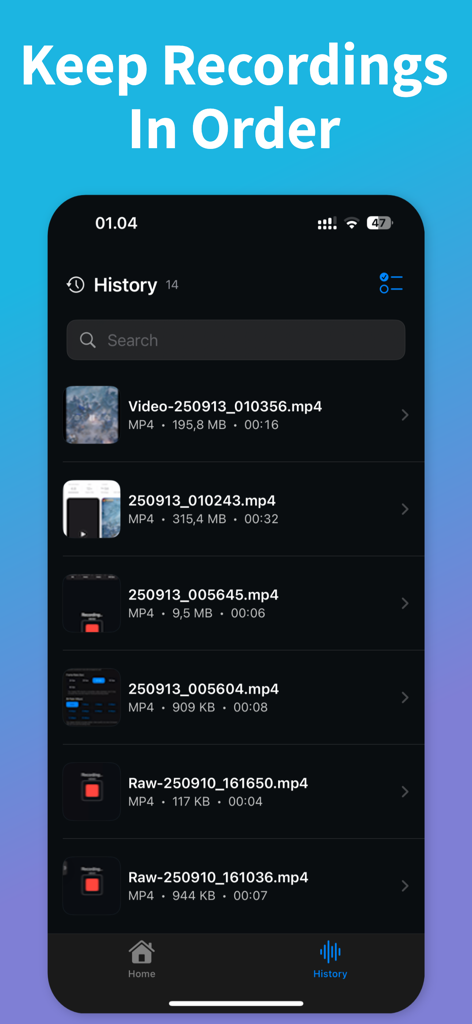
Screen Recordingアプリの履歴セクション、ファイルサイズと期間が表示された整理されたビデオファイルが表示されています。

Screen Recordingアプリの履歴セクション、ファイルサイズと期間が表示された整理されたビデオファイルが表示されています。

コンテンツをレベルアップ

このアプリを際立たせるツール、 9K+ 人のユーザーが選択.

💎

プログレード設定

可能な限りシャープなビデオのために、カスタマイズ可能な解像度、ビットレート、FPSで完全に制御します。

✂️

ワンタップ編集

クリップをトリミングし、無駄な部分をカットし、テンポを即座に調整します。重い編集ソフトウェアにエクスポートする必要はありません。

🎮

ゲーマーファーストパフォーマンス

高速ゲームやアプリのデモ専用に設計された、安定したラグのない録画を体験してください。

アプリについて

について知っておくべきこと Screen Recording ™.

説明

Capture your screen in seconds. Record games, apps, or anything on your device with smooth, stable performance. Save time with simple controls and a clean interface. Get ultra high quality. Choose Ultra HD for crisp results. Set your own resolution, bitrate, and FPS to match your device and goal. Go lightweight for quick shares or go max for pro results. Stay organized with History. Find recent recordings fast. Rename files and manage storage with ease. Edit without leaving the app. Trim the start and end. Cut unwanted parts. Adjust volume. Change tempo for quick previews or slow-motion highlights. Share in one tap. Post directly to your favorite social apps or send to any platform you use. Export in common formats for easy uploads. Why users love it: • Ultra HD screen recording • Custom resolution, bitrate, and FPS • Works for games, apps, and more • Built-in video editor: trim, cut, volume, tempo • History to find and manage files • Fast sharing to social or any platform Perfect for gameplay, tutorials, app demos, bug reports, and quick clips. Start now and make your first recording in seconds. Download today! Screen Recorder app is free. You can use it forever, at no cost. However, Screen Recorder does offer premium features for its subscribers. If you decide to purchase an upgrade, you will unlock additional features. Terms of Use: https://kociapp.github.io/Screen-Recorder/term-of-use Privacy Policy: https://kociapp.github.io/Screen-Recorder/privacy-policy

最新バージョン

1.0.1

サイズ

28.1 MB

リリース日

2025年9月22日

プロレベルのコンテンツ作成の準備はできましたか?

Ultra HDで録画している何千人ものクリエイターに参加しましょう。設定をカスタマイズし、その場で編集し、最高の瞬間を数秒で無料で共有しましょう。

ダウンロード: App Store

App information, icons, screenshots, and descriptions displayed on this page are sourced from the Apple App Store and are the property of their respective developers. Download estimates and rankings are based on MWM's proprietary models and may not reflect actual figures. This page is provided for informational and analytical purposes only.

Believe this page infringes your intellectual property? File a dispute