Screen Time - AppStops

Screen Time - AppStops

ダウンロード: App Store
ロゴ: Screen Time - AppStops

AppStops: 深い集中を実現する最も厳しいアプリブロッカー

厳格なスクリーンタイムツールで、自分の限界を破るのをやめよう。「無視」ボタンなし、月額サブスクリプションなし――一度だけの購入で、完全なデジタル規律を。

ダウンロード: App Store

開発元

Yoshiharu Yamada

カテゴリ

Productivity

ダウンロード

800

ユーザー評価

4.0/5

評価数

0

対応言語

3

一目でわかる集中

このインターフェースを利用する 800 人のユーザー.

「アプリを好きなように制限」というテキストが表示されたAppStopsのマーケティングスクリーンショット
「アプリを好きなように制限」というテキストが表示されたAppStopsのマーケティングスクリーンショット

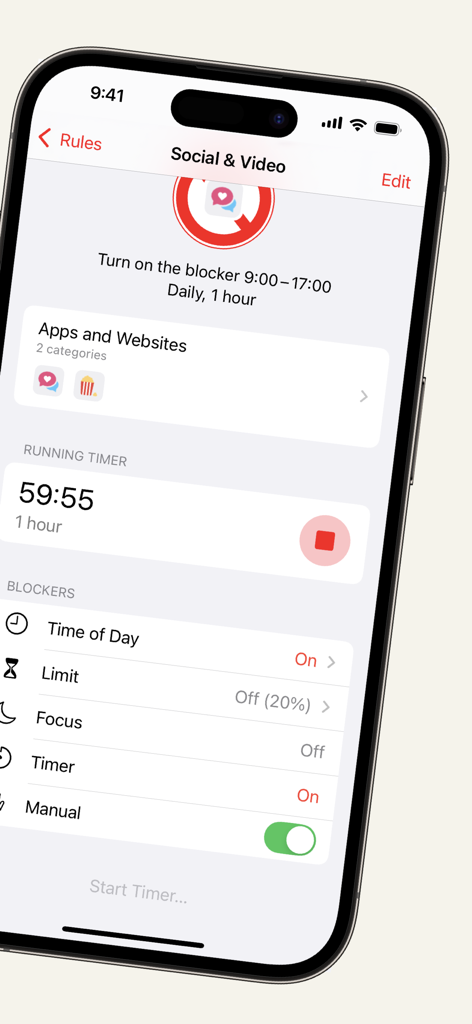
ソーシャルおよびビデオアプリをブロックするために実行中のタイマーが表示されたAppStopsアプリインターフェイス。
ソーシャルおよびビデオアプリをブロックするために実行中のタイマーが表示されたAppStopsアプリインターフェイス。

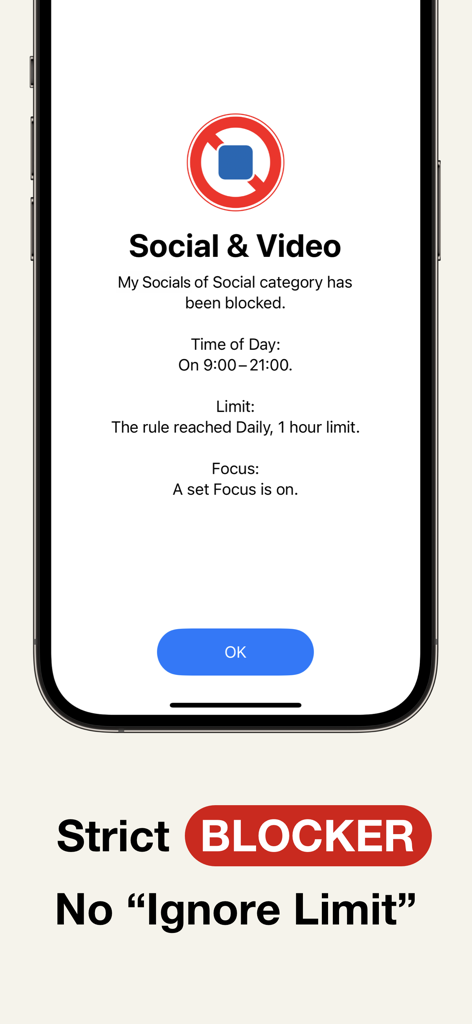
無視制限ボタンのない、ソーシャルおよびビデオアプリのためのAppStops厳格ブロック画面
無視制限ボタンのない、ソーシャルおよびビデオアプリのためのAppStops厳格ブロック画面

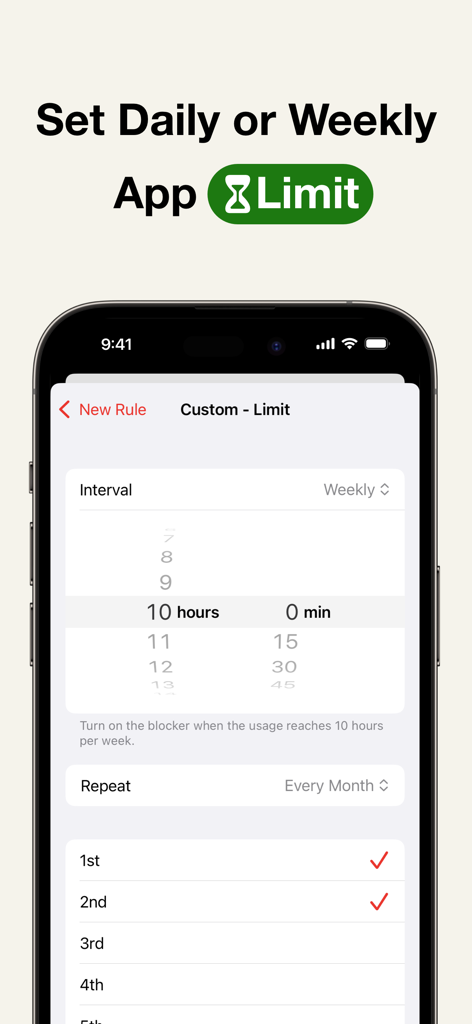
AppStopsで日次または週次のアプリ使用制限を設定
AppStopsで日次または週次のアプリ使用制限を設定

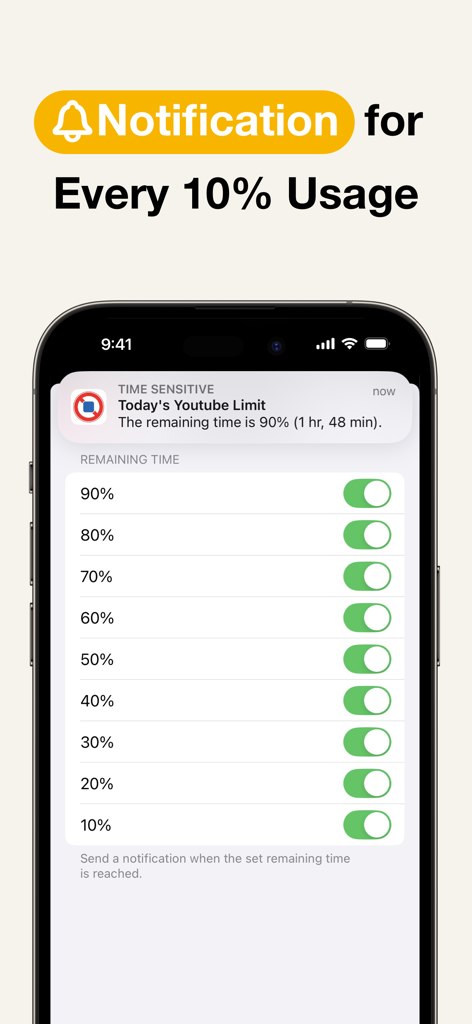
iPhone画面に、AppStopsの通知設定が表示され、残りのアプリ使用量を10パーセント刻みで追跡
iPhone画面に、AppStopsの通知設定が表示され、残りのアプリ使用量を10パーセント刻みで追跡

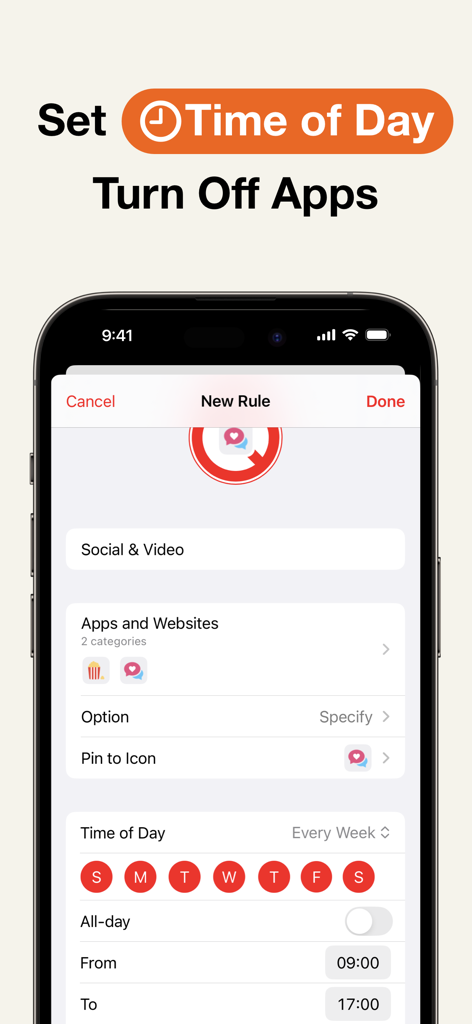
特定の時間帯にソーシャルおよびビデオアプリをオフにする時間ベースのルールを設定するためのAppStopsインターフェイス
特定の時間帯にソーシャルおよびビデオアプリをオフにする時間ベースのルールを設定するためのAppStopsインターフェイス

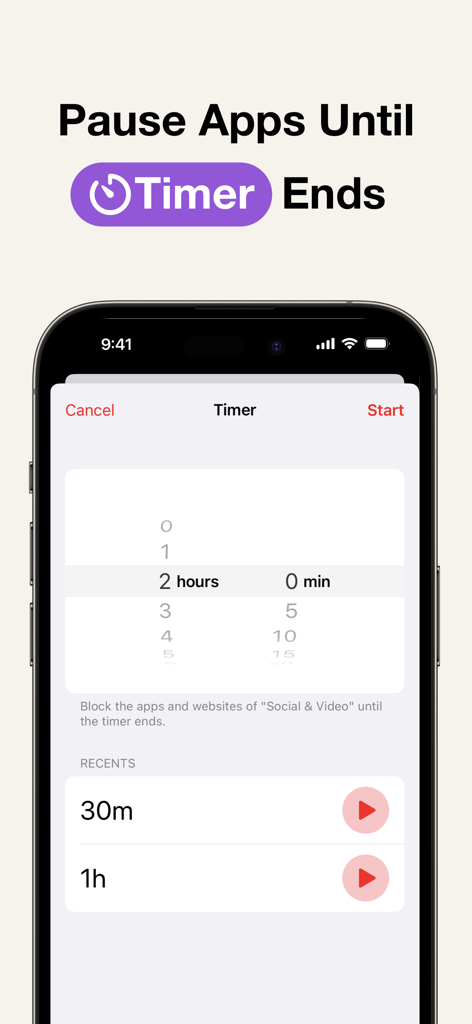
集中を維持するために一定期間アプリやウェブサイトを一時停止するタイマー機能を示すAppStopsアプリインターフェイスのスクリーンショット
集中を維持するために一定期間アプリやウェブサイトを一時停止するタイマー機能を示すAppStopsアプリインターフェイスのスクリーンショット

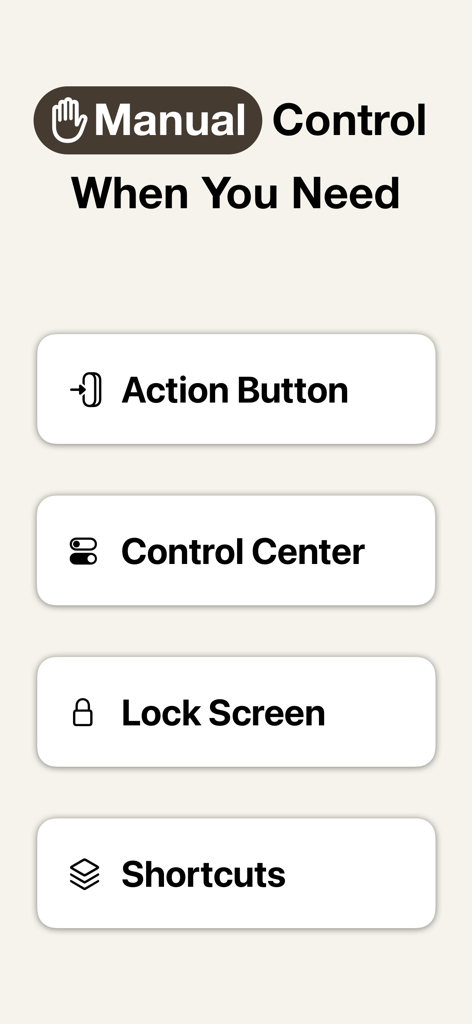
アクションボタン、コントロールセンター、ロック画面、ショートカット連携を示すAppStopsの手動制御オプション
アクションボタン、コントロールセンター、ロック画面、ショートカット連携を示すAppStopsの手動制御オプション

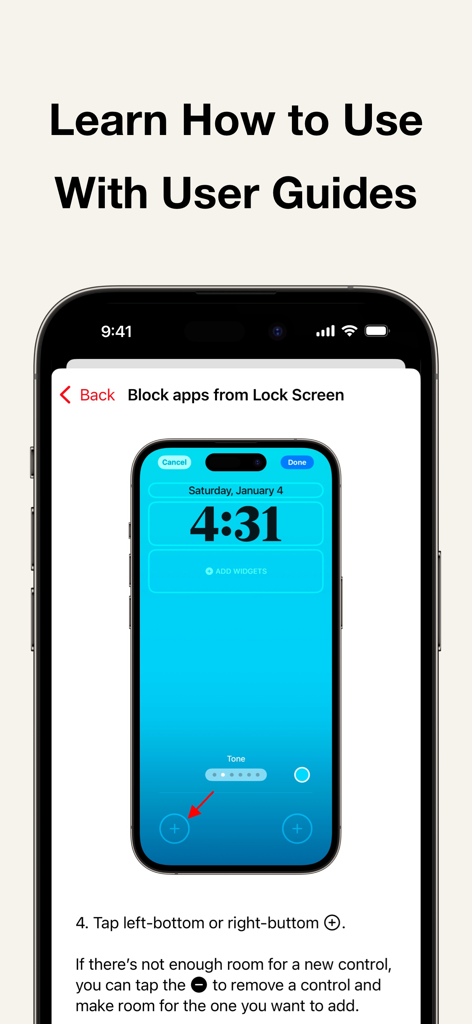
iPhoneロック画面にAppStopsブロックコントロールを追加する方法を説明するユーザーガイド

iPhoneロック画面にAppStopsブロックコントロールを追加する方法を説明するユーザーガイド

妥協のないコントロールで、あなたの時間を取り戻す

このアプリを際立たせるツール、 800 人のユーザーが選択.

🔒

厳格な、裏技なしブロック

「制限を無視」ボタンは許可されません。境界を設定したら、最も気を散らすアプリをハードロックして、それに従うのを支援します。

🏷️

サブスクリプション疲れゼロ

あなたの生産性ツールを一生所有しよう。シンプルな買い切り型購入でフルアクセスを取得――月額料金なし、隠れたコストなし、完全な所有権のみ。

🚀

ネイティブiOS 18最適化

アクションボタン、コントロールセンター、またはショートカット経由でワークフローを強化。すでに使用しているテクノロジーで、即座に集中セッションを開始。  

アプリについて

について知っておくべきこと Screen Time - AppStops.

説明

AppStops is a powerful tool to control your phone use. Based on your rules, it blocks all app actions except closing. It’s a one-time purchase—no subscriptions, no hidden fees. Just a simple tool you can rely on forever. ▼ Features • Strict blocking screen with no “Ignore Limit” button. • Block apps while in Focus Mode, e.g., “No entertainment apps during Work Mode.” • Set daily or weekly app limits, e.g., “Social apps limited to 1 hour per day.” • Usage time notifications, e.g., “20% (12 min) of today’s social app time remaining.” • Time-based app restrictions, e.g., “No video apps from 9 AM to 5 PM.” • Temporary app blocking with a timer, e.g., “Focus on studying for the next 90 minutes.” • Manually block apps via Control Center (*1), Action Button (*2), Lock Screen (*3), or Shortcuts app. ▼ User Guide The app includes user guides with images and texts for all rules, so you can use it with confidence. ▼ If You Need to Urgently Disable App Blocking By uninstalling the AppStops app, you can regain access to blocked apps and websites. If uninstalling does not disable the block (a rare occurrence due to OS issues), please reinstall the AppStops app and go to Settings App > Screen Time > APPS WITH SCREEN TIME ACCESS, then toggle off the switch for AppStops. ------------------------------------------------------------ *1: Control Center is available on iOS 18 or later *2: Action Button is available only on devices with an Action Button running iOS 18 or later. *3: Lock Screen control is available only on iPhone devices running iOS 18 or later. ※ The system screen for selecting apps and web domains may crash sometimes. While you can avoid crashes by following the steps outlined in the Help section, please be aware of this issue before making your purchase. Terms of Use https://yoshiharustudio.com/appstops/terms-of-use.html Privacy Policy https://yoshiharustudio.com/appstops/privacy-policy.html Specified Commercial Transaction Act https://yoshiharustudio.com/appstops/specified-commercial-transactions-act.html

最新バージョン

1.3.3

サイズ

10.6 MB

リリース日

2024年11月11日

やめられないスクロールを完全に阻止――サブスクリプションなし

本当に効果のある買い切り型で、集中革命に参加しよう。「制限を無視」ボタンなし、隠れた料金なし――指先ひとつで、純粋な生産性を。

ダウンロード: App Store

App information, icons, screenshots, and descriptions displayed on this page are sourced from the Apple App Store and are the property of their respective developers. Download estimates and rankings are based on MWM's proprietary models and may not reflect actual figures. This page is provided for informational and analytical purposes only.

Believe this page infringes your intellectual property? File a dispute