Scrivener Companion - Scrivo 3

Scrivener Companion - Scrivo 3

ダウンロード: App Store
ロゴ: Scrivener Companion - Scrivo 3

Scrivener コンパニオン - Scrivo 3:外出先でのプロフェッショナルな執筆スタジオ

本格的な執筆者のための究極のワークスペース。Scrivenerプロジェクトのシームレスな同期、複雑なリサーチの整理、そしてインスピレーションが湧いた場所での集中執筆を実現します。

開発元

Kairoos Solutions S.L.

カテゴリ

Productivity

ダウンロード

256K+

ユーザー評価

4.0/5

評価数

800

対応言語

10

壁のないスタジオ

このインターフェースを利用する 256K+ 人のユーザー.

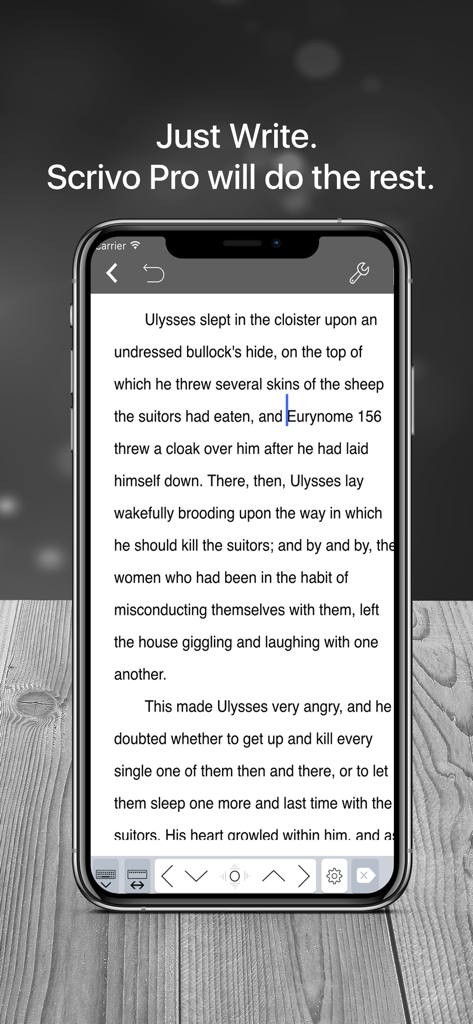
iPhone上のScrivo 3の集中執筆インターフェース

iPhone上のScrivo 3の集中執筆インターフェース

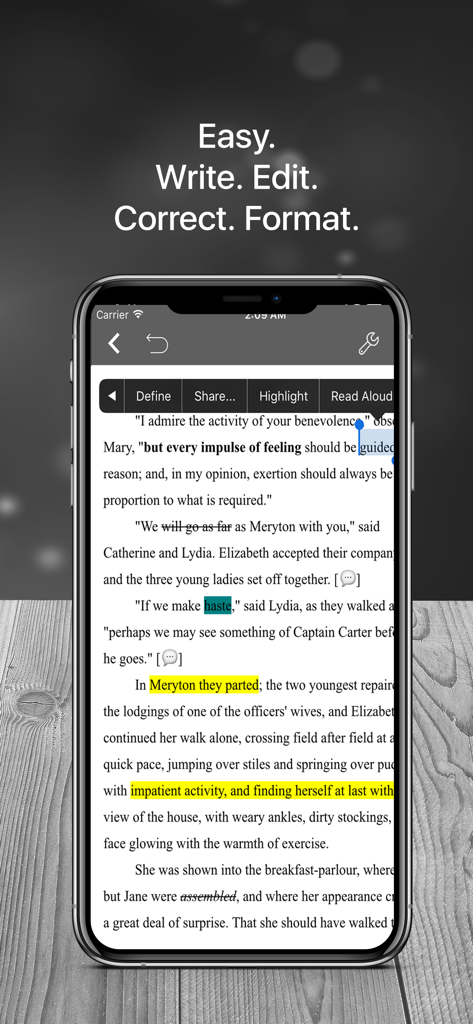
テキスト編集および書式設定ツールを表示するiPhone上のScrivo 3モバイルインターフェース
テキスト編集および書式設定ツールを表示するiPhone上のScrivo 3モバイルインターフェース

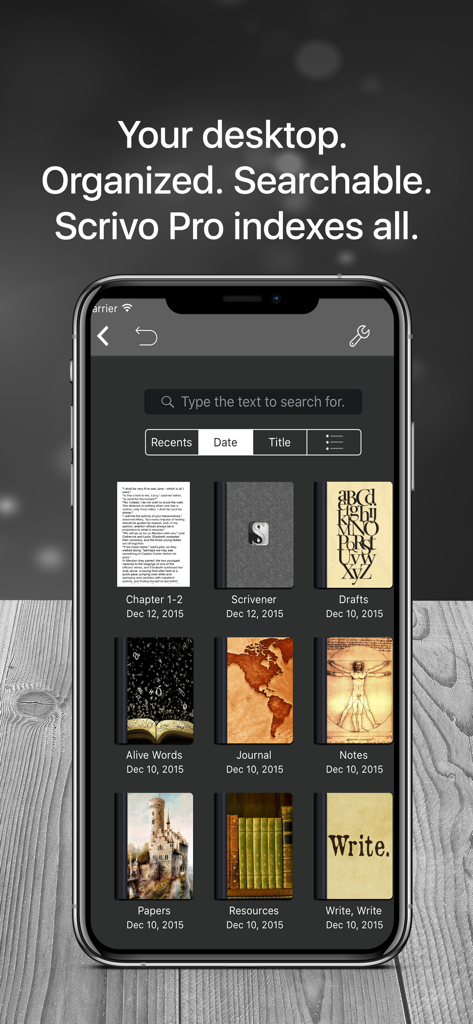
整理された執筆プロジェクトやノートの検索可能なライブラリを表示するScrivo 3モバイルアプリのインターフェース
整理された執筆プロジェクトやノートの検索可能なライブラリを表示するScrivo 3モバイルアプリのインターフェース

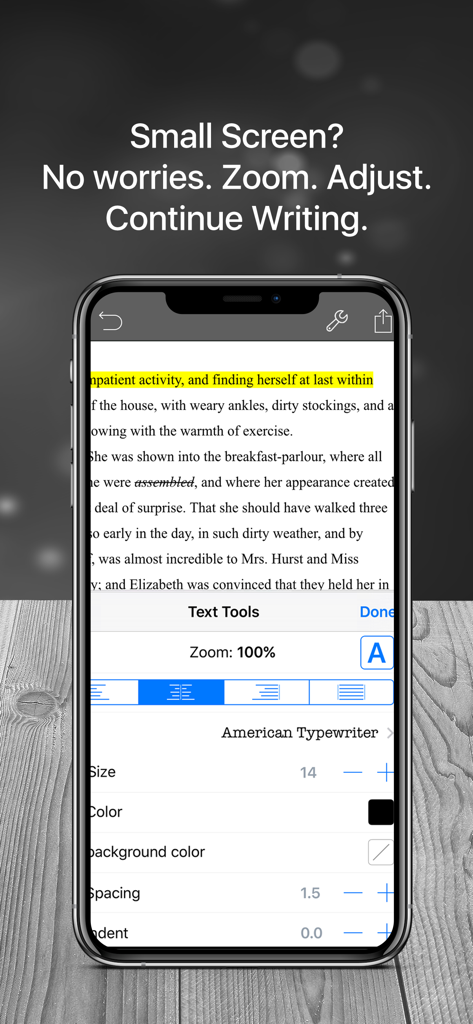
ズーム、フォントサイズ、配置などの執筆者向け書式設定オプションを表示するiPhoneのScrivo 3アプリ
ズーム、フォントサイズ、配置などの執筆者向け書式設定オプションを表示するiPhoneのScrivo 3アプリ

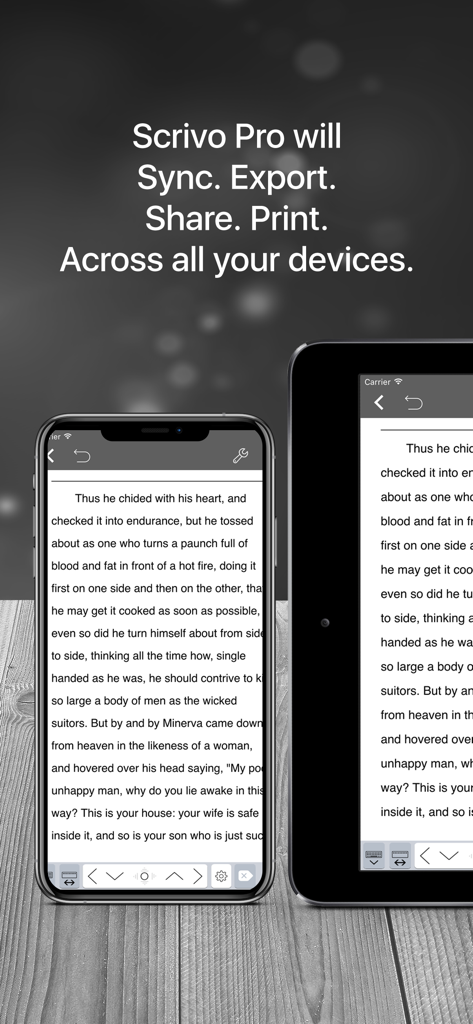
デバイス間で原稿がシームレスに同期されている様子を示すiPhoneおよびiPad上のScrivo 3執筆アプリ

デバイス間で原稿がシームレスに同期されている様子を示すiPhoneおよびiPad上のScrivo 3執筆アプリ

本格的な執筆者のための究極のモバイルスタジオ

このアプリを際立たせるツール、 256K+ 人のユーザーが選択.

🔄

シームレスなScrivener統合

iCloudやDropboxによる完璧な同期により、外出先でもバインダー、コルクボード、インデックスカードのすべてにアクセスでき、すべてのデバイスで原稿を最新の状態に保ちます。

🖋️

集中を妨げないディープワーク

デジタルノイズを排除し、現在の段落を常に画面中央に保つタイプライターモードやナイトモードで、執筆のフロー状態に入りましょう。

📚

統合されたリサーチとプランニング

内蔵のPDFリーダーとドキュメントスキャナーで複雑なプロジェクトを管理。下書きと並べて参照資料を確認できます。

アプリについて

について知っておくべきこと Scrivener Companion - Scrivo 3.

説明

"Even if you don't use Scrivener, Scrivo Pro is a useful and powerful writing and editing tool. But, if you do use Scrivener, you'll appreciate the user interface and design" ***** iMore.com “The other great advantage is that I can work in Scrivo Pro without an internet connection...” ***** Writeorconsequences.com App featured by Apple on the "Best apps for writers" collection! You have a story to tell, article to publish, class notes to take, whether it’s today’s journal entry, tomorrow’s thesis or a future bestseller novella. Scrivo Pro can help you organize your writing, research, generate ideas, and remove distractions so you can focus on the most important thing: writing. Scrivo Pro is more than an innovative, fast and reliable writing app designed for anyone who writes. This is a writing workspace for your iOS devices and a great Scrivener (compatible) and Ulysses companion on your Mac or Windows computer. If you are a Scrivener 2 or Scrivener 3 user on your computer, Scrivo Pro will open your projects (binder and cork-board with index cards) and seamlessly sync them via iCloud or Dropbox. + WRITE. FORMAT · Write Everywhere: Use Scrivo Pro as an stand-alone writing app even if you don’t have a computer or you are offline in the wilds · Typewriter: Distraction-Free mode that keeps only the paragraph you’re typing at the center of the screen, letting you focus on what you’re writing · Night mode to help you writing at night · Create rich text format (RTF) and advanced Markdown (MD) documents · Our Markdown engine supports the standard syntax but it has been extended to include very useful extra markups: tables, footnotes, lists, images, links, highlight, strikethrough, superscript and MathML · Advanced RTF formatting: Highlight, strikethrough, subscript/superscript, alignment, line spacing, first-line indent, page breaks, footnotes, comments, text & paper color · Find and replace · Pinch to zoom text · Insert special symbols arrows, parentheses, maths, bullets/stars, GPS location, etc. · Over 30 languages typing support including Japanese, Chinese, Arabic & Hebrew · Extra keys: tab, forward delete, cursor up/down/left/right, etc. · Set your own custom keyboard buttons to your commonly-used keys, text snippets or hard to reach characters · Define margins, headers/footers, paper sizes, MLA and APA style format · Live counters: characters, words, sentences, words per sentence & reading time · Text to Speech for proofreading · Dictation lets you speak text instead of typing + ORGANIZE. STRUCTURE. FIND · Organize your work in unlimited notebooks, folders and subfolders · Sync projects between Scrivo and Scrivener via Dropbox or iCloud · Design the cover of your notebooks · Create projects in a tree-like structure: Sections, Drafts, Folders, Chapters, Research, etc. · Full-text search your library of documents and projects + RESEARCH. SCAN. PDF LIBRARY · Full PDF reader and manager included for reference files, ebooks, articles, resources, papers, etc. · New eBook (ePub) reader · Use the camera of your iPad/iPhone to scan documents, notes, recipes, tickets, etc. as PDF · Use split-screen and multitasking side by side with other apps while writing + SHARE. EXPORT · Import/Export from iCloud, Dropbox, Box, WebDAV and Google Drive support · Export, share and print your documents to multiple formats like RTF, Markdown, PDF, ePub, HTML, RTFD, TXT etc. · Zip folders/notebooks and email them as an attachment + BE SAFE. PROTECT YOUR WORK · Protect your work with an app security passcode · Protect any folder or project with a passcode · Automatic Backups Privacy Policy http://www.noteswriter.com/Kairoos_Privacy_Policy.html EULA https://www.apple.com/legal/internet-services/itunes/dev/stdeula/

最新バージョン

8.1.2

サイズ

282.1 MB

リリース日

2015年12月22日

次のベストセラーはタップ一つで

25万人以上の熱心な執筆者の仲間入りをしましょう。Scrivenerプロジェクトを同期して、あなたのiPadをプロフェッショナルで集中できる執筆スタジオに変えましょう。

ダウンロード: App Store
FAQ

よくある質問

について知っておくべきこと Scrivener Companion - Scrivo 3

Scrivo Proとは何ですか?

Scrivo Proは、iOSデバイス向けに設計された革新的なライティングおよび編集アプリです。包括的なライティングワークスペースとして機能し、ユーザーは集中を妨げられない環境で、執筆の整理、リサーチ、アイデアの生成を行うことができます。

Scrivo ProはScrivenerプロジェクトと互換性がありますか?

はい、Scrivo ProはScrivener 2およびScrivener 3と完全に互換性があります。ユーザーは、バインダーやコルクボードを含むScrivenerプロジェクトを開き、iCloudまたはDropbox経由でシームレスに同期することができます。

オフラインでScrivo Proを使用できますか?

はい、Scrivo Proはスタンドアロンのライティングアプリケーションとして、インターネット接続なしで使用できます。この機能により、ユーザーはオフラインでもどこでも執筆できます。

Scrivo Proはどのようなフォーマットオプションを提供していますか?

Scrivo Proは、リッチテキストフォーマット(RTF)や高度なMarkdown(MD)を含む、豊富なフォーマットオプションを提供しています。ハイライト、取り消し線、下付き文字/上付き文字、配置、行間、カスタムテキスト/用紙の色などの機能が含まれます。

Scrivo Proはどのように執筆プロジェクトを整理しますか?

Scrivo Proは、無制限のノートブック、フォルダ、サブフォルダに作業を整理するのに役立ちます。ユーザーは、セクション、ドラフト、チャプター、リサーチのためのツリー構造を持つプロジェクトを作成し、全文検索を利用できます。

Scrivo Proはドキュメントのセキュリティ機能を提供していますか?

はい、Scrivo Proにはユーザーの作業を保護するためのセキュリティ機能が含まれています。アプリのセキュリティパスコード、パスコードによる個々のフォルダまたはプロジェクトの保護機能、自動バックアップを提供しています。

Scrivo Proはどのドキュメント形式をエクスポートできますか?

はい、Scrivo Proは、RTF、Markdown、PDF、ePub、HTML、RTFD、TXTなどのさまざまな形式へのドキュメントのエクスポートをサポートしています。ユーザーはドキュメントの共有や印刷もできます。

Scrivo Proで利用できるリサーチツールは何ですか?

Scrivo Proには、完全なPDFリーダーおよびマネージャー、電子書籍(ePub)リーダー、およびデバイスカメラを使用したドキュメントのスキャン to PDF 機能が含まれています。また、リサーチのためのスプリットスクリーンマルチタスクもサポートしています。

App information, icons, screenshots, and descriptions displayed on this page are sourced from the Apple App Store and are the property of their respective developers. Download estimates and rankings are based on MWM's proprietary models and may not reflect actual figures. This page is provided for informational and analytical purposes only.

Believe this page infringes your intellectual property? File a dispute