Scrivener
Scrivener
ダウンロード: App Store

このページはアプリまたはその開発者の公式ページではなく、情報提供および論評を目的として作成された独立した編集出版物です。明示的に別段の記載がない限り、アプリおよびその開発者は、MWM、Apple、Google Play、アプリのパブリッシャー、またはアプリの開発者と提携、承認、後援、認可、またはその他の公式的な関係はなく、このページのいかなる内容も、アプリがMWMのサービスを使用して開発されたことを意味するものではありません。すべての商標、ロゴ、スクリーンショット、その他のコンテンツはそれぞれの所有者の財産です。

ロゴ: Scrivener
ダウンロード: App Store

Scrivener

散らばったアイデアを、長文プロジェクトのために設計されたツールで磨き上げられた原稿に変えましょう。iPhoneとiPadでリサーチを整理し、ストーリーを構成し、邪魔されずに執筆できます。

主要数値

ダウンロード

464K+

ユーザー評価

4.3/5

評価数

3K+

開発元

Literature & Latte Ltd

カテゴリ

Productivity

対応言語

10

最新バージョン

1.2.4

サイズ

26.5 MB

リリース日

2016年7月20日
機能

本気で書く人のための究極のコマンドセンター

Scrivenerは基本的なワードプロセッシングを超え、複雑な長文プロジェクトの整理、下書き、完成を支援するために設計されたプロ仕様のスタジオを提供します。

ストレスフリーな構成

原稿を管理しやすいチャンクに分割しましょう。バインダーを使って、章やシーンをドラッグ&ドロップで再編成し、ストーリーを自然に成長させることができます。

リサーチを常に手元に

キャラクター設定、地図、PDFをドラフトの隣に配置しましょう。iPadでは、リサーチと執筆を並べて表示できるため、アプリを切り替えることなく執筆の流れを維持できます。

以下のスクリーンショットと説明は、アプリの公式ストアリスティングから直接取得されたものであり、アプリ開発者の所有物です。

アプリストア

スクリーンショット
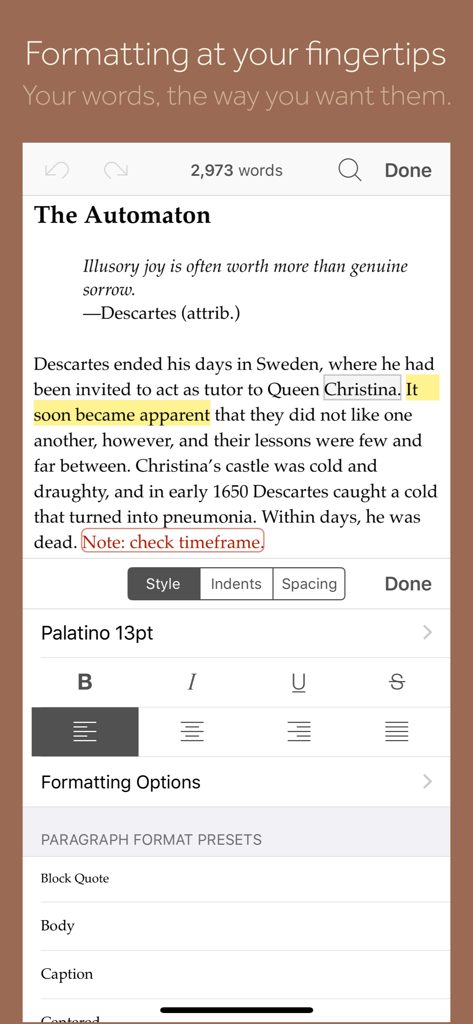
Scrivener - Scrivenerアプリのモバイルビュー。スタイル、フォント、段落プリセットのフォーマットパネルが表示されたテキストエディターを表示しています。
Scrivenerアプリのモバイルビュー。スタイル、フォント、段落プリセットのフォーマットパネルが表示されたテキストエディターを表示しています。

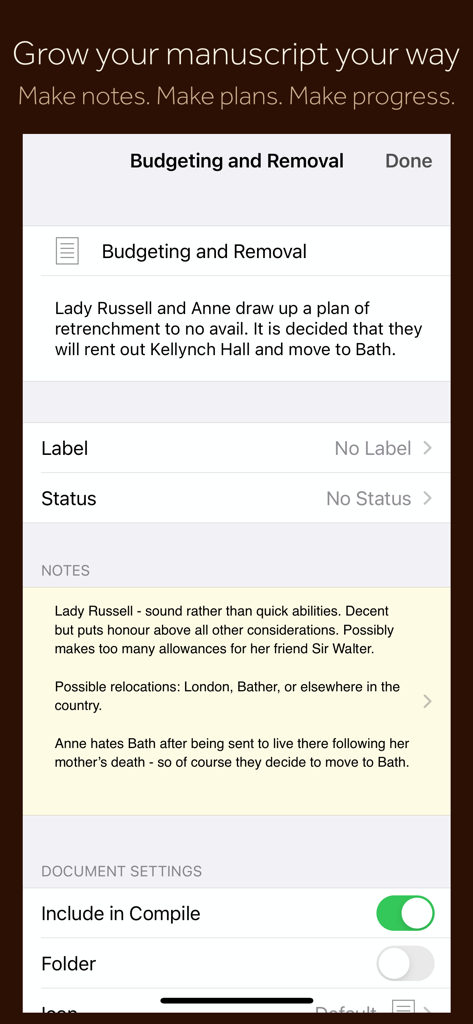
Scrivener - Scrivenerモバイルアプリのインターフェイス。原稿セクションのノート、計画メタデータ、ドキュメント設定が表示されています。
Scrivenerモバイルアプリのインターフェイス。原稿セクションのノート、計画メタデータ、ドキュメント設定が表示されています。

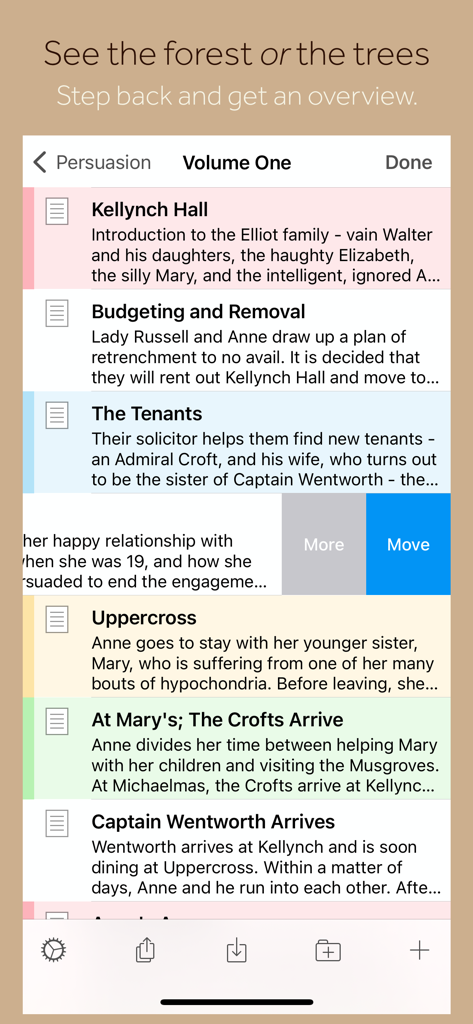
Scrivener - iPhoneに表示された原稿の章と概要のリストを示すScrivenerアプリのインターフェイス。
iPhoneに表示された原稿の章と概要のリストを示すScrivenerアプリのインターフェイス。

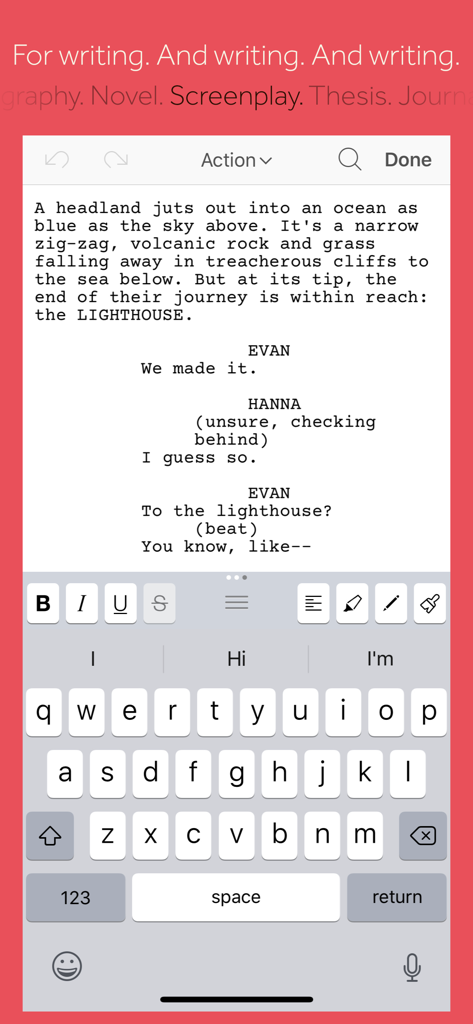
Scrivener - iPhone上のScrivenerモバイルアプリ。脚本執筆モードとフォーマットツールが表示されています。
iPhone上のScrivenerモバイルアプリ。脚本執筆モードとフォーマットツールが表示されています。

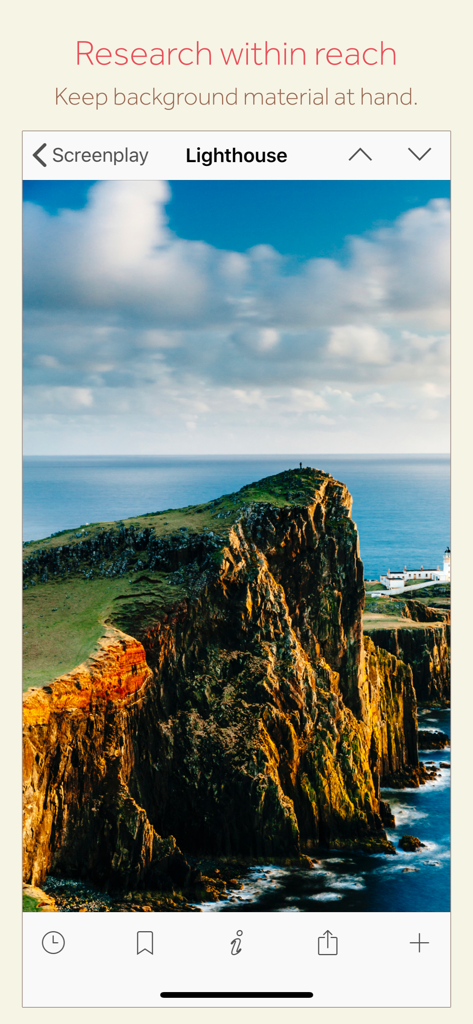
Scrivener - 脚本プロジェクトのための灯台のリサーチ画像を表示するScrivenerモバイルアプリのインターフェイス。

脚本プロジェクトのための灯台のリサーチ画像を表示するScrivenerモバイルアプリのインターフェイス。

説明

“The biggest software advance for writers since the word processor.” —Michael Marshall Smith, bestselling author Typewriter. Ring-binder. Scrapbook. Scrivener combines all the writing tools you need to craft your first draft, from nascent notion to final full stop. Tailor-made for creating long manuscripts, Scrivener banishes page fright by allowing you to compose your text in any order, in sections as large or small as you like. Got a great idea but don’t know where it fits? Write when inspiration strikes and find its place later. Grow your manuscript organically, idea by idea. Whether you plan or plunge, Scrivener works your way: meticulously outline every last detail first, or hammer out a complete draft and restructure later. Or do a bit of both. All text sections in Scrivener are fully integrated with its outlining tools, so working with an overview of your manuscript is only ever a tap away, and turning Chapter Four into Chapter One is as simple as drag and drop. Need to refer to research? In Scrivener, your background material is always at hand. Write a description based on a photograph. Reference a video or PDF. Check for consistency with an earlier chapter. On the iPad, open two documents side-by-side; on the iPhone, flip between research and writing with just two taps. Once you’re ready to share your work with the world, simply compile everything into a single document for printing, or export to popular formats such as Word, PDF, Final Draft or plain text. You can even share using different formatting, so that you can write in your favorite font and still keep your editor happy. FEATURES Get Started • Interactive tutorial project • Keep each manuscript and supporting materials in a self-contained project • Import Word, RTF, Final Draft and plain text files • Easily split imported text into separate sections Get Writing • Write your manuscript in sections of any size • View all sections as a single text using the “Draft Navigator” (iPad only) • Quickly navigate sections using the “binder” sidebar • Format with fonts and presets • Comments, footnotes, links and highlights • Simple bullets and lists • Insert images • Pinch-zoom to resize text • Full-screen mode (iPad only) • Typewriter scrolling mode keeps typed text center-screen (iPad only) • Write a screenplay using scriptwriting mode • Live word and character counts • Set word and character count targets • Find and replace • Customizable keyboard row provides quick-access buttons for formatting, navigation and punctuation • Comprehensive keyboard shortcuts for external keyboard users • Dark mode Find Your Structure • Write in any order and reorganize later • Write a synopsis for any text section and see it in the outline • Expand, collapse and drill down into sections of your project • Rearrange sections as index cards on the corkboard (iPad only) • Project-wide search • Track ideas using labels and status • Apply custom icons to your sections Refer to Research • Import research material such as image, PDF and media files • View research files or other sections right alongside your writing (iPad only) • Every section has its own notes area for jotting down ideas • Supports multitasking split screen mode (supported devices only) Share Your Work • Compile to a single document for sharing or printing • Use different formatting in your exported or printed document • Export to Word, RTF, Final Draft, PDF or plain text • Convert rich text to Markdown for sharing with Markdown apps • Create and email zipped backups of your projects Work Anywhere • Use Dropbox to sync between devices and with the macOS and Windows versions of Scrivener* • Copy projects between devices via iTunes * Requires a Dropbox account (not compatible with iCloud). SUPPORT You can contact us at ios.support@literatureandlatte.com, visit our forums at http://www.literatureandlatte.com/forum, or find us @scrivenerapp on Twitter.

Download

ダウンロード: App Store

このページはアプリまたはその開発者の公式ページではなく、情報提供および論評を目的として作成された独立した編集出版物です。明示的に別段の記載がない限り、アプリおよびその開発者は、MWM、Apple、Google Play、アプリのパブリッシャー、またはアプリの開発者と提携、承認、後援、認可、またはその他の公式的な関係はなく、このページのいかなる内容も、アプリがMWMのサービスを使用して開発されたことを意味するものではありません。すべての商標、ロゴ、スクリーンショット、その他のコンテンツはそれぞれの所有者の財産です。