ServicePlanner

ServicePlanner

ダウンロード: App Store
ロゴ: ServicePlanner

ServicePlanner:伝道活動を向上させ、霊的な目標を達成しましょう

エホバの証人のための完全なアシスタント。再訪問の管理、奉仕時間の記録、毎月の報告の簡素化を、すべてのデバイスで完全に同期して行えます。

ダウンロード: App Store

開発元

iMatt Solutions Limited

カテゴリ

Productivity

ダウンロード

131K+

ユーザー評価

4.7/5

評価数

400

対応言語

17

伝道活動を一目で

このインターフェースを利用する 131K+ 人のユーザー.

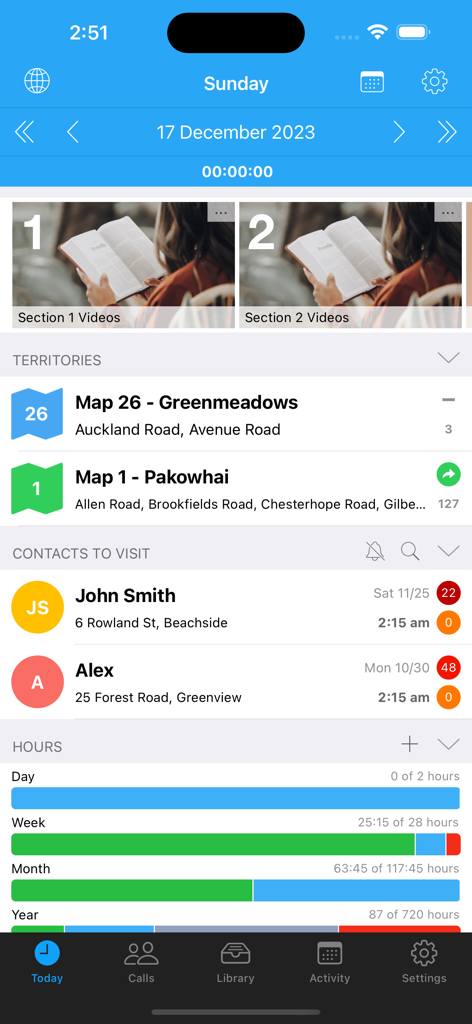
ServicePlannerアプリの今日の画面。伝道活動の地域、予定された訪問、奉仕時間の進捗バーが表示されています。
ServicePlannerアプリの今日の画面。伝道活動の地域、予定された訪問、奉仕時間の進捗バーが表示されています。

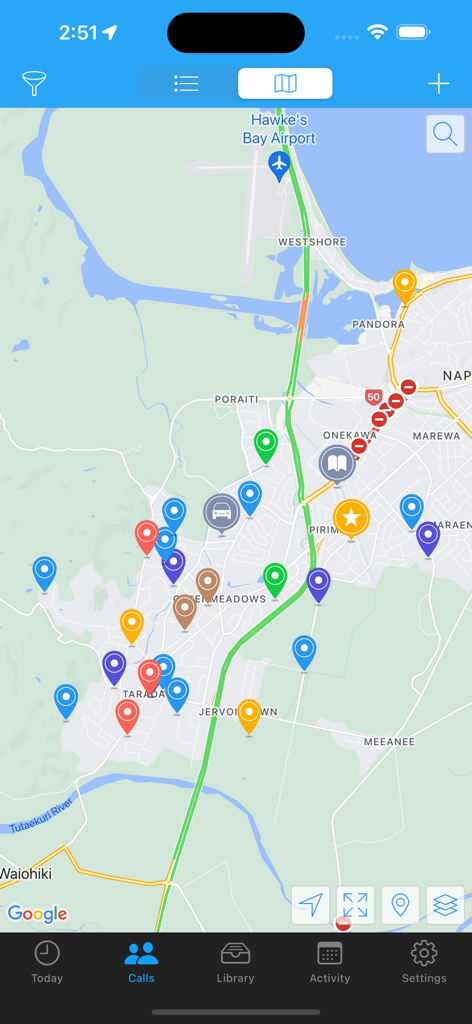
ServicePlannerアプリ内の地図インターフェイス。伝道活動の連絡先と地域の場所を示す、色付きのピンマーカーが表示されています。
ServicePlannerアプリ内の地図インターフェイス。伝道活動の連絡先と地域の場所を示す、色付きのピンマーカーが表示されています。

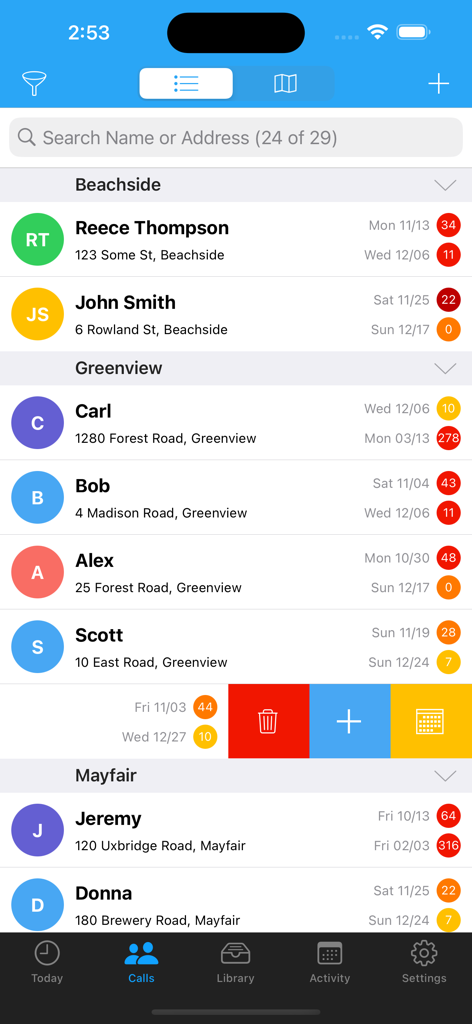
ServicePlannerアプリの伝道活動の連絡先リスト。訪問履歴とヒートマップインジケーターが表示されています。
ServicePlannerアプリの伝道活動の連絡先リスト。訪問履歴とヒートマップインジケーターが表示されています。

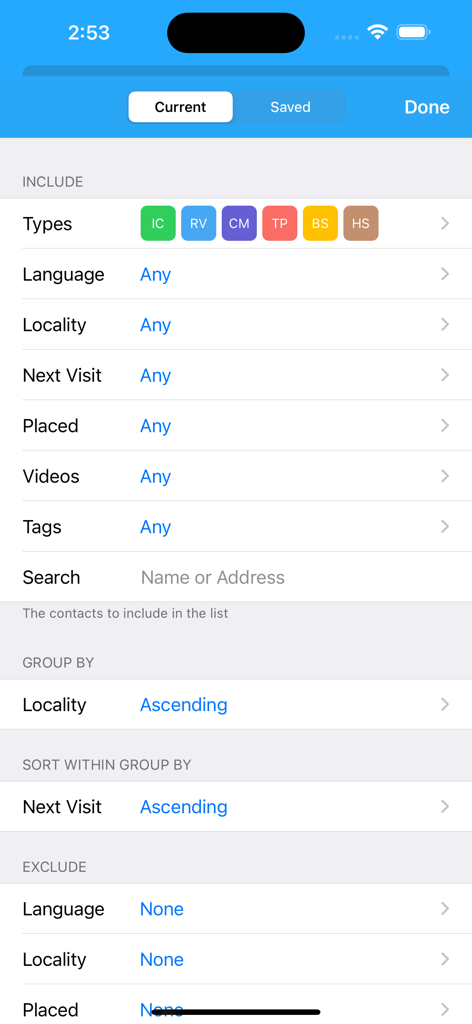
ServicePlannerアプリの詳細な連絡先フィルタリングおよび並べ替え設定。地域ごとのグループ化や次の訪問日での並べ替えオプションが表示されています。
ServicePlannerアプリの詳細な連絡先フィルタリングおよび並べ替え設定。地域ごとのグループ化や次の訪問日での並べ替えオプションが表示されています。

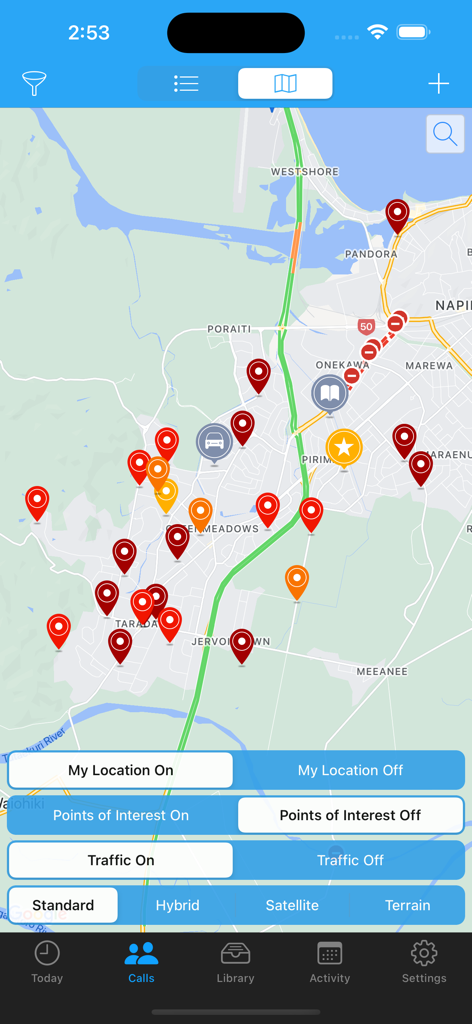
ServicePlannerアプリの地図ビュー。連絡先管理と野外伝道活動のための色分けされたピンが表示されています。
ServicePlannerアプリの地図ビュー。連絡先管理と野外伝道活動のための色分けされたピンが表示されています。

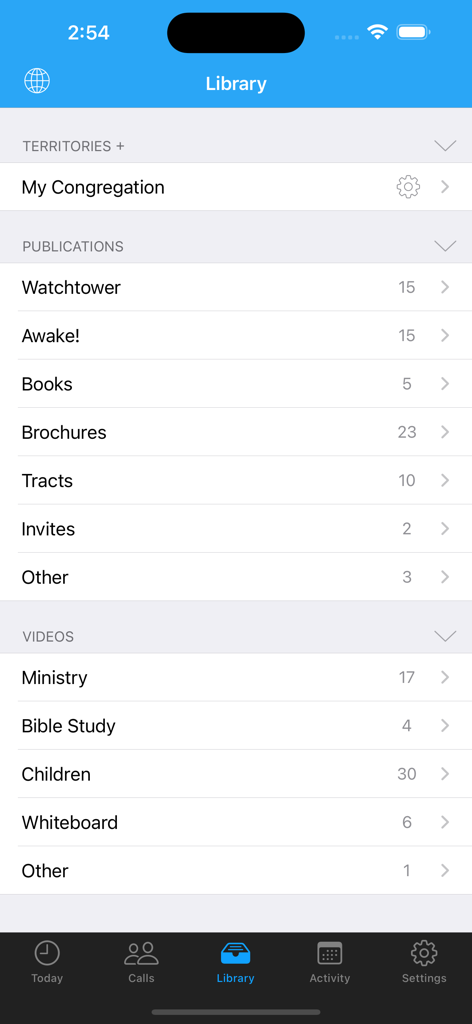
ServicePlannerアプリのライブラリインターフェイス。出版物とビデオのライブラリが表示されています。
ServicePlannerアプリのライブラリインターフェイス。出版物とビデオのライブラリが表示されています。

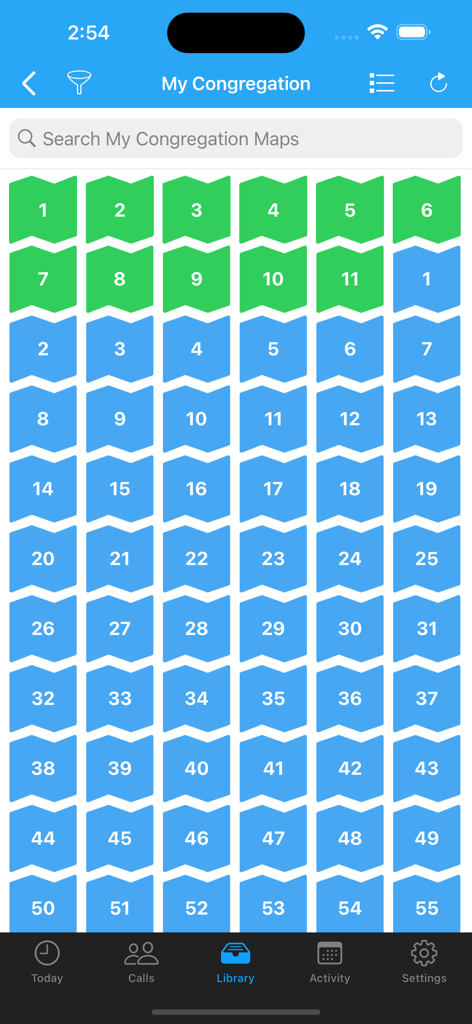
ServicePlannerアプリのライブラリにある、番号付きの緑と青の地域地図のグリッド。
ServicePlannerアプリのライブラリにある、番号付きの緑と青の地域地図のグリッド。

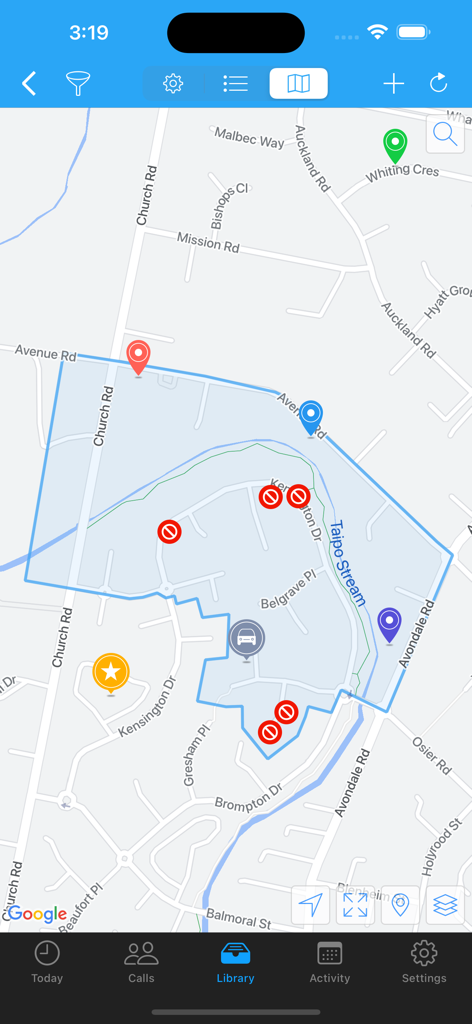
ServicePlannerモバイルアプリの地図ビュー。ハイライトされた地域とカスタムの場所マーカーが表示されています。
ServicePlannerモバイルアプリの地図ビュー。ハイライトされた地域とカスタムの場所マーカーが表示されています。

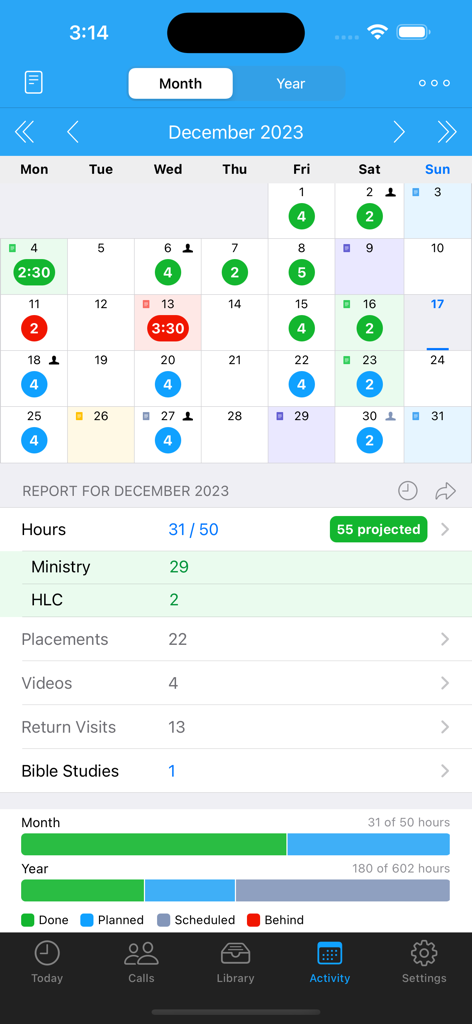
ServicePlannerアプリの月間活動報告とカレンダービュー。伝道活動時間と霊的な目標が表示されています。
ServicePlannerアプリの月間活動報告とカレンダービュー。伝道活動時間と霊的な目標が表示されています。

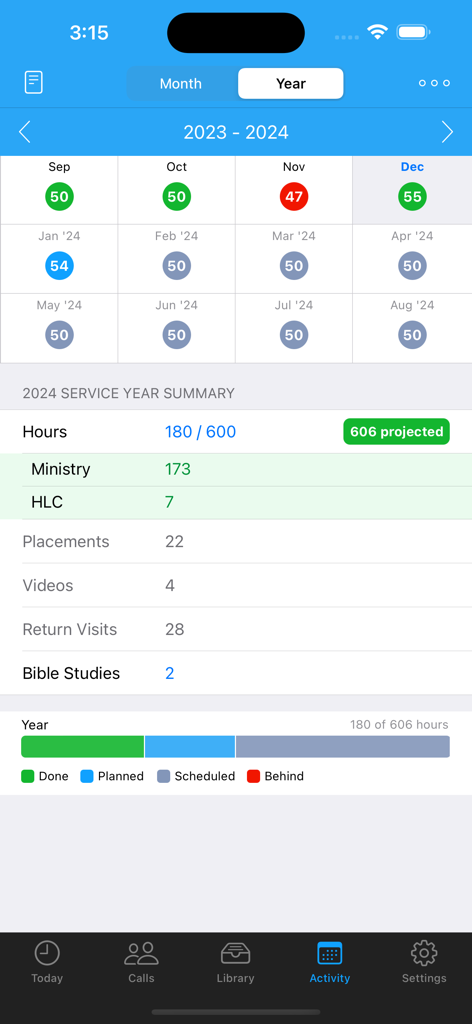
ServicePlannerのアクティビティ画面。奉仕年の概要と伝道活動の目標進捗状況が表示されています。

ServicePlannerのアクティビティ画面。奉仕年の概要と伝道活動の目標進捗状況が表示されています。

伝道活動を整理整頓しましょう

このアプリを際立たせるツール、 131K+ 人のユーザーが選択.

📖

インテリジェントな連絡先管理

関心を持った人々を見失うことはもうありません。視覚的なヒートマップと検索可能なライブラリを使用して、再訪問や出版物の配布を楽に管理しましょう。

⏱️

目標志向の時間記録

内蔵タイマー、予想奉仕時間、毎月および年間の奉仕進捗状況専用ビューで、開拓者としての目標達成に向けて進みましょう。

📤

シームレスな報告と共有

事務作業の負担をなくしましょう。毎月の報告をSMSまたはWhatsApp経由で数秒で提出し、証言パートナーとの取り決めを即座に調整しましょう。

アプリについて

について知っておくべきこと ServicePlanner.

説明

ServicePlanner is a Field Ministry and Contact Management app designed for Jehovah's Witnesses. • Dropbox Sync - automatically backup your data and sync across multiple devices. • Integration with Territory Helper. • Today Screen - quick access to the Timer, Videos, Publications, Website Browser, Activity Planner and your scheduled calls for the day. • Timer - record your time spent in the ministry or on "other" work (LDC etc). Tap the timer bar on the Today screen or force touch the app icon. • Contact Management - centrally manage your Calls with a searchable Contact list. Colours are carefully used to indicate the Contact Type and render a heat map showing if your visits are overdue or on schedule. Swipe or long-press on a Contact to quickly reschedule or update a contact. • Contact Visit History & Library - quickly access your call history with a list of previous visits. Colour again is used to visually indicate the Visit Type. Define your Next Visit Date and Plans. A central Library for each contact shows all of the publications you have ever placed with them. • Contact Filtering - powerful filtering allows you to define how you Group and Sort your calls. Search for Contacts using Tags, Language, Locality, Next Visit Date and more criteria. • Map View - get an overview of your Calls, search for addresses, place custom markers for the location of your Car, Territory, Kingdom Hall, your Home and more. You can tap+hold to create a new Contact straight from a map location. • Library - centrally manage Publications and Videos. Optionally add Cover Art to make it easier to visualise items. Video locations can be downloaded for offline use, or streamed to free up storage space. Add items to your Today screen. Note that the Library is empty by default, users will need to populate it themselves. • Websites - use the inbuilt browser to show web content. Bookmark your favourite websites. Supports Reader View with Themes. Reader View supports Chinese Pinyin, Zhuyin, Yale, Sidney Lau above Chinese characters when reading content from the official websites. • Monthly Activity - plan your daily activity with Planned Hours vs Actual Hours. Projected Hours indicate if you are on track with your time. • Service Year - see at a glance your hours per month and a summary of your activity for the Service Year. Projected Hours indicate if you are on target to reach your annual goal. OR ... * "Shared in Ministry" Mode - You can optionally switch both the Month and Annual calendars to just show a green tick when you shared in the ministry, instead of focussing on hours. • Scheduling - define your Annual, Monthly and Daily Hour Goals. These will then be used to track your progress for the Month and Year. Apply your Daily Schedule to your Month and view the Projected Hours - so easy to see if you will get your time in or if you need to alter your schedule. • Witnessing Partners - arrange your partners each day. Contact your witnessing partner by SMS, Phone, or messaging apps. Mark the arrangement as confirmed or not. Icons on the calendar indicate days with arranged partners. Optional integration with iOS calendars. • Reporting - support for multiple Hour Credits and Carry-Over Minutes. Your Monthly Report can be submitted using Email, TXT, Telegram, WhatsApp, LINE, Hourglass or NW Publisher. • "Other Hours" - log your non-ministry hours such as LDC or Branch Consultation work. Up to 5 "Other Hour" categories can be scheduled and planned alongside your Ministry Hours. Configure the category name (eg "LDC") and Reporting options in Settings. --- And this is just the beginning! Please check the website for details and support: www.serviceplanner.app Requirements: iOS 14+ Some mapping features require a connected device. All support and documentation is provided in English. Some cannot locate the app because they search for "Service Planner". The app is called "ServicePlanner".

最新バージョン

3.1.1

サイズ

46.2 MB

リリース日

2017年8月18日

伝道活動を簡素化する準備はできましたか?

130,000人以上の出版者や開拓者がServicePlannerを使用して、整理整頓し、目標を達成し、本当に大切なことに集中しています。

ダウンロード: App Store

App information, icons, screenshots, and descriptions displayed on this page are sourced from the Apple App Store and are the property of their respective developers. Download estimates and rankings are based on MWM's proprietary models and may not reflect actual figures. This page is provided for informational and analytical purposes only.

Believe this page infringes your intellectual property? File a dispute