
このページはアプリまたはその開発者の公式ページではなく、情報提供および論評を目的として作成された独立した編集出版物です。明示的に別段の記載がない限り、アプリおよびその開発者は、MWM、Apple、Google Play、アプリのパブリッシャー、またはアプリの開発者と提携、承認、後援、認可、またはその他の公式的な関係はなく、このページのいかなる内容も、アプリがMWMのサービスを使用して開発されたことを意味するものではありません。すべての商標、ロゴ、スクリーンショット、その他のコンテンツはそれぞれの所有者の財産です。

Shift Cal - CuadraTurnos PRO
シフト勤務者のための究極のプロフェッショナルツール。交代制パターンの管理、残業時間の追跡、家族や同僚とのスケジュール同期を、直感的で広告のない一つのアプリで簡単に行えます。
ダウンロード
66K+ユーザー評価
評価数
200開発元
カテゴリ
Productivity対応言語
2最新バージョン
2.31サイズ
37.1 MBリリース日
2015年11月10日スケジュールを把握し、時間を取り戻す
シフト勤務者の複雑な生活のために設計されました。交代制カレンダーの自動化、家族との調整、残業時間の正確な追跡が可能です。
ワンタップでパターン生成
手入力に時間を費やすのはもうやめましょう。勤務ローテーションを一度設定するだけで、1年分のスケジュールを数秒で生成します。
マルチプロフィール比較
他者との生活を同期させましょう。家族や同僚のプロフィールを作成してカレンダーを比較し、共通の休日をすぐに見つけることができます。
よくある質問
について知っておくべきこと Shift Cal - CuadraTurnos PRO
Shift Cal - CuadraTurnos PROはどの言語をサポートしていますか?
はい、Shift Cal - CuadraTurnos PROは、その説明に記載されているように、英語とスペイン語の両方をサポートしています。
Shift Cal - CuadraTurnos PROで勤務シフトカレンダーを生成するにはどうすればよいですか?
はい、Shift Cal - CuadraTurnos PROでは勤務シフトカレンダーを作成できます。「設定」タブにアクセスし、「勤務シフトカレンダーを生成」をクリックしてから、パターンを設定します。
Shift Cal - CuadraTurnos PROで1日に複数のシフトを設定できますか?
はい、Shift Cal - CuadraTurnos PROでは1日に最大3つのシフトを設定できます。この機能はアプリのPROバージョンで利用可能です。
Shift Cal - CuadraTurnos PROでシフトの種類をカスタマイズできますか?
はい、Shift Cal - CuadraTurnos PROでは、必要なすべての種類のシフトを作成および変更できます。この機能は、「設定」タブの「シフト」オプションからアクセスできます。
Shift Cal - CuadraTurnos PROは、異なるプロファイルのために複数の勤務シフトカレンダーを管理できますか?
はい、Shift Cal - CuadraTurnos PRO(PROバージョン)では、さまざまなプロファイルのために複数の勤務シフトカレンダーを作成できます。これらのプロファイルは、シフト、パターン、メモを個別に管理します。
Shift Cal - CuadraTurnos PROはどのような統計情報を提供しますか?
はい、Shift Cal - CuadraTurnos PROは、勤務日数、勤務時間、残業時間の統計情報を提供します。これらの詳細は、「カウンター」タブにあります。
Shift Cal - CuadraTurnos PROはシフトの変更を追跡しますか?
はい、Shift Cal - CuadraTurnos PROでは、シフトの変更を記録し、関係するパートナーを特定できます。カレンダーには変更があった日にはアイコンが表示され、詳細は「変更」タブにあります。
Shift Cal - CuadraTurnos PROでメモを追加したり通知を設定したりできますか?
はい、Shift Cal - CuadraTurnos PROでは、各日にメモを書き込むことができます。PROバージョンでは、特定の日時にこれらのメモの通知を設定する機能も提供されています。
Shift Cal - CuadraTurnos PROには年表示がありますか?
はい、Shift Cal - CuadraTurnos PROは、年間カレンダーの概要を提供します。「年表示」ボタンをクリックすることでアクセスできます。
Shift Cal - CuadraTurnos PROでデータをエクスポートおよびインポートできますか?
はい、Shift Cal - CuadraTurnos PROは、バックアップおよびデバイス間での復元のためにデータのインポートとエクスポートをサポートしており、Dropbox経由での利用も可能です。これにより、すべてのShift Calアプリとの互換性が保証されます。
無料バージョンからShift Cal - CuadraTurnos PROにデータを移行するにはどうすればよいですか?
はい、Shift Cal - CuadraTurnos PROでは、無料バージョンからデータを復元できます。無料バージョンからデータをエクスポートし、PROバージョンに復元するだけです。
Shift Cal - CuadraTurnos PROでカレンダーのスクリーンショットを生成して共有できますか?
はい、Shift Cal - CuadraTurnos PROは、現在のタブまたは年表示のスクリーンショットをPNG画像またはPDFファイルとして生成できます。これらはBluetooth、電子メール、またはWhatsApp経由で共有できます。
以下のスクリーンショットと説明は、アプリの公式ストアリスティングから直接取得されたものであり、アプリ開発者の所有物です。
アプリストア
スクリーンショット
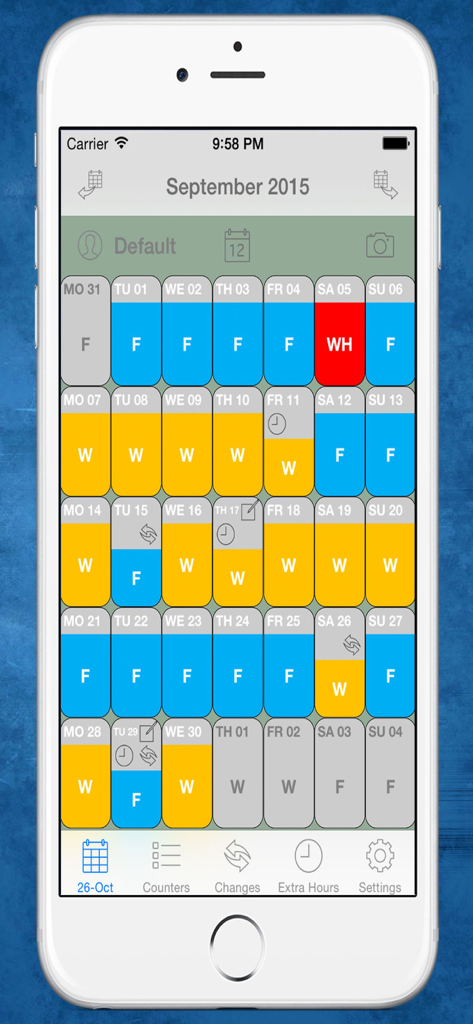
シフト勤務者向けの、色分けされた月間勤務カレンダーを表示するShift Cal PROモバイルアプリのインターフェース。
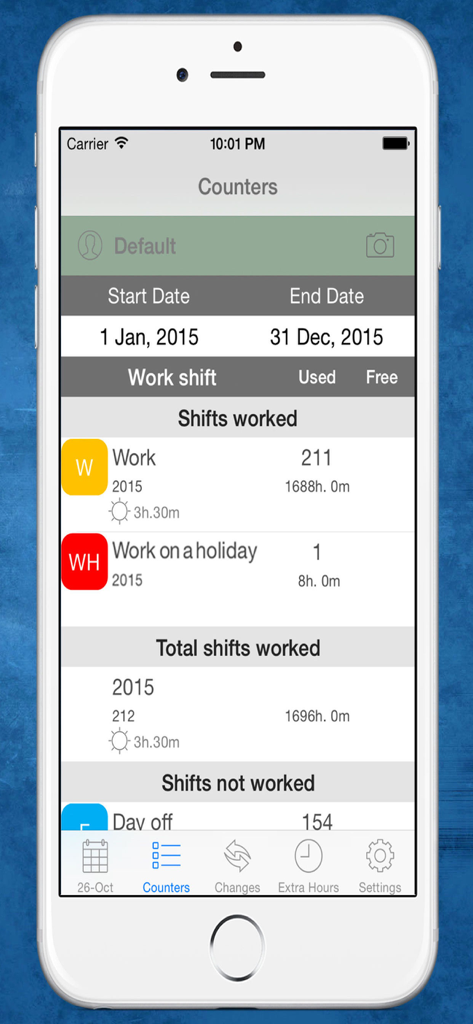
詳細な勤務シフト統計と年間の総労働時間を表示する、Shift Cal PROアプリのカウンタータブのスクリーンショット。
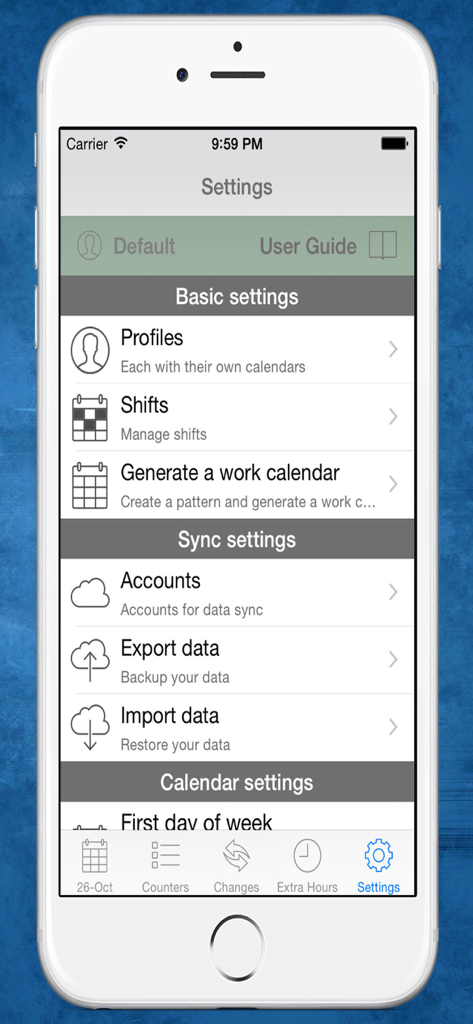
シフトとプロフィールの管理オプションを表示する、Shift Cal PROアプリの設定画面。
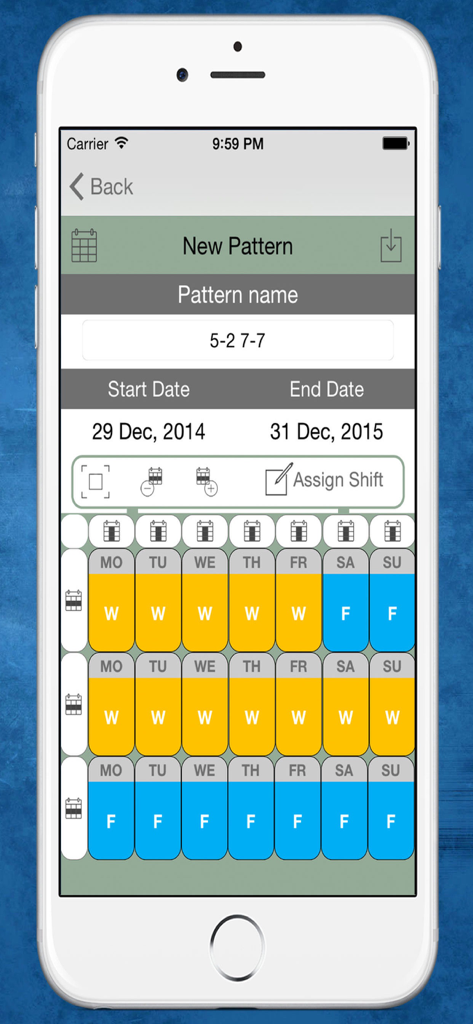
色分けされた日による交代制勤務スケジュールのパターンを作成するためのインターフェース。
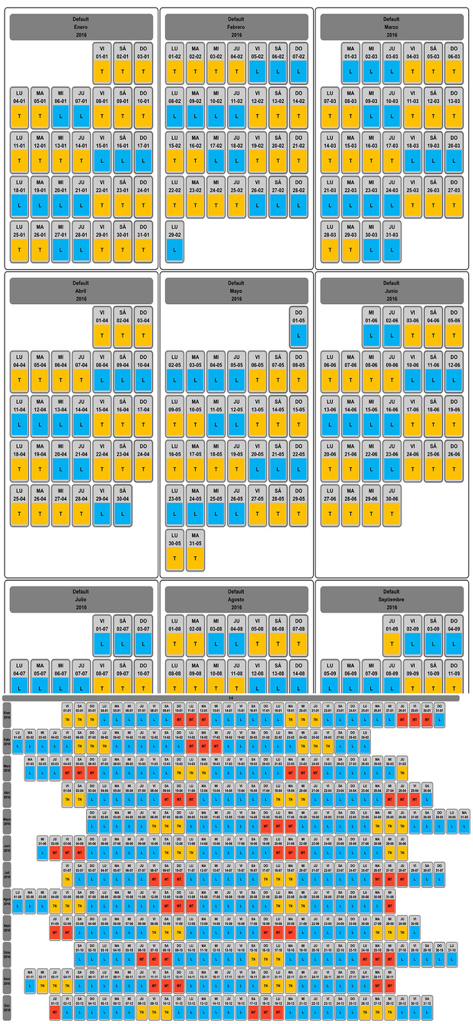
色分けされたシフトと休日を表示する、勤務シフトスケジュールの年間概要。
説明
Download
類似アプリ
同じカテゴリのトップランクアプリ

ChatGPT
OpenAI OpCo, LLC

Google Gemini
Google LLC

Grok
X.AI Corporation

Gmail - Email by Google
Google LLC

千问 - 阿里最强大模型官方AI助手
Shanghai Zhixin Puhui Technology Co., Ltd.

Google Drive
Google LLC

Microsoft Authenticator
Microsoft Corporation

Google Sheets
Google LLC

Google Docs
Google LLC
このページはアプリまたはその開発者の公式ページではなく、情報提供および論評を目的として作成された独立した編集出版物です。明示的に別段の記載がない限り、アプリおよびその開発者は、MWM、Apple、Google Play、アプリのパブリッシャー、またはアプリの開発者と提携、承認、後援、認可、またはその他の公式的な関係はなく、このページのいかなる内容も、アプリがMWMのサービスを使用して開発されたことを意味するものではありません。すべての商標、ロゴ、スクリーンショット、その他のコンテンツはそれぞれの所有者の財産です。