Shift Planning Calendar Pro
ダウンロード: App Store

このページはアプリまたはその開発者の公式ページではなく、情報提供および論評を目的として作成された独立した編集出版物です。明示的に別段の記載がない限り、アプリおよびその開発者は、MWM、Apple、Google Play、アプリのパブリッシャー、またはアプリの開発者と提携、承認、後援、認可、またはその他の公式的な関係はなく、このページのいかなる内容も、アプリがMWMのサービスを使用して開発されたことを意味するものではありません。すべての商標、ロゴ、スクリーンショット、その他のコンテンツはそれぞれの所有者の財産です。

ロゴ: Shift Planning Calendar Pro
ダウンロード: App Store

Shift Planning Calendar Pro

医療、サービス、物流のプロフェッショナル向けの究極のツール。1ヶ月分のシフトを30秒で入力し、友人と同期し、家族に簡単に最新情報を提供。

主要数値

ダウンロード

102K+

ユーザー評価

4.5/5

評価数

200

開発元

Kosuke Hamada

カテゴリ

Productivity

対応言語

6

最新バージョン

4.1

サイズ

34.7 MB

リリース日

2012年9月18日
機能

シフト管理をマスター

24時間年中無休の労働者のために設計。勤務時間を簡単に管理し、大切な人と同期し、自由な時間を再獲得。

30秒でシフト入力

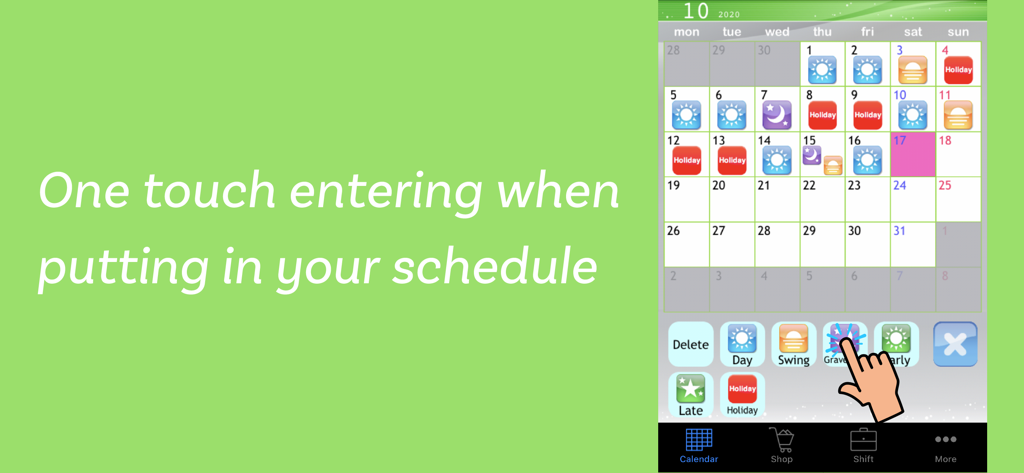
開始時間を入力するのをやめましょう。ワンタッチアイコンを使用して、月次シフトローテーション全体を数秒で、数分ではなく入力します。

家族・友人と同期

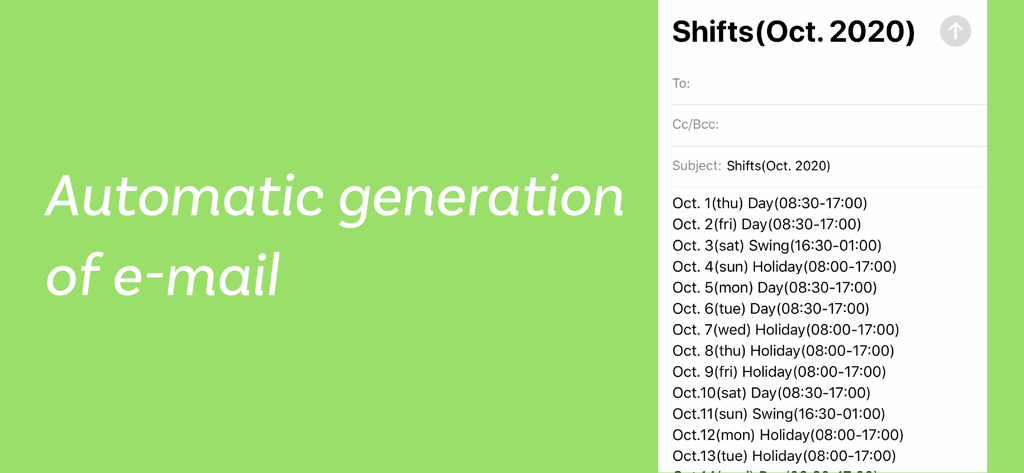
自動作成されたメールでパートナーに最新情報を提供し、友人とシフトを比較してお出かけに最適な日を見つけましょう。

以下のスクリーンショットと説明は、アプリの公式ストアリスティングから直接取得されたものであり、アプリ開発者の所有物です。

アプリストア

スクリーンショット
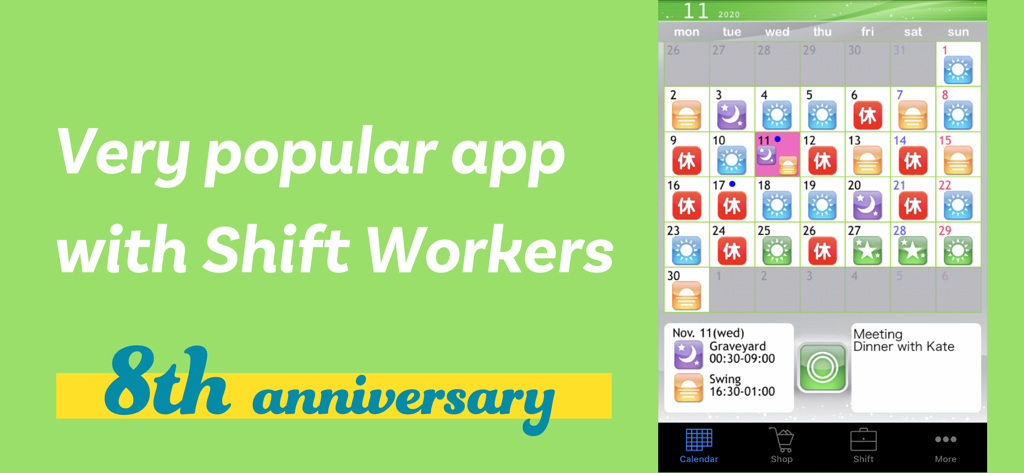
Shift Planning Calendar Pro - 夜勤と夕勤のシフトアイコンと特定の勤務時間が色分けされて表示されている月次カレンダーインターフェイス。
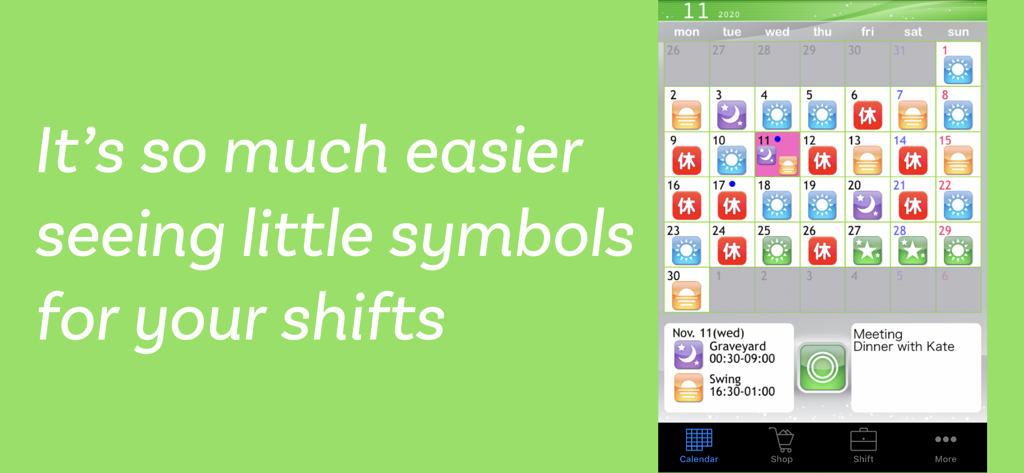
夜勤と夕勤のシフトアイコンと特定の勤務時間が色分けされて表示されている月次カレンダーインターフェイス。

Shift Planning Calendar Pro - カラフルなシフトアイコンと夜勤スケジュールの詳細なシフト情報で埋められた月次カレンダーを示すモバイルアプリのスクリーンショット。
カラフルなシフトアイコンと夜勤スケジュールの詳細なシフト情報で埋められた月次カレンダーを示すモバイルアプリのスクリーンショット。

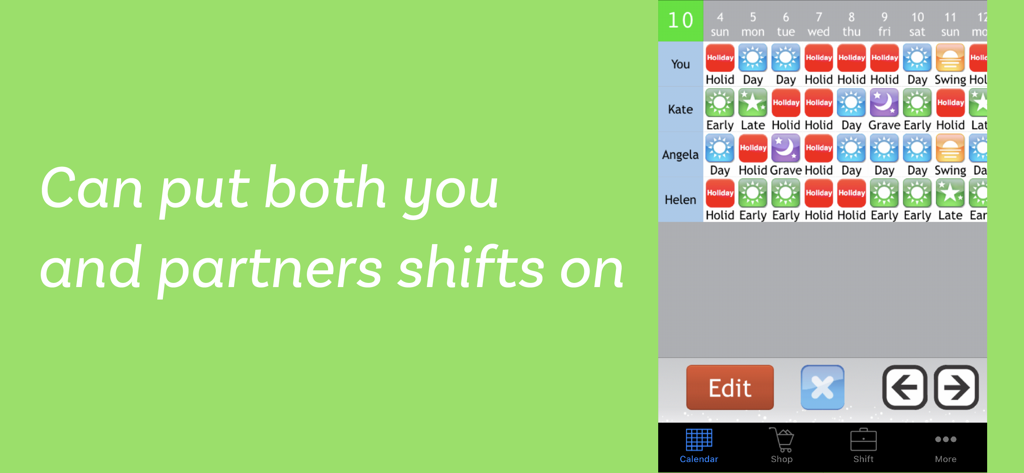
Shift Planning Calendar Pro - Shift Planning Calendar Proアプリで、パートナーや友人向けの複数のシフトスケジュールの並列比較。
Shift Planning Calendar Proアプリで、パートナーや友人向けの複数のシフトスケジュールの並列比較。

Shift Planning Calendar Pro - 月次カレンダーでのワンタッチシフト入力が表示されたShift Planning Calendar Proアプリのモバイルインターフェイス。
月次カレンダーでのワンタッチシフト入力が表示されたShift Planning Calendar Proアプリのモバイルインターフェイス。

Shift Planning Calendar Pro - 月次勤務シフトスケジュールを特徴とするメールの自動生成。

月次勤務シフトスケジュールを特徴とするメールの自動生成。

説明

This app provides powerful support for people who do shift work. This app was created based on comments like these. • Entering shifts on the calendar one by one is a lot trouble. > By using the Shift Input Function, you can fill in shifts for a whole month in less than 30 seconds. • I want to view shifts for me and my friends side by side when we're planning a day to hang out together. > By using the Shift List Function, you can quickly find out which day is best for everyone. • Writing emails when I want to tell my friends and family my shifts is difficult. > With the Autocreate Email Function, you can automatically create an email of your shift schedule with one touch. • I want to check my shifts quickly on the lock screen. > With the Calendar Snapshot Function, you can easily create an image of your calendar that can be used for the standby display. *** Main Features *** * You can use all of the features right from the start without having to purchase any add-ons. • Shift Input Mode You can fill in shifts on the calendar with simple one touch controls using icons. • Shift List Function You can manage shifts for multiple other users, and compare shifts for you and your friends on a single list. • Autocreate Email Function Creates an email of your work schedule with one touch. • Link with GoogleCalendar Outputs your shift schedule to GoogleCalendar. • Bluetooth Shift Exchange Function Exchange your shift information by bringing your iPhone/iPod Touch close together, similar to IR communication. • Calendar Snapshot Function Creates an image of your calendar that you can use as your lock screen or wallpaper. You can check your shifts quickly on your lock screen. • Launch App with URL Scheme open:ShiftWorkingCalendar open:shift *** User Reviews *** * Very helpful app. Makes life easier for shift workers. * Easy to use. Great for odd shifts. Love the icons. * Thanks it's easy to use and free * Absolutely fantastic. * Very handy for me and quick to use Easy to email to others * Very convenient. Nice app. * Glad a shift planner is free, without any adverts. * Just what I have been waiting for. Up till now, I have had to write shifts on calendar for my wife to see, and help plan. A simple email now does it all, great!

Download

ダウンロード: App Store

このページはアプリまたはその開発者の公式ページではなく、情報提供および論評を目的として作成された独立した編集出版物です。明示的に別段の記載がない限り、アプリおよびその開発者は、MWM、Apple、Google Play、アプリのパブリッシャー、またはアプリの開発者と提携、承認、後援、認可、またはその他の公式的な関係はなく、このページのいかなる内容も、アプリがMWMのサービスを使用して開発されたことを意味するものではありません。すべての商標、ロゴ、スクリーンショット、その他のコンテンツはそれぞれの所有者の財産です。








