Shoot Pro Webcam & Telestrator

Shoot Pro Webcam & Telestrator

ダウンロード: App Store
ロゴ: Shoot Pro Webcam & Telestrator

Shoot Pro Webcam & Telestrator: すべてのストリームのためのプロフェッショナルビデオコントロール

粗いWebカメラはもうやめ、高解像度の信頼性の高いビデオで始めましょう。完全なマニュアルコントロールでショットをマスターし、内蔵テレストレーターでリアルタイムにアイデアを説明しましょう。

ダウンロード: App Store

開発元

Good To Hear Ltd

カテゴリ

Photo & Video

ダウンロード

66K+

ユーザー評価

4.5/5

評価数

800

対応言語

6

すべてのフレームでプログレード

このインターフェースを利用する 66K+ 人のユーザー.

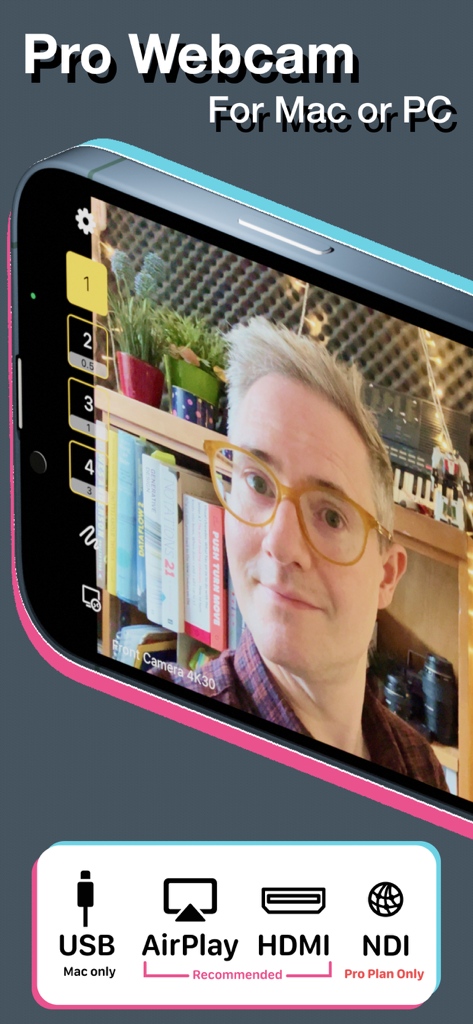
Shoot Pro Webcamアプリのインターフェース。高品質のビデオフィードと、USB、AirPlay、HDMI、NDIの接続オプションが表示されています。
Shoot Pro Webcamアプリのインターフェース。高品質のビデオフィードと、USB、AirPlay、HDMI、NDIの接続オプションが表示されています。

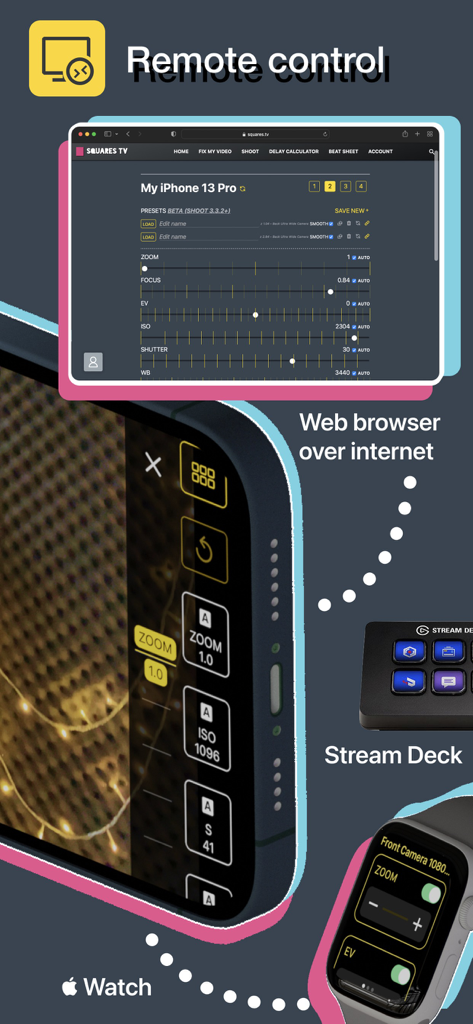
Shoot Pro Webcamのリモートコントロールオプション。Webブラウザ、Apple Watch、Stream Deckが含まれています。
Shoot Pro Webcamのリモートコントロールオプション。Webブラウザ、Apple Watch、Stream Deckが含まれています。

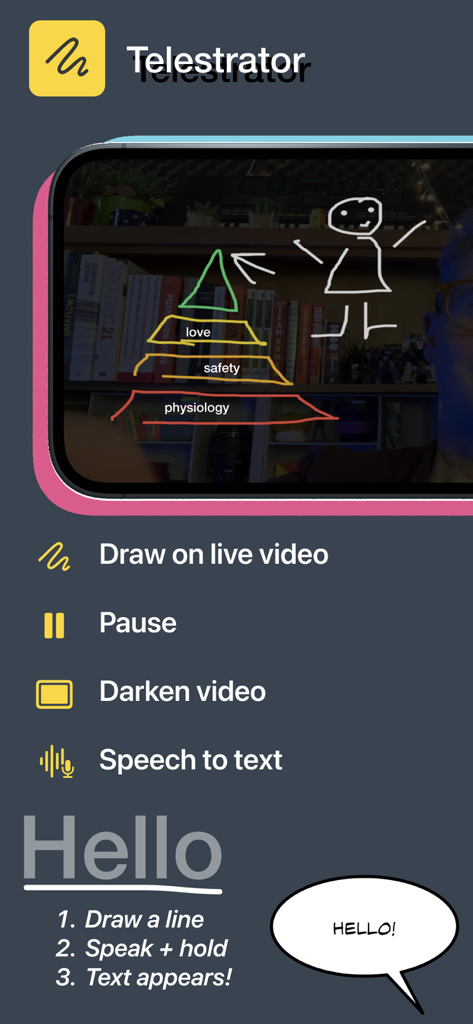
Shoot Pro Webcamのモバイルアプリインターフェース。ライブビデオに描画するためのテレストレーター機能と、音声認識テキストによる指示が表示されています。
Shoot Pro Webcamのモバイルアプリインターフェース。ライブビデオに描画するためのテレストレーター機能と、音声認識テキストによる指示が表示されています。

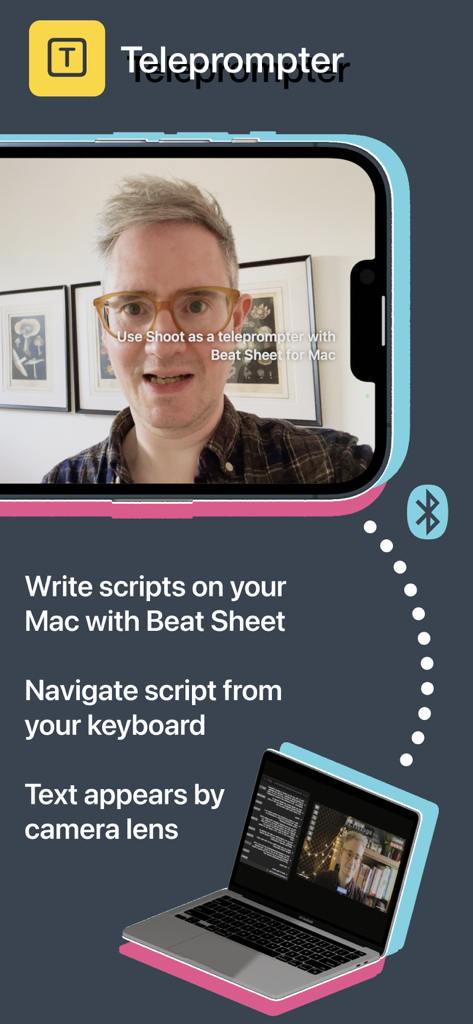
Shoot Pro Webcamアプリ。スクリプト読み取りのためにMacと同期されたテレプロンプター機能が表示されています。
Shoot Pro Webcamアプリ。スクリプト読み取りのためにMacと同期されたテレプロンプター機能が表示されています。

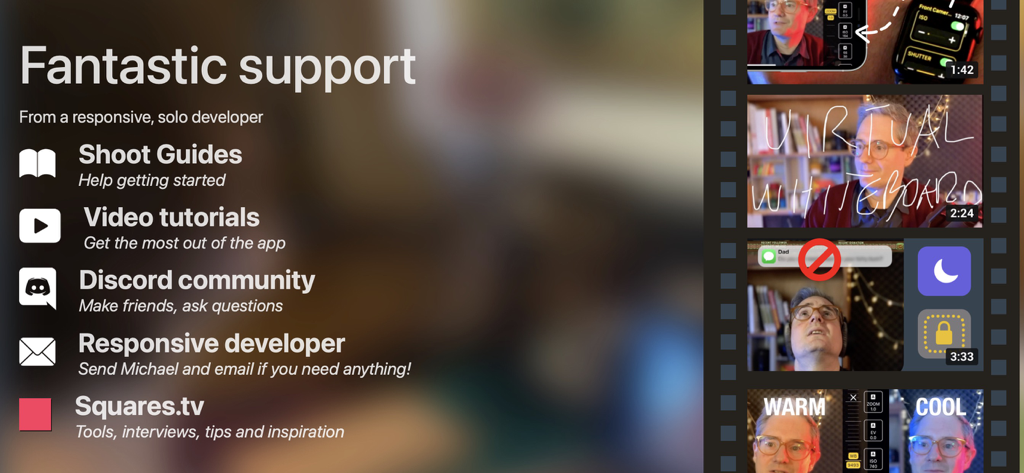
Shoot Pro Webcamアプリのサポートオプションリスト。ガイド、ビデオチュートリアル、Discordコミュニティが含まれています。
Shoot Pro Webcamアプリのサポートオプションリスト。ガイド、ビデオチュートリアル、Discordコミュニティが含まれています。

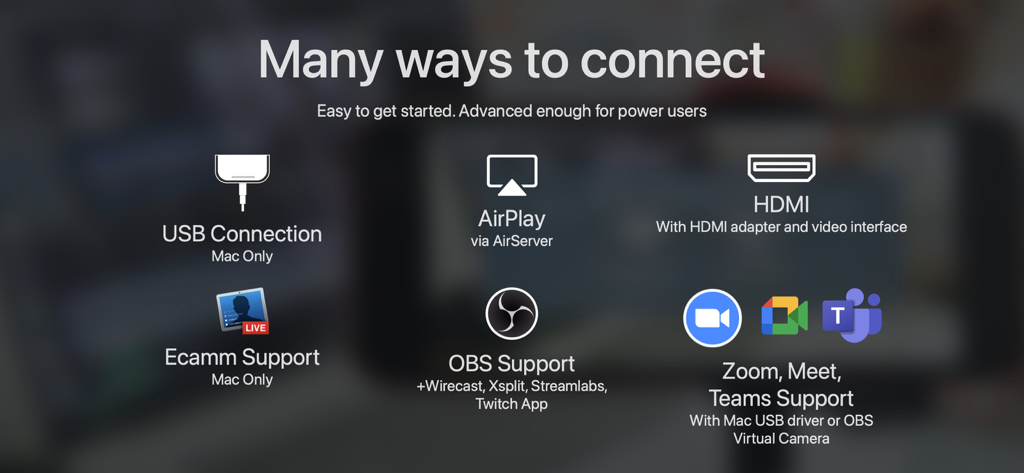
Shoot Pro Webcamの接続オプションの概要。USB、HDMI、AirPlay、OBS、Zoomが含まれています。
Shoot Pro Webcamの接続オプションの概要。USB、HDMI、AirPlay、OBS、Zoomが含まれています。

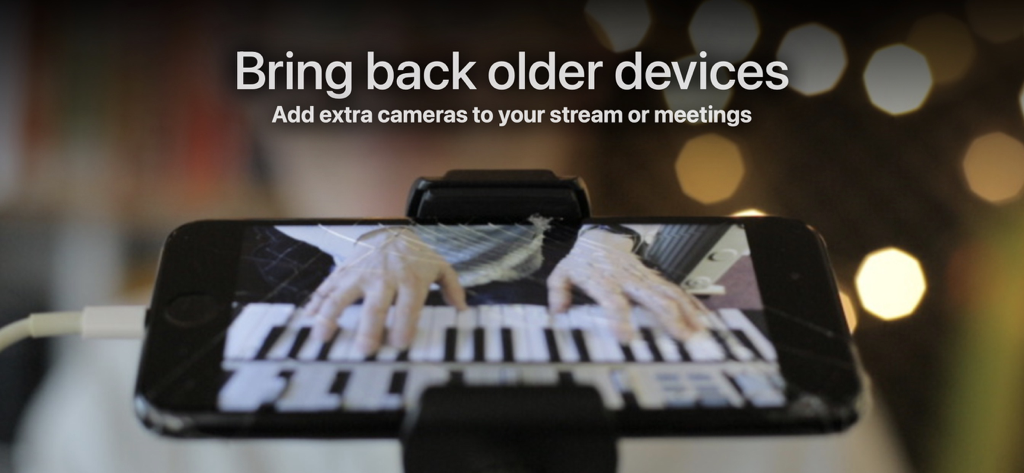
三脚に取り付けられたiPhoneが、ライブピアノ演奏をストリーミングするためのWebカメラとして使用されています。
三脚に取り付けられたiPhoneが、ライブピアノ演奏をストリーミングするためのWebカメラとして使用されています。

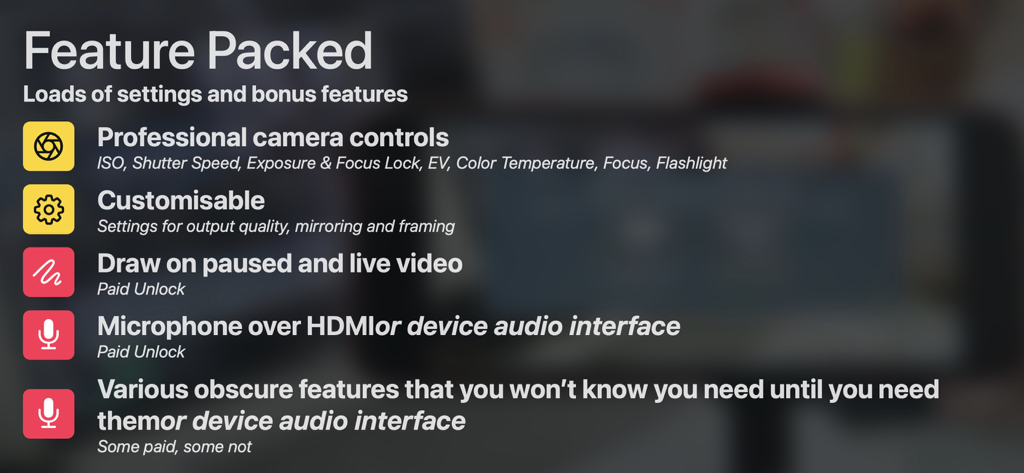
Shoot Pro Webcamの機能リスト。プロフェッショナルカメラコントロール、描画ツール、オーディオインターフェースオプションが含まれています。

Shoot Pro Webcamの機能リスト。プロフェッショナルカメラコントロール、描画ツール、オーディオインターフェースオプションが含まれています。

プロフェッショナルなコントロールでストリームをレベルアップ

このアプリを際立たせるツール、 66K+ 人のユーザーが選択.

🎛️

完全なマニュアルカメラコントロール

オートフォーカスや一貫性のない露出のハンティングをなくしましょう。ISO、シャッタースピード、ホワイトバランスを完全に制御し、プロフェッショナルな肌の色調と照明を確保しましょう。

✏️

ライブテレストレーター&アノテーション

ビデオフィードに直接描画して視聴者を引き込みましょう。音声認識テキストで即座にラベルを付けたり、ライブストリームを一時停止して複雑な点を説明したりしましょう。

ラグフリー、信頼性の高い接続

不安定なWi-FiやグリッチのあるNDIプラグインはもう忘れてください。USBまたはHDMI経由で接続し、低遅延、60fpsのブロードキャストで、プレゼンテーション全体を通して信頼性を保ちましょう。

アプリについて

について知っておくべきこと Shoot Pro Webcam & Telestrator.

説明

Shoot gives you a rock-solid connection to your iOS device’s camera for meetings and live streams. It's easy to connect and you get full manual camera controls when you need them. With Shoot's telestrator you can draw and add text (using your voice) on top of your video feed to quickly illustrate a point on-camera, or annotate whatever your camera is pointed at. You can pause the video to make this easier. Connect to your computer over USB*, HDMI or AirPlay and stream live from Ecamm, OBS, Zoom or other streaming or meeting apps, for a professional-looking live stream. Shoot is used thousands of times every month for everything from live music, DJ sets, podcasts, gaming and webinars, to church services, in classrooms, for sports, art, crafting, and even bingo, magic shows, puppet shows and drag shows. WHY IS SHOOT’S CONNECTION SO RELIABLE? Streaming high-definition video is a resource-intensive activity and apps that don’t use native Screen Mirroring have the odds stacked against them. This is why apps that create their own USB connection to an OBS plugin, or broadcast over NDI are inherently prone to instability, high latency, freezes, crashes, lost connections and other random problems. TWEETS AND REVIEWS Streamers with huge followings love this app. "@michaelforrest thank you for your camera app, it’s amazing." — Alexandra Botez (@alexandravbotez) August 3, 2021 There are lots of great reviews too. “The best app to turn your iPhone into a webcam by far!” - Talks Of Our Time Podcast “Fantastische Software!” - Zahn–Rat “Essential app for educators [...] Developer is super responsive and friendly!” - 0301chris See the website at shoot.clean.camera for more tweets and reviews. FEATURES • Gestures allow focus locking, zooming • Overlays disappear • Full manual control of ISO, Shutter Speed, EV± Exposure Bias, Manual Focus, White Balance Lock and Color Temperature • Guides to help you get set up on Mac and PC • Supports older devices - iOS 12 and newer • Battery-saving mode preserves resources • 60fps, vertical video - whatever you need is probably in Settings • Disable image stabilisation if your kick drum is causing the camera to judder • Apple Watch App for switching cameras, controlling zoom, exposure, focus and white balance so you can adjust the picture from where you’re sitting or standing • Virtual Green Screen [Experimental] • Portrait Effect [Experimental] TELEPROMPTER • Record scripted videos using Beat Sheet for Mac with Shoot's teleprompter feature TELESTRATOR [Pro Plan] • Draw over footage with Shoot's virtual whiteboard. • Pause live video to draw on top of it. • Draw an underline and speak to add text. REMOTE CONTROL VIA ANY BROWSER [Pro Plan] • Control your camera's settings in real time from any web browser GRIDS [Pro Plan] A grid overlay is a simple but effective way to make your footage look more professional. MICROPHONE [Pro Plan] Send phone audio audio over HDMI.

最新バージョン

3.13.3

サイズ

25.3 MB

リリース日

2015年2月18日

粗いWebカメラはもうやめ、プロ品質でストリーミングを始めましょう。

66,000人以上のクリエイター、教育者、プロが、ラグのない高解像度ビデオとインタラクティブなテレストレーションのためにShootを信頼しています。

ダウンロード: App Store

App information, icons, screenshots, and descriptions displayed on this page are sourced from the Apple App Store and are the property of their respective developers. Download estimates and rankings are based on MWM's proprietary models and may not reflect actual figures. This page is provided for informational and analytical purposes only.

Believe this page infringes your intellectual property? File a dispute