Signature Creator: Signing app

Signature Creator: Signing app

ダウンロード: App Store
ロゴ: Signature Creator: Signing app

署名作成ツール:署名アプリ – 即座に署名、送信、契約完了

プリンターは捨てて、ペーパーレス化しましょう。iPhoneまたはiPadから、プロフェッショナルな手書き署名を作成し、書類をスキャンし、あらゆるPDFに即座に署名できます。

開発元

CRECODE IT PROFESSIONALS (Private) Limited

カテゴリ

Productivity

ダウンロード

1K+

ユーザー評価

4.0/5

評価数

0

対応言語

33

シンプルさを体験する

このインターフェースを利用する 1K+ 人のユーザー.

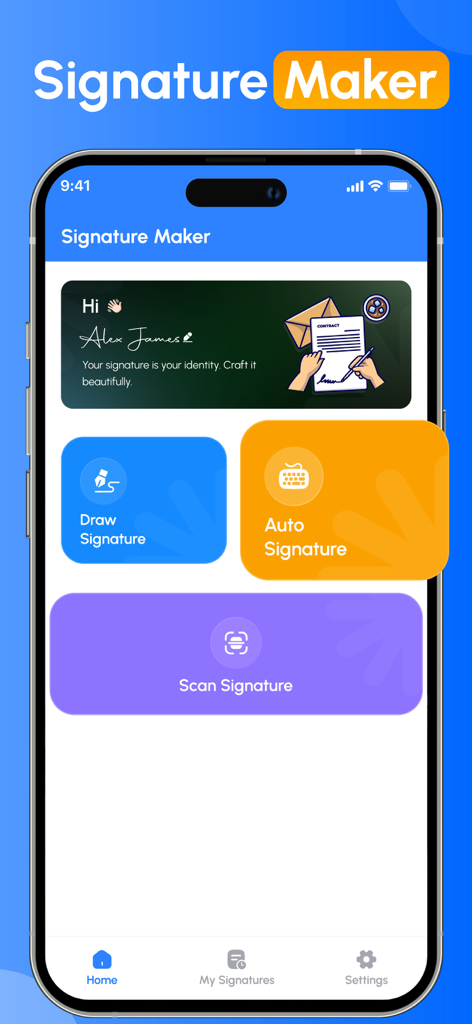
署名作成アプリのダッシュボード。署名の描画、自動生成、スキャンのオプションが表示される
署名作成アプリのダッシュボード。署名の描画、自動生成、スキャンのオプションが表示される

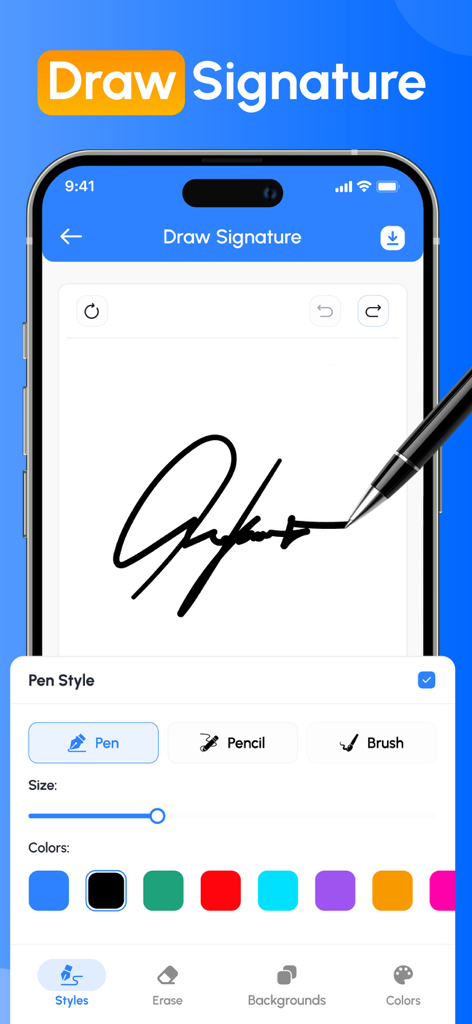
モバイルアプリ画面。カスタマイズ可能なペン スタイルと色で、手書きの署名が描画されている様子を表示
モバイルアプリ画面。カスタマイズ可能なペン スタイルと色で、手書きの署名が描画されている様子を表示

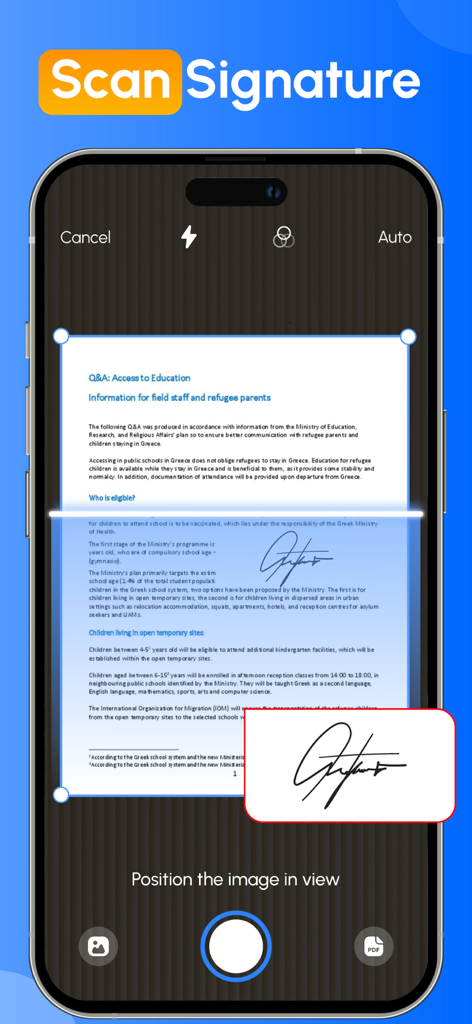
スマートフォン画面。カメラを使用して、紙の文書から手書きの署名をスキャンしている様子を表示
スマートフォン画面。カメラを使用して、紙の文書から手書きの署名をスキャンしている様子を表示

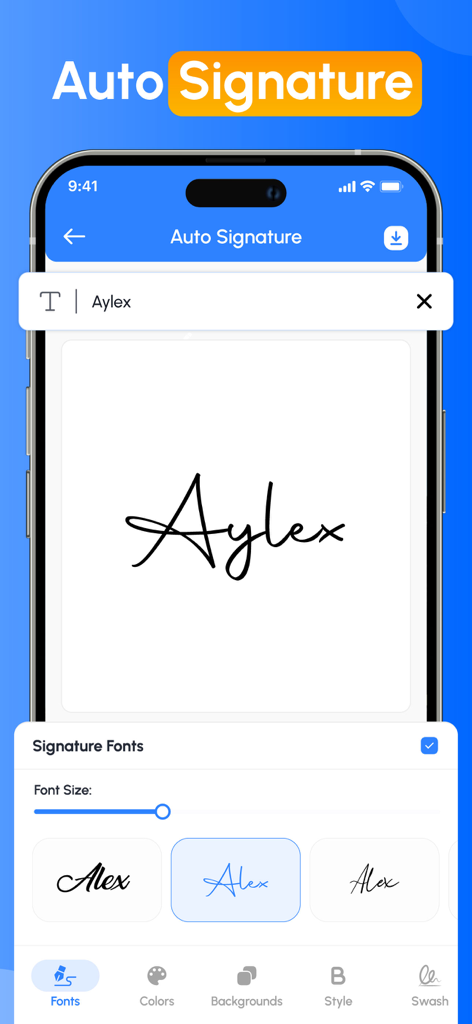
署名作成アプリのインターフェイス。自動署名を作成するためのさまざまな手書きフォント スタイルを表示
署名作成アプリのインターフェイス。自動署名を作成するためのさまざまな手書きフォント スタイルを表示

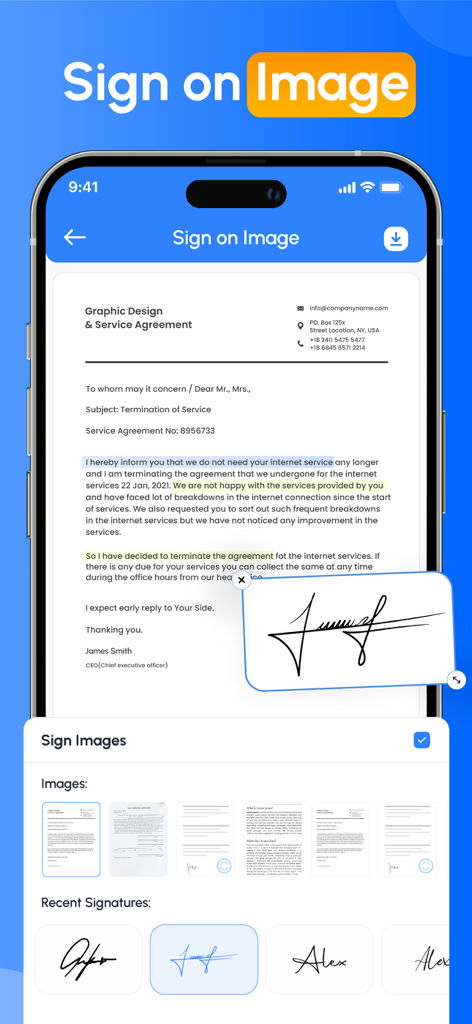
スマートフォン インターフェイス。プロフェッショナルサービス契約書に、デジタル手書き署名が適用されている様子を表示
スマートフォン インターフェイス。プロフェッショナルサービス契約書に、デジタル手書き署名が適用されている様子を表示

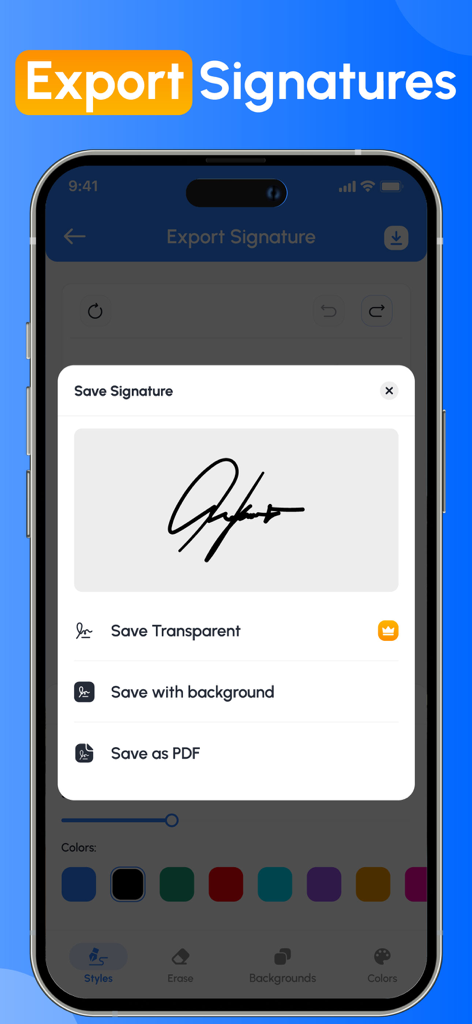
署名作成アプリのインターフェイス。透明な画像、背景付き、またはPDFとしてデジタル署名を保存するオプションを表示
署名作成アプリのインターフェイス。透明な画像、背景付き、またはPDFとしてデジタル署名を保存するオプションを表示

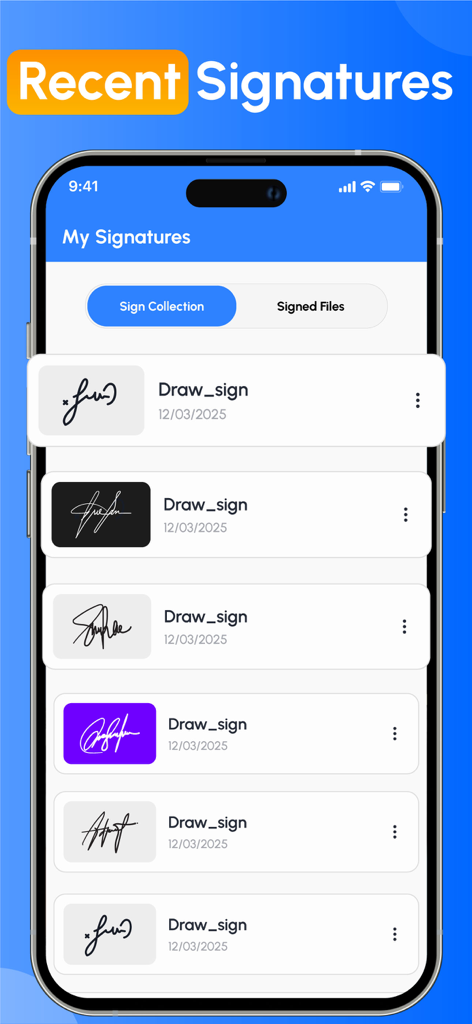
署名作成アプリのインターフェイス。さまざまなスタイルと背景色の保存済みデジタル署名のリストを表示

署名作成アプリのインターフェイス。さまざまなスタイルと背景色の保存済みデジタル署名のリストを表示

現代のプロフェッショナルのための簡単署名

このアプリを際立たせるツール、 1K+ 人のユーザーが選択.

ワンタップで即座に署名

指またはApple Pencilで画面上で直接契約書やフォームに署名し、取引を迅速に完了させましょう。ハードウェアは不要です。

✍️

カスタムプロフェッショナルブランディング

調整可能なスタイルと色でユニークなデジタルサインを作成し、あなたの署名があなたのプロフェッショナルなイメージにふさわしいものになるようにしましょう。

📁

スキャンしてどこでも再利用

物理的な署名を安全にスキャンし、あらゆるPDF、クラウド文書、オフィスワークフローで即座に使用できるように保存しましょう。

アプリについて

について知っておくべきこと Signature Creator: Signing app.

説明

Forget the hassle of printing, scanning, and complicated e signature app processes! With the Signature Maker app, you can sign any document file in just a few clicks, easy and stress-free. Just tap or click to sign with your finger. Easily add your e signature app, dates, and any other text to your document, then instantly create a signed PDF that's ready to share or store. No more paperwork, no more delays, just a quick and secure signature at your fingertips. This app provides the user with the easiest way to sign PDF or document without the need of any physical paper and pen.signature creator & Signature Maker app gives you all the features you need for your everyday signature needs. Key Features of Sign Maker App - Create handwritten signatures with a custom autograph editor - Scan your signature directly from your device camera. - Auto-sign your document by just entering your name in the text box provided. - Customise your signature with unique backgrounds to make it more enhanced. - Adjust colour, size, rotation and style to design the perfect digital signature. - Save your official signature to reuse in multiple Documents. Simplify your workflow with Fill by reusing commonly used signatures or text. Customise your signature text for quick access. See How Signature Maker Works to Simplify Your Life - Import documents from your device. - Add a e signature app to your given document. - Save your file and share it wherever you want This document and PDF signer saves your valuable time. It is also very useful for users who want to create their own digital signature using the autograph signature creator tool. Want to build your own electronic signature feature, this is the perfect solution for anyone who needs a reliable e-signature tool. Apart from this, this app also allows you to reuse your old signature. Our Benefits ◉ Create your name in style and sign it in your personal or professional document. ◉ Sign your official contracts with just a single tap on your mobile screen. ◉ Create your own signature without the need for pen or paper Just scan, fill out any form, sign, and send quickly to others. ◉ Transfer files to multiple recipients in a variety of ways, such as direct downloads of files in other formats, or sharing folders. ◉ The Signature Maker app gives you the flexibility to share your completed files when needed. ◉ Invites Your Families, Friends or colleagues to fill & sign document files in seconds. Close your important deals with the easiest and fastest process that requires a signature. Get things done quickly, safely and hassle-free, so you can focus on what matters most. From personal autographs to professional document signing, the app offers everything you need. You can also import the related image of your signature creator into a PDF or document file using the Signature Maker app. Download the Signature Maker app now! And easily create your own electronic signatures and easily share signed documents on all social media platforms. Privacy policy: https://crecode.uk/privacy-policy/ Terms of use: https://crecode.uk/terms-of-use/

最新バージョン

1.7

サイズ

26.8 MB

リリース日

2025年6月2日

次の大きな取引に署名する準備はできましたか?

プリンターとはもうおさらば。秒速で署名・送信・成功を収めている何千人ものプロフェッショナルに加わりましょう。今すぐ署名メーカーを入手して、どこからでもビジネスを進めましょう。

ダウンロード: App Store

App information, icons, screenshots, and descriptions displayed on this page are sourced from the Apple App Store and are the property of their respective developers. Download estimates and rankings are based on MWM's proprietary models and may not reflect actual figures. This page is provided for informational and analytical purposes only.

Believe this page infringes your intellectual property? File a dispute