Simple Shifts
Simple Shifts
ダウンロード: App Store

このページはアプリまたはその開発者の公式ページではなく、情報提供および論評を目的として作成された独立した編集出版物です。明示的に別段の記載がない限り、アプリおよびその開発者は、MWM、Apple、Google Play、アプリのパブリッシャー、またはアプリの開発者と提携、承認、後援、認可、またはその他の公式的な関係はなく、このページのいかなる内容も、アプリがMWMのサービスを使用して開発されたことを意味するものではありません。すべての商標、ロゴ、スクリーンショット、その他のコンテンツはそれぞれの所有者の財産です。


ロゴ: Simple Shifts
ダウンロード: App Store

Simple Shifts

出勤・退勤の自動化を実現するジオフェンシング。サブスクリプションも広告もなし。毎月の料金なしで、シフト、請求書、メモをよりスマートに管理できます。

主要数値

ダウンロード

0

ユーザー評価

1.0/5

評価数

0

開発元

16088163 Canada Inc.

カテゴリ

Productivity

対応言語

1

最新バージョン

2.2

サイズ

4.1 MB

リリース日

2025年8月17日
機能

忙しいあなたのための楽々トラッキング

手作業での記録に時間を浪費するのはやめましょう。Simple Shiftsは、スマートなジオフェンシングとサブスクリプション料金ゼロで、あなたの仕事日を自動化します。

自動ジオフェンシング

もう出勤を忘れることはありません。当社のバッテリー効率の良い技術は、職場に入った瞬間に自動的に勤務時間を追跡します。

永遠にサブスクリプションフリー

月額料金、隠れたコスト、そして広告は一切ありません。現代の時給制労働者のために特別に設計されたプロフェッショナルツールを手に入れましょう。

以下のスクリーンショットと説明は、アプリの公式ストアリスティングから直接取得されたものであり、アプリ開発者の所有物です。

アプリストア

スクリーンショット
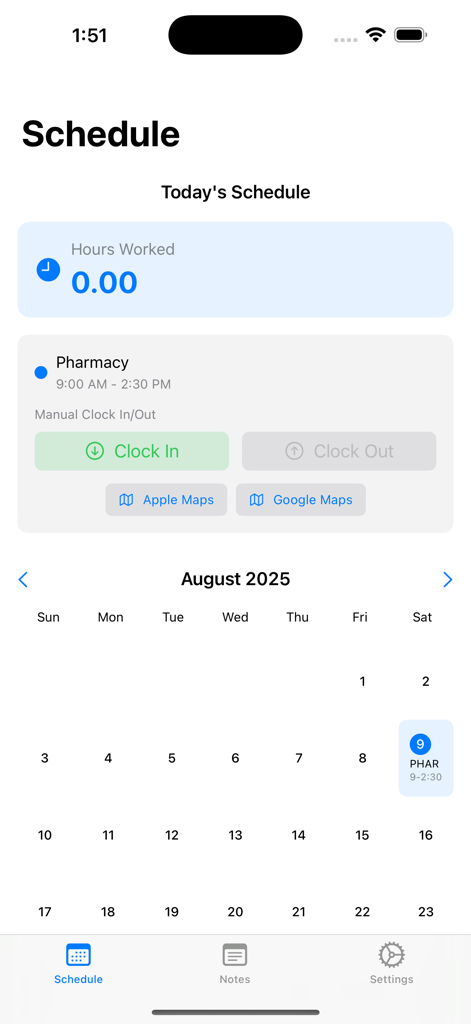
Simple Shifts - Simple Shiftsアプリのインターフェース。カレンダーと手動の出勤ボタンが表示された勤務スケジュールを表示。
Simple Shiftsアプリのインターフェース。カレンダーと手動の出勤ボタンが表示された勤務スケジュールを表示。

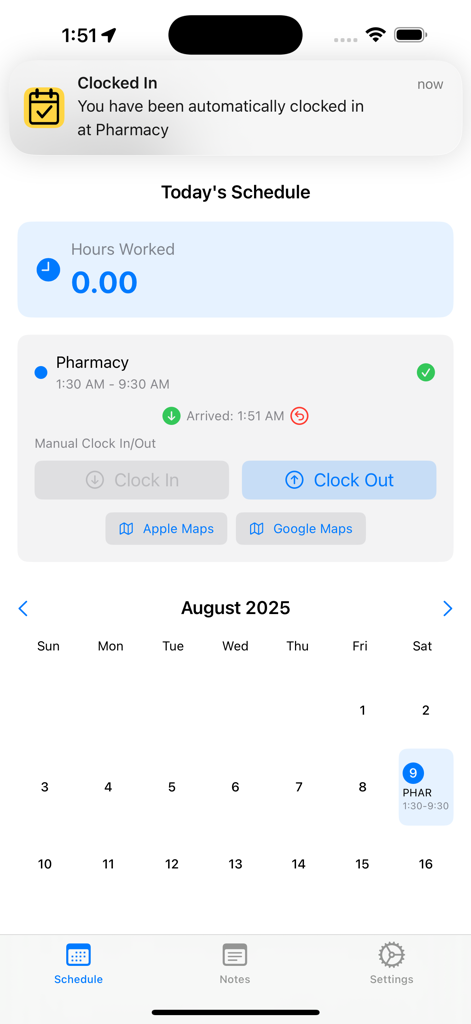
Simple Shifts - Simple Shiftsアプリのインターフェース。自動出勤通知と今日の勤務スケジュールを表示。
Simple Shiftsアプリのインターフェース。自動出勤通知と今日の勤務スケジュールを表示。

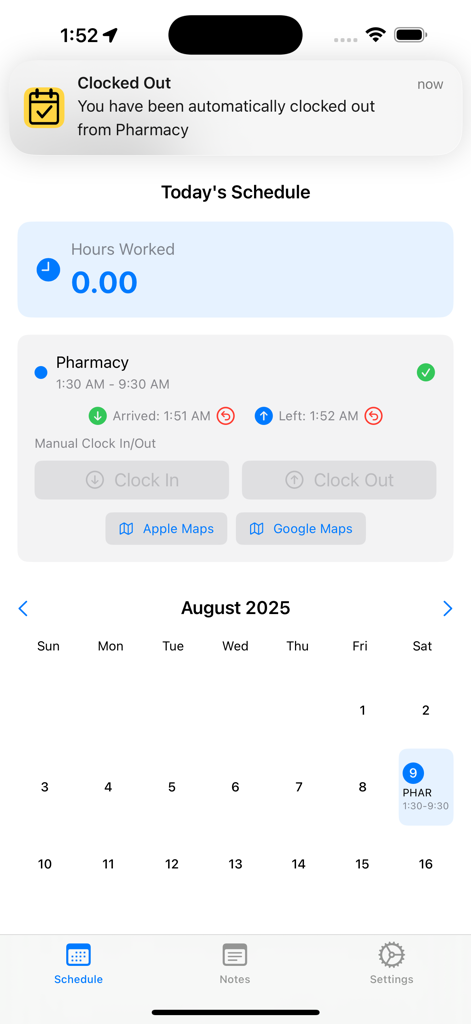
Simple Shifts - Simple Shiftsアプリの画面。自動退勤通知と、到着・出発時刻が表示された日次スケジュールを表示。
Simple Shiftsアプリの画面。自動退勤通知と、到着・出発時刻が表示された日次スケジュールを表示。

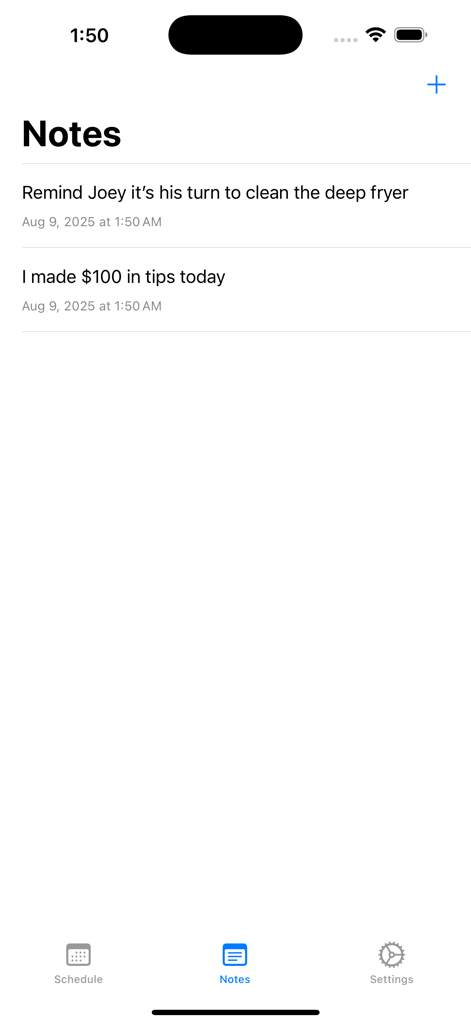
Simple Shifts - Simple Shiftsアプリのメモ画面。仕事のリマインダーとチップ記録を表示。
Simple Shiftsアプリのメモ画面。仕事のリマインダーとチップ記録を表示。

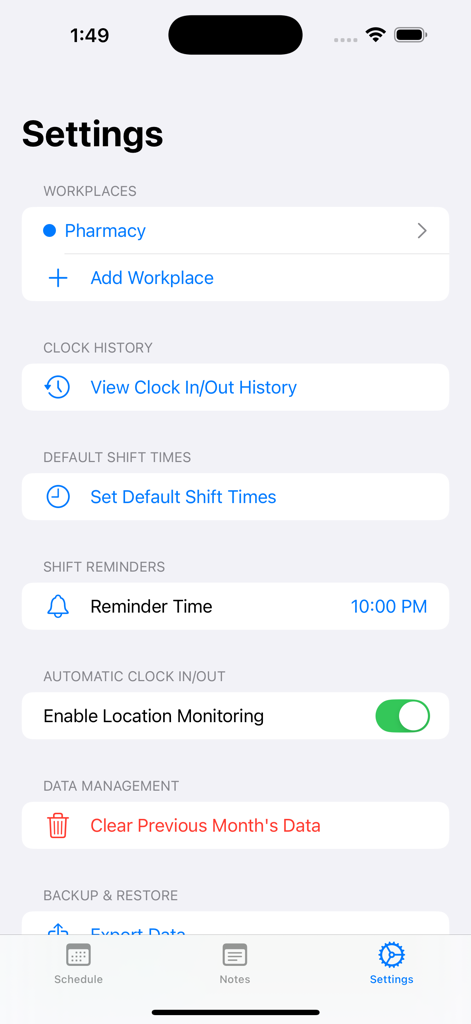
Simple Shifts - Simple Shiftsアプリの設定画面。職場管理と自動出勤オプションを表示。
Simple Shiftsアプリの設定画面。職場管理と自動出勤オプションを表示。

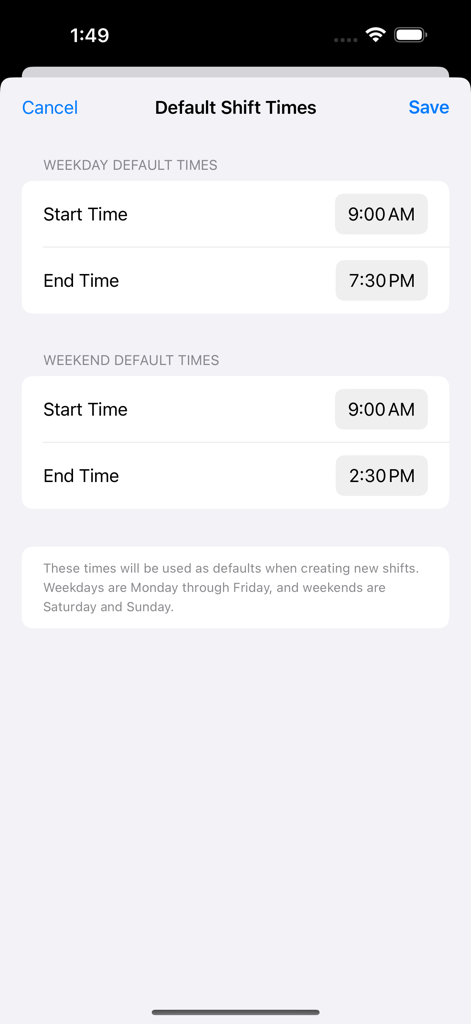
Simple Shifts - Simple Shiftsアプリのデフォルトシフト時間設定画面。平日と週末の開始・終了時刻設定を表示。
Simple Shiftsアプリのデフォルトシフト時間設定画面。平日と週末の開始・終了時刻設定を表示。

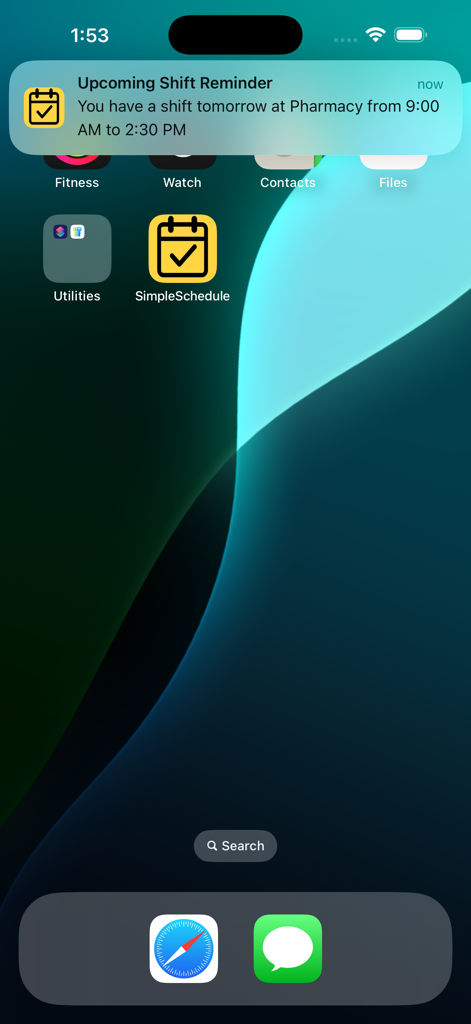
Simple Shifts - iPhoneのホーム画面。Simple Shiftsからのシフトリマインダー通知を表示。

iPhoneのホーム画面。Simple Shiftsからのシフトリマインダー通知を表示。

説明

Easily track your hours with automatic clock in and out when arriving and leaving work! Simple Shifts is for anyone who wants to effortlessly keep track of their work hours. No subscriptions and ad-free! On the Schedule tab, simply tap and hold on any day of the week to add the start and end times of your shift along with your workplace. It will be entered into the calendar and you'll be reminded of your shift the day before the shift starts. When you arrive for your shift, you will be automatically clocked in upon your arrival and you will be automatically clocked out upon your departure for accurate hour calculations - just make sure to enter your work's address accurately in the Settings tab (see below) and that Location Access is set to ALWAYS in iPhone's Settings The Notes tab provides an opportunity to make shift notes before, during, and after shifts to refer to later on if needed. The newly added Invoice History tab allows you to view a list of invoices previously submitted. The Settings tab is where you have control over several aspects of the app: 1. You can enter multiple workplaces and their addresses (as well as abbreviations which appear on the calendar) 2. Clock in/out history 3. Default shift times so that you don't have to keep entering the same time over and over again on the calendar 4. Shift reminder time. You will be reminded of your upcoming shift at this time a day before the shift starts. 5. Location Monitoring - This must be turned on and Location Access in iPhone's Setting menu must be set to ALWAYS in order for automatic clock in and out to work properly. 6. Clear previous months' shifts. 7. You can manually import and export data for use later on. Please note that this app uses GPS and that Location Access must be set to ALWAYS for automatic clock in and clock out to work. If you prefer, you can disable it and manually clock in and manually clock out. This app does not use constant GPS live location tracking. It uses geofencing which only activates the GPS once the boundary to your workplace is crossed. This ensures minimal battery impact, even when running in the background. This app automatically uploads data to iCloud. This makes it easy to switch to new devices while keeping all your data. You also don't have to worry if your app gets accidentally deleted. You also have the option of manually saving your data anywhere you like.

Download

ダウンロード: App Store

このページはアプリまたはその開発者の公式ページではなく、情報提供および論評を目的として作成された独立した編集出版物です。明示的に別段の記載がない限り、アプリおよびその開発者は、MWM、Apple、Google Play、アプリのパブリッシャー、またはアプリの開発者と提携、承認、後援、認可、またはその他の公式的な関係はなく、このページのいかなる内容も、アプリがMWMのサービスを使用して開発されたことを意味するものではありません。すべての商標、ロゴ、スクリーンショット、その他のコンテンツはそれぞれの所有者の財産です。








