
このページはアプリまたはその開発者の公式ページではなく、情報提供および論評を目的として作成された独立した編集出版物です。明示的に別段の記載がない限り、アプリおよびその開発者は、MWM、Apple、Google Play、アプリのパブリッシャー、またはアプリの開発者と提携、承認、後援、認可、またはその他の公式的な関係はなく、このページのいかなる内容も、アプリがMWMのサービスを使用して開発されたことを意味するものではありません。すべての商標、ロゴ、スクリーンショット、その他のコンテンツはそれぞれの所有者の財産です。


ダウンロード
2.5M+ユーザー評価
評価数
123開発元
カテゴリ
Productivity対応言語
24最新バージョン
16.3.3サイズ
104.1 MBリリース日
2022年2月16日新デバイス移行におけるデータ転送の課題解決とユーザー影響評価
Smart Switch my Phone アプリケーション分析
異種OS間データ転送
AndroidからiOS、またはその逆へのデータ移行を可能にし、異なるOS間のデバイスアップグレードにおける主要な障壁を取り除きます。
ケーブル不要な高速直接転送
インターネット接続、ケーブル、Bluetoothなしで、独自のWiFiホットスポットを介してデバイス間でデータを直接転送します。これにより、最大200倍高速なデータ転送を実現し、ユーザーは複雑な設定なしに迅速な移行が可能です。
エンドツーエンド暗号化によるセキュアなデータ保護
転送されるすべてのデータはエンドツーエンドで暗号化されるため、ユーザーの個人情報や機密性の高いファイルが移行プロセス中に保護されます。
包括的なデータタイプ移行
連絡先、写真、ビデオ、メッセージ、音楽など、スマートフォンに保存されている主要な個人データを網羅的に転送することが可能です。
選択的ファイル共有機能
ユーザーは、すべてのデータを転送する代わりに、特定のファイルやデータカテゴリを選択して移行できます。また、単一ファイルの共有モジュールも提供されます。
QRコードによる簡単接続
受信側のデバイスでQRコードをスキャンするだけで、迅速かつ簡単にデバイス間の接続を確立し、転送プロセスを開始できます。
直感的で使いやすいユーザーインターフェース
よくデザインされ、使いやすいユーザーインターフェースを備えているため、技術的な知識が少ないユーザーでも迷うことなくデータ転送を実行できます。
転送履歴と進捗状況の表示
過去の転送履歴を一覧で確認できるほか、現在の転送にかかる推定完了時間が表示され、ユーザーはプロセスの進捗を把握できます。
よくある質問
について知っておくべきこと Smart Switch my Phone
How does Smart Switch my Phone transfer data?
Smart Switch my Phone transfers data by creating a WiFi hotspot. It operates without requiring an internet connection, physical cables, or Bluetooth, facilitating direct device-to-device transfer.
What types of data can Smart Switch my Phone transfer?
Smart Switch my Phone transfers contacts, photos, videos, messages, and music. Users can select specific data types or even share single files between devices.
Is data transfer secure with Smart Switch my Phone?
Yes, data transfer with Smart Switch my Phone is secure. It uses end-to-end encryption for all data being transferred between devices.
Does Smart Switch my Phone support cross-platform data transfer?
Yes, Smart Switch my Phone supports cross-platform data transfer. It allows users to move data between any device and iPhone, including Android to iOS and vice versa.
What are the subscription plans for Smart Switch my Phone?
Smart Switch my Phone offers a Monthly subscription for $3.99, a Quarterly for $5.99, and an Annual for $9.99. All prices include applicable local sales taxes.
How fast is data transfer with Smart Switch my Phone?
Data transfer speeds with Smart Switch my Phone are up to 200 times faster than Bluetooth. This allows for large amounts of data to be transferred quickly.
How do I initiate a data transfer using Smart Switch my Phone?
The sender selects files, presses "Share," and the app creates a personal hotspot with a QR code. The receiver scans this QR code to establish the connection and begin the transfer.
以下のスクリーンショットと説明は、アプリの公式ストアリスティングから直接取得されたものであり、アプリ開発者の所有物です。
アプリストア
スクリーンショット
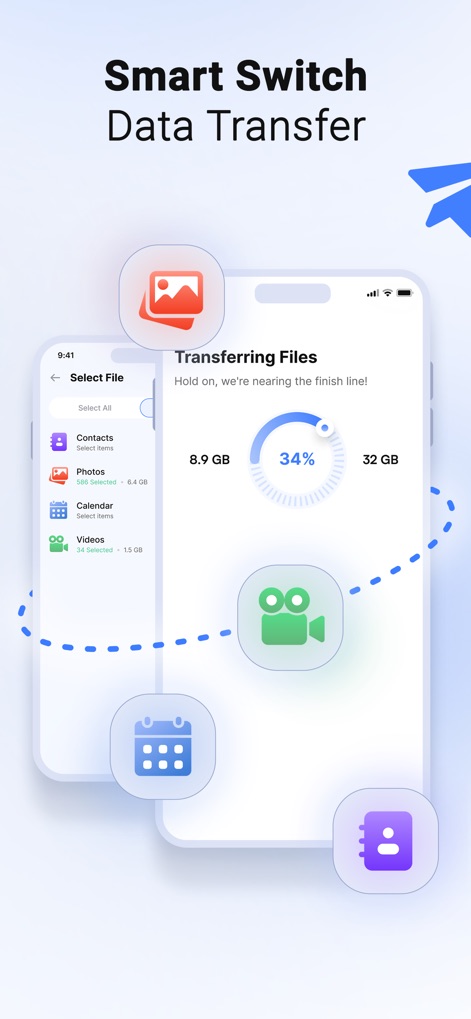
この画面では、ユーザーは転送中のファイルと進行状況を視覚的に確認できます。転送済みデータ量(8.9 GB)と全体の進捗率(34%)が明確に示されています。
データ転送状況
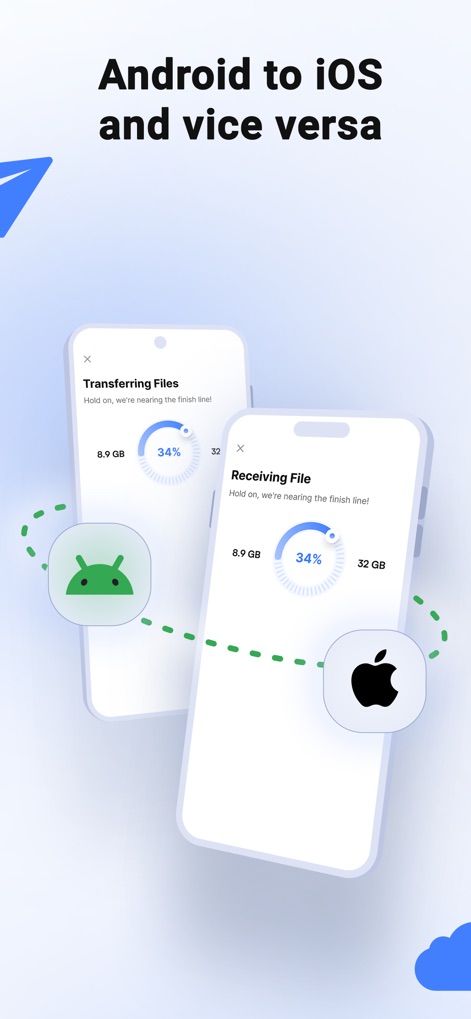
異なるオペレーティングシステム間でのデータ移行を可能にします。AndroidからiOS、またはその逆方向へのファイル転送がスムーズに行えることを示しています。
クロスプラットフォーム対応
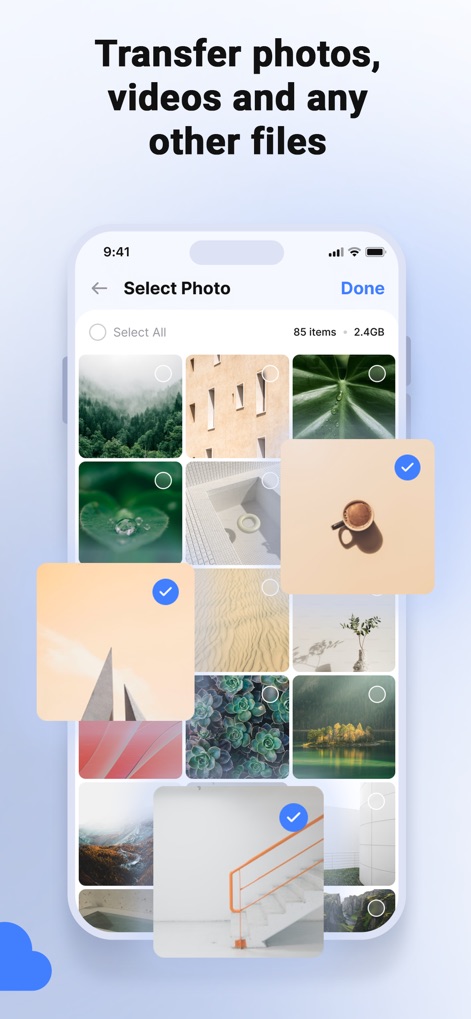
ユーザーは転送したい写真を簡単に選択できます。サムネイル表示(グリッド)から複数のアイテムをタップして選択し、青いチェックマークで確認できます。
簡単な写真選択
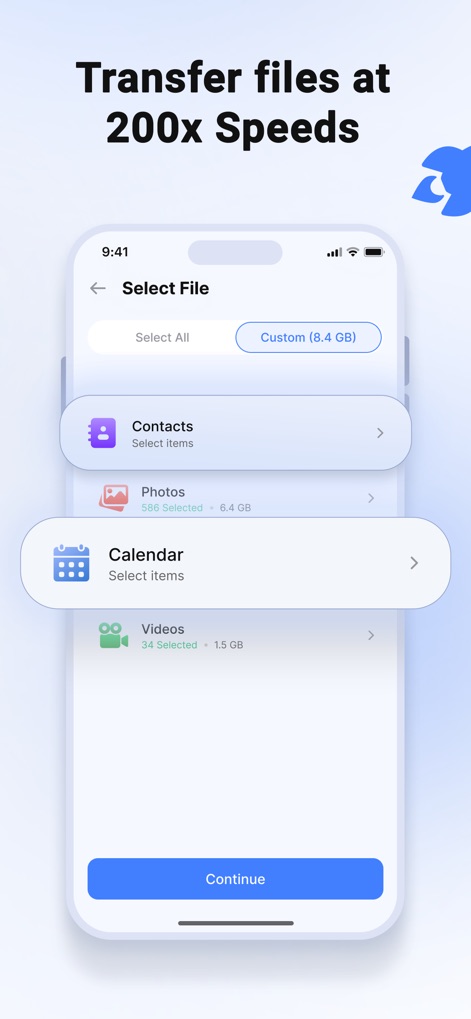
ユーザーは連絡先、写真、カレンダー、動画などのデータカテゴリから、転送したい項目を個別に選択できます。各カテゴリのデータ量(例:写真6.4 GB)も確認可能です。
高速ファイル転送
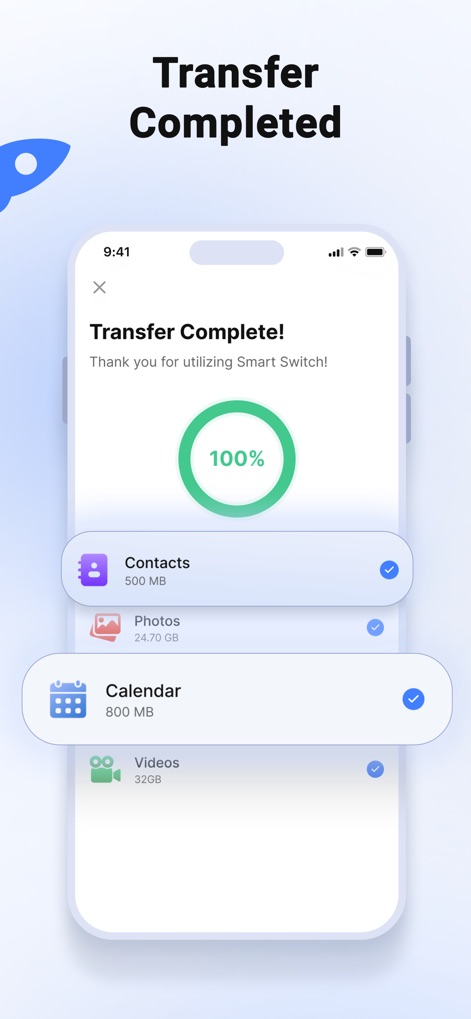
データ転送が正常に完了したことを通知する画面です。各データカテゴリ(例:連絡先500MB、写真24.70GB)と全体の完了を示す100%インジケーターが表示されます。
転送完了画面
説明
Download
類似アプリ
似た機能とユーザー体験を持つアプリ

Data Transfer - Copy My Data
Simple Health Limited

互传 - 快速换机数据迁移智能助手
家呈 郭

Copy My Data - Smart Transfer
Red Sky Labs, SOCIEDAD LIMITADA
Smart Switch - Copy My Data
学斌 林
Copy My Data - Mobile Transfer
KHD Plaza LLC

Phone Clone - Smart Switch .
俊杰 刘

Smart Switch: Data Transfer
Zadore Tracy
Smart Switch: Copy & Move Data
JW Marketing group s.r.o.
手机同步传输-同步转移数据文件
冰 杜
このページはアプリまたはその開発者の公式ページではなく、情報提供および論評を目的として作成された独立した編集出版物です。明示的に別段の記載がない限り、アプリおよびその開発者は、MWM、Apple、Google Play、アプリのパブリッシャー、またはアプリの開発者と提携、承認、後援、認可、またはその他の公式的な関係はなく、このページのいかなる内容も、アプリがMWMのサービスを使用して開発されたことを意味するものではありません。すべての商標、ロゴ、スクリーンショット、その他のコンテンツはそれぞれの所有者の財産です。