Smart view for samsung tv
ダウンロード: App Store

このページはアプリまたはその開発者の公式ページではなく、情報提供および論評を目的として作成された独立した編集出版物です。明示的に別段の記載がない限り、アプリおよびその開発者は、MWM、Apple、Google Play、アプリのパブリッシャー、またはアプリの開発者と提携、承認、後援、認可、またはその他の公式的な関係はなく、このページのいかなる内容も、アプリがMWMのサービスを使用して開発されたことを意味するものではありません。すべての商標、ロゴ、スクリーンショット、その他のコンテンツはそれぞれの所有者の財産です。

ロゴ: Smart view for samsung tv
ダウンロード: App Store

Smart view for samsung tv

iPhoneの写真、動画、アプリを遅延なく瞬時にテレビにキャスト。高画質ストリーミングと簡単な共有のための、シンプルなワンクリック接続をお楽しみください。

主要数値

ダウンロード

800

ユーザー評価

4.4/5

評価数

0

開発元

Mansoor Ahmed

カテゴリ

Utilities

対応言語

1

最新バージョン

16

サイズ

25.5 MB

リリース日

2024年5月1日
機能

コンテンツを大画面で体験

iPhoneをSamsung TVに接続する簡単な方法がついに登場。遅延なく、ワンクリックで設定完了。家族写真からHD動画まで、あらゆるものをミラーリングできます。

瞬時のワンクリック接続

ケーブルや複雑な設定は不要です。Wi-Fi経由でSamsung TVに即座に接続し、数秒で画面共有を開始できます。

クリスタルクリアなHDミラーリング

お気に入りの思い出を追体験しましょう。ホームビデオや休暇の写真を、家族全員で楽しめる鮮やかなHD画質でキャストします。

以下のスクリーンショットと説明は、アプリの公式ストアリスティングから直接取得されたものであり、アプリ開発者の所有物です。

アプリストア

スクリーンショット
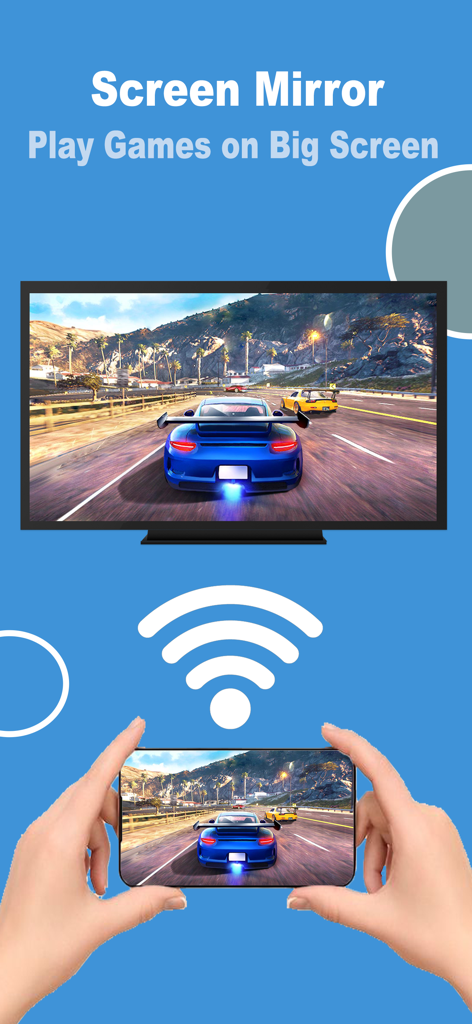
Smart view for samsung tv - Samsung Smart TVにiPhoneから車のレースゲームをミラーリングしている様子。
Samsung Smart TVにiPhoneから車のレースゲームをミラーリングしている様子。

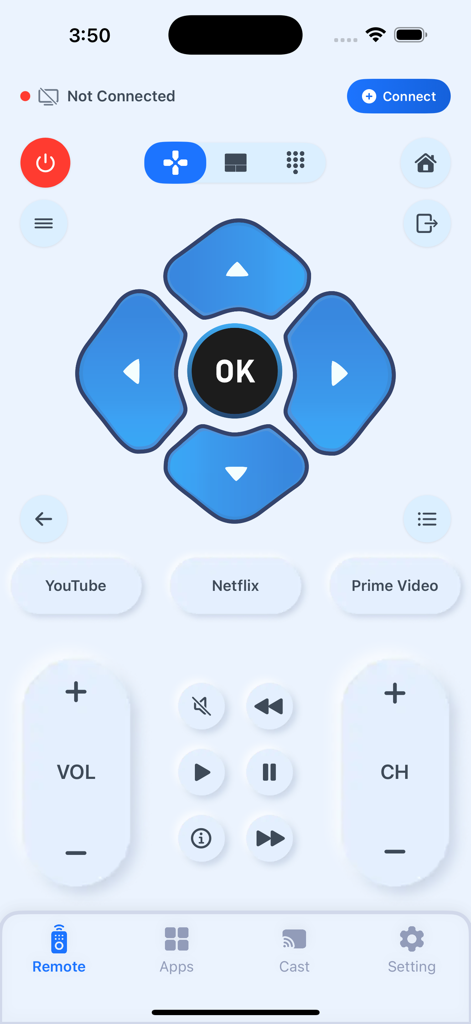
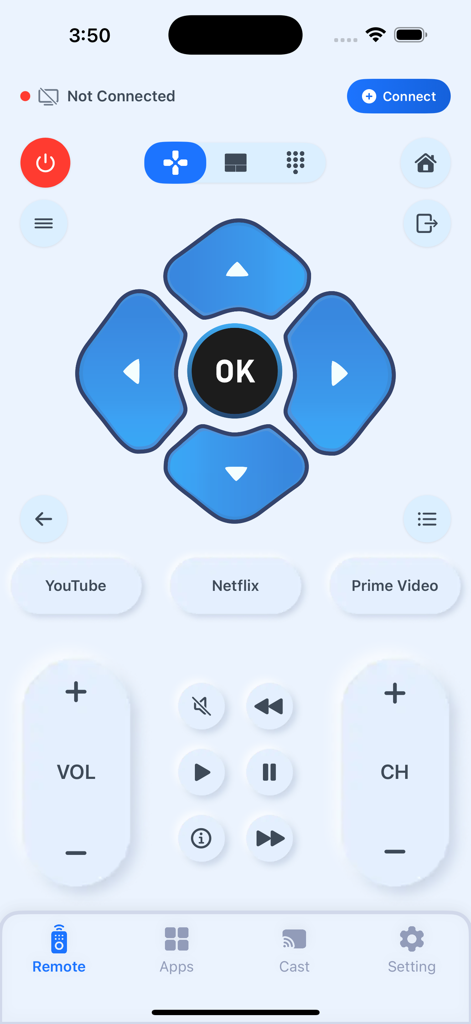
Smart view for samsung tv - ナビゲーションやストリーミングショートカットを備えた、Samsung TV用のiPhone上のデジタルリモートコントロールインターフェース
ナビゲーションやストリーミングショートカットを備えた、Samsung TV用のiPhone上のデジタルリモートコントロールインターフェース

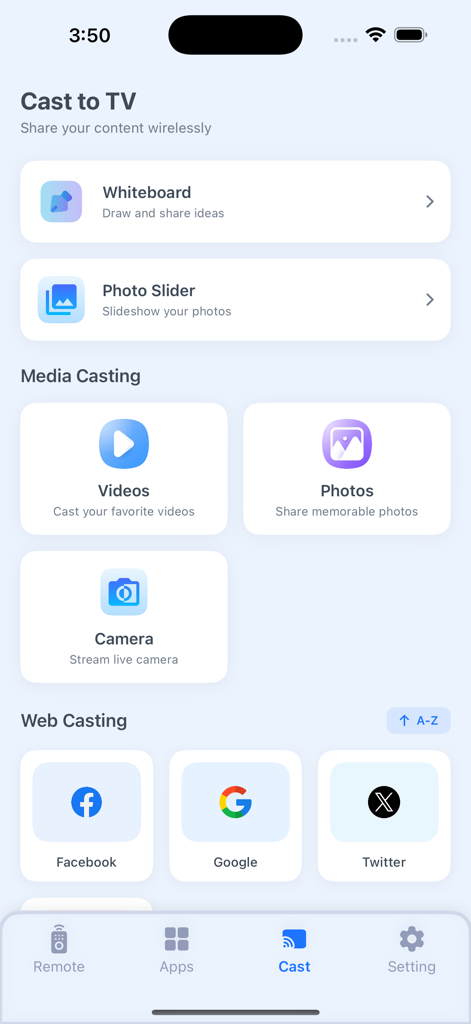
Smart view for samsung tv - メディアやウェブコンテンツをSamsung TVにキャストするオプションを表示するSmart viewアプリのメインメニュー
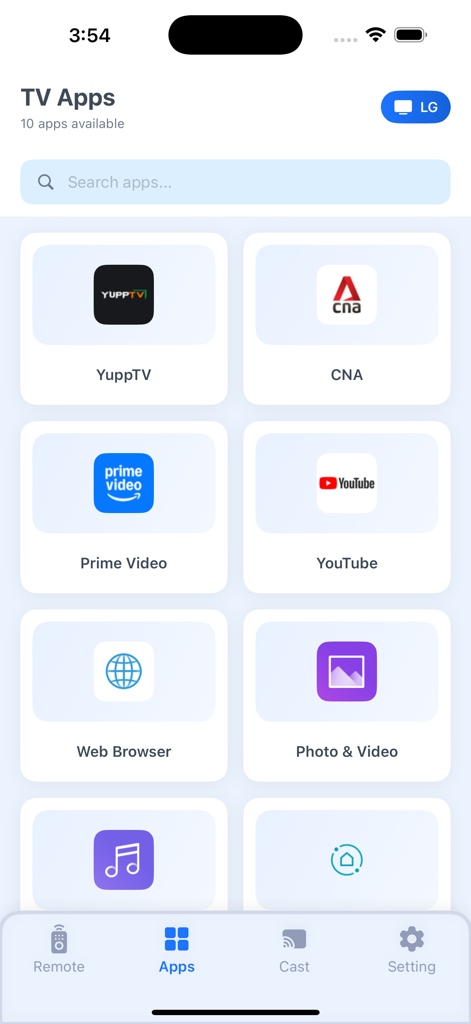
メディアやウェブコンテンツをSamsung TVにキャストするオプションを表示するSmart viewアプリのメインメニュー

Smart view for samsung tv - YouTubeやPrime Videoなどの利用可能なTVアプリをキャスト用に表示するSmart Viewアプリのインターフェース
YouTubeやPrime Videoなどの利用可能なTVアプリをキャスト用に表示するSmart Viewアプリのインターフェース

Smart view for samsung tv - ナビゲーション、再生、クイック起動ボタンを備えたSamsung TV用デジタルリモートコントロールインターフェース

ナビゲーション、再生、クイック起動ボタンを備えたSamsung TV用デジタルリモートコントロールインターフェース

説明

Screen Mirroring app allows you to easily mirror your iPhone's screen to any smart TV in great quality and with no delays. Watch any photos, videos & music on your Smart TV. Draw on your phone, but see on bigger screen. Features . Simple and fast connection with just a click . Stream & Cast to TV with HD quality . Watch your local photos, videos, and movies on your TV . No noticeable delay in mirroring . Compatible with all TV models. HOW TO USE • Step 1: Ensure your iPhone/iPad and Smart TV connects to the same Wi-Fi. • Step 2: Choose and Connect to your Smart TV on the phone screen • Step 3: To stop mirroring click on the top red bar of your iPhone Smart View Cast To TV Premium Subscriptions: 1. Monthly(30 Days) $5.99 Auto Renewable 2. Yearly (365 Days) $34.99 Auto Renewable • In order to use the app, you need to purchase an auto-renewable subscription. • Payment will be charged to iTunes Account at confirmation of purchase. Subscription automatically renews unless auto-renew is turned off at least 24-hours before the end of the current period. The cost depends on the selected plan. Account will be charged for renewal within 24-hours prior to the end of the current period, and identify the cost of the renewal. Subscriptions may be managed by the user and auto-renewal may be turned off by going to the user's Account Settings after purchase. Any unused portion of a free trial period, if offered, will be forfeited when the user purchases a subscription to that publication, where applicable. Terms Of Use(EULA): https://smartviewcast.blogspot.com/2024/06/terms-of-use.html Privacy Policy: https://smartviewcast.blogspot.com/2024/06/privacy-policy.html Contact us if you have any questions Email us: mansoormax@gmail.com

Download

ダウンロード: App Store

このページはアプリまたはその開発者の公式ページではなく、情報提供および論評を目的として作成された独立した編集出版物です。明示的に別段の記載がない限り、アプリおよびその開発者は、MWM、Apple、Google Play、アプリのパブリッシャー、またはアプリの開発者と提携、承認、後援、認可、またはその他の公式的な関係はなく、このページのいかなる内容も、アプリがMWMのサービスを使用して開発されたことを意味するものではありません。すべての商標、ロゴ、スクリーンショット、その他のコンテンツはそれぞれの所有者の財産です。








