SoftMaker Presentations
ダウンロード: App Store

このページはアプリまたはその開発者の公式ページではなく、情報提供および論評を目的として作成された独立した編集出版物です。明示的に別段の記載がない限り、アプリおよびその開発者は、MWM、Apple、Google Play、アプリのパブリッシャー、またはアプリの開発者と提携、承認、後援、認可、またはその他の公式的な関係はなく、このページのいかなる内容も、アプリがMWMのサービスを使用して開発されたことを意味するものではありません。すべての商標、ロゴ、スクリーンショット、その他のコンテンツはそれぞれの所有者の財産です。


ロゴ: SoftMaker Presentations
ダウンロード: App Store

SoftMaker Presentations

「 lite 」版のモバイルアプリで妥協するのはもうやめましょう。どこにいても、完璧なピクセルまでこだわった.pptxファイルを、デスクトップクラスの全機能、シームレスなクラウド連携、フォーマットの損失ゼロでデザイン、編集、そして提示しましょう。

主要数値

ダウンロード

40K+

ユーザー評価

4.7/5

評価数

0

開発元

SoftMaker Software GmbH

カテゴリ

Productivity

対応言語

28

最新バージョン

1229.0909

サイズ

79.7 MB

リリース日

2022年6月6日
機能

プロフェッショナルのための妥協なきプレゼンテーションパワー

モバイルデバイスでデスクトップツール一式を体験しましょう。高忠実度PPTX編集から息をのむようなアニメーションまで、限界なく作成・プレゼンテーションできます。

シームレスなPowerPoint互換性

.pptxファイルを100%忠実度で開いたり保存したりできます。レイアウトの崩れやフォントの欠落はありません。すべてのデバイスで機能する完璧なプレゼンテーションを実現します。

デスクトップパワー、モバイル機敏性

iPadではリボンインターフェース全体を、iPhoneでは最適化されたツールバーを活用できます。マスター・スライド、AutoShape、高度なグラフィックがあなたのポケットに。

以下のスクリーンショットと説明は、アプリの公式ストアリスティングから直接取得されたものであり、アプリ開発者の所有物です。

アプリストア

スクリーンショット
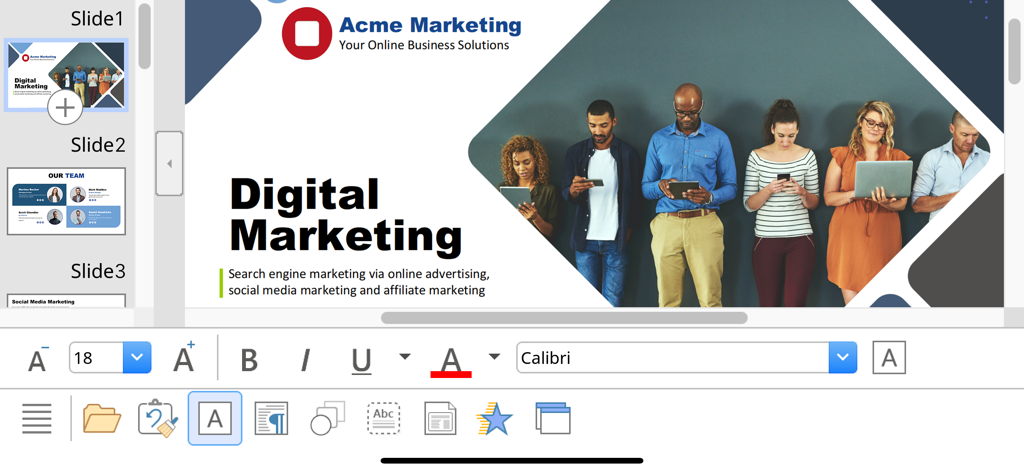
SoftMaker Presentations - テキスト編集とフォーマットツールを備えたデジタルマーケティングスライドを表示するSoftMaker Presentationsモバイルインターフェース。
テキスト編集とフォーマットツールを備えたデジタルマーケティングスライドを表示するSoftMaker Presentationsモバイルインターフェース。

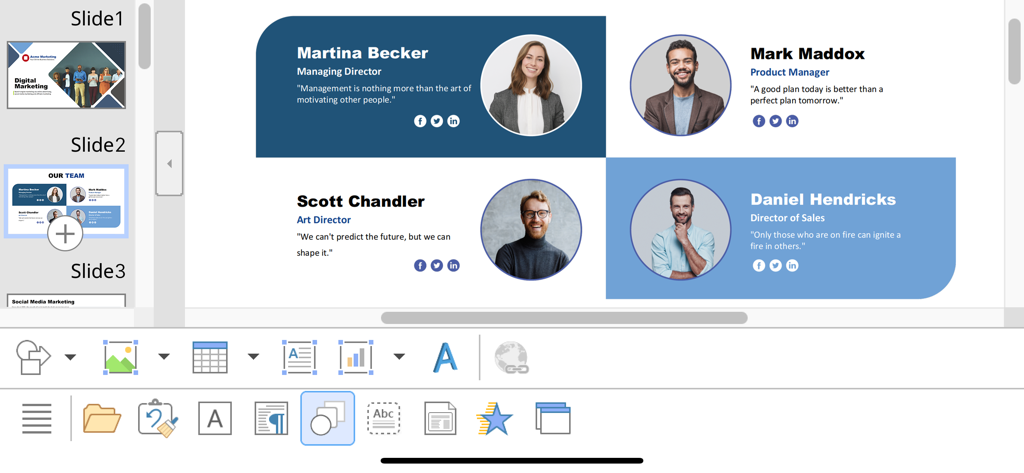
SoftMaker Presentations - iOSのSoftMaker Presentationsアプリでチームプロフィールスライドを編集する様子
iOSのSoftMaker Presentationsアプリでチームプロフィールスライドを編集する様子

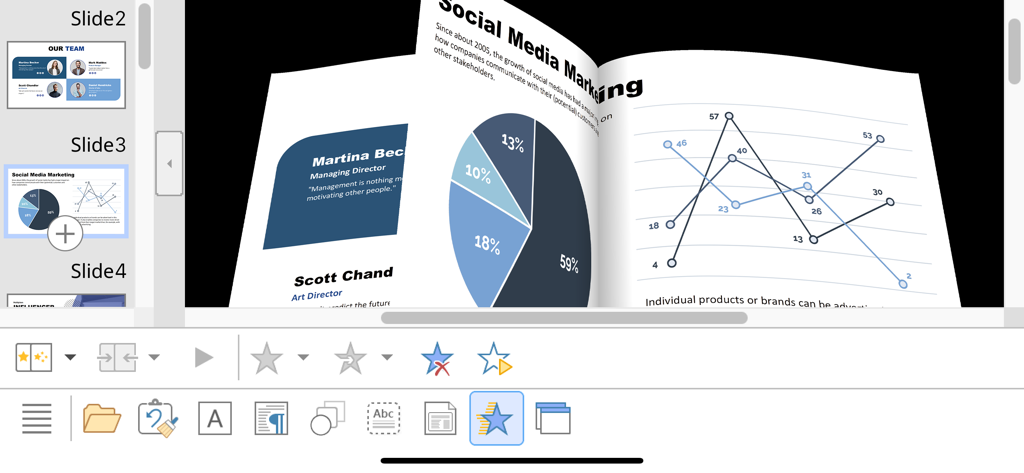
SoftMaker Presentations - マーケティングチャートとデータグラフを示すiPhoneのSoftMaker Presentationsでの3Dスライドトランジションアニメーション
マーケティングチャートとデータグラフを示すiPhoneのSoftMaker Presentationsでの3Dスライドトランジションアニメーション

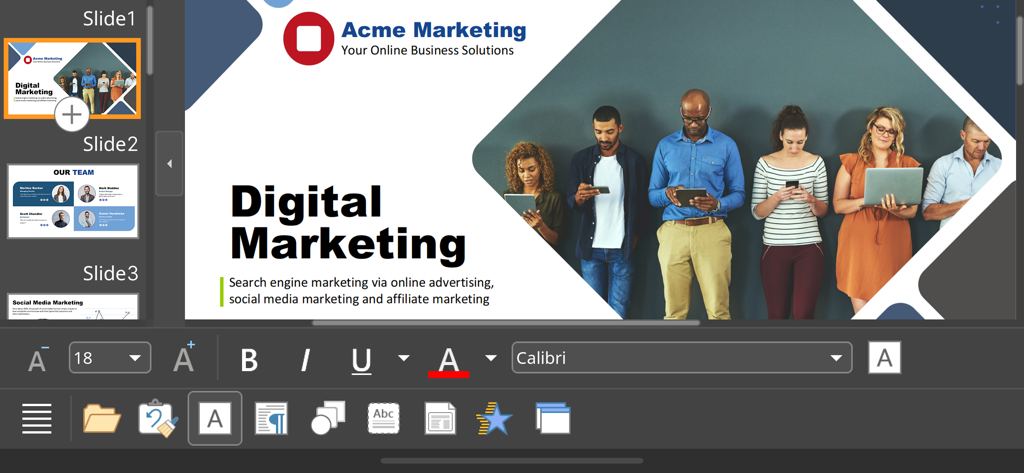
SoftMaker Presentations - デジタルマーケティングプレゼンテーションスライドを編集するSoftMaker Presentationsモバイルアプリインターフェース

デジタルマーケティングプレゼンテーションスライドを編集するSoftMaker Presentationsモバイルアプリインターフェース

説明

■ Presentations ► The only complete Office presentation program for your PowerPoint files ► Work on your PowerPoint presentations wherever and whenever you want. ► When working on the go, take advantage of a feature set that you would otherwise only know from your PC or Mac. ► Almost all features can be used permanently free of charge. The complete set of features that you know from Microsoft PowerPoint or Presentations on your Mac or PC is now offered by Presentations on your iPhone and iPad. Compatibility without compromise: Presentations uses the Microsoft Office PPTX format as its native format. This guarantees seamless data exchange. You can open your presentations directly in Microsoft PowerPoint without having to convert them. Intuitive operation on iPhone and iPad: Presentations always provides an ideal user experience, regardless of whether you're using it on your iPhone or an iPad. On an iPhone, you can use the practical toolbars with just one finger. On an iPad, you work with ribbons similar to those on your Mac or PC. Save locally or in the cloud: Presentations not only enables you to open and save documents stored on your device, but it also allows you to access your files in iCloud, Dropbox, OneDrive and all other cloud storage services. The Presentations user interface is available in English, German, French, Spanish, Italian and more than 20 other languages. Presentations brings the features of a desktop presentation program to your iPhone and iPad. You shouldn't settle for less. ■ Working with files ► Presentation files can be losslessly exchanged with Presentations for Mac, Windows and Linux. ► Open and save PPTX and PPT files with full fidelity from PowerPoint 97 to 2021 and PowerPoint 365 ► Export complete presentations as picture files or HTML web pages ■ Designing ► Numerous attractive design templates do the design work for you. ► Each template includes many matching color schemes. ► Slide layouts and slide masters ■ Comprehensive graphics functions ► Draw and design directly in the presentation ► PowerPoint-compatible AutoShapes ► Insert pictures in a range of file formats ► Great graphics functions such as mirror effects, soft shadows and transparencies ► Crop pictures, change brightness, contrast and gamma ► Drawings can be filled with colors, patterns, pictures and gradients. ► TextArt function for striking font effects ■ Animations and slide transitions ► Hundreds of different object and text animations ► Numerous breathtaking animations and slide transitions based on OpenGL ■ Flexible slide shows ► Both user-controlled and automatic slide shows without presenters (kiosk function) ► Interaction with the presentation via a virtual pen and highlighter ► Handouts for the audience ► Integrated slide sorter for managing and reordering slides ■ Other features Almost all features of Presentations for iOS can be used free of charge. The following additional features are available to you via an inexpensive subscription: ► Printing ► Export to PDF and PDF/A ► Sharing documents directly from Presentations ► Charts ► Photo albums ► Summary slides ► Free customer support A single subscription unlocks these features simultaneously in Presentations, TextMaker and PlanMaker for iOS. License agreement: https://www.apple.com/legal/internet-services/itunes/dev/stdeula/

Download

ダウンロード: App Store

このページはアプリまたはその開発者の公式ページではなく、情報提供および論評を目的として作成された独立した編集出版物です。明示的に別段の記載がない限り、アプリおよびその開発者は、MWM、Apple、Google Play、アプリのパブリッシャー、またはアプリの開発者と提携、承認、後援、認可、またはその他の公式的な関係はなく、このページのいかなる内容も、アプリがMWMのサービスを使用して開発されたことを意味するものではありません。すべての商標、ロゴ、スクリーンショット、その他のコンテンツはそれぞれの所有者の財産です。








