
このページはアプリまたはその開発者の公式ページではなく、情報提供および論評を目的として作成された独立した編集出版物です。明示的に別段の記載がない限り、アプリおよびその開発者は、MWM、Apple、Google Play、アプリのパブリッシャー、またはアプリの開発者と提携、承認、後援、認可、またはその他の公式的な関係はなく、このページのいかなる内容も、アプリがMWMのサービスを使用して開発されたことを意味するものではありません。すべての商標、ロゴ、スクリーンショット、その他のコンテンツはそれぞれの所有者の財産です。


Sony | Imaging Edge Mobile
最高の一瞬を捉え、その場で世界に放つ。このアプリは、あなたのAlphaを現場の司令塔に変え、創造のボトルネックを打ち砕く力を与える。
ダウンロード
12.5M+ユーザー評価
評価数
45.1K開発元
カテゴリ
Photo & Video対応言語
18最新バージョン
7.8.3サイズ
52.6 MBリリース日
2012年1月9日Sony | Imaging Edge Mobile アプリの機能性分析
ソニー製デジタルカメラユーザー向けワークフロー効率化と創造性拡張の評価
画像/動画のスマートフォンへの自動転送
ユーザーは、カメラで撮影された高解像度の画像や動画をスマートフォンに自動で転送でき、撮影後の手間を大幅に削減します。これにより、高品質なコンテンツを迅速にソーシャルメディアで共有することが可能です。
カメラ設定の保存と適用
本ツールは、最大20種類のカメラ設定を保存し、同一モデルのカメラに迅速に適用する機能を提供します。これにより、ユーザーは多様な撮影シーンに合わせた設定変更を効率化し、一貫性のある作品制作をサポートします。
スマートフォンからのリモート撮影
このアプリは、スマートフォンのライブビュー画面を通じてカメラを遠隔操作し、写真や動画を撮影することを可能にします。ユーザーは、夜景やマクロ撮影など、カメラに触れることで生じるブレを避けつつ、創造的な構図を追求できます。
カメラ電源オフ時の画像転送
ユーザーは、カメラの電源がオフの状態であっても、スマートフォンからカメラ内の画像を閲覧し、転送することが可能です。これにより、バッテリーを節約しつつ、必要なファイルを迅速に入手できます。
高ビットレート動画ファイルの転送
本ツールは、4Kを含む高ビットレートの動画ファイルをスマートフォンに転送する機能を提供します。ユーザーは、高品質な動画コンテンツをモバイルデバイスで編集・共有できるようになります。
撮影画像への位置情報付与
このアプリは、スマートフォンのGPS情報を使用して、カメラで撮影された写真に位置情報を自動で追加します。ユーザーは、撮影場所を記録し、旅行記やポートフォリオの管理を効率化することが可能です。
よくある質問
について知っておくべきこと Sony | Imaging Edge Mobile
How does Sony | Imaging Edge Mobile transfer images and videos?
Imaging Edge Mobile transfers images and videos from a camera to a smartphone or tablet. It supports automatic background transfers after shooting and can handle high bit rate video files, including 4K.
Does Sony | Imaging Edge Mobile support 4K video transfer?
Yes, Imaging Edge Mobile can transfer high bit rate video files, including 4K, from a camera to a smartphone or tablet. The availability of video transfer varies depending on the smartphone.
Does Sony | Imaging Edge Mobile allow remote camera shooting?
Yes, Imaging Edge Mobile enables remote shooting of a camera. Users can capture photos and videos while checking the camera's live view on their smartphone, useful for long-exposure or macro shots.
How does Sony | Imaging Edge Mobile add location information to photos?
Imaging Edge Mobile adds location information by linking with compatible cameras to embed smartphone-acquired data into captured images. For cameras without linkage, it adds location info to photos saved on the smartphone during remote shooting.
What operating systems does Sony | Imaging Edge Mobile support?
Imaging Edge Mobile supports iOS operating systems ranging from iOS 17.7 to iOS 18.6. The app's functionality is not guaranteed with all smartphones/tablets.
Can Sony | Imaging Edge Mobile save camera settings?
Yes, Imaging Edge Mobile allows users to save up to 20 camera settings within the app. These saved settings can then be applied to compatible cameras with the same model name.
Does Sony | Imaging Edge Mobile support automatic image transfer?
Yes, Imaging Edge Mobile features an automatic background transfer function. Images are transferred to the smartphone as they are captured, eliminating the need for manual selection after shooting.
以下のスクリーンショットと説明は、アプリの公式ストアリスティングから直接取得されたものであり、アプリ開発者の所有物です。
アプリストア
スクリーンショット
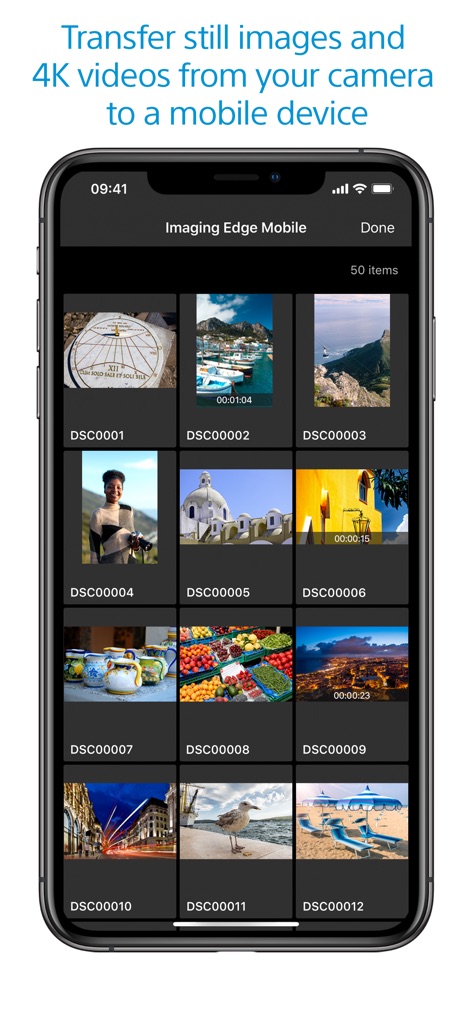
高画質を即座に
ユーザーは、撮影した静止画や動画をスマートフォンで一覧表示し、高画質な4Kビデオファイルを含む様々なメディアを効率的に転送できます。
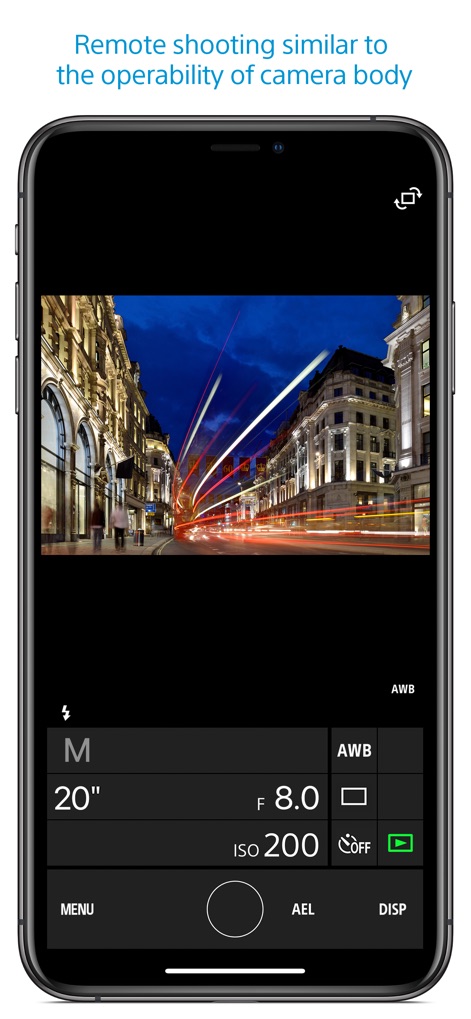
遠隔撮影で創造性を
このアプリは、ユーザーがカメラのライブビューをリアルタイムで確認しながら、シャッタースピードやF値といった詳細なカメラ設定をスマートフォンから直感的に調整することを可能にします。
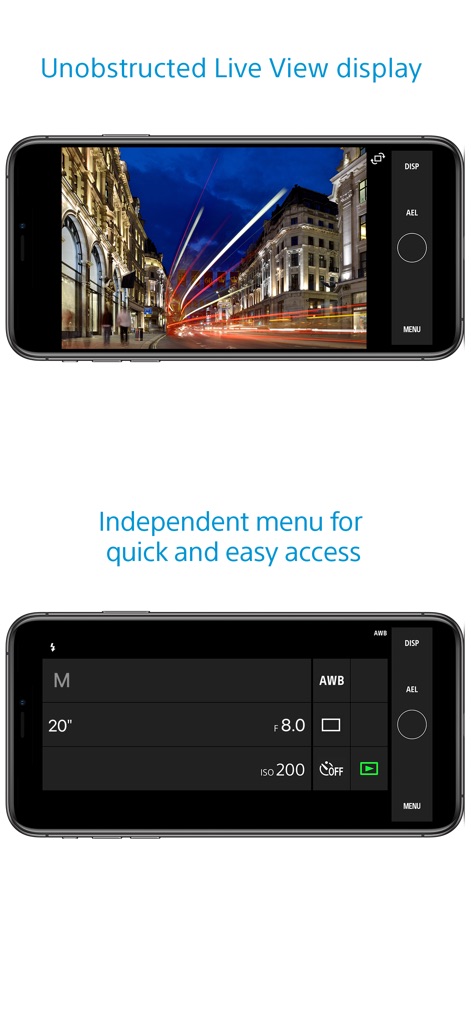
シームレスな操作性
ユーザーは、ライブビュー画面を遮ることなく被写体をクリアに確認でき、独立したメニューによって、撮影モードや露出設定など主要なカメラ設定へ素早くアクセスできます。
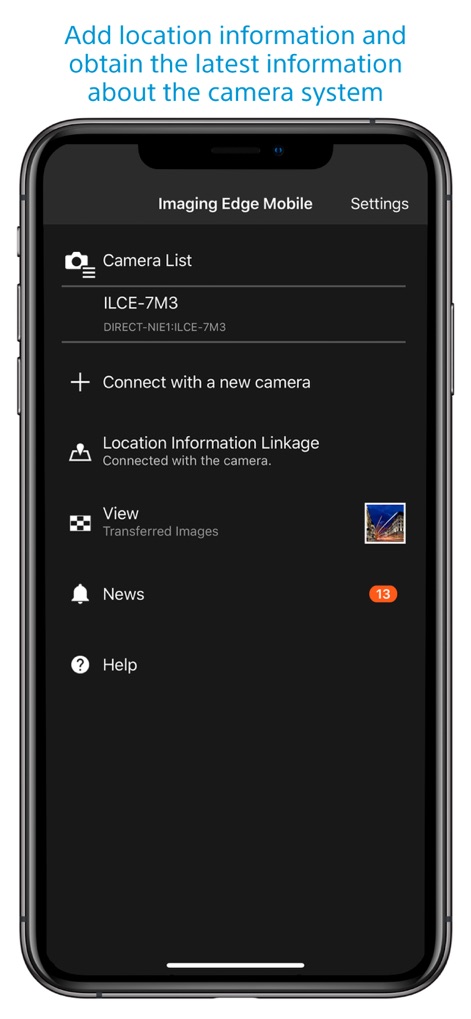
撮影データに付加価値
本アプリは、撮影データにスマートフォンの位置情報を付加する連携機能を提供し、ユーザーはカメラシステムに関する最新ニュースや情報もアプリ内で確認できます。
説明
Download
類似アプリ
似た機能とユーザー体験を持つアプリ

DJI Mimo
SZ DJI TECHNOLOGY CO., LTD

DJI Ronin
SZ DJI TECHNOLOGY CO., LTD

Roku TV Remote Control & Cast
Aleh Piashkou

Remote for Hisense TV.
Duscov Stepan

Alpha Linker - Camera Transfer
恒茂 刘

MyCentsys Pro
Centurion Systems (Pty) Ltd

Roku TV Remote Control・
Artur Belov

Luminair
Synthe FX, LLC

FUJIFILM XApp
FUJIFILM Corporation
このページはアプリまたはその開発者の公式ページではなく、情報提供および論評を目的として作成された独立した編集出版物です。明示的に別段の記載がない限り、アプリおよびその開発者は、MWM、Apple、Google Play、アプリのパブリッシャー、またはアプリの開発者と提携、承認、後援、認可、またはその他の公式的な関係はなく、このページのいかなる内容も、アプリがMWMのサービスを使用して開発されたことを意味するものではありません。すべての商標、ロゴ、スクリーンショット、その他のコンテンツはそれぞれの所有者の財産です。