
このページはアプリまたはその開発者の公式ページではなく、情報提供および論評を目的として作成された独立した編集出版物です。明示的に別段の記載がない限り、アプリおよびその開発者は、MWM、Apple、Google Play、アプリのパブリッシャー、またはアプリの開発者と提携、承認、後援、認可、またはその他の公式的な関係はなく、このページのいかなる内容も、アプリがMWMのサービスを使用して開発されたことを意味するものではありません。すべての商標、ロゴ、スクリーンショット、その他のコンテンツはそれぞれの所有者の財産です。


Sony | Monitor & Control
モバイルデバイスを高精度シネマモニターに。Sony Cinema Line および Alpha カメラ用の波形、偽色、リモートフォーカス制御で、あらゆるショットをマスターしましょう。
ダウンロード
343K+ユーザー評価
評価数
600開発元
カテゴリ
Photo & Video対応言語
20最新バージョン
2.5.1サイズ
70.4 MBリリース日
2023年9月11日ポケットの中のプロ仕様シネマモニター
iPhone、iPad、または Mac を高精度コントロールセンターに変えましょう。最新の Sony フィルムメーカー向けに設計された、シネマグレードのモニタリングツールとリモートカメラ操作を手に入れましょう。
高精度露出&カラー
プロ仕様の Waveform、False Color、Histogram 表示で、あらゆるショットをマスターしましょう。リアルタイムで LUT を適用し、モバイル画面で最終的なグレーディングをプレビューできます。
シームレスなリモートコントロール
フォーカス、ND フィルター、フレームレートをワイヤレスまたは有線で調整できます。ソロオペレーターや、ジンバル、クレーンに搭載されたカメラの管理に最適です。
よくある質問
について知っておくべきこと Sony | Monitor & Control
Sony | Monitor & Controlとは何ですか?
Sony | Monitor & Controlは、ビデオクリエイター向けのアプリです。スマートフォン、タブレット、またはMacを使用して、有線および無線でのビデオモニタリング、高精度な露出調整、フォーカス制御を可能にします。
Sony | Monitor & Controlに対応しているカメラは何ですか?
Sony | Monitor & Controlは、BURANO、FX6、FX3、FX30、α1 II、α9 III、α7R V、α7S III、α7CR、ZV-E1などのカメラに対応しています。これらのカメラは、完全な互換性のために最新のシステムソフトウェアアップデートが必要です。
Sony | Monitor & Controlは有線と無線の両方の接続を使用できますか?
はい、Sony | Monitor & Controlは有線と無線の両方の接続をサポートしています。有線接続は、無線信号が不安定な場所で安定性を確保し、無線オプションはリモートカメラ操作の柔軟性を提供します。
Sony | Monitor & Controlは高度な露出モニタリングツールを提供しますか?
はい、Sony | Monitor & Controlは高度な露出モニタリングを提供します。波形モニター、偽色、ヒストグラム、ゼブラ表示を含み、接続された大画面デバイスで正確な露出設定を行います。
Sony | Monitor & Controlはフォーカス操作をどのように支援しますか?
Sony | Monitor & Controlは、タッチフォーカス、AF感度調整、画面側の直感的な操作バーを通じてフォーカスを支援します。また、フォーカス範囲を視覚化するためのフォーカスマップも備えています。
Sony | Monitor & Controlでサポートされているモバイルデバイスとオペレーティングシステムは何ですか?
Sony | Monitor & Controlは、iOS/iPadOSバージョン17.0から26.0、macOSバージョン14.7から26.0をサポートしています。これらのオペレーティング環境仕様を満たすスマートフォン、タブレット、Macデバイスで機能します。
ユーザーはSony | Monitor & Controlで撮影中にLUTを適用できますか?
はい、ユーザーはSony | Monitor & ControlでLogモードで撮影中にLUTを適用できます。この機能により、制作中にモニタリングデバイスで完成した画像をリアルタイムでプレビューできます。
Sony | Monitor & Controlはマルチカメラモニタリングをサポートしていますか?
はい、Sony | Monitor & Controlはマルチカメラモニタリングをサポートしています。複数のカメラを1台のiPad、Mac、またはiPhoneに接続して、1台のデバイスから同時に操作、表示、撮影制御を行うことができます。
以下のスクリーンショットと説明は、アプリの公式ストアリスティングから直接取得されたものであり、アプリ開発者の所有物です。
アプリストア
スクリーンショット
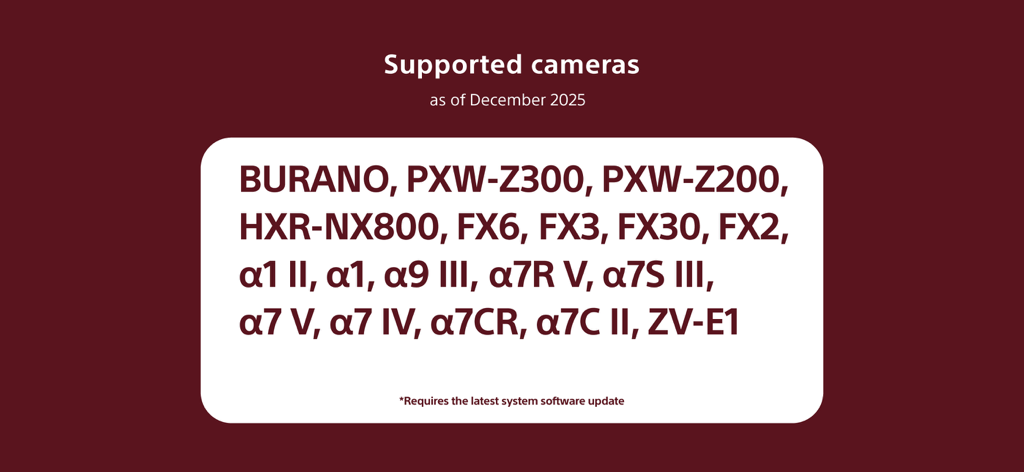
BURANO や Alpha シリーズモデルを含む、Monitor & Control アプリに対応した Sony カメラのリスト。
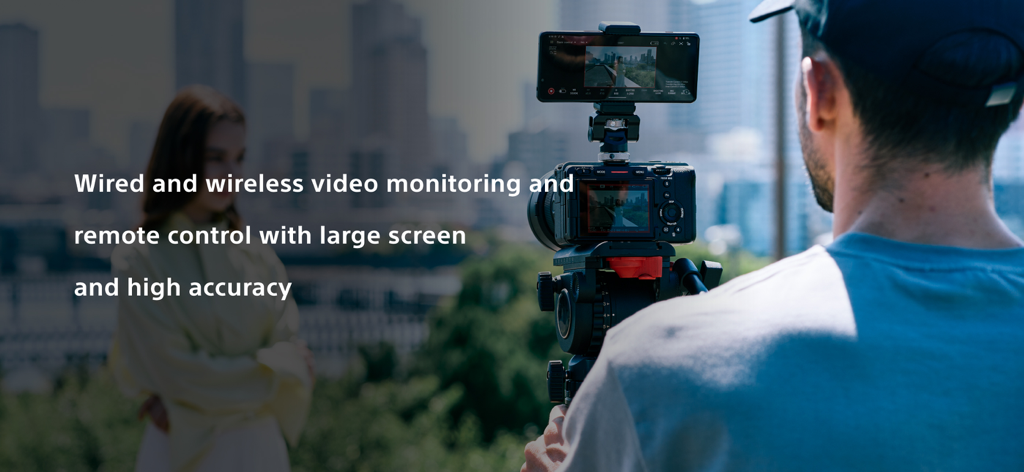
Sony Monitor & Control アプリを使用して外部モニターとしてスマートフォンを使用するプロの映像制作者
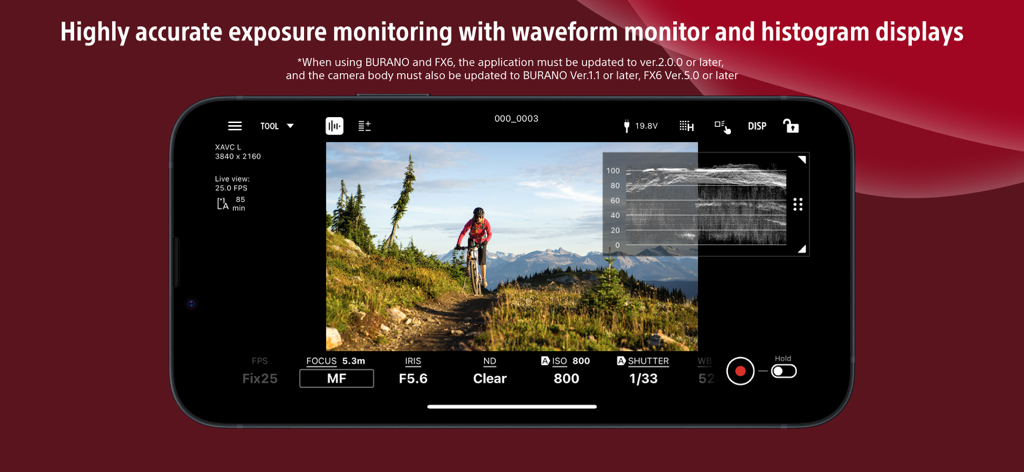
露出モニタリング用の波形表示を備えた、Sony Monitor & Control アプリのスマートフォンインターフェイス
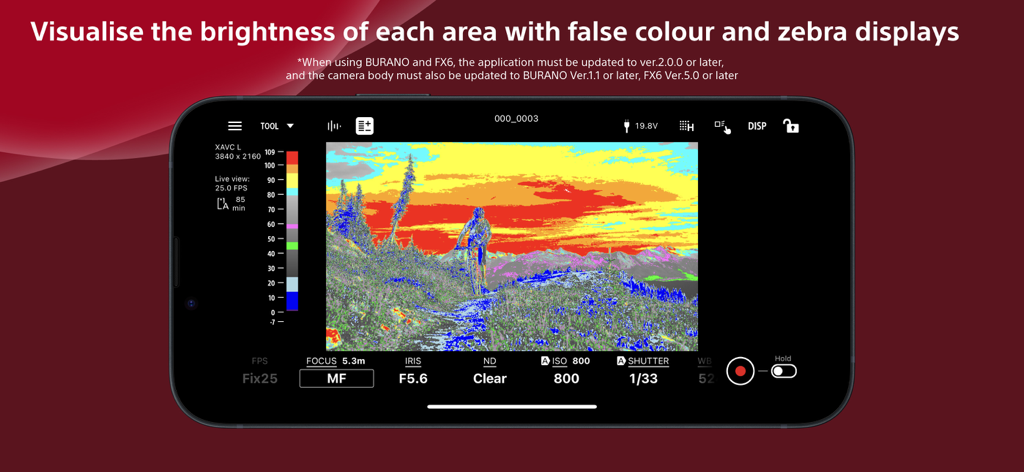
露出モニタリング用の偽色を表示する Sony Monitor & Control アプリインターフェイス
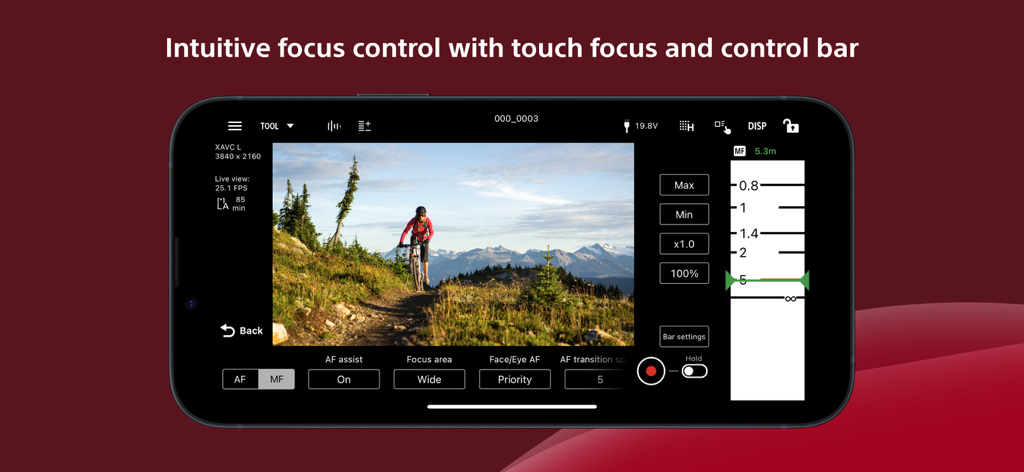
映像制作のために、フォーカススライダーとタッチフォーカス設定を表示する Sony Monitor & Control アプリインターフェイス
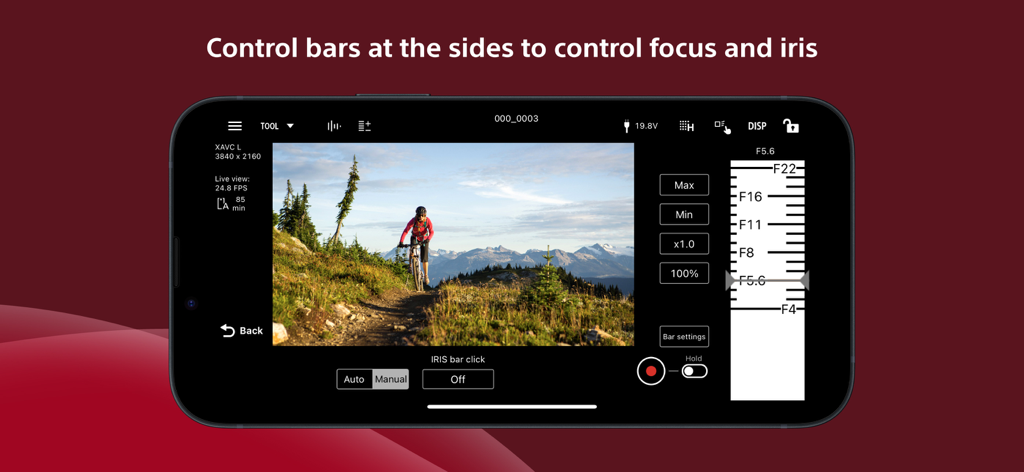
スマートフォン画面に、絞り調整スライダーとリモートカメラコントロールを表示する Sony Monitor & Control アプリインターフェイス
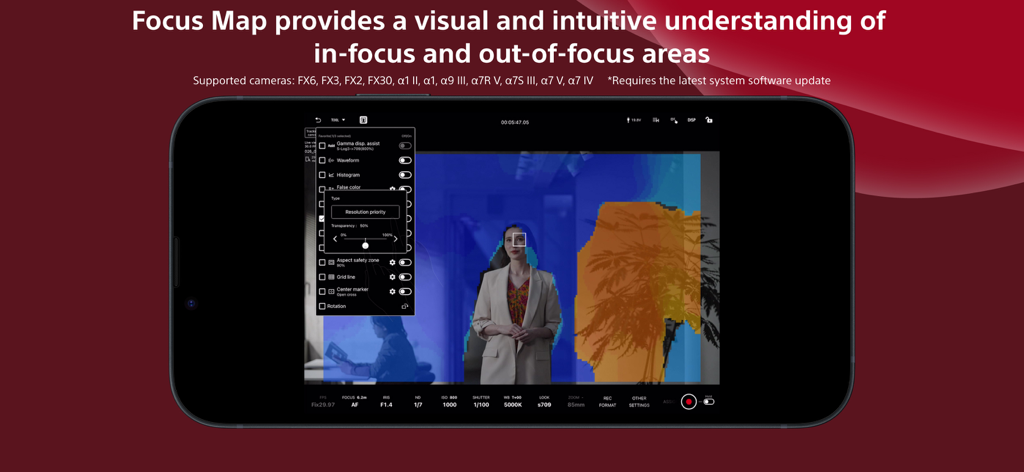
フォーカスエリアとアウトフォーカスエリアを視覚化する Focus Map 機能を備えた Sony Monitor & Control アプリを表示するスマートフォン画面
説明
Download
類似アプリ
似た機能とユーザー体験を持つアプリ

DJI Mimo
SZ DJI TECHNOLOGY CO., LTD

DJI Ronin
SZ DJI TECHNOLOGY CO., LTD

Roku TV Remote Control & Cast
Aleh Piashkou

Remote for Hisense TV.
Duscov Stepan

Alpha Linker - Camera Transfer
恒茂 刘

MyCentsys Pro
Centurion Systems (Pty) Ltd

Roku TV Remote Control・
Artur Belov

Luminair
Synthe FX, LLC

FUJIFILM XApp
FUJIFILM Corporation
このページはアプリまたはその開発者の公式ページではなく、情報提供および論評を目的として作成された独立した編集出版物です。明示的に別段の記載がない限り、アプリおよびその開発者は、MWM、Apple、Google Play、アプリのパブリッシャー、またはアプリの開発者と提携、承認、後援、認可、またはその他の公式的な関係はなく、このページのいかなる内容も、アプリがMWMのサービスを使用して開発されたことを意味するものではありません。すべての商標、ロゴ、スクリーンショット、その他のコンテンツはそれぞれの所有者の財産です。