SP Camera
SP Camera
ダウンロード: App Store

このページはアプリまたはその開発者の公式ページではなく、情報提供および論評を目的として作成された独立した編集出版物です。明示的に別段の記載がない限り、アプリおよびその開発者は、MWM、Apple、Google Play、アプリのパブリッシャー、またはアプリの開発者と提携、承認、後援、認可、またはその他の公式的な関係はなく、このページのいかなる内容も、アプリがMWMのサービスを使用して開発されたことを意味するものではありません。すべての商標、ロゴ、スクリーンショット、その他のコンテンツはそれぞれの所有者の財産です。


ロゴ: SP Camera
ダウンロード: App Store

SP Camera

気づかれずに高精細な証拠や写真を撮影します。偽の背景、動体検知、パスワード保護された金庫を使用して、録画がプライベートで安全であることを保証します。

主要数値

ダウンロード

309K+

ユーザー評価

4.5/5

評価数

3K+

開発元

Ratha Sou

カテゴリ

Photo & Video

対応言語

1

最新バージョン

7.7.5

サイズ

34.0 MB

リリース日

2013年2月20日
機能

プロフェッショナルのための高度な隠密ツール

高解像度の証拠をキャプチャし、高度なセキュリティ、プライバシー、完全な不可視性のために設計された機能スイートで周囲を監視します。

ステルスモードインターフェース

ウェブブラウザや時計のような偽の背景を使用してあらゆる環境に溶け込むか、完全に黒い画面で録画して、注意を引かずに映像をキャプチャします。

自動証拠キャプチャ

内蔵の動体検知センサーとカスタマイズ可能な写真タイマーを活用して、デバイスに一切触れることなくスペースを監視し、イベントを自動的に文書化します。

以下のスクリーンショットと説明は、アプリの公式ストアリスティングから直接取得されたものであり、アプリ開発者の所有物です。

アプリストア

スクリーンショット
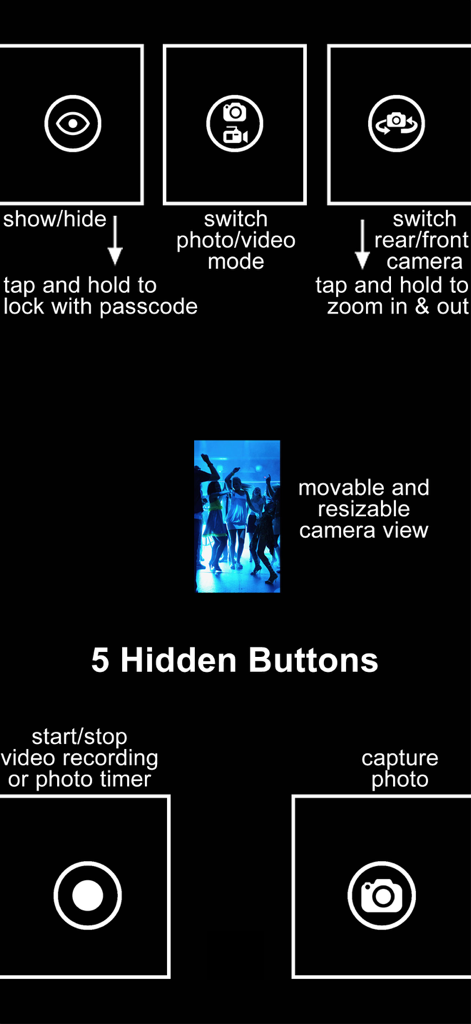
SP Camera - SP Cameraインターフェースの図。5つの隠しコントロールボタンと、隠密録画用の移動可能なプレビューウィンドウが表示されています。
SP Cameraインターフェースの図。5つの隠しコントロールボタンと、隠密録画用の移動可能なプレビューウィンドウが表示されています。

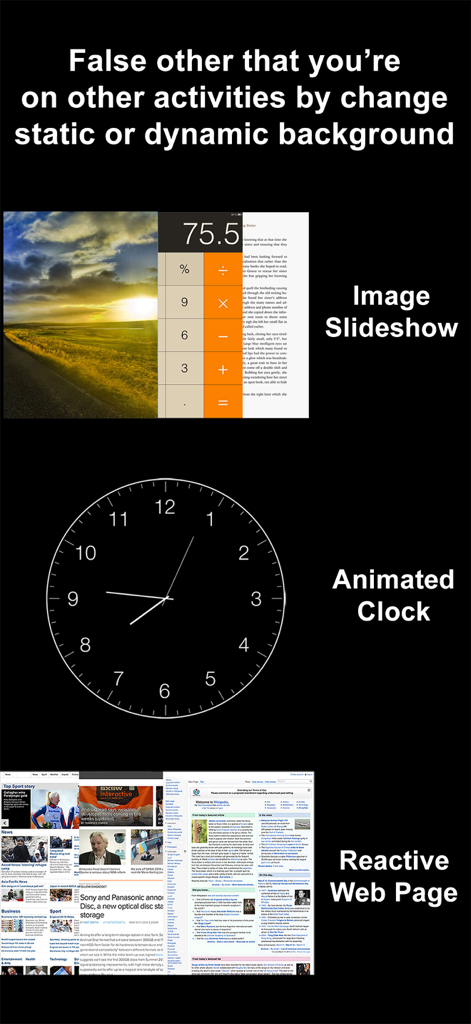
SP Camera - SP Cameraアプリのインターフェース。ステルス録画のために、アニメーション時計やウェブブラウザなどの偽の背景オプションが表示されています。
SP Cameraアプリのインターフェース。ステルス録画のために、アニメーション時計やウェブブラウザなどの偽の背景オプションが表示されています。

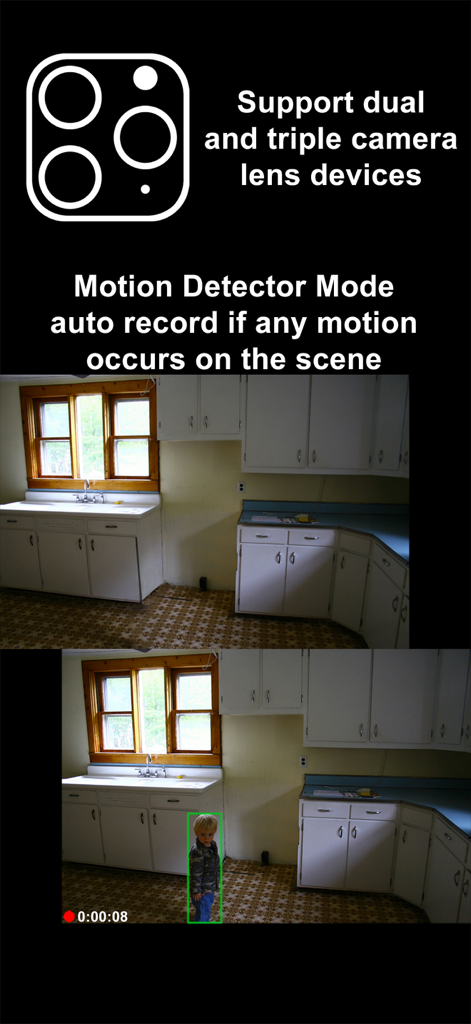
SP Camera - SP Cameraアプリのスクリーンショット。動体検知モード、自動録画、トリプルレンズサポートを示しています。
SP Cameraアプリのスクリーンショット。動体検知モード、自動録画、トリプルレンズサポートを示しています。

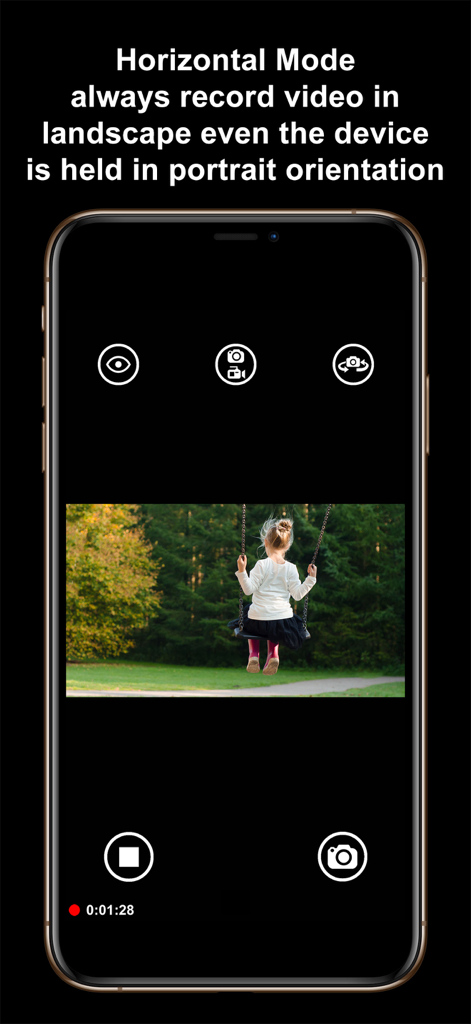
SP Camera - SP Cameraアプリのインターフェース。電話を縦にして保持しながら横向きビデオをキャプチャする水平モードを示しています。
SP Cameraアプリのインターフェース。電話を縦にして保持しながら横向きビデオをキャプチャする水平モードを示しています。

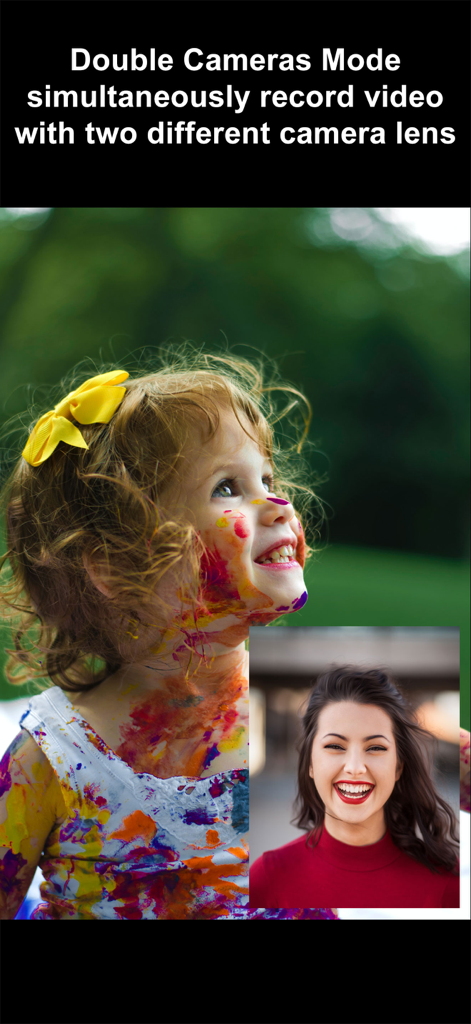
SP Camera - SP Cameraアプリのインターフェース。ピクチャーインピクチャーモードでの同時デュアルレンズビデオ録画を示しています。
SP Cameraアプリのインターフェース。ピクチャーインピクチャーモードでの同時デュアルレンズビデオ録画を示しています。

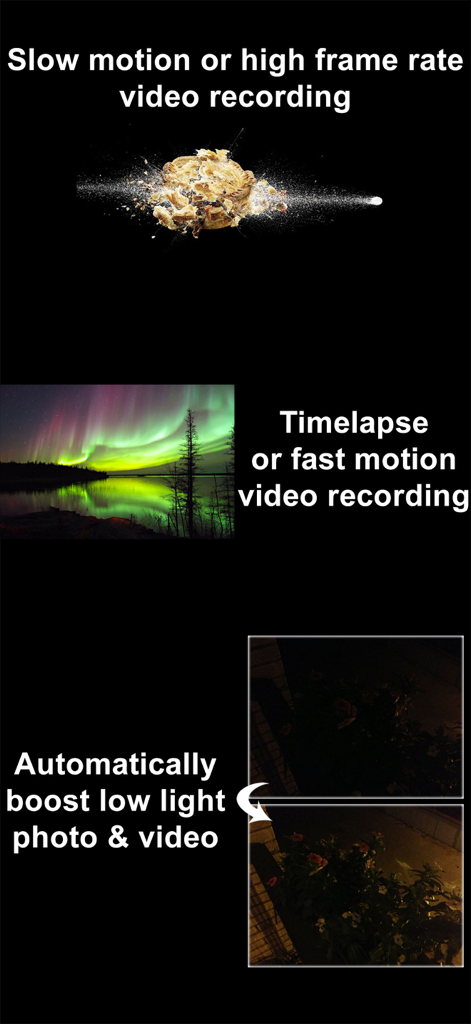
SP Camera - スローモーションビデオ、タイムラプス、自動低光量増強を含むSP Cameraの機能の概要。
スローモーションビデオ、タイムラプス、自動低光量増強を含むSP Cameraの機能の概要。

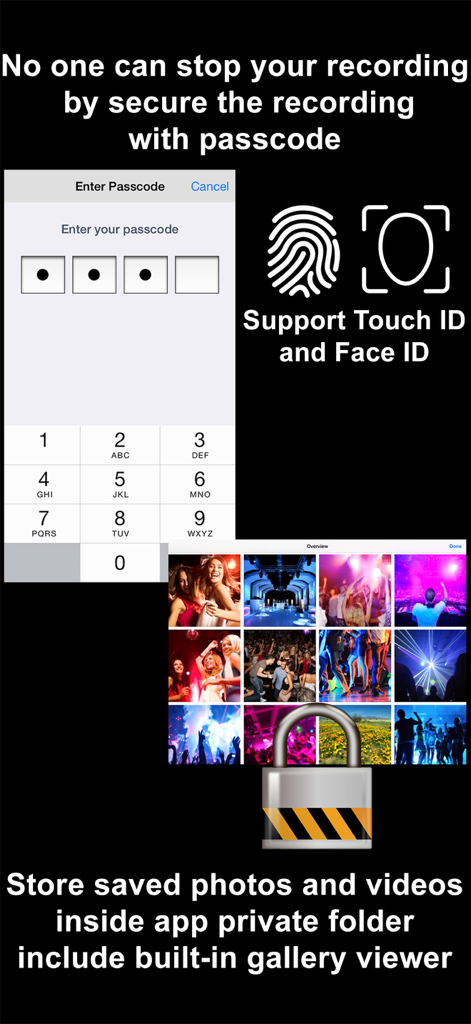
SP Camera - SP Cameraのセキュリティ機能。パスコード入力画面、Touch IDおよびFace IDサポート、ロックされたプライベートギャラリーフォルダを示しています。
SP Cameraのセキュリティ機能。パスコード入力画面、Touch IDおよびFace IDサポート、ロックされたプライベートギャラリーフォルダを示しています。

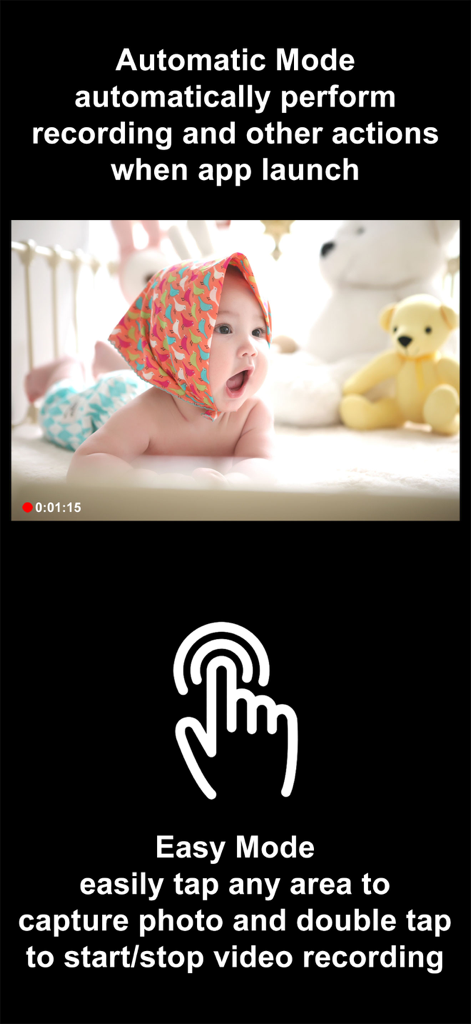
SP Camera - SP Cameraアプリのインターフェース。起動時のインスタント録画のための自動モードと、ワンタップ写真キャプチャおよびダブルタップビデオ録画のためのイージーモードを示しています。

SP Cameraアプリのインターフェース。起動時のインスタント録画のための自動モードと、ワンタップ写真キャプチャおよびダブルタップビデオ録画のためのイージーモードを示しています。
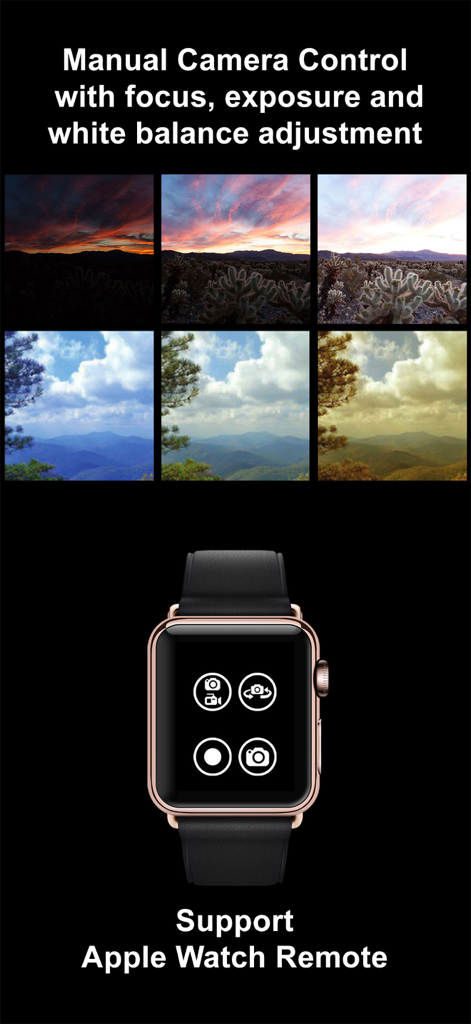
SP Camera - SP Cameraアプリのインターフェース。フォーカスと露出のマニュアル調整比較とApple Watchリモートコントロールインターフェースを示しています。
SP Cameraアプリのインターフェース。フォーカスと露出のマニュアル調整比較とApple Watchリモートコントロールインターフェースを示しています。

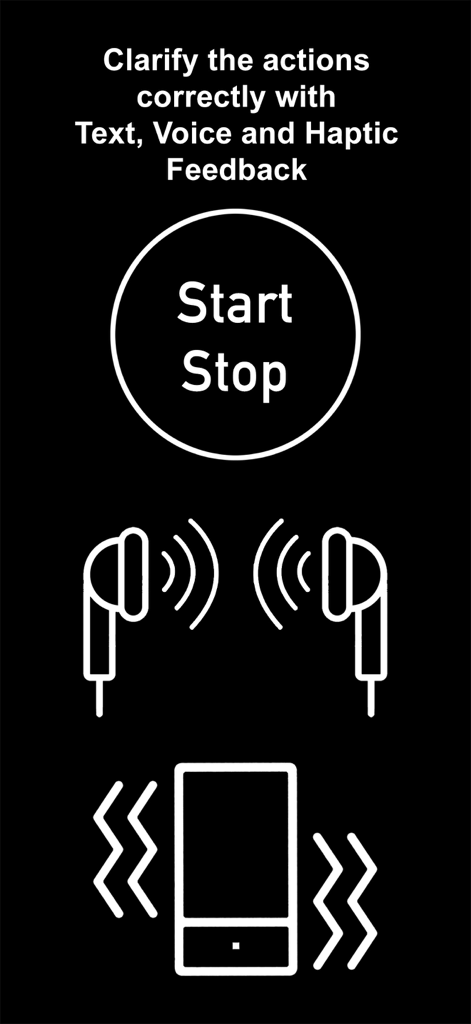
SP Camera - SP Cameraアプリのインターフェース。隠密録画中のテキスト、音声、触覚フィードバックのアイコンを示しています。

SP Cameraアプリのインターフェース。隠密録画中のテキスト、音声、触覚フィードバックのアイコンを示しています。

説明

Want to secretly capture photos and videos without anyone notices, here is the app that you need: SP Camera. With SP Camera, you can record video, or take pictures without being seen while the device shows one of fake backgrounds. Simulate that you are browsing the web, a blog or leave the device on a table showing a still image or a time clock while recording. Automatically record and save video if any motion occurs on the scene with Motion Detector Sensor. With built-in Photo Timer, this app automatically captures photos every few seconds without touching the capture button again. Save your photos and videos in the password protected private folder. Moreover, you can hide all the UI control buttons to simulate a real spy experience. MODE * Photo: automatically capture photo without tap any buttons with Photo Timer up to 48MP * Video: record video and capture still photo at the same time (snap 8MP photo while recording 4K video) * Motion Detector: automatically record only if any motion occurs on the scene * Slow Motion: support high frame rate or slow motion video recording on both front and rear camera * Timelapse: record video in fast motion action up to 32x * Horizontal: always record video in landscape even the device is held in portrait orientation * Double Cameras: simultaneously record video with two different camera lens CAMERA • Manual camera control with focus, exposure, ISO, and white balance adjustment • Ability for photo capturing & video recording at the same time for all video modes • Save more storage with changeable video recording resolution between QVGA 240p, VGA 480p, HD 720p, FullHD 1080p or 4K 2160p • Ability to zoom in & zoom out up to 10x • Support dual and triple rear camera lens devices • Automatically boost low light photo & video visibility and quality • Limitable video recording duration and numbers of Photo Timer photos • Cinematic video stabilization support for shake-free video recording • Tap on camera view area to focus and adjust exposure • Adjustable auto or manual focus and exposure • Ability to record silent video (without sound) • Support volume buttons actions for photo capturing and video recording • Save photo and video in passcode protected private app folder or save to camera roll • Ability to add date and time stamp when capturing photo or recording motion detector video • Choose different styles of Double Cameras mode recording including Picture-in-Picture, Split View, and Dual Files INTERFACE • Automatic Mode: auto perform record action and other actions when app launch • Easy Mode: easily tap any area to take photo and double tap to start/stop video recording • Screen is completely black simulate the device is turned off • No camera flash or on-screen flash is appeared • Fake other people that you're on other activities by using fake backgrounds • Alternative image slideshow or animated clock or reactive web browsing fake backgrounds • Ability to your own image fake backgrounds • Dimmed screen with zero brightness in black background • Adjustable the visibilty of the UI transparency • Movable and resizable camera preview • Clarify the actions correctly with Text, Voice, and Haptic Feedback PASSCODE • No one can stop your recording by secure the recording and lock UI buttons with passcode • Advanced passcode system can lock app startup, lock camera UI buttons, or lock gallery viewing • Hide App Folder private photos and videos with failed passcode input GALLERY • Built-in gallery for viewing photos and videos and easy sharing • Recover deleted photos and videos within 7 days with Trash Folder REMOTE • Wireless Apple Watch Remote supported for recording control NOTES: • Built-in Gallery Viewer unable to play slow-mo video in slow motion action. • Double Cameras mode required iPhone or iPad with A12 or A12X chipset or later. • 48MP photos capturing required iPhone 14 Pro series or iPhone 15 series or later. • 4K 120fps recording required iPhone 16 Pro series or later.

Download

ダウンロード: App Store

このページはアプリまたはその開発者の公式ページではなく、情報提供および論評を目的として作成された独立した編集出版物です。明示的に別段の記載がない限り、アプリおよびその開発者は、MWM、Apple、Google Play、アプリのパブリッシャー、またはアプリの開発者と提携、承認、後援、認可、またはその他の公式的な関係はなく、このページのいかなる内容も、アプリがMWMのサービスを使用して開発されたことを意味するものではありません。すべての商標、ロゴ、スクリーンショット、その他のコンテンツはそれぞれの所有者の財産です。








