Spck Editor Lite

Spck Editor Lite

ダウンロード: App Store
ロゴ: Spck Editor Lite

Spck Editor Lite: 移動中の開発者のための、ピュアでプロフェッショナルなコードエディター

注意散漫にならないIDEでWebプロジェクトをマスターしましょう。GitHubリポジトリをクローンし、TypeScriptの自動補完を活用し、アカウント不要でどこでも完全なGitワークフローを管理できます。

ダウンロード: App Store

開発元

Zeb Zhao

カテゴリ

Developer Tools

ダウンロード

2K+

ユーザー評価

1.0/5

評価数

0

対応言語

1

集中してコーディング

このインターフェースを利用する 2K+ 人のユーザー.

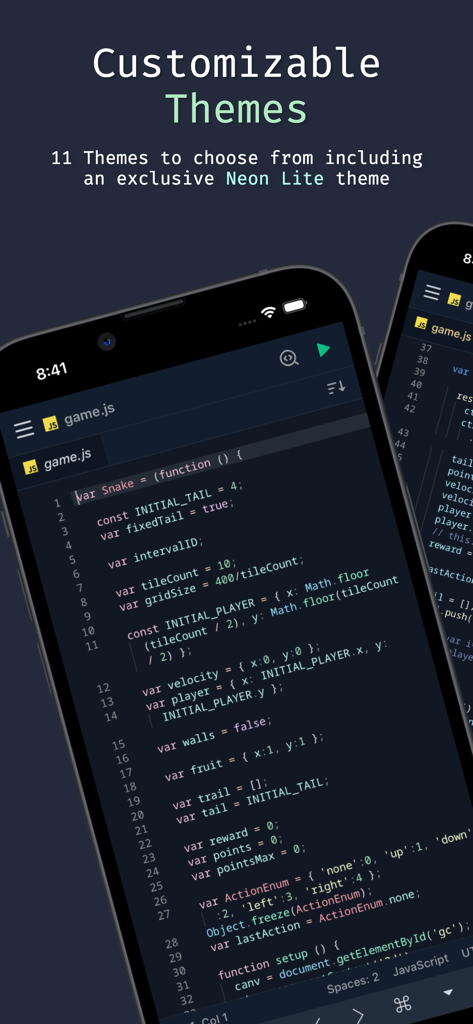
Spck Editor Liteアプリのインターフェース。カスタマイズ可能なテーマとJavaScriptコードエディターがモバイルデバイスに表示されています。
Spck Editor Liteアプリのインターフェース。カスタマイズ可能なテーマとJavaScriptコードエディターがモバイルデバイスに表示されています。

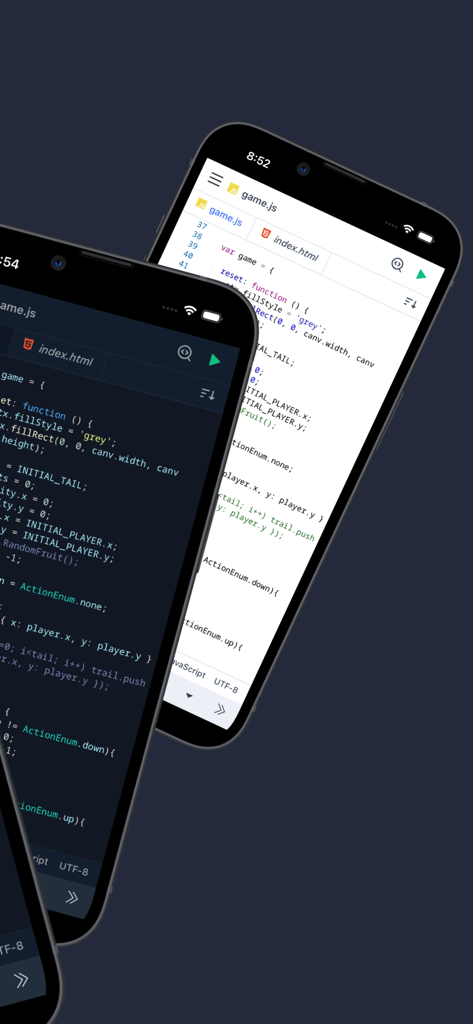
Spck Editor Liteモバイルアプリケーションのインターフェース。ライトモードとダークモードのコードエディターテーマが表示されています。
Spck Editor Liteモバイルアプリケーションのインターフェース。ライトモードとダークモードのコードエディターテーマが表示されています。

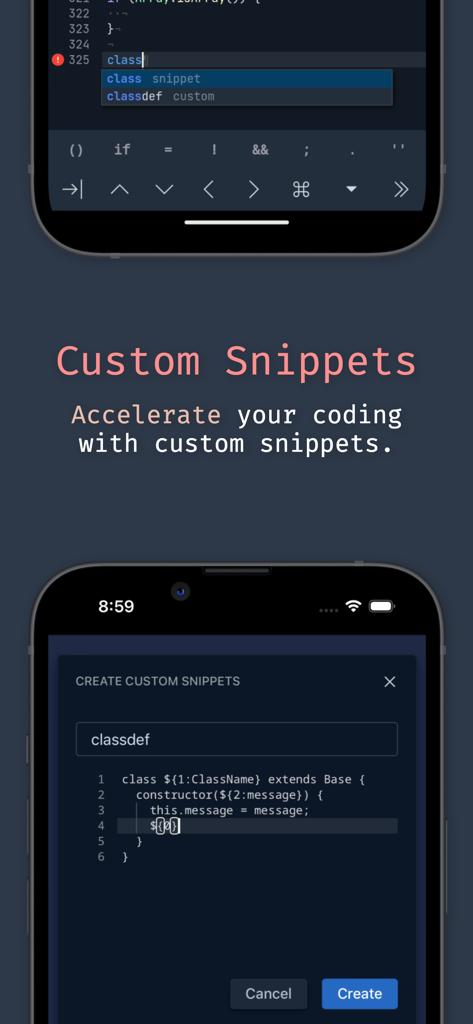
Spck Editor Liteアプリのカスタムコードスニペット機能。
Spck Editor Liteアプリのカスタムコードスニペット機能。

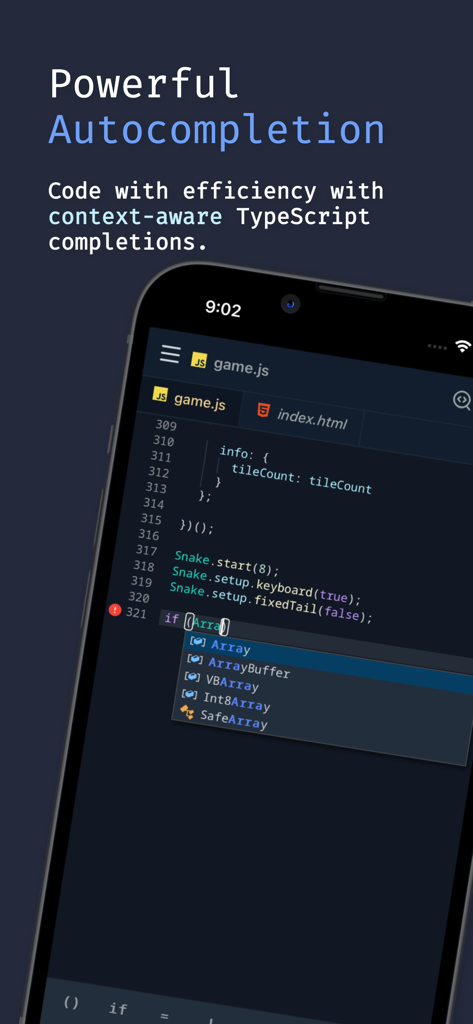
Spck Editor Liteアプリのインターフェース。モバイルデバイスで、文脈に応じたTypeScriptコードの自動補完が表示されています。
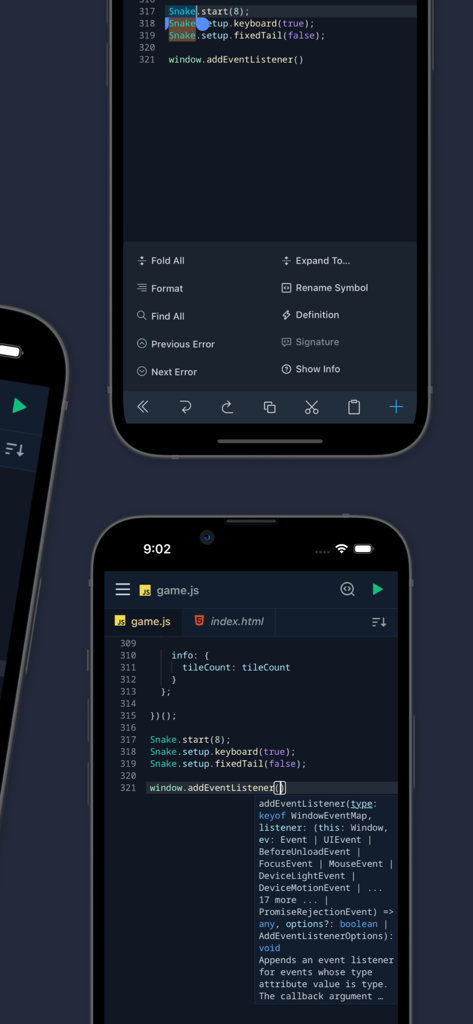
Spck Editor Liteアプリのインターフェース。モバイルデバイスで、文脈に応じたTypeScriptコードの自動補完が表示されています。

Spck Editor Liteモバイルアプリ。シンタックスハイライトと自動補完を備えたJavaScriptコードが表示されています。
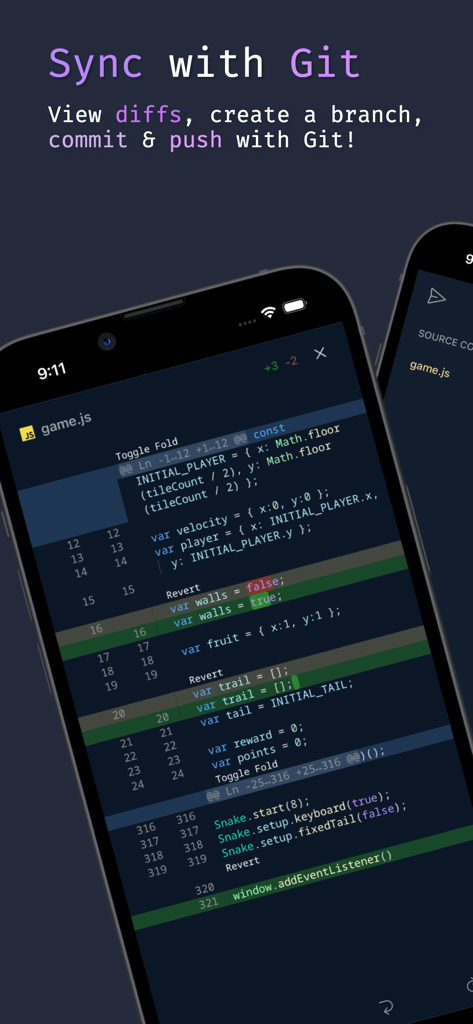
Spck Editor Liteモバイルアプリ。シンタックスハイライトと自動補完を備えたJavaScriptコードが表示されています。

モバイルコードエディターのインターフェース。JavaScriptファイルのGit差分が表示されています。
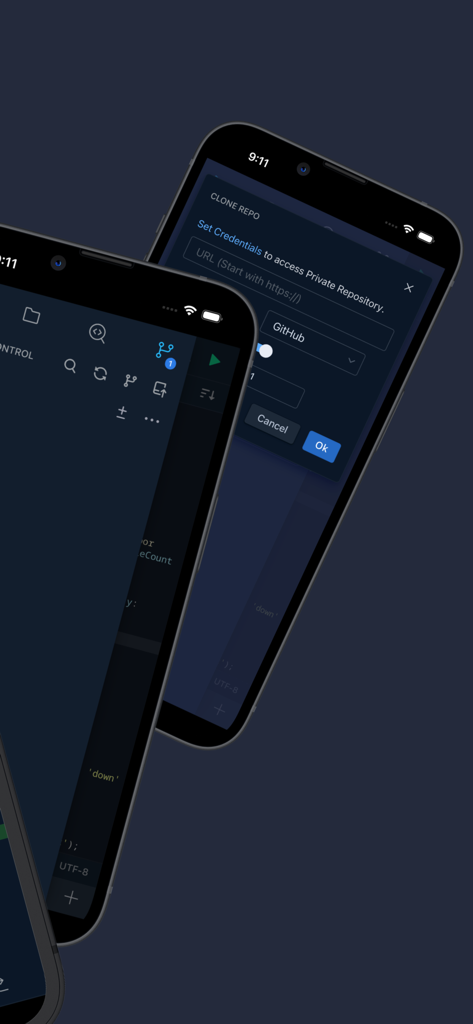
モバイルコードエディターのインターフェース。JavaScriptファイルのGit差分が表示されています。

Spck Editor Liteのインターフェース。Gitリポジトリのクローンとコードエディターがモバイルデバイスで表示されています。
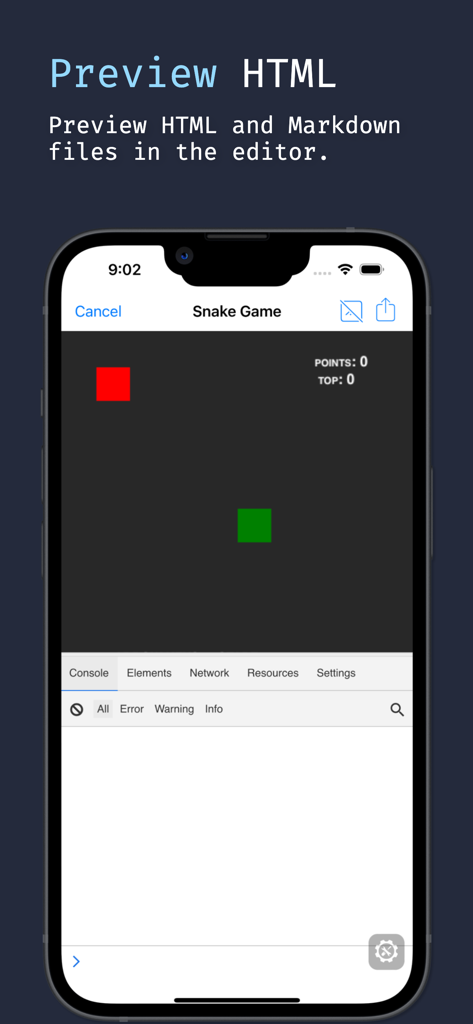
Spck Editor Liteのインターフェース。Gitリポジトリのクローンとコードエディターがモバイルデバイスで表示されています。

モバイルコードエディターが、開発者コンソールを備えたHTMLヘビゲームをプレビューしています。

モバイルコードエディターが、開発者コンソールを備えたHTMLヘビゲームをプレビューしています。

ポケットに入るデスクトップクラスのコーディング

このアプリを際立たせるツール、 2K+ 人のユーザーが選択.

🌿

シームレスなGitワークフロー

GitHubまたはGitLabにクローン、コミット、プッシュ。組み込みの差分ビューアとターミナルのような制御でリポジトリを管理します。

🧠

スマートな自動補完

TypeScriptベースのヒント、HTMLのEmmetサポート、モバイル効率のために設計されたカスタム予測キーボードで、より速くコーディングできます。

🔒

プライバシーファーストのLite体験

ピュアでアカウント不要のエディターで、集中力を維持しましょう。あなたのプロジェクトはあなたのものとして、ローカルに保存され、超高速編集の準備ができています。

アプリについて

について知っておくべきこと Spck Editor Lite.

説明

Spck Editor Lite is a simple, yet feature-filled code editor that lets you access your projects from Github, Bitbucket, Gitlab, and more! With Spck Editor, you can edit, commit, checkout, push, and run simple JavaScript projects. Make changes quickly with the power of TypeScript autocompletion, code snippets, and on-screen extra keyboard. Preview HTML files and debug them. *Lite version keeps the editor pure. Lab features and account system are removed. *Back up your projects before uninstalling the app, otherwise you will lose the data in the app! Upgrading/updating the app should be okay. Exclusive Lite Features: - Custom Snippets for templating custom code - Predictive extra keyboard for special symbols - Exclusive Theme Features include: - Clone public or private repos (requires app tokens) - Quick snippets keyboard for faster code edits - Git client integration (checkout/pull/push/commit/log) - Diff viewer for git-enabled projects - Preview HTML/Markdown files on your device - Project & file searching - Code syntax analysis and smart auto-completer - Code completion and context provider - Auto code-indentation - Light/dark themes available - Export/import project/files to zip file - CSS Color selector Main languages supported: - JavaScript - CSS - HTML - Markdown Smart code-hinting support: - TypeScript, JavaScript, TSX, JSX - CSS, Less, SCSS - HTML (with Emmet support) Other popular languages (Syntax highlighting only): - Python, Ruby, R, Perl, Julia, Scala, Go - Java, Scala, Kotlin - Rust, C, C++, C# - PHP - Stylus, CoffeeScript, Pug - Shell, Batch - OCaml, ActionScript, Coldfusion, HaXe + More...

最新バージョン

5.7.4

サイズ

25.0 MB

リリース日

2024年3月19日

移動中に構築する準備はできましたか?

Spck Editor Liteを使用して、ピュアで注意散漫にならないコーディング体験を享受している何千人もの開発者に加わりましょう。プロジェクトを直接デバイスからクローン、編集、プッシュできます。

ダウンロード: App Store

App information, icons, screenshots, and descriptions displayed on this page are sourced from the Apple App Store and are the property of their respective developers. Download estimates and rankings are based on MWM's proprietary models and may not reflect actual figures. This page is provided for informational and analytical purposes only.

Believe this page infringes your intellectual property? File a dispute