Sphero Edu

Sphero Edu

ダウンロード: App Storeダウンロード: Google Play
ロゴ: Sphero Edu

Sphero Edu:すべての学習者のためのコーディング、ロボティクス、STEAM

単純なパスの描画から、高度なJavaScriptやPythonの記述まで。ハンズオン形式のロボティクスを通じて、生徒たちがコードの枠を超えて成長できるよう支援します。

開発元

Sphero, Inc.

カテゴリ

Education

ダウンロード

1M+

ユーザー評価

4.5/5

評価数

1K+

対応言語

16

コーディングに命を吹き込む

このインターフェースを利用する 1M+ 人のユーザー.

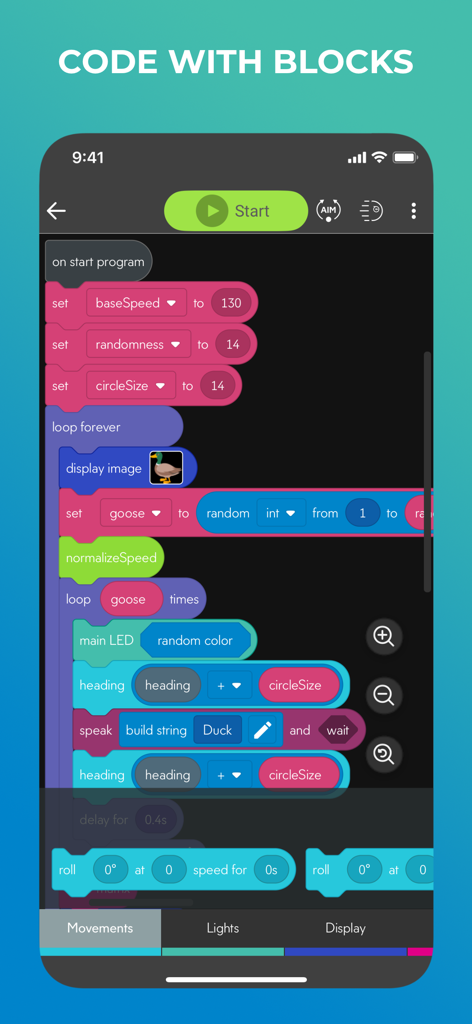
ロボットをプログラミングするためのブロックベースのコーディングインターフェースを表示しているSphero Eduアプリの画面。
ロボットをプログラミングするためのブロックベースのコーディングインターフェースを表示しているSphero Eduアプリの画面。

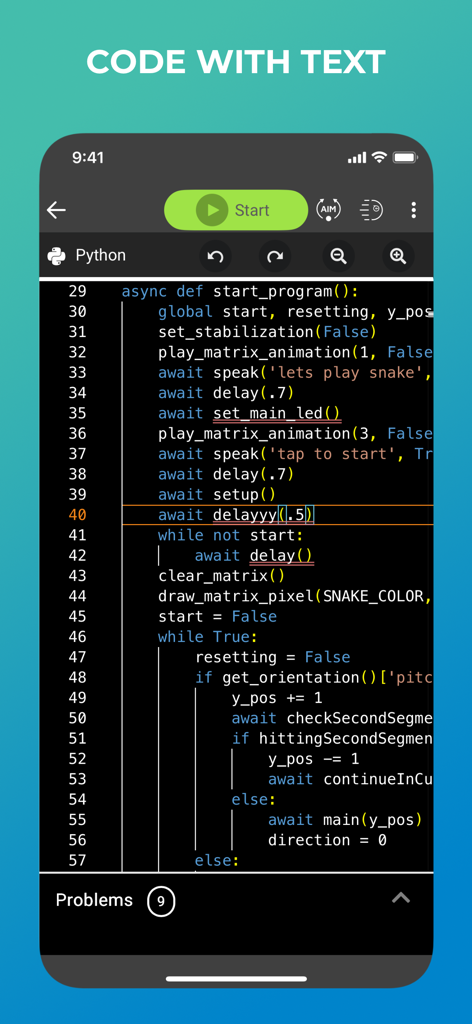
ロボティクス教育のためのテキストベースのPythonプログラミングを表示しているSphero Eduアプリのインターフェース
ロボティクス教育のためのテキストベースのPythonプログラミングを表示しているSphero Eduアプリのインターフェース

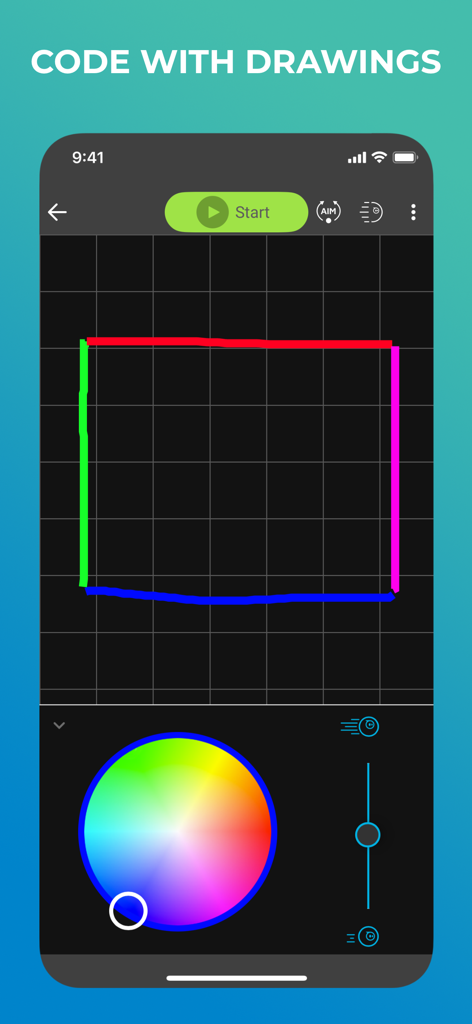
グリッド上に図形を描くことでコードを作成できる描画モードを表示しているSphero Eduアプリのインターフェース
グリッド上に図形を描くことでコードを作成できる描画モードを表示しているSphero Eduアプリのインターフェース

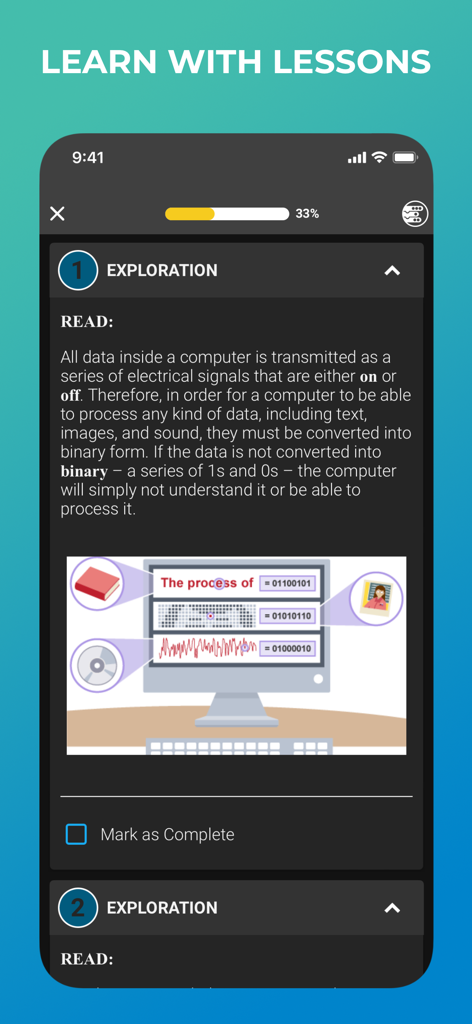
テキストとメディア変換のイラストを使用してバイナリコードを解説しているSphero Eduアプリ内のSTEAMレッスン
テキストとメディア変換のイラストを使用してバイナリコードを解説しているSphero Eduアプリ内のSTEAMレッスン

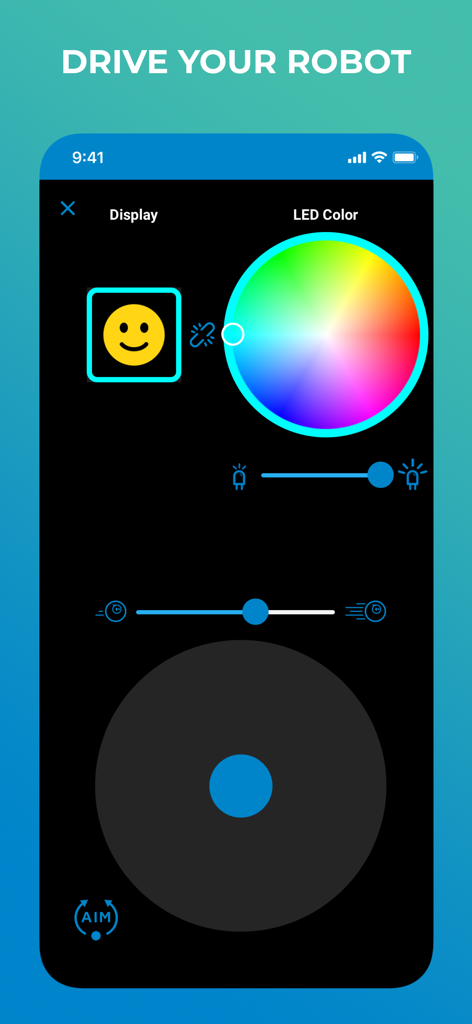
カラーピッカーとジョイスティック操作でロボットを手動で操縦するためのSphero Eduアプリのインターフェース
カラーピッカーとジョイスティック操作でロボットを手動で操縦するためのSphero Eduアプリのインターフェース

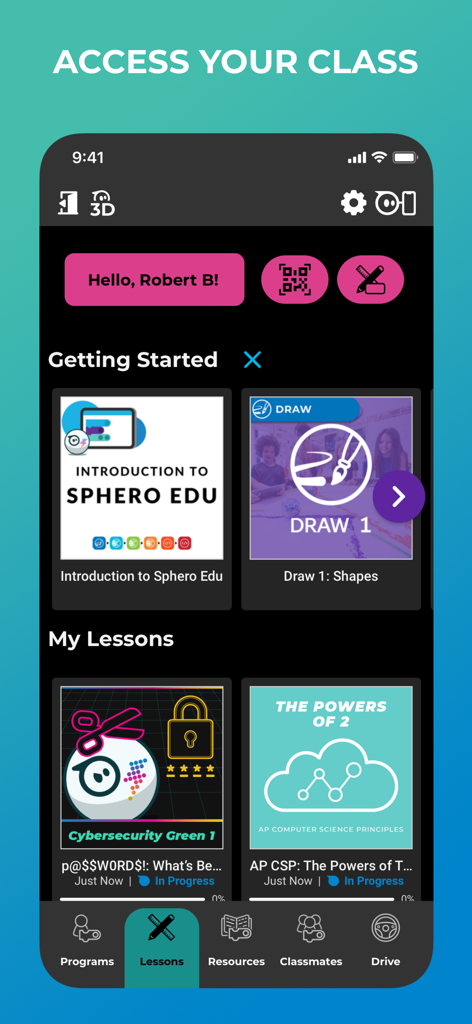
教育用ロボティクスレッスンとスタートガイドを表示しているSphero Eduアプリのインターフェース

教育用ロボティクスレッスンとスタートガイドを表示しているSphero Eduアプリのインターフェース

遊びを通してコーディングをマスターする

このアプリを際立たせるツール、 1M+ 人のユーザーが選択.

🚀

進化するコーディングモード

進歩に合わせて設計されたマルチレベルのプログラミングインターフェースにより、パスの描画からプロ仕様のPythonコードの記述まで成長できます。

🎓

すぐに教えられるSTEAMカリキュラム

事前に用意されたレッスンと、GoogleやCleverとのシームレスな統合により、教育者が教室やグループを簡単に管理できるようにします。

🤖

インタラクティブなハードウェアフィードバック

視覚的で読みやすいグラフを通じて、ロボットからのリアルタイムセンサーデータを追跡し、物理学を直接体験できます。

アプリについて

について知っておくべきこと Sphero Edu.

説明

Sphero Edu is your hub to create, contribute, and learn with Sphero robots. Go beyond code by incorporating unique STEAM lessons to complete with your bot. Designed for learner progression, Sphero Edu beginners can give robots commands by drawing a path in the app for their robot to follow. Intermediate coders can use Scratch blocks to learn more advanced logic, while pros can use text programming and write their own JavaScript or Python code. Sphero Edu is built for makers, learners, educators, and parents. The interactive platform allows you to keep track of your class or group from one easy place. Anyone can save their progress, jump from device to device, and continue the discovery from anywhere. Preparing for the future has never been so fun. SPHERO EDU FEATURES PROGRAMS: Program your bots in 3 ways with Draw, Block, and Text modes. Start with the basics and grow. SENSOR DATA: See location, accelerometer, gyroscope, velocity, and distance sensor data through visual graphs. LESSONS: Program a painting. Navigate a maze. Mimic the solar system. The only limit is your imagination. TAKE A DRIVE: Need a brain break? Set LED colors on your robot and zoom around in Drive mode. ASSIGNMENTS: Are you a teacher? Monitor progress by creating lessons and assigning them to your students. INTEGRATIONS: Simplify classroom use by signing in and syncing classrooms with Google and Clever accounts. COMPATIBILITY Supported Robots: Sphero BOLT+, Sphero BOLT, Sphero RVR/RVR+, Sphero SPRK+, Sphero SPRK Edition, Sphero 2.0, Sphero Mini, Ollie, BB-8, BB-9E, R2-D2, R2-Q5 Unsupported Robots: Sphero Original, Force Band, Lightning McQueen, Spider-Man, indi

最新バージョン

8.2.0

サイズ

191.7 MB

リリース日

2015年7月31日

遊びの時間を実世界のコードに変える準備はいいですか?

100万人以上の学習者や教育者の仲間入りをしましょう。今すぐSphero Eduをダウンロードして、STEAMレッスンをアンロックし、簡単な描画からJavaScriptやPythonまであらゆるスキルをマスターしましょう。

ダウンロード: App Storeダウンロード: Google Play

App information, icons, screenshots, and descriptions displayed on this page are sourced from the Apple App Store and are the property of their respective developers. Download estimates and rankings are based on MWM's proprietary models and may not reflect actual figures. This page is provided for informational and analytical purposes only.

Believe this page infringes your intellectual property? File a dispute