Split Video For Long Story
ダウンロード: App Store

このページはアプリまたはその開発者の公式ページではなく、情報提供および論評を目的として作成された独立した編集出版物です。明示的に別段の記載がない限り、アプリおよびその開発者は、MWM、Apple、Google Play、アプリのパブリッシャー、またはアプリの開発者と提携、承認、後援、認可、またはその他の公式的な関係はなく、このページのいかなる内容も、アプリがMWMのサービスを使用して開発されたことを意味するものではありません。すべての商標、ロゴ、スクリーンショット、その他のコンテンツはそれぞれの所有者の財産です。


ロゴ: Split Video For Long Story
ダウンロード: App Store

Split Video For Long Story

長い動画をInstagram、WhatsApp、TikTok向けの完璧で高品質なセグメントに変換します。手動トリミングはやめて、数秒でプロフェッショナルなストーリーの共有を始めましょう。

主要数値

ダウンロード

400

ユーザー評価

1.0/5

評価数

0

開発元

Amal Paul

カテゴリ

Photo & Video

対応言語

1

最新バージョン

3.3.1

サイズ

45.5 MB

リリース日

2021年2月10日
機能

数秒で完璧なストーリーを作成

手動トリミングの苦労はやめましょう。長い動画を、Instagram、TikTok、WhatsApp向けの完璧なタイミングで高品質なクリップに自動分割します。

ワンタップ自動分割

長い映像を、各ソーシャルプラットフォームの特定の制限に最適化された、完璧なタイミングのセグメントに即座に変換します。

プログレード 4K 品質

自信を持って投稿しましょう。圧縮やディテールの損失ゼロで、元の動画解像度を維持します。

以下のスクリーンショットと説明は、アプリの公式ストアリスティングから直接取得されたものであり、アプリ開発者の所有物です。

アプリストア

スクリーンショット
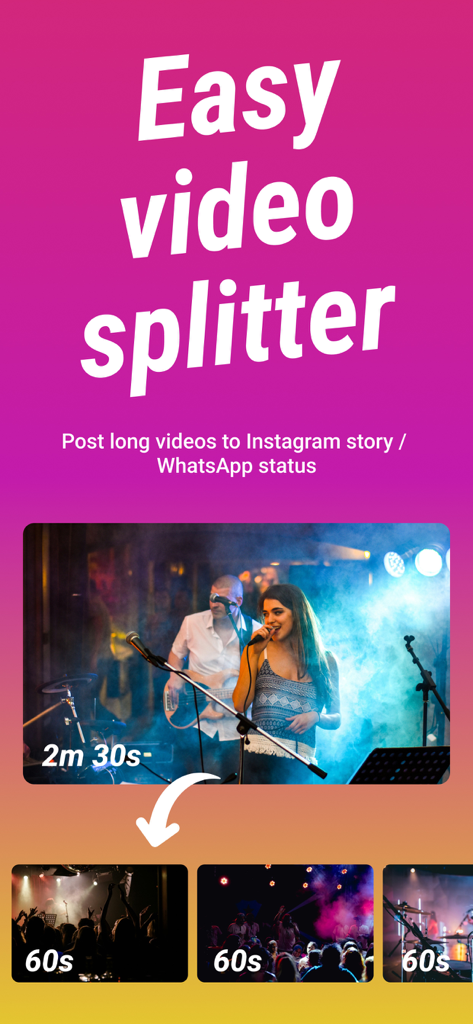
Split Video For Long Story - Split Videoアプリのインターフェース。2分30秒の動画がソーシャルメディアストーリー用に複数の60秒クリップに分割されている様子を表示。
Split Videoアプリのインターフェース。2分30秒の動画がソーシャルメディアストーリー用に複数の60秒クリップに分割されている様子を表示。

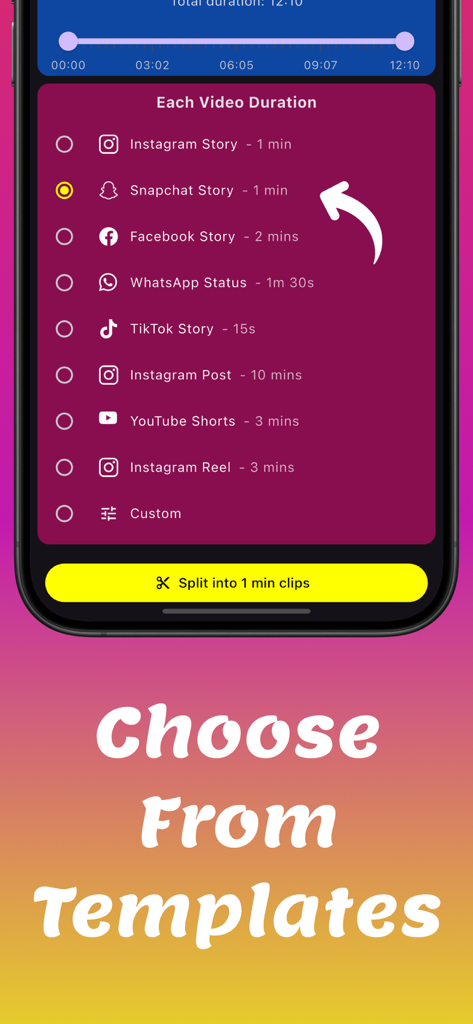
Split Video For Long Story - ソーシャルメディアストーリーや投稿向けの動画分割時間テンプレートとプリセットが表示されたインターフェース。
ソーシャルメディアストーリーや投稿向けの動画分割時間テンプレートとプリセットが表示されたインターフェース。

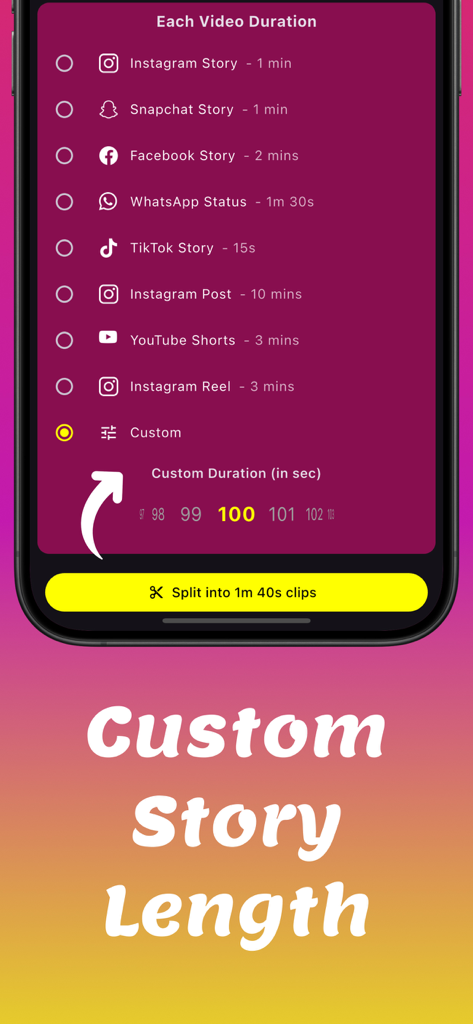
Split Video For Long Story - Instagram、Snapchat、カスタムストーリーの長さに動画を分割するオプションが表示されたモバイルアプリのインターフェース。
Instagram、Snapchat、カスタムストーリーの長さに動画を分割するオプションが表示されたモバイルアプリのインターフェース。

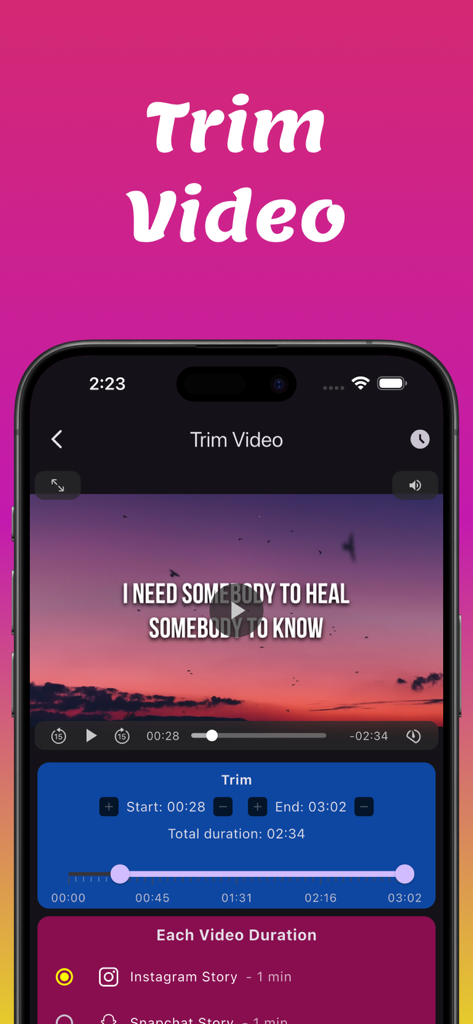
Split Video For Long Story - Instagramストーリーズ用の開始時間と終了時間を制御するトリム機能が表示されたSplit Videoアプリのスクリーンショット。
Instagramストーリーズ用の開始時間と終了時間を制御するトリム機能が表示されたSplit Videoアプリのスクリーンショット。

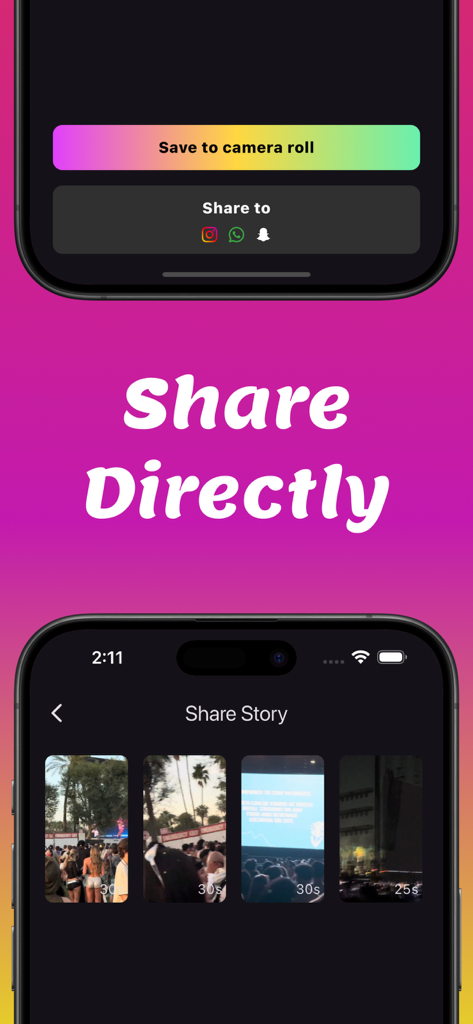
Split Video For Long Story - Instagram、WhatsApp、Snapchatへの分割動画クリップの直接共有が表示されたインターフェース。

Instagram、WhatsApp、Snapchatへの分割動画クリップの直接共有が表示されたインターフェース。

説明

Looking for a fast and easy way to split long videos into short, shareable clips? Split Video is the ultimate tool to cut videos into perfect segments for social media stories. No need for manual editing—simply select your video, set the duration, and let the app do the work. Best Video Splitter for Social Media Automatic Video Splitter – Instantly splits long videos into smaller clips based on your selected duration. Adjustable clip duration - You control the split duration. You can keep either keep the default 60 seconds or keep a shorter duration which can be especially handy when creating Insta highlights for easy fast forwarding. Precise Video Trimmer – Cut and adjust videos to keep only the best parts before splitting. High-Quality Output – Maintains original video resolution with no compression or loss. Seamless Playback – Ensures smooth transitions between clips for a professional, uninterrupted viewing experience. Fast Processing – Quickly splits and exports videos without lag or long wait times. Simple and User-Friendly – Easy-to-use video splitter with a clean, intuitive interface. Multi-Platform Compatibility – Perfect for Instagram Stories, WhatsApp Status, Facebook Reels, YouTube Shorts, TikTok, and Snapchat. Why Use Split Video? Save Time – No more manually cutting videos—just upload and split instantly. Perfect for Content Creators – Make engaging social media clips without complex editing. Ideal for Businesses and Marketers – Quickly create promotional content that fits social media story limits. Great for Personal Use – Split travel vlogs, event recordings, and personal videos with ease. If you are looking for a fast, high-quality video splitter, this is the perfect tool for you. Split Video makes video cutting effortless, allowing you to share long videos in short, seamless clips. Download Split Video today and create perfect story clips in seconds. Privacy Policy - https://basastudios.com/storysplitter/privacy/ Terms of service - https://basastudios.com/storysplitter/terms-of-service/

Download

ダウンロード: App Store

このページはアプリまたはその開発者の公式ページではなく、情報提供および論評を目的として作成された独立した編集出版物です。明示的に別段の記載がない限り、アプリおよびその開発者は、MWM、Apple、Google Play、アプリのパブリッシャー、またはアプリの開発者と提携、承認、後援、認可、またはその他の公式的な関係はなく、このページのいかなる内容も、アプリがMWMのサービスを使用して開発されたことを意味するものではありません。すべての商標、ロゴ、スクリーンショット、その他のコンテンツはそれぞれの所有者の財産です。