Square Fit Photo: PicFitter
ダウンロード: App Store

このページはアプリまたはその開発者の公式ページではなく、情報提供および論評を目的として作成された独立した編集出版物です。明示的に別段の記載がない限り、アプリおよびその開発者は、MWM、Apple、Google Play、アプリのパブリッシャー、またはアプリの開発者と提携、承認、後援、認可、またはその他の公式的な関係はなく、このページのいかなる内容も、アプリがMWMのサービスを使用して開発されたことを意味するものではありません。すべての商標、ロゴ、スクリーンショット、その他のコンテンツはそれぞれの所有者の財産です。

ロゴ: Square Fit Photo: PicFitter
ダウンロード: App Store

Square Fit Photo: PicFitter

ソーシャルメディアにあなたのビジョンを切り取らせないで。審美的なフレームと、あなたのキュレーションされたグリッドのためにデザインされた簡単なバッチ編集で、どんなショットもクリーンでプロフェッショナルな投稿に。

主要数値

ダウンロード

1M+

ユーザー評価

4.7/5

評価数

20K+

開発元

Codepaint Inc.

カテゴリ

Photo & Video

対応言語

2

最新バージョン

5.2.31

サイズ

160.6 MB

リリース日

2015年4月13日
機能

際立つフィードをデザイン

あなたのユニークな芸術スタイルを維持し、構図のすべてのピクセルを保ちながら、写真や動画をどんなプラットフォームの要件にも楽に適合させましょう。

もう切り抜かない

ショットの細部まで保存。水平または垂直写真を、頭の上部やフレームの下部を失うことなく、完璧な1:1または4:5の比率に変換します。

ミニマリストな美学

プロフェッショナルな白いフレーム、カスタムカラーのボーダー、またはソフトなぼかし背景で、あなたのパーソナルスタイルに合ったクリーンでエディトリアルなルックでビジュアルブランドを高めましょう。

以下のスクリーンショットと説明は、アプリの公式ストアリスティングから直接取得されたものであり、アプリ開発者の所有物です。

アプリストア

スクリーンショット
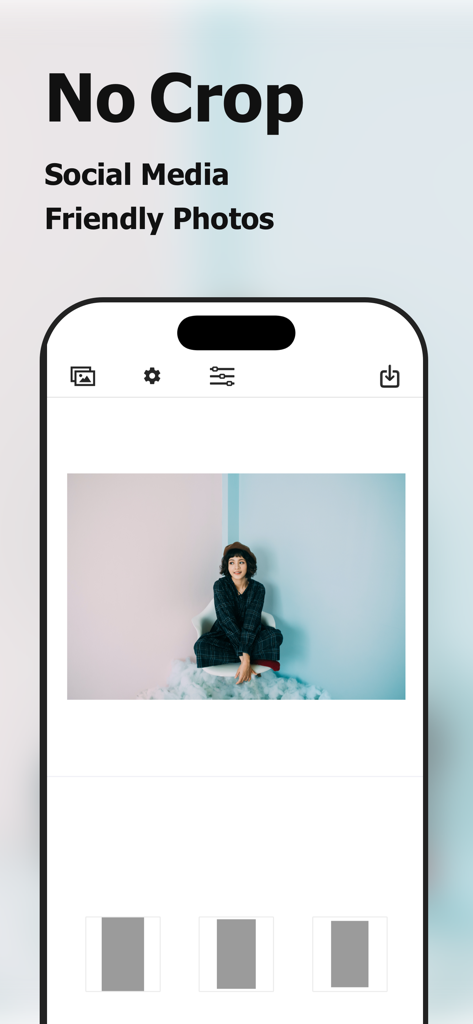
Square Fit Photo: PicFitter - 切り抜きなしでソーシャルメディア向けの写真を簡単に作成できる、Square Fit Photoアプリのインターフェース
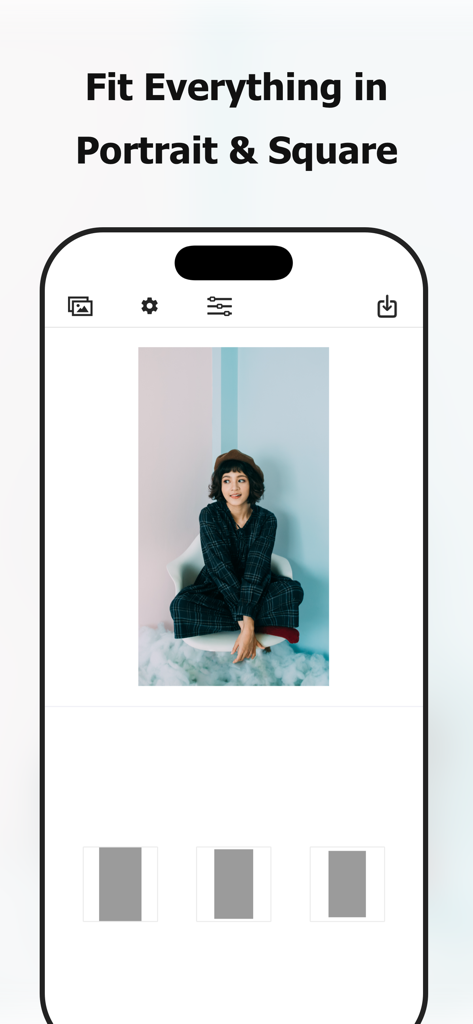
切り抜きなしでソーシャルメディア向けの写真を簡単に作成できる、Square Fit Photoアプリのインターフェース

Square Fit Photo: PicFitter - 縦長の写真をソーシャルメディアのスクエア投稿用にフォーマットするPicFitterアプリのスクリーンショット
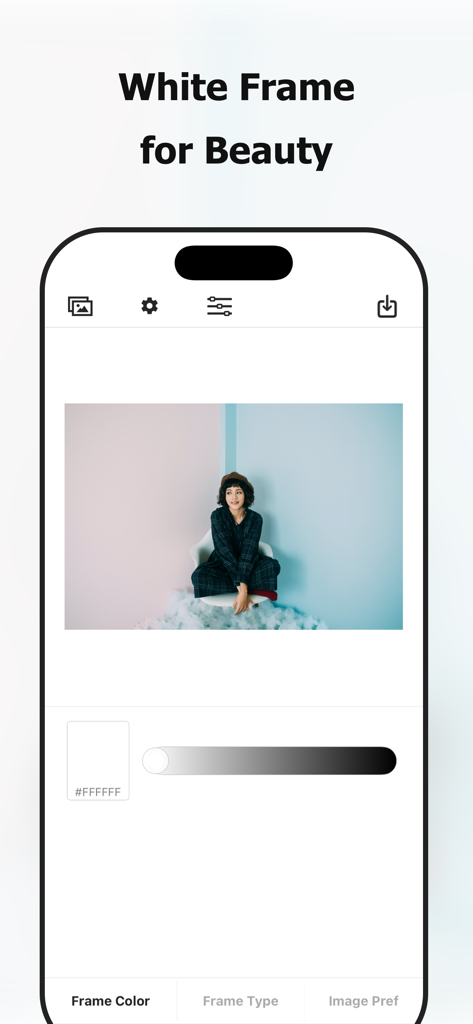
縦長の写真をソーシャルメディアのスクエア投稿用にフォーマットするPicFitterアプリのスクリーンショット

Square Fit Photo: PicFitter - ポートレート写真に白いフレーム編集機能を示すPicFitterアプリのモバイルインターフェース
ポートレート写真に白いフレーム編集機能を示すPicFitterアプリのモバイルインターフェース

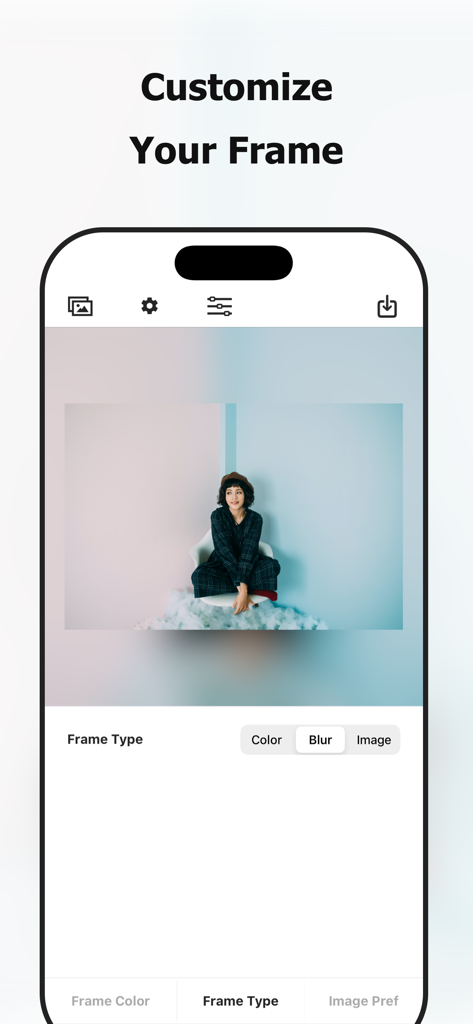
Square Fit Photo: PicFitter - ぼかし効果で写真フレームをカスタマイズする方法を示すPicFitterアプリのスクリーンショット
ぼかし効果で写真フレームをカスタマイズする方法を示すPicFitterアプリのスクリーンショット

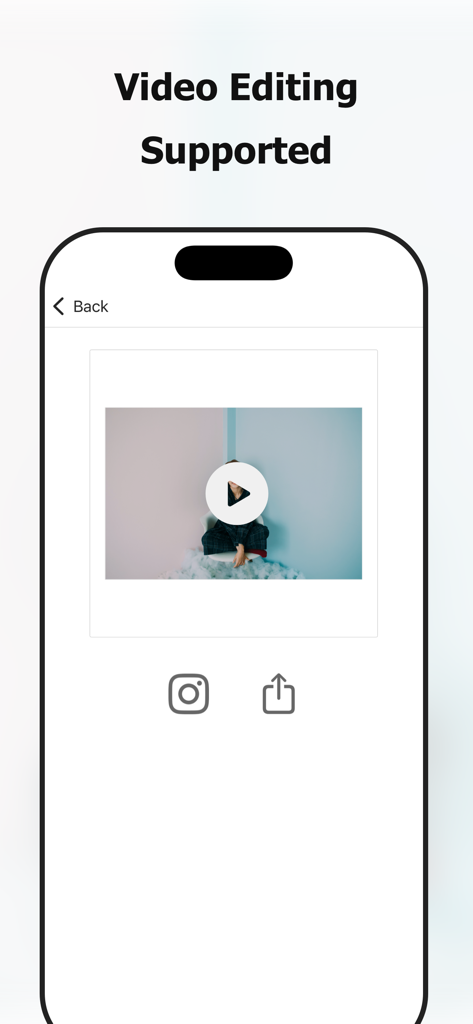
Square Fit Photo: PicFitter - 白いボーダー付きの動画をソーシャルメディア用にスクエアフォーマットで編集するPicFitterアプリのインターフェース

白いボーダー付きの動画をソーシャルメディア用にスクエアフォーマットで編集するPicFitterアプリのインターフェース

説明

PicFitter quickly converts rectangular photos into square (1:1) or portrait (4:5) canvases that look great for posting on social media such as Instagram. Select media, choose a layout, and share—editing takes seconds. [Who Will Love this Photo Editing App] - Looking for a photo editing app to edit pictures for posting on social media - Want the entire rectangular photo to appear - Want to create a white space that makes the photo look clean - Want to add a white frame - Want to change frame colors - Like simple, easy photo editor apps - Want to prepare photos and videos - Want to enhance their gallery with their own style - Want to quickly create professional-looking posts - Also want to convert videos to a square size [Photo Examples] - Horizontal photos - Vertical screenshots - Photo taken with DSLR camera - Fashion snap - Hairdressing model - Nail - Sports - Animal - Cooking - Scenery - Painting - Artwork - Digital works - Leaflet of events - Flyer of events - Film announcements - Magazine content - Manga works - Product introduction - Property introduction - Local government announcements - Submission of works by artists - Activity of idols - Daily life of a creator [Supported Edits] - Vertical portrait edit (4:5 ratio) - Square edit - White frame edit - Black frame edit, other color frame edit - Blurring of the frame *for image edit only [How to Use] Just 3 Steps! Easily edit photos perfect for social-media posts. - Select a video or an image from photo library (camera roll) - Choose your favorite layout - Save the edited image to photo library (camera roll), share on social media [Paid version] In our app, we offer a paid version with the following plans: - $2.99 / month - $17.99 / year - $49.99 / one-time purchase (lifetime) You can hide ads and perform batch processing on multiple images, making the app more comfortable to use than the free version. * The prices may vary by country, region and time of year. * Subscriptions renew automatically (cancel anytime in Settings) [Notes on paid version (subscription)] - If the automatic renewal is not canceled more than 24 hours before the end of the period, the contract period will be renewed automatically. - Automatic renewal will be charged from 24 hours before the end of the period until the end of the period. - You will be charged via your Apple ID account. - Cancellations for the current month (or year) are not accepted. - Cancellation cannot be performed by any method other than the following. [Confirmation and cancellation of paid version contract (subscription)] You can check and cancel the subscription from device's settings.app -> Apple ID -> Subscriptions -> PicFitter. * If automatic billing is not registered, Subscriptions menu is not displayed. [Notes on paid version (one-time purchase)] - You will be charged via your Apple ID account. - Cancellations are not accepted. [Terms of Use (EULA)] https://www.codepaint.app/terms/picfitter [Privacy Policy] https://www.codepaint.app/privacy-policy [Disclaimer & Trademarks] PicFitter is an independent tool and is not sponsored, endorsed, or affiliated with any company.

Download

ダウンロード: App Store

このページはアプリまたはその開発者の公式ページではなく、情報提供および論評を目的として作成された独立した編集出版物です。明示的に別段の記載がない限り、アプリおよびその開発者は、MWM、Apple、Google Play、アプリのパブリッシャー、またはアプリの開発者と提携、承認、後援、認可、またはその他の公式的な関係はなく、このページのいかなる内容も、アプリがMWMのサービスを使用して開発されたことを意味するものではありません。すべての商標、ロゴ、スクリーンショット、その他のコンテンツはそれぞれの所有者の財産です。








