StereoCheck
StereoCheck
ダウンロード: App Store

このページはアプリまたはその開発者の公式ページではなく、情報提供および論評を目的として作成された独立した編集出版物です。明示的に別段の記載がない限り、アプリおよびその開発者は、MWM、Apple、Google Play、アプリのパブリッシャー、またはアプリの開発者と提携、承認、後援、認可、またはその他の公式的な関係はなく、このページのいかなる内容も、アプリがMWMのサービスを使用して開発されたことを意味するものではありません。すべての商標、ロゴ、スクリーンショット、その他のコンテンツはそれぞれの所有者の財産です。

ロゴ: StereoCheck
ダウンロード: App Store

StereoCheck

Leksell、CRW、Brainlabなどの主要フレームをサポートするポータブルでハードウェアに依存しない検証システムで、ターゲット座標をクロスチェックし、手術リスクを軽減します。

主要数値

ダウンロード

38K+

ユーザー評価

1.0/5

評価数

0

開発元

Mevis Informatica Medica Ltda.

カテゴリ

Medical

対応言語

1

最新バージョン

2.8

サイズ

6.3 MB

リリース日

2012年10月16日
機能

立体定位計画のための精度検証

StereoCheckは、ポータブルで独立したシステムを提供し、直交座標を検証し、複数のハードウェアプラットフォーム全体で数学的な精度を保証します。

ユニバーサルフレームサポート

Leksell、CRW、Brainlabなどとシームレスに連携し、多様な手術ハードウェアに対応する単一の検証ツールを提供します。

インテリジェント画像補正

高度なアルゴリズムがガントリーチルトと線形歪みを補正し、標準的な軸方向CTまたはMRスライスから正確な座標を提供します。

以下のスクリーンショットと説明は、アプリの公式ストアリスティングから直接取得されたものであり、アプリ開発者の所有物です。

アプリストア

スクリーンショット
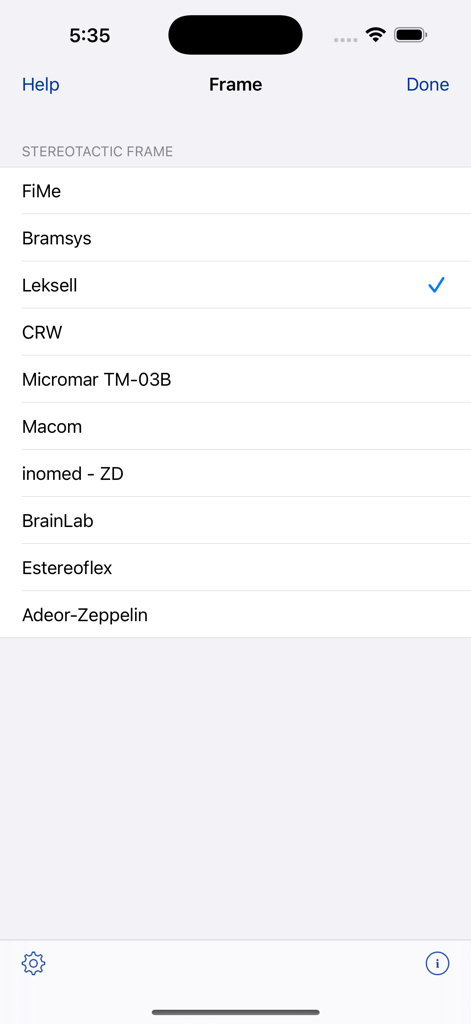
StereoCheck - StereoCheckアプリ画面、選択用のサポートされている立体定位フレームのリストを表示
StereoCheckアプリ画面、選択用のサポートされている立体定位フレームのリストを表示

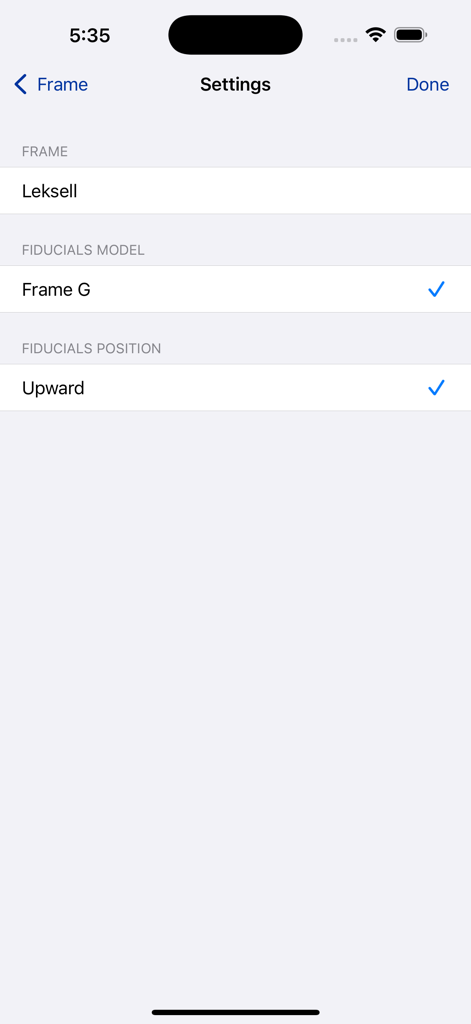
StereoCheck - StereoCheckアプリの設定画面、Leksell立体定位フレームとFiducialsモデルの選択用
StereoCheckアプリの設定画面、Leksell立体定位フレームとFiducialsモデルの選択用

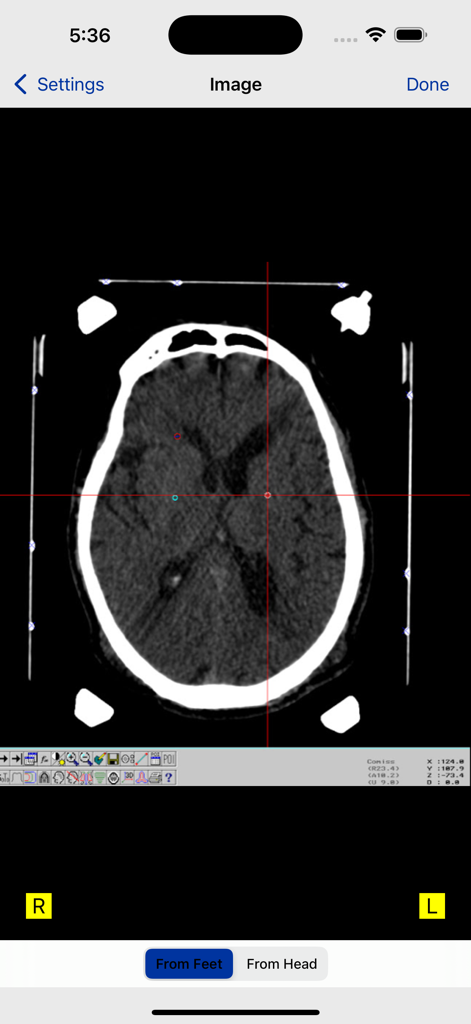
StereoCheck - StereoCheckアプリのインターフェースにFiducialマーカーと座標のクロスヘアが表示された軸方向脳CTスキャン
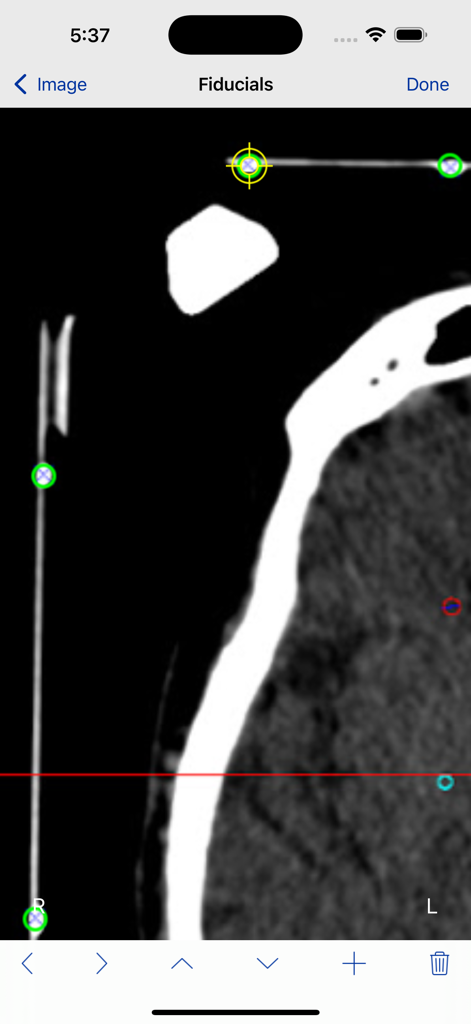
StereoCheckアプリのインターフェースにFiducialマーカーと座標のクロスヘアが表示された軸方向脳CTスキャン

StereoCheck - StereoCheckアプリのインターフェース、立体定位CTスライス上のFiducialマーカーの識別を表示
StereoCheckアプリのインターフェース、立体定位CTスライス上のFiducialマーカーの識別を表示

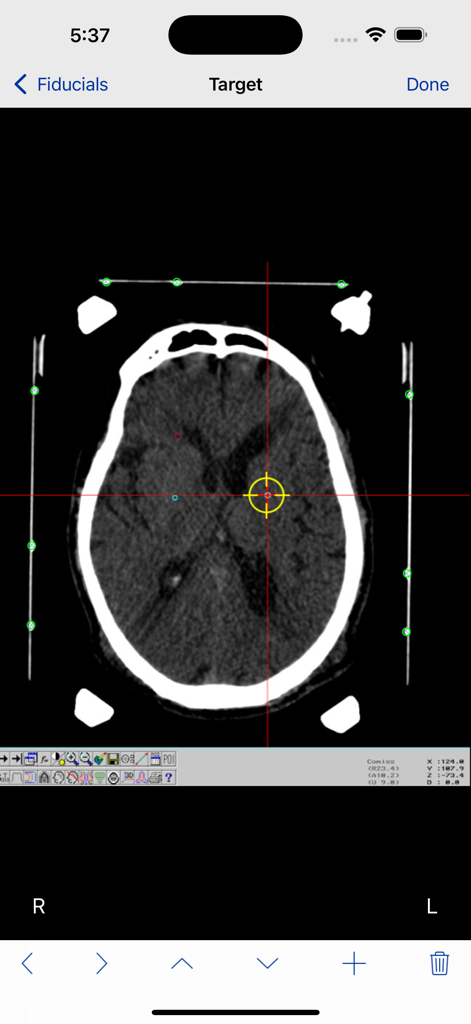
StereoCheck - StereoCheckアプリの軸方向脳CTスキャン、ターゲットのクロスヘアとFiducialポイント付き
StereoCheckアプリの軸方向脳CTスキャン、ターゲットのクロスヘアとFiducialポイント付き

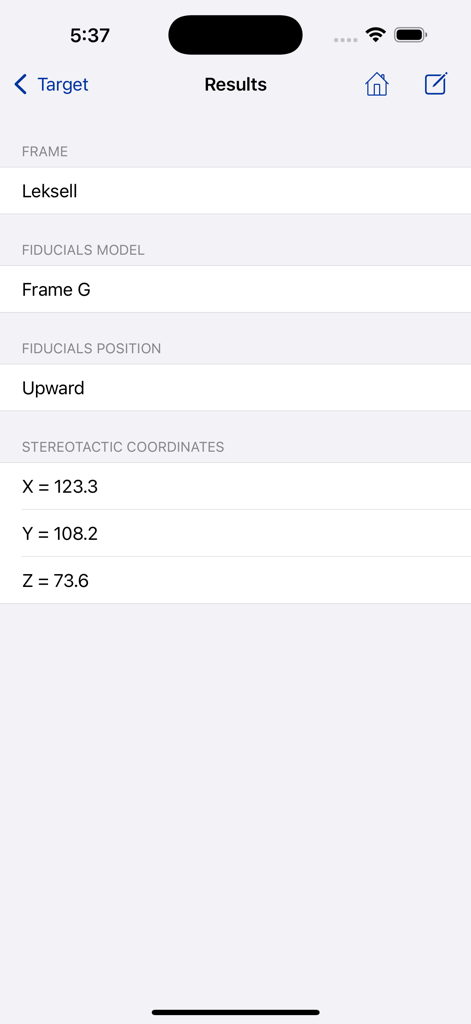
StereoCheck - StereoCheckアプリの結果画面、Leksellフレームの計算された立体定位座標X Y Zを表示

StereoCheckアプリの結果画面、Leksellフレームの計算された立体定位座標X Y Zを表示

説明

Check your Cartesian stereotactic coordinates with an independent system ! StereoCheck is a mobile application designed to compute target coordinates using several hardware manufacturers frames and models. WARNING : Do not use StereoCheck for surgical decision making. Do not use StereoCheck as the primary planning or computation system, it is intended to be a verification system. StereoCheck is also a valuable educational tool for beginners in the field of stereotaxy. The present version of StereoCheck has support for FiMe, Bramsys, Leksell, CRW, Micromar, Macom, inomed-ZD, Brainlab, Estereoflex and Adeor-Zeppelin frames. StereoCheck main axis are: latero-lateral (X), dorso-ventral (Y) and caudal-rostral (Z). The mathematical algorithm used by StereoCheck includes corrections for tilted images (rotation around X and/or Y axis) as long as nine fiducials are present in the image. There is correction for rotation around Z up to 5 degrees. Linear image distortions are also corrected. Step-By-Step: Take a photo of your stereo-CT or stereo-MR or enter the image into the camera roll using any available way. StereoCheck work with axial (transverse) CT slices only, there is no support for coronal or sagittal views. Select the stereotactic frame and model being used. For some frames, such as FiMe and Bramsys, the fiducials orientation must be defined. Select the image from the camera roll. Mark each fiducial on the image. StereoCheck use nine (9) fiducials, except for Brainlab frame, that uses only six (6). If you are using a ZD system, ignore the occipital fiducials. Mark the target point you want to reach and tap the Done button. At this point the stereotactic coordinates will be computed and displayed. If you want to keep a copy of results for your records, use the Compose button on top of the screen to send them by e-mail.

Download

ダウンロード: App Store

このページはアプリまたはその開発者の公式ページではなく、情報提供および論評を目的として作成された独立した編集出版物です。明示的に別段の記載がない限り、アプリおよびその開発者は、MWM、Apple、Google Play、アプリのパブリッシャー、またはアプリの開発者と提携、承認、後援、認可、またはその他の公式的な関係はなく、このページのいかなる内容も、アプリがMWMのサービスを使用して開発されたことを意味するものではありません。すべての商標、ロゴ、スクリーンショット、その他のコンテンツはそれぞれの所有者の財産です。








