
このページはアプリまたはその開発者の公式ページではなく、情報提供および論評を目的として作成された独立した編集出版物です。明示的に別段の記載がない限り、アプリおよびその開発者は、MWM、Apple、Google Play、アプリのパブリッシャー、またはアプリの開発者と提携、承認、後援、認可、またはその他の公式的な関係はなく、このページのいかなる内容も、アプリがMWMのサービスを使用して開発されたことを意味するものではありません。すべての商標、ロゴ、スクリーンショット、その他のコンテンツはそれぞれの所有者の財産です。

Sticky Note Widget - Cute Memo
愛らしいカスタム可能なウィジェットで、ホーム画面とロック画面を変身させましょう。かわいいフォント、パターン、写真で理想のデジタル空間をデザインしながら、ToDoをすぐに確認できるようにしましょう。
ダウンロード
1M+ユーザー評価
評価数
22K+開発元
カテゴリ
Productivity対応言語
11最新バージョン
3.3.6サイズ
214.2 MBリリース日
2020年9月17日生産性とあなたのスタイルを両立
ホーム画面とロック画面を、最も重要なタスクやクリエイティブなアイデアを前面に表示できる、美しく整理された空間に変えましょう。
優先事項をピン留め
ToDo、リマインダー、目標をホーム画面とロック画面に表示し、携帯電話のロックを解除しなくてもすぐに確認できるようにしましょう。
あなたのスタイルにカスタマイズ
おしゃれなフォント、かわいいパターン、あなた自身の写真で自己表現し、あなたの個性を完璧に反映したデジタル空間を作りましょう。
よくある質問
について知っておくべきこと Sticky Note Widget - Cute Memo
Sticky Noteとは何ですか?
Sticky Noteは、タスク管理、ToDoリスト、リマインダーのために、カスタマイズ可能なメモをホーム画面とロック画面に直接ピン留めできるメモアプリです。
Sticky Noteのメモをロック画面にピン留めできますか?
はい、Sticky Noteでは、重要なタスク、リマインダー、スケジュールに素早くアクセスするために、メモをロック画面に直接ピン留めできます。
Sticky Noteのメモの背景をカスタマイズするにはどうすればよいですか?
Sticky Noteのメモでは、さまざまな色、パターンから選択したり、個人の写真をアップロードしたりするなど、豊富な背景カスタマイズが可能です。
Sticky Noteは文字数カウントを表示しますか?
はい、Sticky Noteは文字数カウントを表示します。この機能は、ソーシャルメディアの投稿を参照したり、文章作成の補助に役立ちます。
Sticky Noteのプレミアム機能は何ですか?
Sticky Noteのプレミアム機能には、広告なし、メモの背景に個人の写真を使用できること、Note List Widgetのアンロックが含まれます。
Sticky NoteはApple Watchに対応していますか?
はい、Sticky NoteはApple Watchに対応しています。ユーザーはメモをApple Watchに直接ピン留めして、素早くアクセスできます。
ホーム画面にSticky Noteウィジェットを追加するにはどうすればよいですか?
Sticky Noteウィジェットを追加するには、インストール後にアプリを開き、ウィジェットをホーム画面に追加してください。その後、その外観とコンテンツをカスタマイズします。
Sticky Noteでタスクをカテゴリ別に整理できますか?
はい、Sticky Noteでは、タスク、リマインダー、ToDoリストをカテゴリ別に効果的に整理し、より良い管理を可能にします。
Sticky Noteはプライバシーポリシーと利用規約を提供していますか?
はい、Sticky Noteは、ユーザー参照のために、アプリケーションの説明内にプライバシーポリシーと利用規約へのリンクを提供しています。
Sticky Noteは毎日のToDoリストの管理に適していますか?
はい、Sticky Noteは毎日のToDoリストやリマインダーの管理に最適で、重要なタスクを見えるようにするためのシンプルなインターフェースを提供します。
以下のスクリーンショットと説明は、アプリの公式ストアリスティングから直接取得されたものであり、アプリ開発者の所有物です。
アプリストア
スクリーンショット
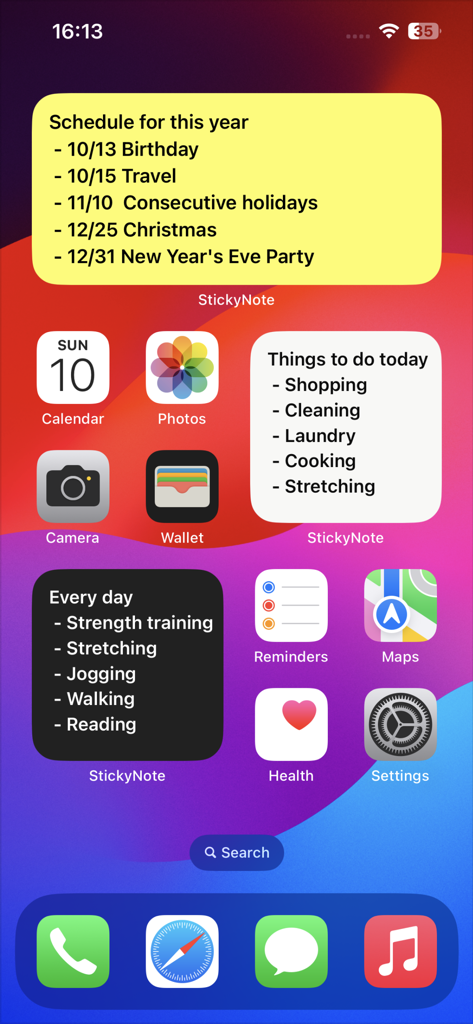
タスクやスケジュールを整理するためのさまざまなカラフルな付箋ウィジェットを備えたiPhoneホーム画面のスクリーンショット
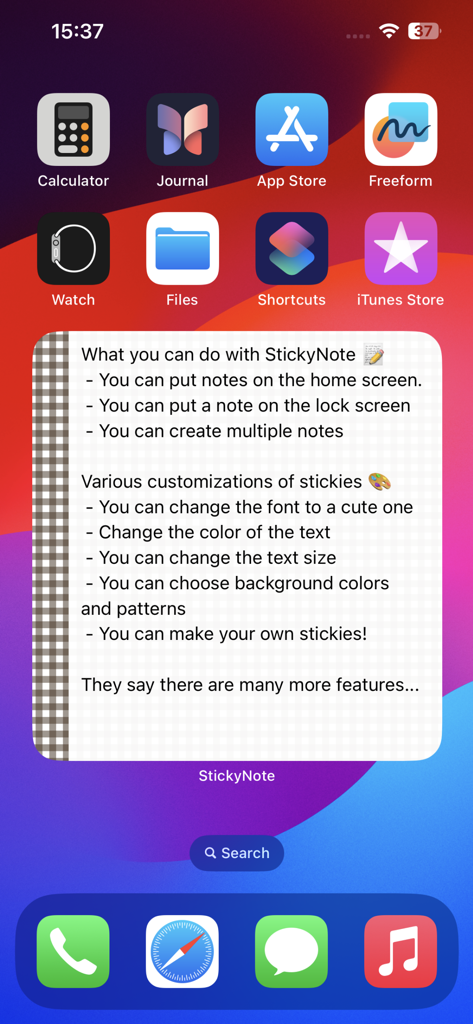
市松模様の境界線と説明的なテキストを備えたカスタム可能な付箋ウィジェットを表示するiPhoneホーム画面。
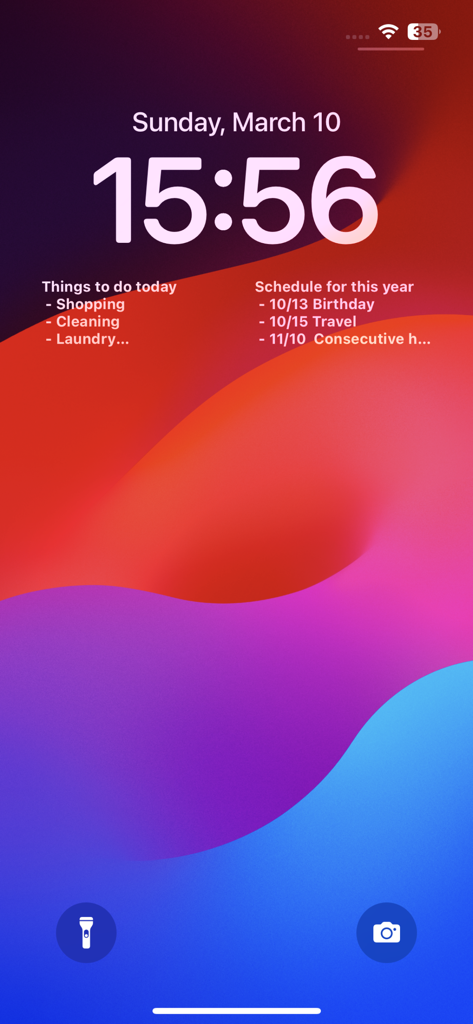
タスクとスケジュールのための2つの付箋ウィジェットを表示するiPhoneロック画面
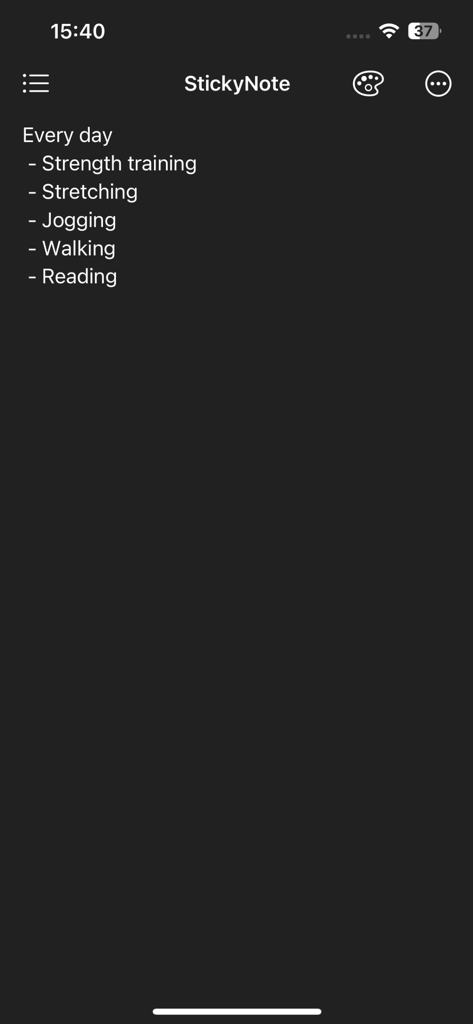
付箋アプリのダークモードインターフェイス。筋力トレーニング、ジョギング、読書などの箇条書きの毎日のルーティンリストが表示されます
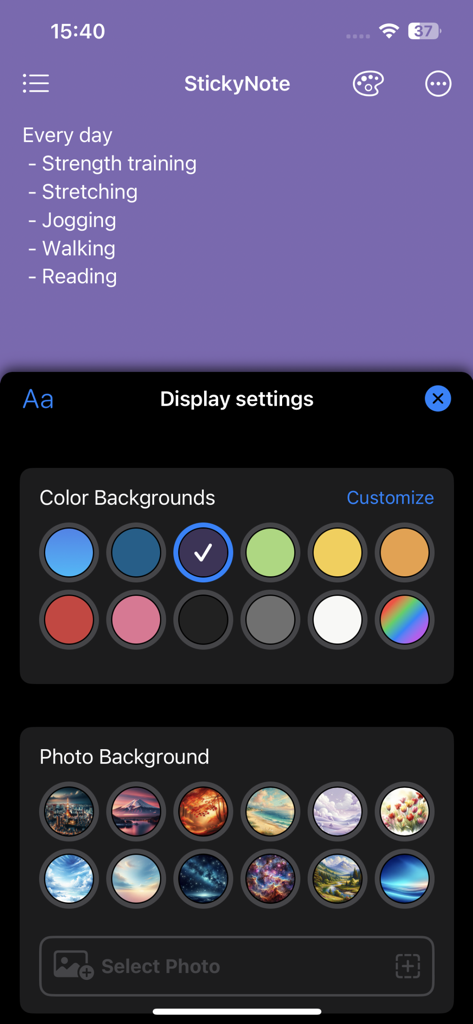
付箋メモのパーソナライズのための背景色と写真のオプションを表示するディスプレイ設定画面
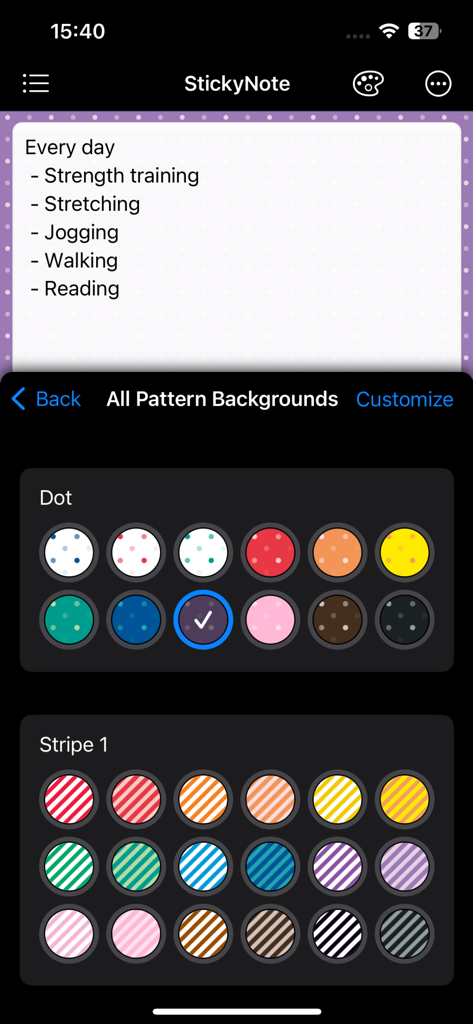
メモアプリのインターフェイス。付箋ウィジェットの背景をカスタマイズするためのさまざまなカラフルなドットとストライプのパターンが表示されます
説明
Download
類似アプリ
似た機能とユーザー体験を持つアプリ

Planit - To-Do List & Calendar
BeomJoon Kim

Smile Todo - Time Management
EMMO Corp.

That Shopping List
Markus Liebschner

Lists To do
Thomas Tsopanakis

To Do List Widget
TAPUNIVERSE LLC

Daily Planner & Task Manager
Konstantin Bolgar

DailyTodo - To-Do List & Tasks
SEOLHEE LEE
Table Notes Spreadsheet maker
WEBDIA INC.

Minimal Tabbed ToDo List
App Palette LLC
このページはアプリまたはその開発者の公式ページではなく、情報提供および論評を目的として作成された独立した編集出版物です。明示的に別段の記載がない限り、アプリおよびその開発者は、MWM、Apple、Google Play、アプリのパブリッシャー、またはアプリの開発者と提携、承認、後援、認可、またはその他の公式的な関係はなく、このページのいかなる内容も、アプリがMWMのサービスを使用して開発されたことを意味するものではありません。すべての商標、ロゴ、スクリーンショット、その他のコンテンツはそれぞれの所有者の財産です。