Sticky Notes App Remind Widget
ダウンロード: App Store

このページはアプリまたはその開発者の公式ページではなく、情報提供および論評を目的として作成された独立した編集出版物です。明示的に別段の記載がない限り、アプリおよびその開発者は、MWM、Apple、Google Play、アプリのパブリッシャー、またはアプリの開発者と提携、承認、後援、認可、またはその他の公式的な関係はなく、このページのいかなる内容も、アプリがMWMのサービスを使用して開発されたことを意味するものではありません。すべての商標、ロゴ、スクリーンショット、その他のコンテンツはそれぞれの所有者の財産です。


ロゴ: Sticky Notes App Remind Widget
ダウンロード: App Store

Sticky Notes App Remind Widget

iPhoneをパーソナライズされた生産性ハブに。ボイス、手書き、写真でアイデアをキャプチャし、カスタムウィジェットとロック画面リマインダーで優先事項を常に前面に表示しましょう。

主要数値

ダウンロード

977K+

ユーザー評価

4.4/5

評価数

5K+

開発元

Epiphany Labs

カテゴリ

Productivity

対応言語

1

最新バージョン

3.1.45

サイズ

165.5 MB

リリース日

2013年3月21日
機能

ビジュアルで楽々、混沌をマスター

ポストイットノートのデジタル進化形。アイデアを素早くキャプチャし、常に前面に表示させたいビジュアル思考派のためにデザインされました。

あらゆる形式でキャプチャ

手書き、音声、写真。最も忙しい瞬間に対応する柔軟なツールで、思考を即座にオフロードしましょう。

常に視界に

忘れ癖にさよなら。ダイナミックなウィジェットとロック画面の壁紙で、電話を起こすたびに優先事項が見えるようにしましょう。

以下のスクリーンショットと説明は、アプリの公式ストアリスティングから直接取得されたものであり、アプリ開発者の所有物です。

アプリストア

スクリーンショット
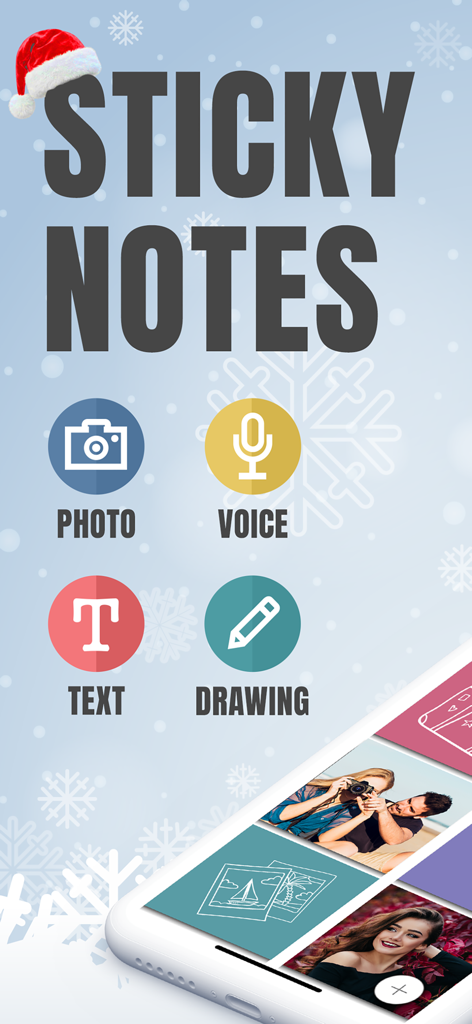
Sticky Notes App Remind Widget - StickMe Notesアプリのメイン画面。写真、ボイス、テキスト、描画のノートオプションを強調表示。
StickMe Notesアプリのメイン画面。写真、ボイス、テキスト、描画のノートオプションを強調表示。

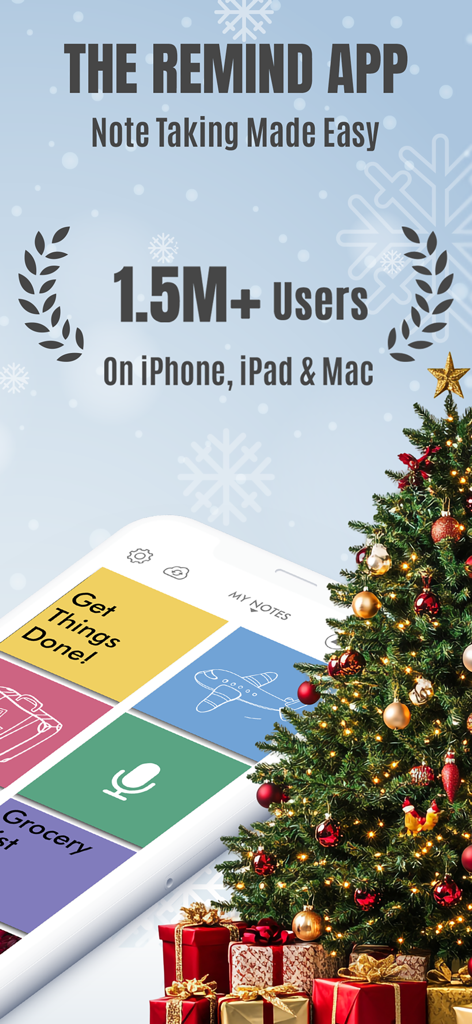
Sticky Notes App Remind Widget - StickMe Notesアプリのリマインダーウィジェットのプロモーション画面。150万ユーザーとビジュアルノートテイキングインターフェースを紹介。
StickMe Notesアプリのリマインダーウィジェットのプロモーション画面。150万ユーザーとビジュアルノートテイキングインターフェースを紹介。

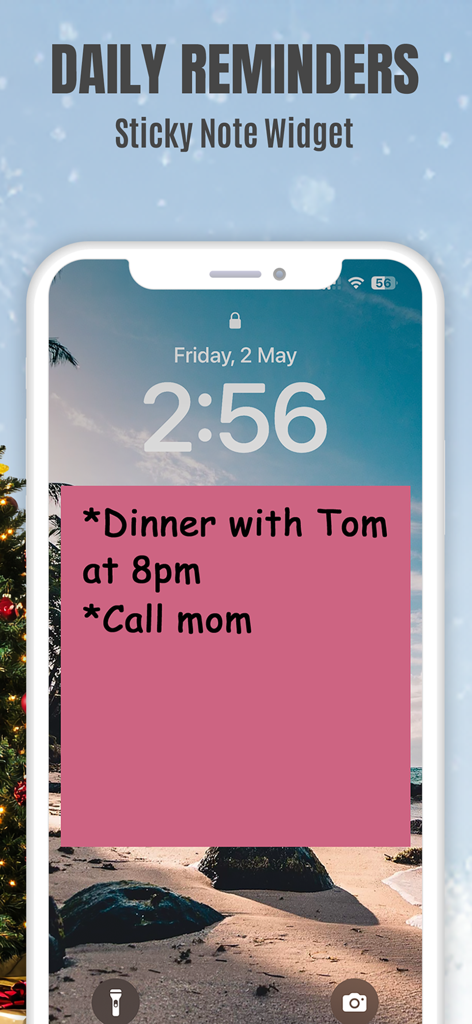
Sticky Notes App Remind Widget - iPhoneのロック画面。夕食や母親への電話などの毎日のリマインダーが表示されたピンクの付箋ウィジェット。
iPhoneのロック画面。夕食や母親への電話などの毎日のリマインダーが表示されたピンクの付箋ウィジェット。

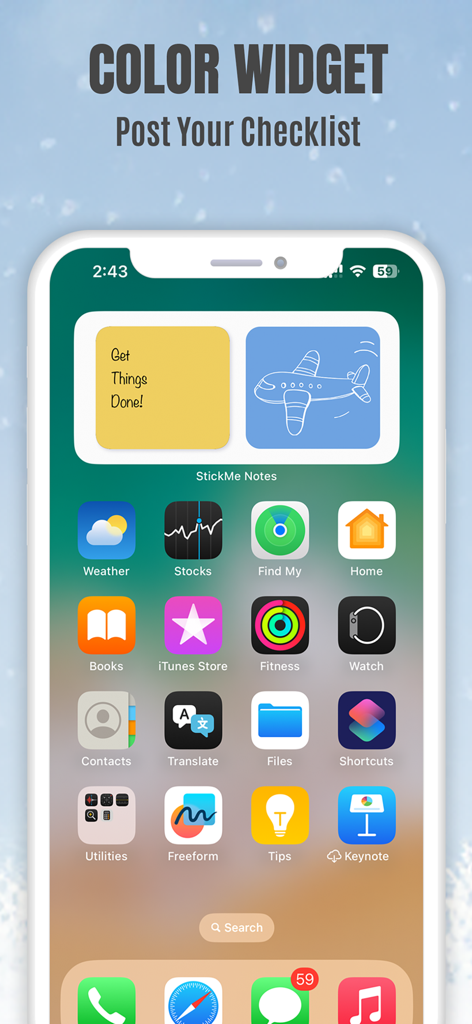
Sticky Notes App Remind Widget - iPhoneのホーム画面。チェックリストと飛行機の描画が表示された黄色と青の付箋ウィジェット。
iPhoneのホーム画面。チェックリストと飛行機の描画が表示された黄色と青の付箋ウィジェット。

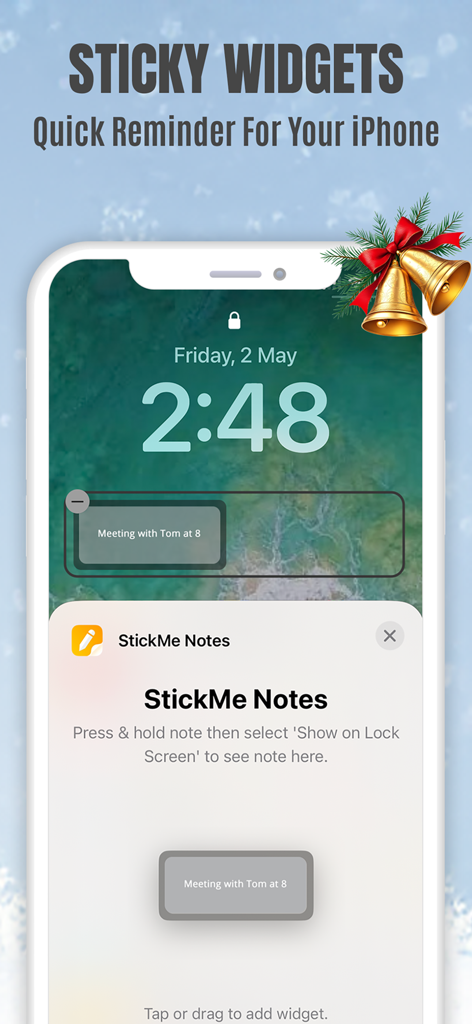
Sticky Notes App Remind Widget - StickMe Notesの付箋ウィジェットと会議のリマインダーが表示されたiPhoneのロック画面。
StickMe Notesの付箋ウィジェットと会議のリマインダーが表示されたiPhoneのロック画面。

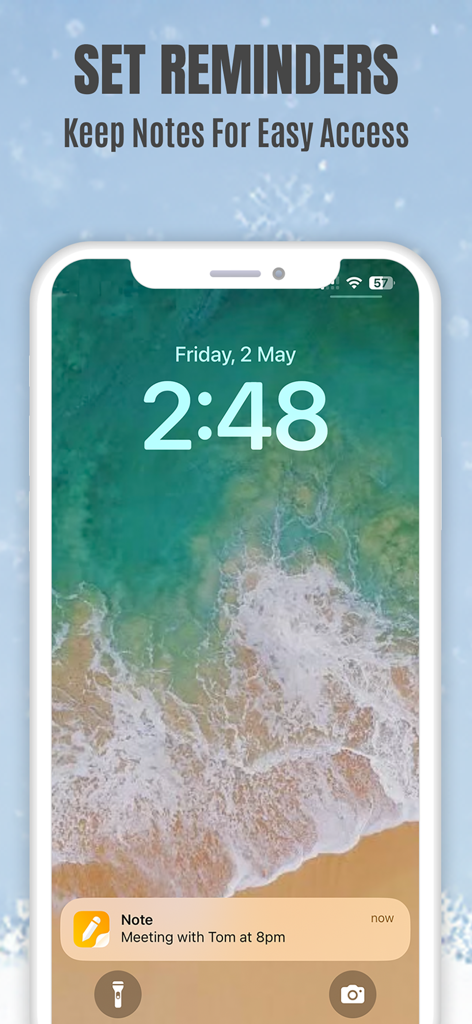
Sticky Notes App Remind Widget - 午後8時の会議のリマインダーが表示されたiPhoneのロック画面の付箋リマインダー通知。
午後8時の会議のリマインダーが表示されたiPhoneのロック画面の付箋リマインダー通知。

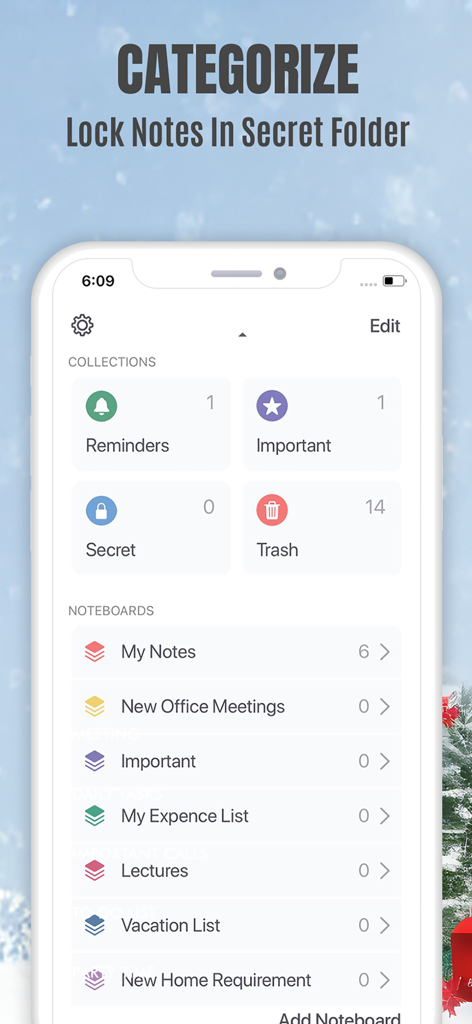
Sticky Notes App Remind Widget - ノートのカテゴリ分けとプライベートメモ用のロックされたシークレットフォルダが表示されたモバイルアプリインターフェース。
ノートのカテゴリ分けとプライベートメモ用のロックされたシークレットフォルダが表示されたモバイルアプリインターフェース。

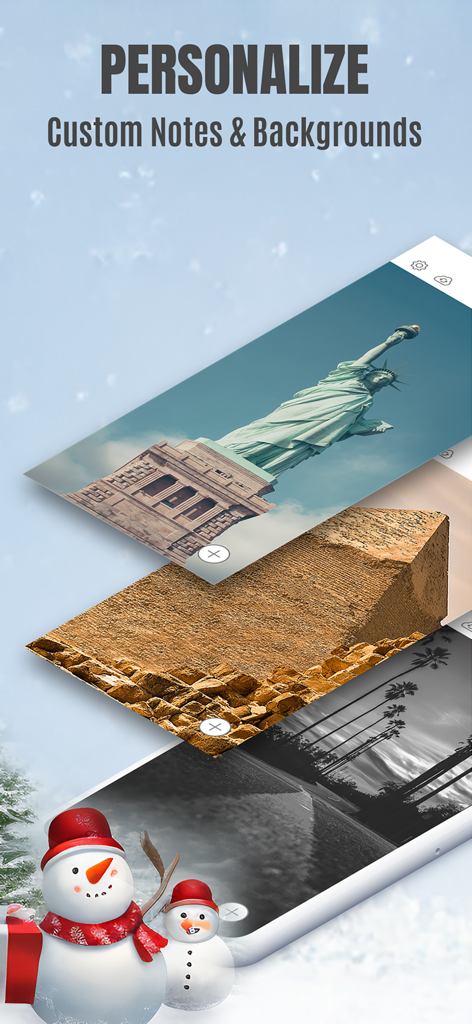
Sticky Notes App Remind Widget - カスタムノートの背景のパーソナライズオプションが表示されたStickMe Notesアプリの画面。
カスタムノートの背景のパーソナライズオプションが表示されたStickMe Notesアプリの画面。

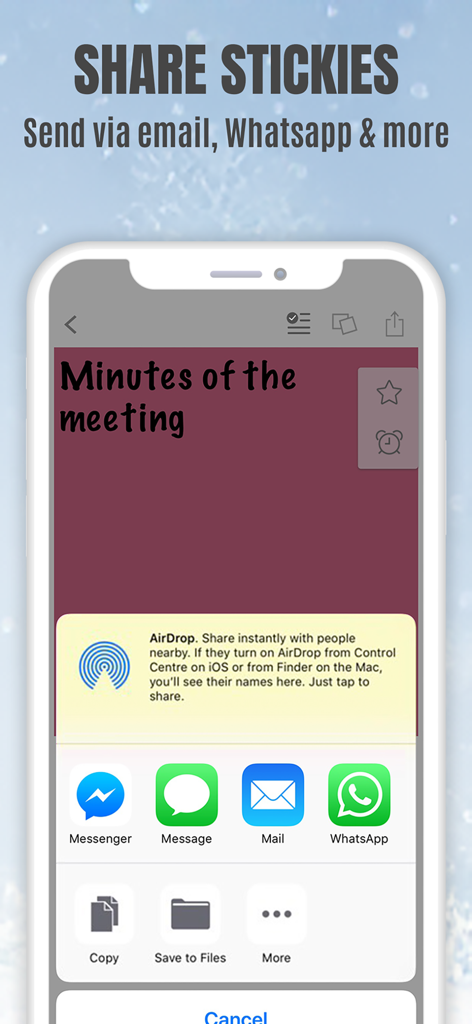
Sticky Notes App Remind Widget - メールやメッセージアプリ経由での付箋の共有オプションが表示されたiPhone上のStickMe Notesアプリインターフェース。

メールやメッセージアプリ経由での付箋の共有オプションが表示されたiPhone上のStickMe Notesアプリインターフェース。

説明

*Over 1.5 million downloads* Featured in 'What's Hot' & 'New & Noteworthy' Organize your to do list, task list, and reminders with StickMe Notes - the most awesome sticky note & task manager app with built in alarm for iPhone. Use StickMe Notes to upgrade the boring old paper note with HANDWRITTEN or TEXT or notes on your iPhone. If you are too tired to draw or type, you can simply ATTACH A PHOTO or RECORD YOUR AUDIO NOTES. You can stick these notes with attachments such as text, drawing, record/audio or photo notes to your personalized notice board, set them as your lock screen image or share with friends using email or whatsapp. Use StickMe Note as your notebook & create grocery and shopping lists on the go. StickMe Notes is a notepad & memo app which makes note taking easy. Use memo notes to capture ideas on the fly, create to-do lists & tasks list, checklist & set up personal daily reminders. It’s a digital note pad that helps you get things done. Download the best notes maker app now & become notefuly efficient. Keep google urls or pages in sticky notes & revisit them later. MAKE QUICK NOTES *Create unlimited sticky notes in any color. Use the note color to organize the stickies better. *Use the app as task manager & create a todo check list, shopping lists or grocery lists. *Write in digital ink with your finger. Create quick daily notes or a memo. *Record voice notes. StickMe Notes can be your audio note pad. *Take a photo or choose one from your camera roll to create a photo note. Make StickMe Notes your picture notebook. *Google things & keep important links in sticky notes to revisit later. WIDGET, SPOTLIGHT & SIRI (For iOS 15 and above) *Instantly create notes to access your sticky notes on your home screen and lock screen (iPhone only) using widgets. ORGANIZE *Drag & move a note to any custom folder. *Mark notes as ‘Important’. *Use ‘Secret’ folder for to hide your daily personal notes. *Make good notes & keep in Folders. SYNC ACROSS DEVICES *Access notes on your iPhone, iPad & Mac SET REMINDERS & USE AS WALLPAPER *Set alarm for your notes & stickies to remind you about your check list. *Use note as wallpaper or lock screen image to easily remind yourself about your todo tasks with colorful stickies. PERSONALIZE & SHARE *Be creative with Stickies *Set default sticky note color, font size & name *Personalise the notice board background *Use the fully loaded text & draw toolbar with multiple font styles, sizes, thickness plus colors. Get the most awesome sticky notes app for iPhone. Create grocery & shopping lists or any other checklist using the notepad, set alarms, & enjoy note making on the go. Use the app as a personal notebook, a meeting note pad or a daily planner to make good memo/notes. PRICING StickMe Notes offers a 7 day free trial that comes with the subscription pack(s). There is a monthly & yearly pack. The user needs to subscribe to one of the packs to continue making daily notes & setting task reminders. TERMS OF USE: • There's a 7-day free trial that comes along with the subscription packs. • StickMe Notes offers 3 subscription packages - Annual @ $19.99, Half-yearly @ $10.99, Monthly @ $1.99. • All subscriptions are valid for at least 30 days. • Payment will be charged to iTunes Account at confirmation of purchase • Subscription automatically renews unless auto-renew is turned off at least 24-hours before the end of the current period • Account will be charged for renewal within 24-hours prior to the end of the current period, and identify the cost of the renewal • Subscriptions may be managed by the user and auto-renewal may be turned off by going to the user's Account Settings after purchase • Any unused portion of a free trial period, if offered, will be forfeited when the user purchases a subscription to that publication. Terms of Use - http://epiphanylabs.in/termsofuse/ Privacy Policy - http://epiphanylabs.in/privacy/ Sound effects obtained from https://www.zapsplat.com

Download

ダウンロード: App Store

このページはアプリまたはその開発者の公式ページではなく、情報提供および論評を目的として作成された独立した編集出版物です。明示的に別段の記載がない限り、アプリおよびその開発者は、MWM、Apple、Google Play、アプリのパブリッシャー、またはアプリの開発者と提携、承認、後援、認可、またはその他の公式的な関係はなく、このページのいかなる内容も、アプリがMWMのサービスを使用して開発されたことを意味するものではありません。すべての商標、ロゴ、スクリーンショット、その他のコンテンツはそれぞれの所有者の財産です。








