StoneNote - Video Study Note

StoneNote - Video Study Note

ダウンロード: App Store
ロゴ: StoneNote - Video Study Note

StoneNote - 全てのビデオ講義をシームレスなワークスペースでマスターする

デジタル学習者のための究極のiPadツール。自動一時停止、インスタントスクリーンショット、プロレベルの手書き入力で、分割画面の手間なく視聴しながらノートを取ることができます。

ダウンロード: App Store

開発元

斯熠 巩

カテゴリ

Productivity

ダウンロード

1K+

ユーザー評価

3.4/5

評価数

0

対応言語

11

究極の学習キャンバス

このインターフェースを利用する 1K+ 人のユーザー.

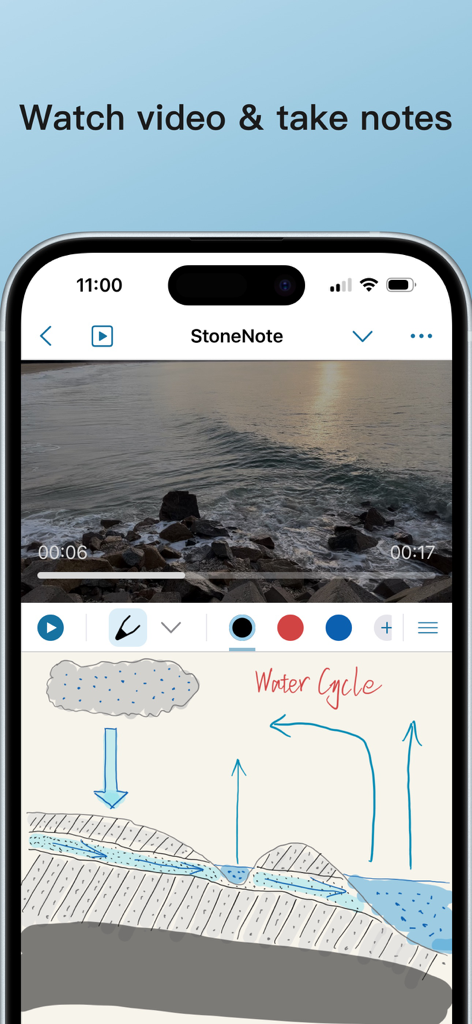
自然のビデオを再生しているビデオプレーヤーと、水循環の手書き図が表示されているモバイルアプリのインターフェース。
自然のビデオを再生しているビデオプレーヤーと、水循環の手書き図が表示されているモバイルアプリのインターフェース。

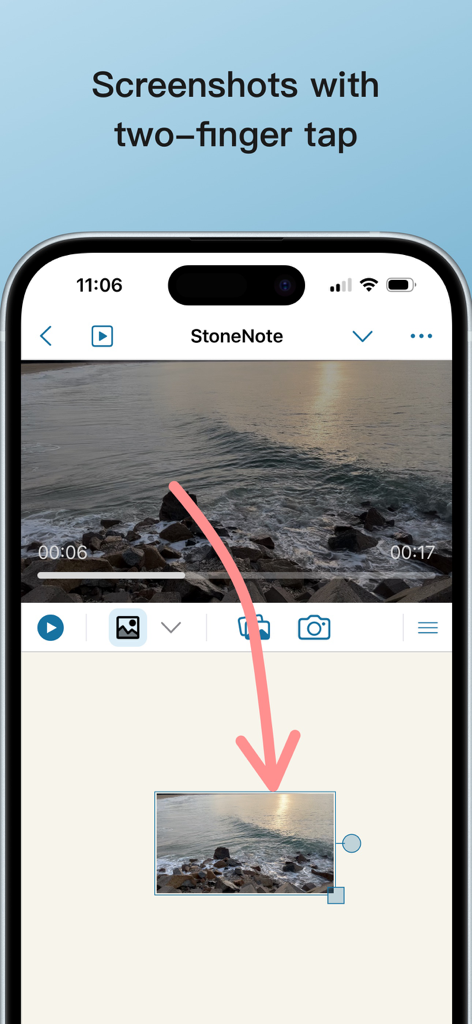
2本指タップでビデオスクリーンショットをキャプチャし、StoneNoteのノートにドラッグします。
2本指タップでビデオスクリーンショットをキャプチャし、StoneNoteのノートにドラッグします。

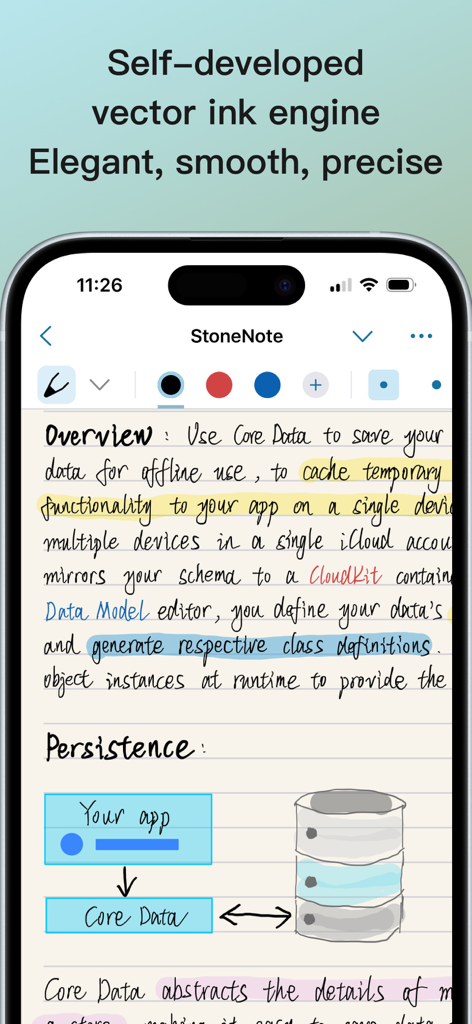
StoneNoteアプリが表示されたスマートフォンの画面。エレガントな手書きの学習ノートと、データ永続性に関する技術図が表示されています。
StoneNoteアプリが表示されたスマートフォンの画面。エレガントな手書きの学習ノートと、データ永続性に関する技術図が表示されています。

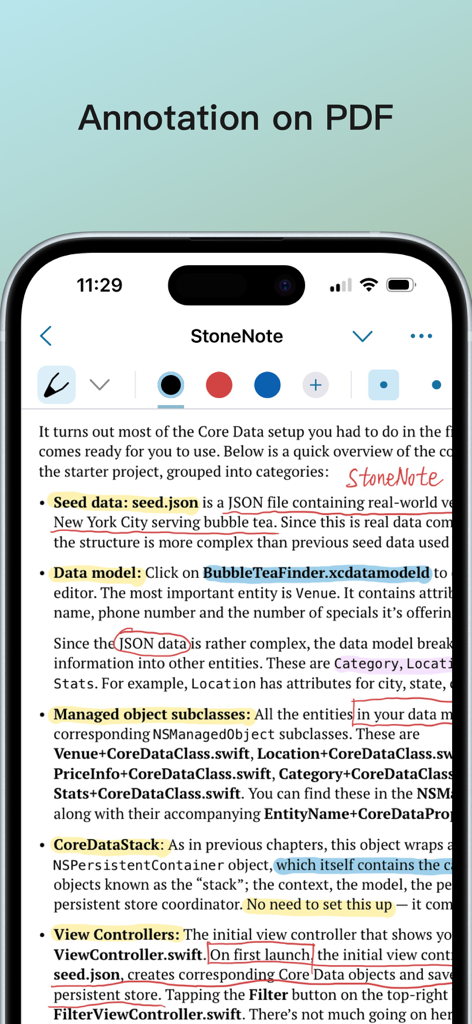
ハイライトとStoneNoteアプリでの手書きノートを備えたPDF注釈機能を示すスマートフォンの画面。
ハイライトとStoneNoteアプリでの手書きノートを備えたPDF注釈機能を示すスマートフォンの画面。

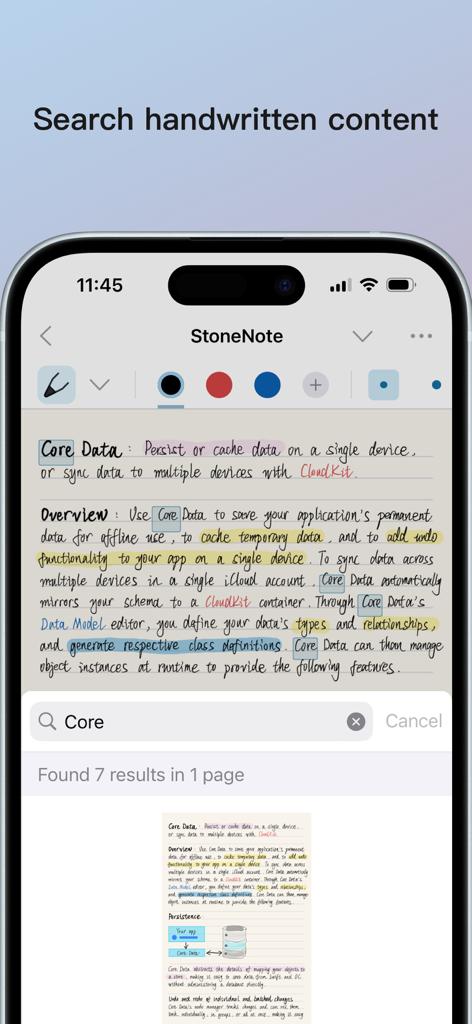
StoneNoteアプリのiPhoneでのスクリーンショット。キーワードCoreがハイライトされた手書きノートの検索機能が表示されています。
StoneNoteアプリのiPhoneでのスクリーンショット。キーワードCoreがハイライトされた手書きノートの検索機能が表示されています。

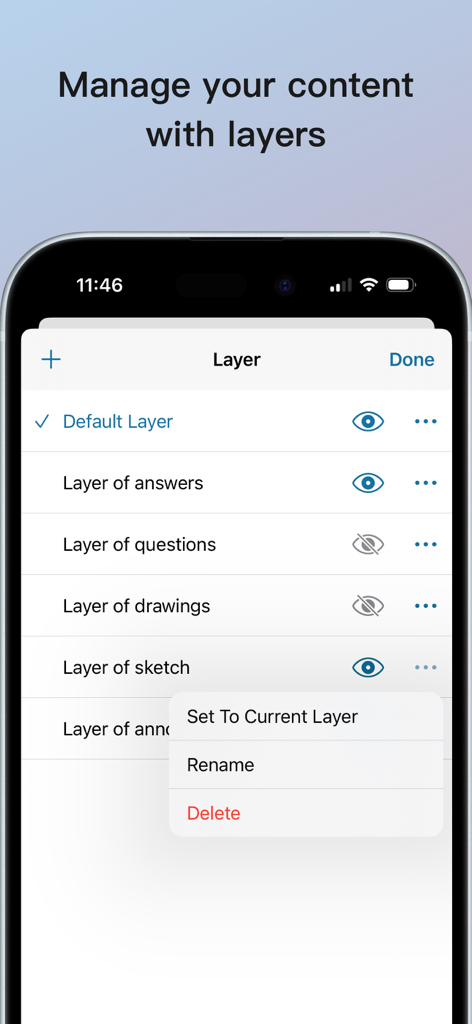
学習ノートの整理のためのレイヤー管理ツールを表示するStoneNoteアプリのインターフェースのスクリーンショット。
学習ノートの整理のためのレイヤー管理ツールを表示するStoneNoteアプリのインターフェースのスクリーンショット。

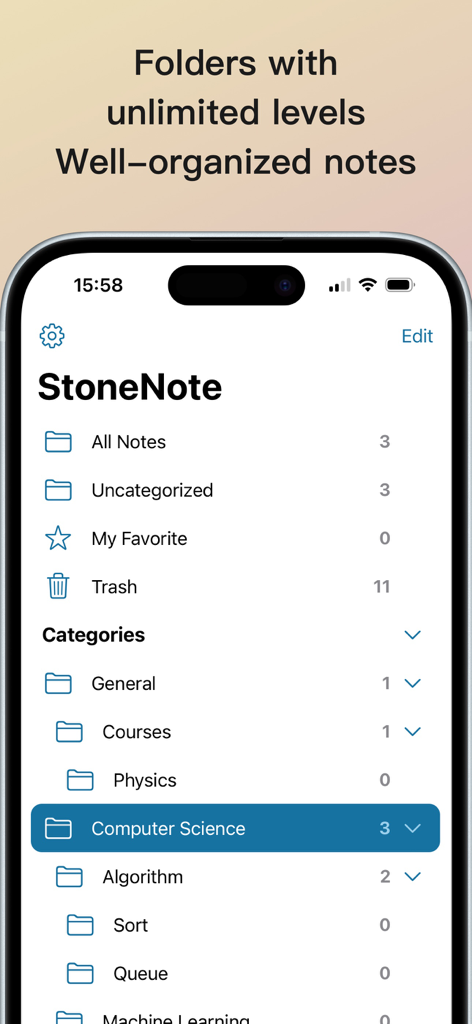
iPhoneでのデジタル学習ノートのために階層的なフォルダ構成を表示するStoneNoteのインターフェース。
iPhoneでのデジタル学習ノートのために階層的なフォルダ構成を表示するStoneNoteのインターフェース。

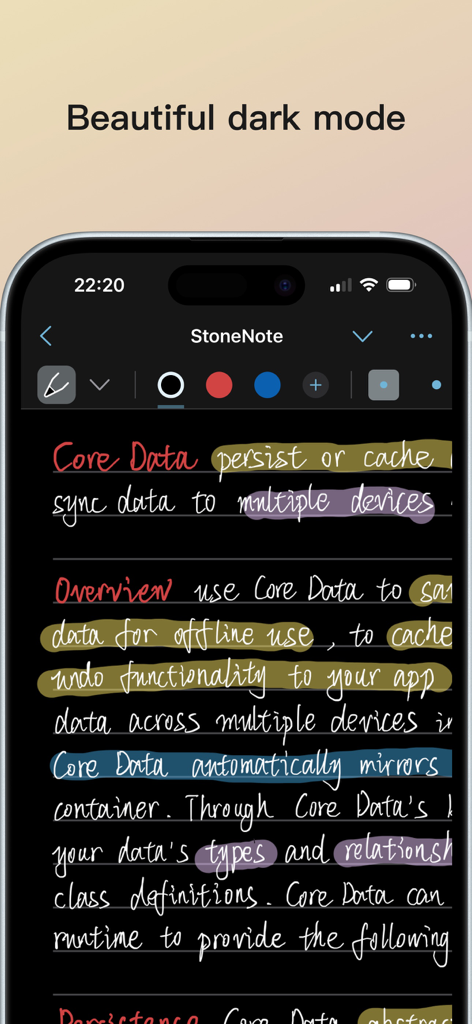
手書きの学習ノートとカラフルな蛍光ペンマークを備えたStoneNoteアプリのインターフェース。ダークモードを紹介しています。

手書きの学習ノートとカラフルな蛍光ペンマークを備えたStoneNoteアプリのインターフェース。ダークモードを紹介しています。

手間なく講義をマスターする

このアプリを際立たせるツール、 1K+ 人のユーザーが選択.

📺

統合学習ワークスペース

分割画面マルチタスクの煩わしさから解放されます。フローティングウィンドウやサイドバイサイドモードをサポートする内蔵プレーヤーで、ノートページで直接講義を視聴できます。

✍️

インテリジェントなフロー状態

当社のベクターインクエンジンは、遅延のない筆記体験を提供します。一瞬たりとも見逃さないように、Apple Pencilが画面に触れた瞬間にビデオは自動的に一時停止します。

📸

スマートマルチメディアキャプチャ

2本指タップで簡単にスクリーンショットをノートにドラッグしたり、AI音声認識を使用してビデオの音声をテキストに変換したりできます。複雑なSTEMや医学の講義に最適です。

アプリについて

について知っておくべきこと StoneNote - Video Study Note.

説明

StoneNote seamlessly integrates notes and videos. No need to split screens, watch videos directly on the note page with ease. Capture screenshots effortlessly, enjoy automatic pause while writing, insert video bookmarks, and even recognize speech in the video. Smooth handwriting experience * Our self-developed vector ink engine offers an elegant, smooth, and precise writing experience. * Choose from various brushes: fountain pen, ballpoint pen, and highlighter. * Easily switch brush colors and sizes. * Deeply supports Apple Pencil for precise writing on iPad. Deep integration of notes and videos * Built-in video player within the notes, allowing you to take notes while watching videos. * Automatically pauses video playback when you start writing. * Choose from various video playback modes: side-by-side, top-and-bottom split screen, floating window, etc. * Capture screenshots with a simple two-finger tap and drag them into your notes. * Play videos from your device and online, with the ability to download and cache online videos. * Choose video subtitles and language. * Supports playback speed adjustment, video bookmarks, and video speech recognition. Images and texts * Insert images and text in various ways: click, copy, drag, etc. * Adjust image size, rotate, and freely crop. * Adjust text font, size, and color. Import, annotate, and share * Import various media, including PDF documents and videos. * Write and annotate with various stroke styles. * Export and share your notes. Layered notes support * Non-disruptive, write on separate layers without affecting other layer content. * Easily create and delete layers. * One-click hide or show layers. Effortlessly edit your notes * Use the lasso tool to move, zoom, and modify your notes. * Easily erase strokes with the eraser tool. Well-organized notes * Create folders with unlimited levels to manage your notes. * Move notes between folders. * iCloud sync keeps your notes up-to-date on all devices. * Export your notes in various formats anytime. — Upgrade to StoneNote Pro to unlock unlimited notes and iCloud sync. One-time purchase, no subscription fees, and enjoy future free updates.

最新バージョン

1.9.3

サイズ

39.1 MB

リリース日

2024年3月28日

画面の切り替えをやめて、マスターしよう。

StoneNoteを使って、受動的な視聴を能動的な学習に変えるデジタル学習者のコミュニティに参加しましょう。今すぐダウンロードして、単一の買い切りで究極のiPad学習コンパニオンを手に入れましょう。

ダウンロード: App Store

App information, icons, screenshots, and descriptions displayed on this page are sourced from the Apple App Store and are the property of their respective developers. Download estimates and rankings are based on MWM's proprietary models and may not reflect actual figures. This page is provided for informational and analytical purposes only.

Believe this page infringes your intellectual property? File a dispute