Stop Motion Animation Maker
ダウンロード: App Store

このページはアプリまたはその開発者の公式ページではなく、情報提供および論評を目的として作成された独立した編集出版物です。明示的に別段の記載がない限り、アプリおよびその開発者は、MWM、Apple、Google Play、アプリのパブリッシャー、またはアプリの開発者と提携、承認、後援、認可、またはその他の公式的な関係はなく、このページのいかなる内容も、アプリがMWMのサービスを使用して開発されたことを意味するものではありません。すべての商標、ロゴ、スクリーンショット、その他のコンテンツはそれぞれの所有者の財産です。


ロゴ: Stop Motion Animation Maker
ダウンロード: App Store

Stop Motion Animation Maker

子供と親が一緒にカートゥーンを作るための最も簡単な方法。日常のおもちゃをプロ品質のアニメーションに変え、お子様の創造性を世界と共有しましょう。

主要数値

ダウンロード

32K+

ユーザー評価

4.6/5

評価数

300

開発元

VISPER ARTS OOO

カテゴリ

Photo & Video

対応言語

43

最新バージョン

5.4.2

サイズ

100.8 MB

リリース日

2022年4月15日
機能

おもちゃを映画の傑作に変えよう

子供と親が一緒に高品質のストップモーションカートゥーンやタイムラプス動画を作成するための最も簡単な方法。能動的な遊び時間をプロの結果に変えます。

ゴーストフレームアライメント

半透明のオーバーレイが前のショットを表示し、オブジェクトを完璧に配置して、常にスムーズでプロ並みの動きを実現します。

レゴ&DIYクラフト向け

「ブリックフィルム」やクレイアニメーションのための究極のツール。描画でもブロックでも、物理的な遊びをデジタルストーリーテリングに変えます。

以下のスクリーンショットと説明は、アプリの公式ストアリスティングから直接取得されたものであり、アプリ開発者の所有物です。

アプリストア

スクリーンショット
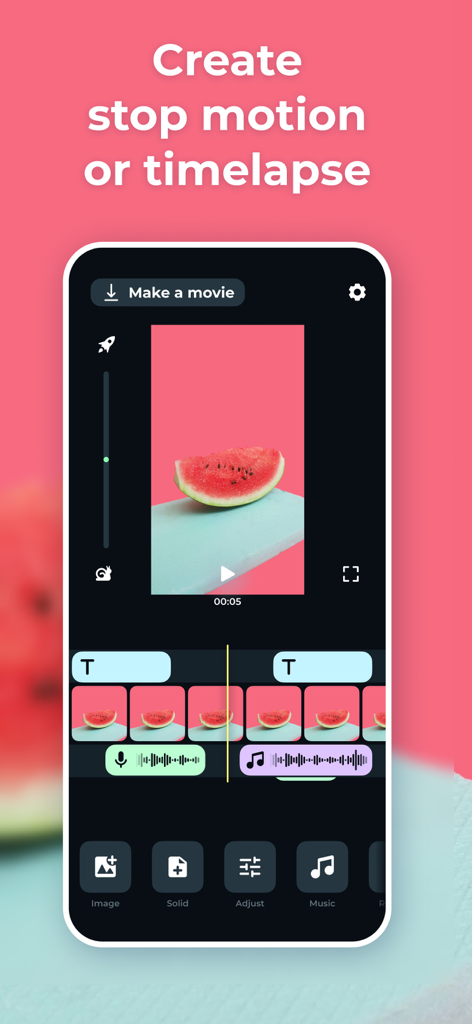
Stop Motion Animation Maker - アニメーション作成のためのビデオタイムラインと編集ツールを備えたストップモーションアニメメーカーアプリのインターフェース
アニメーション作成のためのビデオタイムラインと編集ツールを備えたストップモーションアニメメーカーアプリのインターフェース

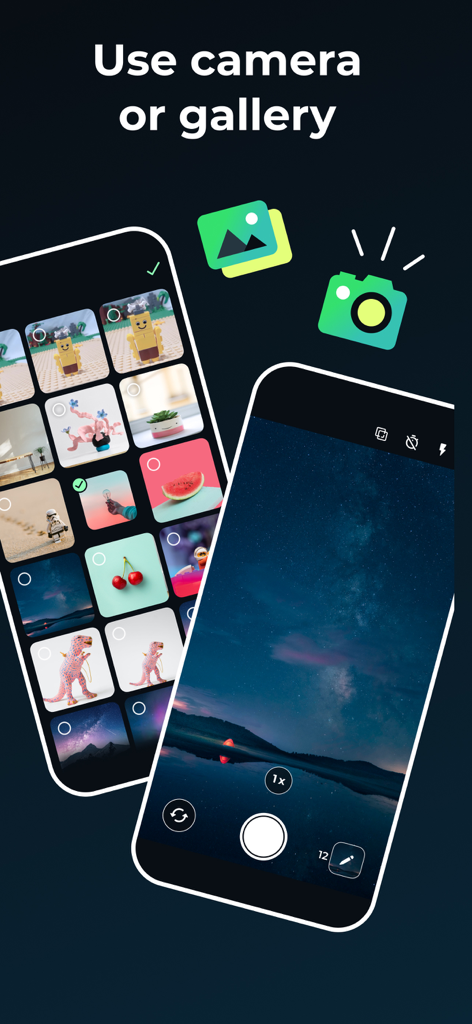
Stop Motion Animation Maker - ストップモーションアニメを作成するためにカメラまたはフォトギャラリーを使用するオプションを示すインターフェース
ストップモーションアニメを作成するためにカメラまたはフォトギャラリーを使用するオプションを示すインターフェース

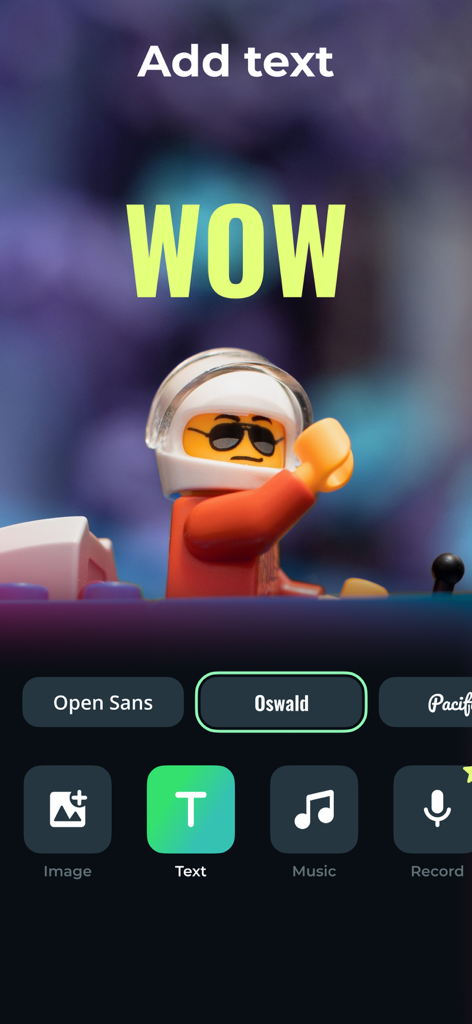
Stop Motion Animation Maker - レゴストップモーションビデオにテキストオーバーレイを追加する方法を示すストップモーションアプリのモバイルインターフェース
レゴストップモーションビデオにテキストオーバーレイを追加する方法を示すストップモーションアプリのモバイルインターフェース

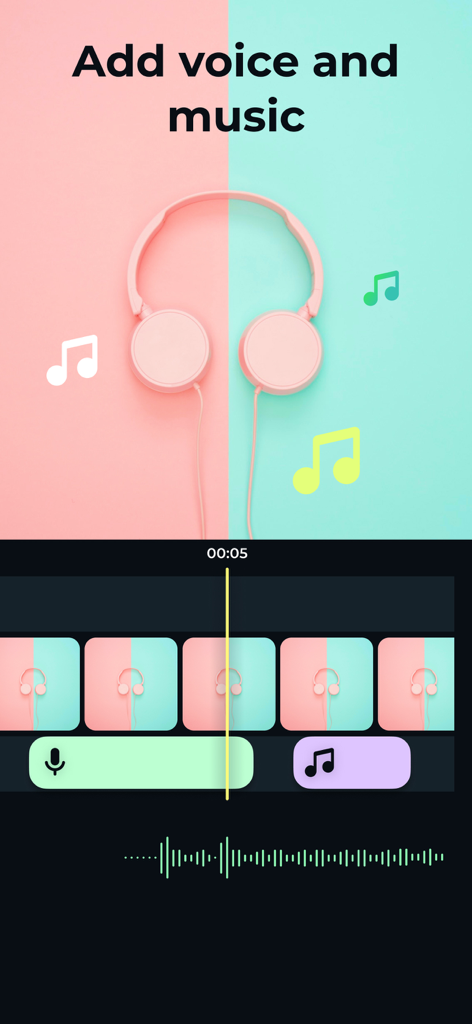
Stop Motion Animation Maker - アニメーションフレームにボイスオーバーとBGMを追加するためのツールを示すストップモーションアプリのインターフェース
アニメーションフレームにボイスオーバーとBGMを追加するためのツールを示すストップモーションアプリのインターフェース

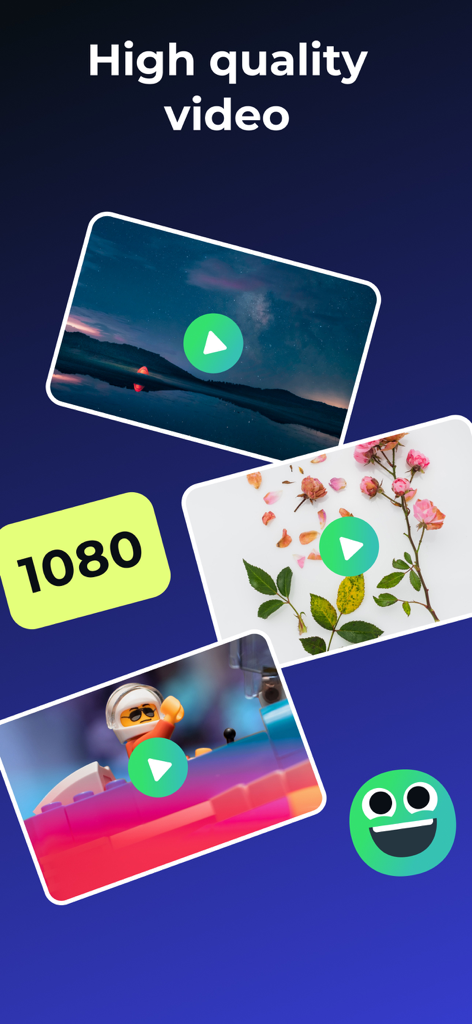
Stop Motion Animation Maker - ストップモーションアニメやレゴムービーの高品質1080pビデオエクスポートオプション
ストップモーションアニメやレゴムービーの高品質1080pビデオエクスポートオプション

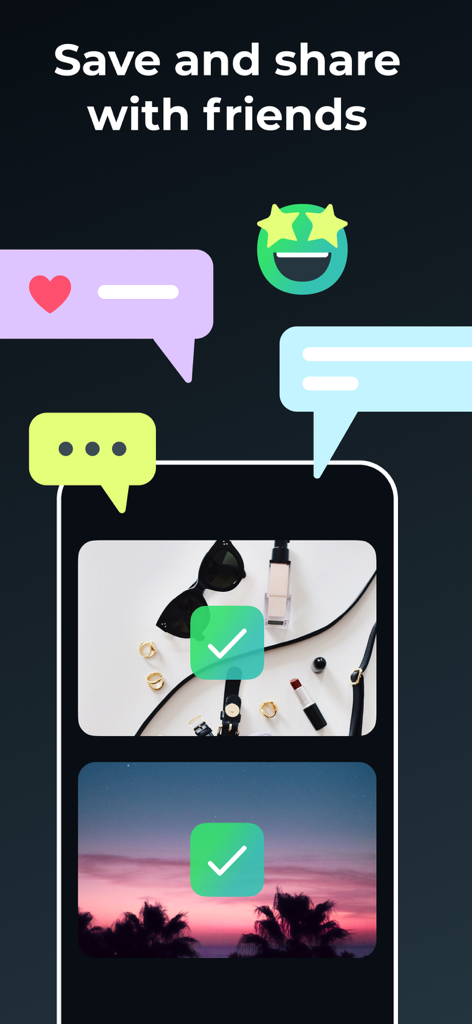
Stop Motion Animation Maker - 友達とビデオを保存して共有するためのオプションを示すストップモーションアニメメーカーアプリのインターフェース

友達とビデオを保存して共有するためのオプションを示すストップモーションアニメメーカーアプリのインターフェース

説明

The app creates a series of photographs that can be combined into a video and get finished cartoon, animation, or time-lapse at the output. With the Stop Motion app, You can easily create your cartoon or stop-motion animation just like the pros do! Easy shooting and editing even for beginner animators. Creating cartoons Take photos of your plasticine, Lego, drawings, and create your cartoons. Time-lapse photography can be done with anything: Lego, plasticine crafts, drawings, sketches, objects etc. The application provides a special mode of translucent overlay on the current frame in the camera: you can align objects and determine exactly how to position objects to get the right movement in the frame. We tried to make intuitive navigation in the app so even 5-years old child could create his cartoon. Stop motion videos Easily turn your photos into amazing videos. Use a photo gallery or take photos frame by frame to create movement. Then simply select the photos you want to include in your animation, set the speed, and create your video! You can save the finished video to your smartphone or share it on social networks directly from the Stop Motion app. The main functionality of the application: - frame-by-frame photo shooting with further combining the captured photos into a video; - horizontal and vertical screen orientation; - image zoom and transparency setting of the previous frame; - choice of vocalization during the scheme: manual or auto - viewing the footage; - the ability to set the frame rate; - stream export to video format; The app is ideal for creating cartoons and spending time together between parents and children, as well as creating interesting content on a personal blog! Time Lapse is a photography technique that allows you to accelerate a video and watch slowly changing events much faster. We offer subscription plans in the app that unlock premium functions of the app: - Payment will be charged to iTunes Account at confirmation of purchase - Subscription automatically renews unless auto-renew is turned off at least 24-hours before the end of the current period - Account will be charged for renewal within 24-hours prior to the end of the current period, and identify the cost of the renewal - Subscriptions may be managed by the user and auto-renewal may be turned off by going to the user's Account Settings after purchase - Any unused portion of a free trial period, if offered, will be forfeited when the user purchases a subscription to that publication, where applicable - Price can depend on location For more information please visit the link https://support.apple.com/HT202039 Privacy Policy: https://doc.whisperarts.com/policy/stopmotion/ios/ Terms of Use: https://doc.whisperarts.com/terms/stopmotion/ios/ Want to receive the latest news about the application? Subscribe to the newsgroup https://www.facebook.com/WhisperArts

Download

ダウンロード: App Store

このページはアプリまたはその開発者の公式ページではなく、情報提供および論評を目的として作成された独立した編集出版物です。明示的に別段の記載がない限り、アプリおよびその開発者は、MWM、Apple、Google Play、アプリのパブリッシャー、またはアプリの開発者と提携、承認、後援、認可、またはその他の公式的な関係はなく、このページのいかなる内容も、アプリがMWMのサービスを使用して開発されたことを意味するものではありません。すべての商標、ロゴ、スクリーンショット、その他のコンテンツはそれぞれの所有者の財産です。








