Superimpose

Superimpose

ダウンロード: App Storeダウンロード: Google Play
ロゴ: Superimpose

Superimpose: プロの写真合成とブレンド

モバイルでデスクトップクラスのツールを使って、創造性を解き放ちましょう。精密な髪のマスキングから複雑なマルチレイヤーアートまで、わずか数分で驚くほどシュールなビジュアルとプロの合成を作成できます。

開発元

Pankaj Goswami

カテゴリ

Photo & Video

ダウンロード

755K+

ユーザー評価

4.5/5

評価数

9K+

対応言語

9

アクションの中のアート

このインターフェースを利用する 755K+ 人のユーザー.

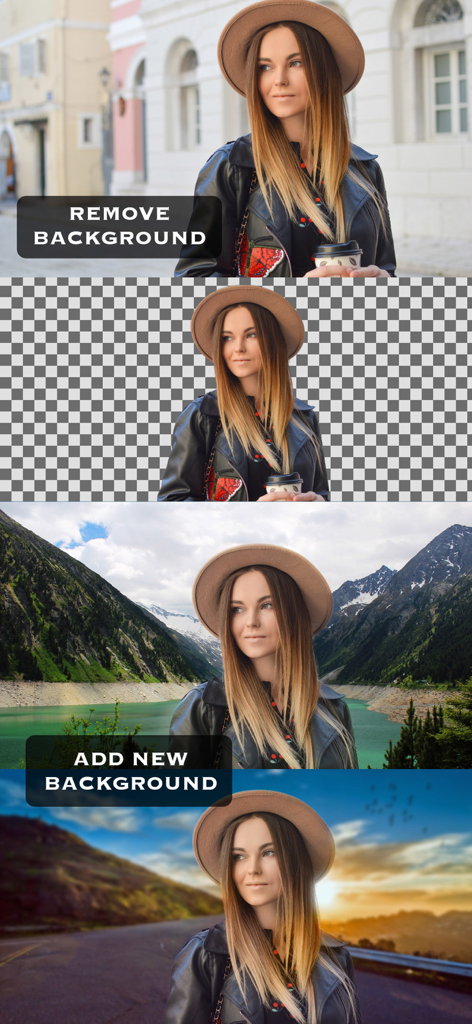
Superimposeアプリを使用して、写真の背景を削除し、さまざまな風景に置き換えるデモンストレーション。
Superimposeアプリを使用して、写真の背景を削除し、さまざまな風景に置き換えるデモンストレーション。

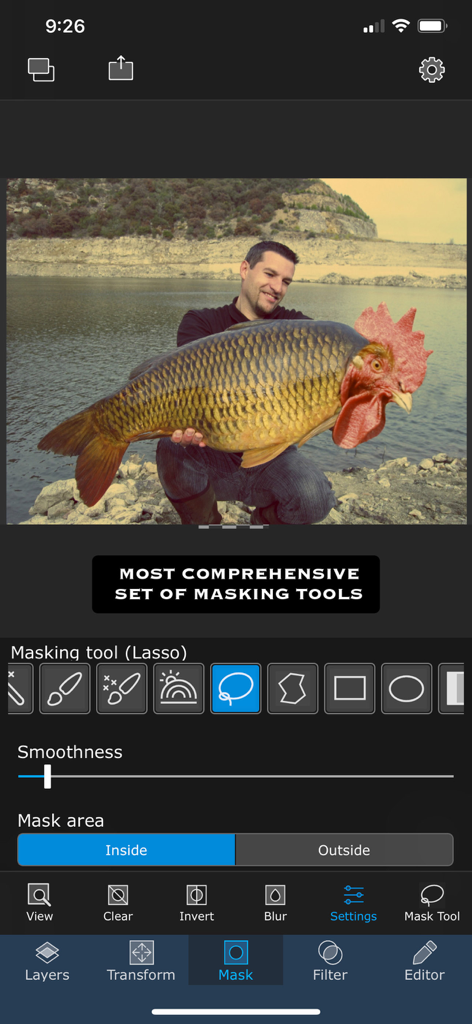
Superimposeアプリのインターフェイスには、プロのマスキングツールと、鶏の頭を持つ魚のシュールな写真合成が表示されています。
Superimposeアプリのインターフェイスには、プロのマスキングツールと、鶏の頭を持つ魚のシュールな写真合成が表示されています。

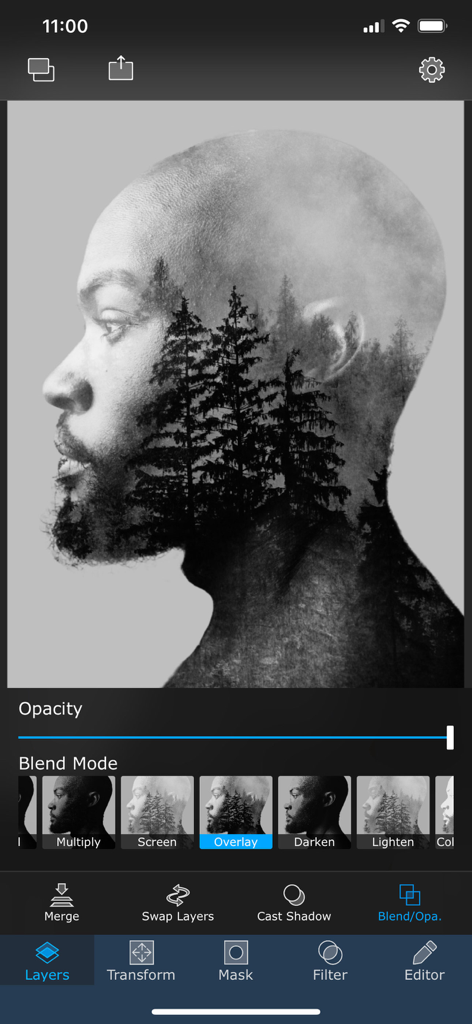
男性の横顔に重ねて表示される森の木々との二重露光効果を示すモバイルアプリのインターフェイス。
男性の横顔に重ねて表示される森の木々との二重露光効果を示すモバイルアプリのインターフェイス。

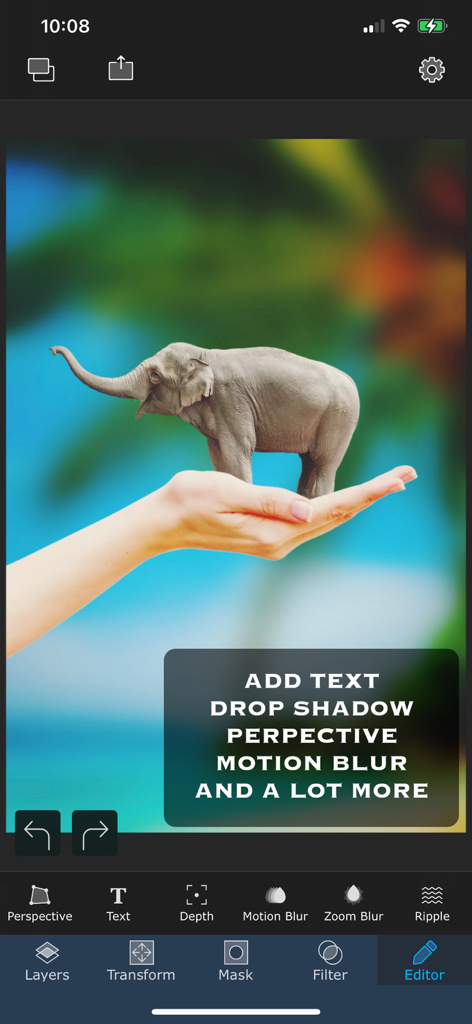
Superimposeアプリで作成された、人間の手に立つ小さな象のシュールな写真合成。
Superimposeアプリで作成された、人間の手に立つ小さな象のシュールな写真合成。

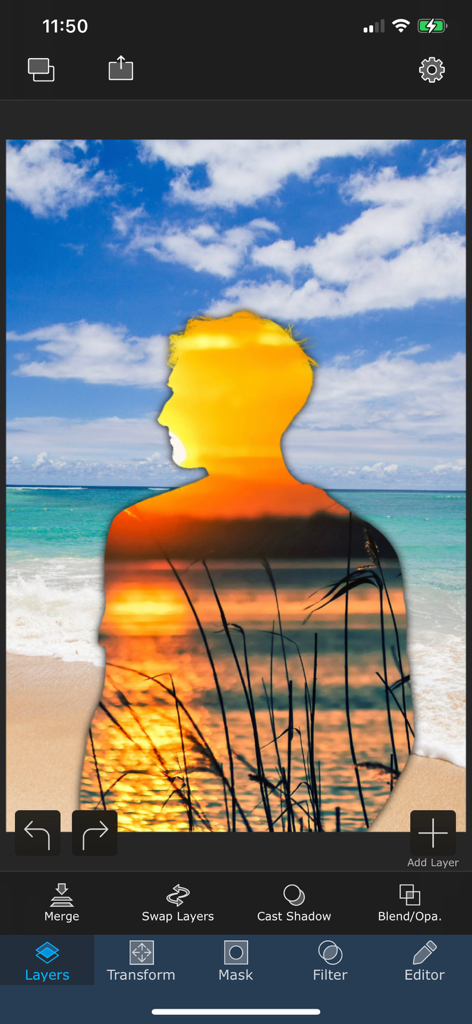
Superimposeアプリのモバイルインターフェイスには、ビーチのシーンに重ねて表示される二重露光の夕日の効果を持つ人物のシルエットが表示されています。
Superimposeアプリのモバイルインターフェイスには、ビーチのシーンに重ねて表示される二重露光の夕日の効果を持つ人物のシルエットが表示されています。

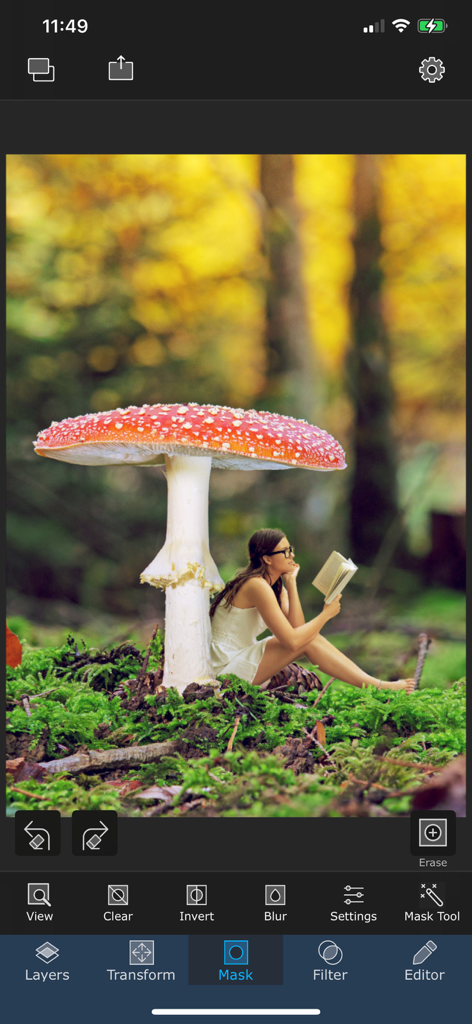
Superimposeアプリでのマスキングツールを使用したシュールな写真編集。
Superimposeアプリでのマスキングツールを使用したシュールな写真編集。

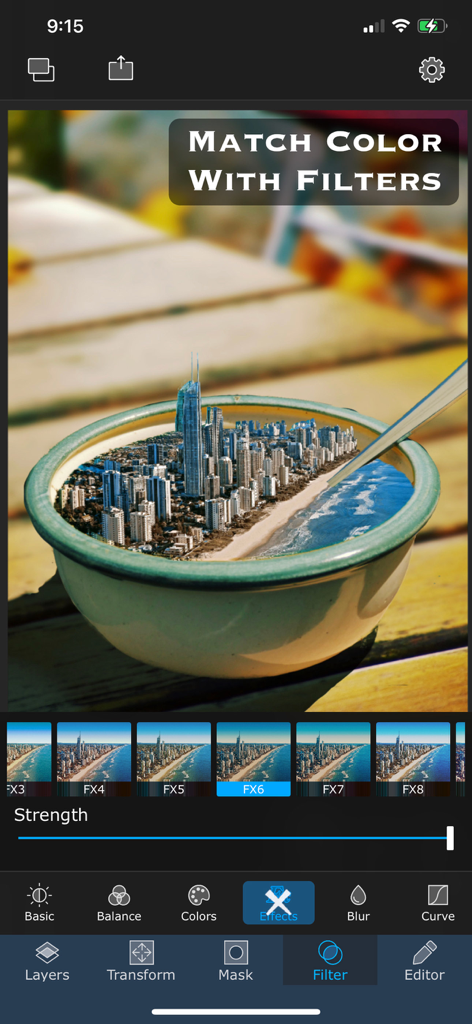
Superimposeアプリの画面には、ボウルに入ったシュールな都市の画像構成に適用されたカラーマッチングフィルターが表示されています。
Superimposeアプリの画面には、ボウルに入ったシュールな都市の画像構成に適用されたカラーマッチングフィルターが表示されています。

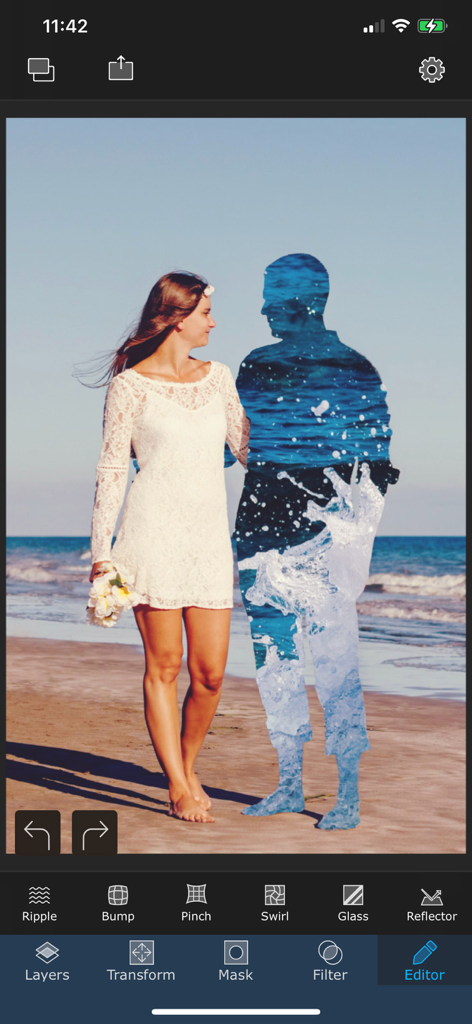
Superimposeアプリでのシュールな二重露光写真編集。水面の質感で満たされた男性のシルエットの隣を歩く女性が写っています。
Superimposeアプリでのシュールな二重露光写真編集。水面の質感で満たされた男性のシルエットの隣を歩く女性が写っています。

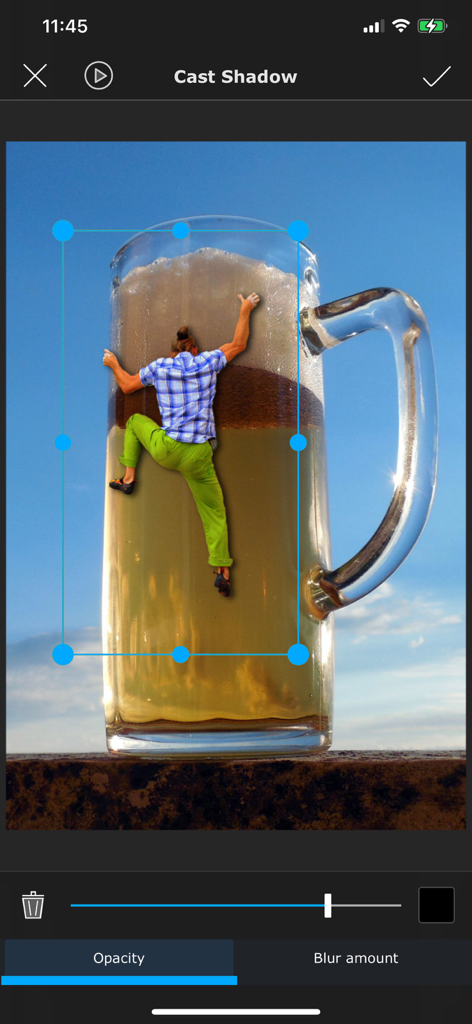
Superimposeのキャストシャドウツールで編集中の、ビールの巨大なマグカップを登る人物のシュールな写真合成。
Superimposeのキャストシャドウツールで編集中の、ビールの巨大なマグカップを登る人物のシュールな写真合成。

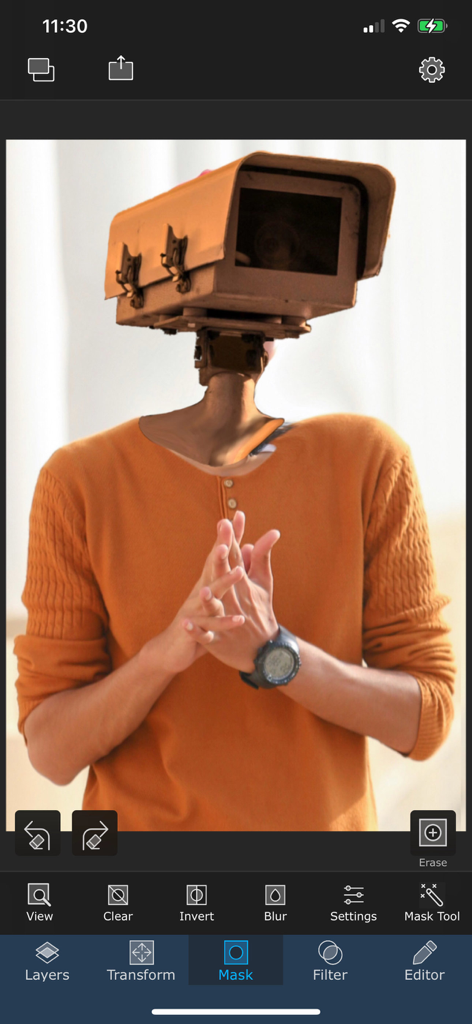
Superimposeアプリのインターフェイスで作成された、カメラの頭を持つ男性のシュールな写真編集。

Superimposeアプリのインターフェイスで作成された、カメラの頭を持つ男性のシュールな写真編集。

モバイル合成の技術をマスターする

このアプリを際立たせるツール、 755K+ 人のユーザーが選択.

🖌️

精密なマスキングと切り抜き

スマートマスキングツール、マジックラッソー、カラー範囲セレクターのスイートを使用して、細かい髪から複雑なエッジまで、最も難しいディテールにも対応します。

🎭

プロレベルのレイアリングとブレンド

デスクトップグレードのブレンドモード、遠近法補正、自然な影の効果で、複数の画像をレイヤー化して複雑なシーンを構成します。

📦

スマートアセットライブラリ

お気に入りの切り抜きを、ソーシャルメディアやブランドマーケティングのワークフローを効率化するために、個人ライブラリにカスタムステッカーとして保存します。

アプリについて

について知っておくべきこと Superimpose.

説明

Superimpose lets you unleash your creativity with your photo editing skills. Combine multiple photos to create artistic double exposure, surreal or just fun juxtaposed photo. Superimpose provides a very simple workflow, which almost anyone can follow. Yet, it provides a wide range of tools suitable even for advanced users, to create complex compositions. Blend/mix/combine/cut/copy and paste one photo on another. Creating double exposure photo is as easy as loading two photos and then choosing opacity and blending modes. With advanced masking tools, you can manually or semi-automatically erase portions from one image and then blend that with another photo. From magic lasso, that cuts out an image from a roughly painted boundary to a simple brush masking tool, you can use wide range of masking tools to create all sorts of masking, using this app. The app has tons of masking tools like brush, smart brush, magic wand, magic lasso, lasso, polygon, rectangle, ellipse, linear and radial gradient and color range. Text masking tool and you can even create a mask from an image. And how do you cut out hair or fur of your pet? You can create fine mask of hair, using hair masking tool even to cut out hair! To keep the flow simple, Superimpose works with two photos at a time. But you can keep merging and keep adding more and more layers of photos to create complex compositions. To blend two photos even better, the app supports a set of adjustment tools like exposure, saturation, hue, color balance, curve etc. Apart from blending, advanced masking and filters, Superimpose comes equipped with assorted set of editing tools like perspective correction, adding text with extensive text settings and tools like motion blur, zoom blur etc. Creating a natural shadow of objects that you blend with a photo is easier than ever. A dedicated tool just to create a shadow. Store all your cut outs, stickers or masks in a built-in mask library. For example, you can take photo of your products, mask them and then save them in the mask library. You can later add those cut outs on a background you want to add it to. Create a fun photo by adding one part of the photo as a foreground and another photo as a background. Save images in high resolution either in JPEG, PNG or HEIC format. Terms of use: https://www.superimposeapp.com/terms-of-use--superimpose-classic-.html Privacy Policy: https://www.superimposeapp.com/privacy2.html

最新バージョン

9.3.1

サイズ

298.0 MB

リリース日

2011年6月17日

デジタルアートをレベルアップする準備はできましたか?

755,000人以上のクリエイターに参加して、携帯電話から直接、写真をプロの傑作に変えましょう。

ダウンロード: App Storeダウンロード: Google Play

App information, icons, screenshots, and descriptions displayed on this page are sourced from the Apple App Store and are the property of their respective developers. Download estimates and rankings are based on MWM's proprietary models and may not reflect actual figures. This page is provided for informational and analytical purposes only.

Believe this page infringes your intellectual property? File a dispute