SymPlayer - Master Movement -
ダウンロード: App Store

このページはアプリまたはその開発者の公式ページではなく、情報提供および論評を目的として作成された独立した編集出版物です。明示的に別段の記載がない限り、アプリおよびその開発者は、MWM、Apple、Google Play、アプリのパブリッシャー、またはアプリの開発者と提携、承認、後援、認可、またはその他の公式的な関係はなく、このページのいかなる内容も、アプリがMWMのサービスを使用して開発されたことを意味するものではありません。すべての商標、ロゴ、スクリーンショット、その他のコンテンツはそれぞれの所有者の財産です。

ロゴ: SymPlayer - Master Movement -
ダウンロード: App Store

SymPlayer - Master Movement -

ダンサー、アスリート、クリエイターのための究極のビデオツール。チュートリアルを反転、ループ、スロー再生することで、あらゆる動きを完璧に真似し、かつてないほど速く習得できます。

主要数値

ダウンロード

537K+

ユーザー評価

4.5/5

評価数

3K+

開発元

Masakiyo Tachikawa

カテゴリ

Photo & Video

対応言語

2

最新バージョン

3.14.3

サイズ

67.9 MB

リリース日

2015年11月13日
機能

あらゆる動きを精密にマスター

バズったダンス動画からプロスポーツのフォームまで、SymPlayerはあらゆるスキルを簡単に模倣、分析、完成させるための必須ツールを提供します。

自然な反転(ミラー)再生

左右の違いで悩むのはもう終わりです。動画を水平方向に反転させて、練習用の鏡を見ているかのように動きを追うことができます。

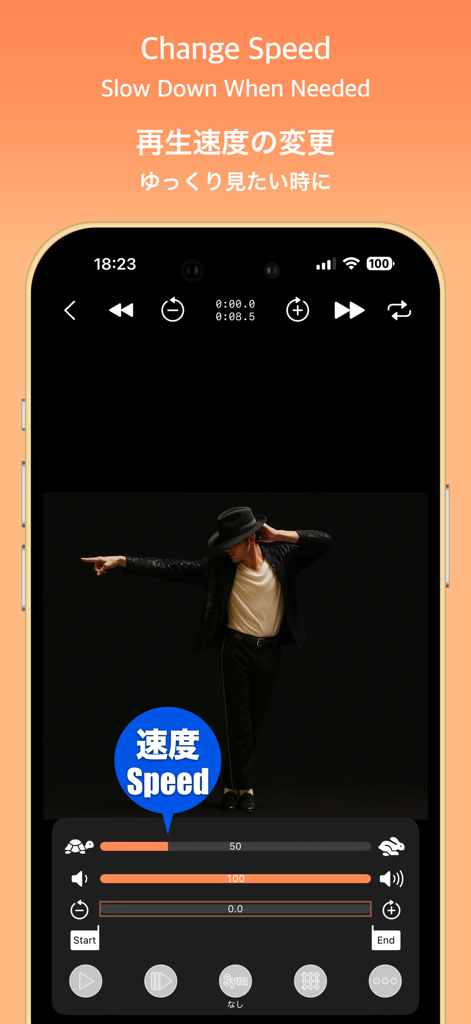
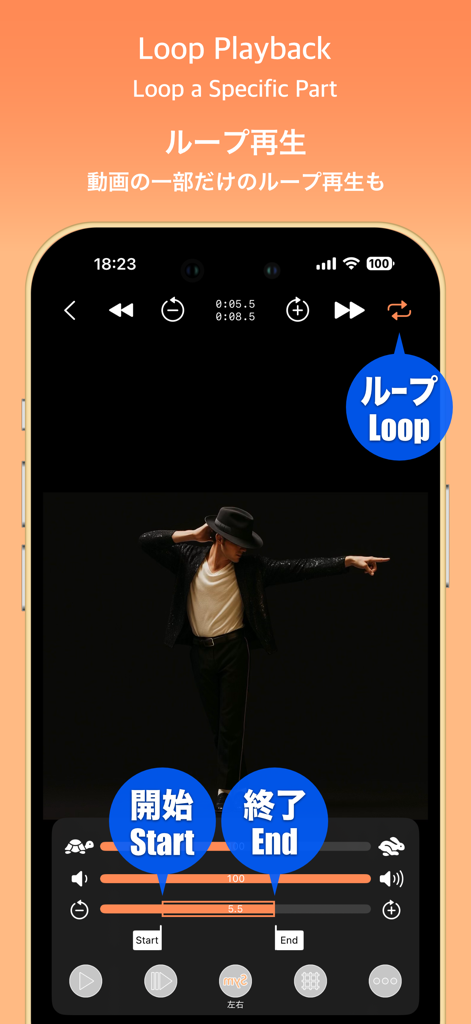
精密なループとスローモーション

テンポを遅くしたり、カスタムループを設定して難しいフットワークを繰り返し練習し、体が覚えるまでマスターしましょう。

以下のスクリーンショットと説明は、アプリの公式ストアリスティングから直接取得されたものであり、アプリ開発者の所有物です。

アプリストア

スクリーンショット
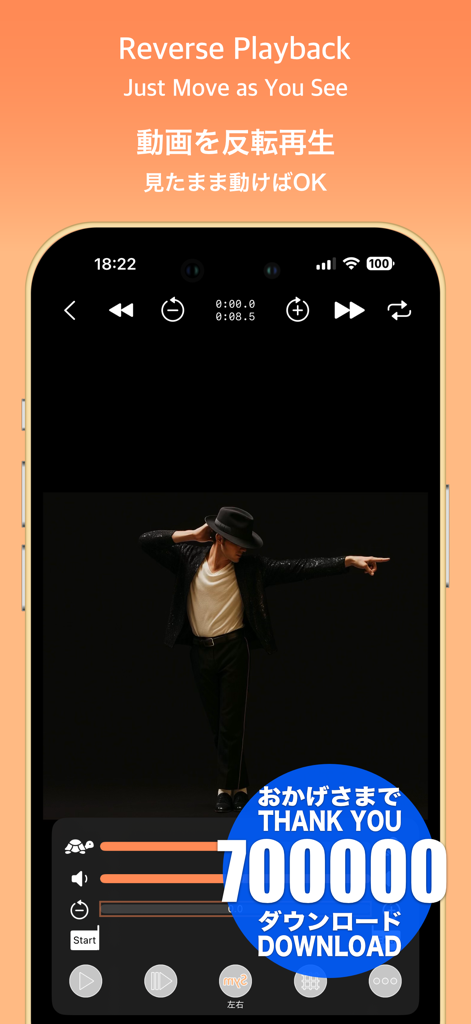
SymPlayer - Master Movement - - 速度と反転のコントロールを備えた、ダンサーのビデオ反転再生を表示するSymPlayerアプリのインターフェース
速度と反転のコントロールを備えた、ダンサーのビデオ反転再生を表示するSymPlayerアプリのインターフェース

SymPlayer - Master Movement - - スローモーション練習用の再生速度調整スライダーとダンサーを表示するSymPlayerアプリのインターフェース
スローモーション練習用の再生速度調整スライダーとダンサーを表示するSymPlayerアプリのインターフェース

SymPlayer - Master Movement - - ダンスの動きを練習するための、開始・終了マーカー付きループ再生コントロールを表示するSymPlayerアプリのインターフェース
ダンスの動きを練習するための、開始・終了マーカー付きループ再生コントロールを表示するSymPlayerアプリのインターフェース

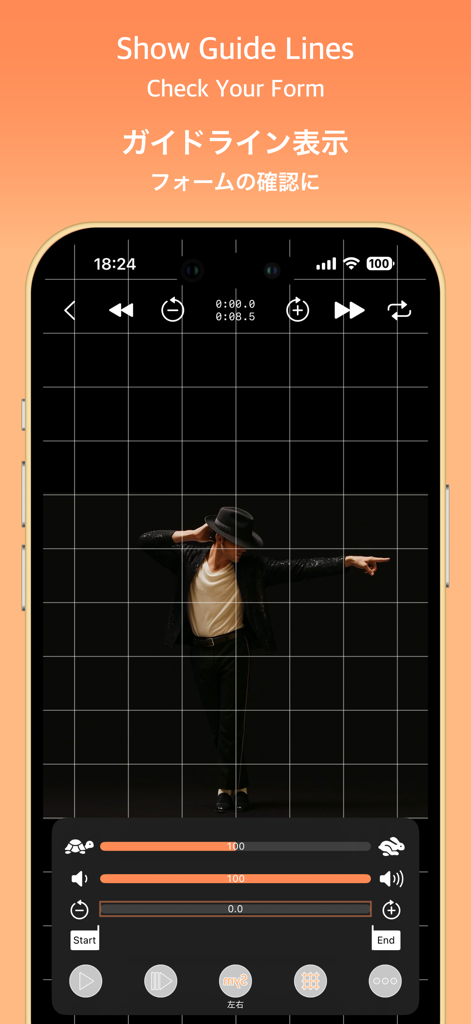
SymPlayer - Master Movement - - 姿勢と動きの分析のためにダンサーにグリッド線を重ねて表示するSymPlayerアプリのスクリーンショット
姿勢と動きの分析のためにダンサーにグリッド線を重ねて表示するSymPlayerアプリのスクリーンショット

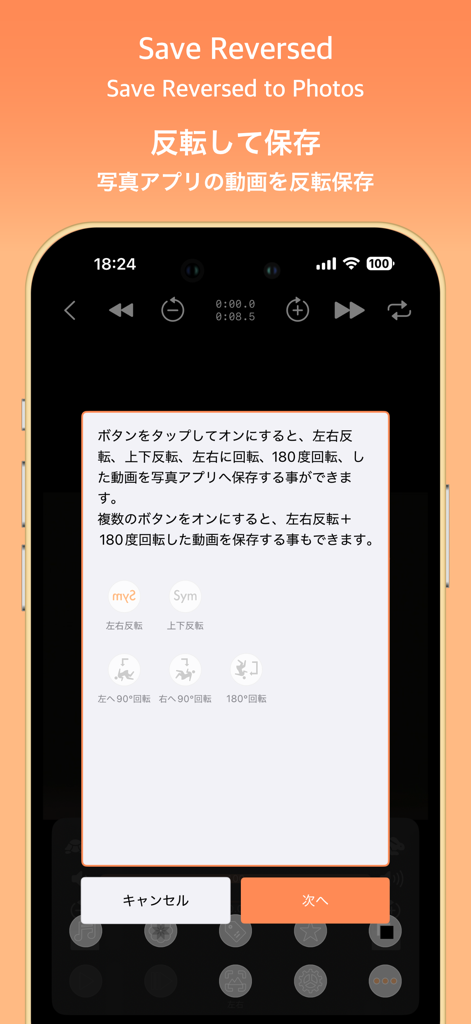
SymPlayer - Master Movement - - 写真に保存するための動画反転および回転オプションを表示するSymPlayerアプリのインターフェース
写真に保存するための動画反転および回転オプションを表示するSymPlayerアプリのインターフェース

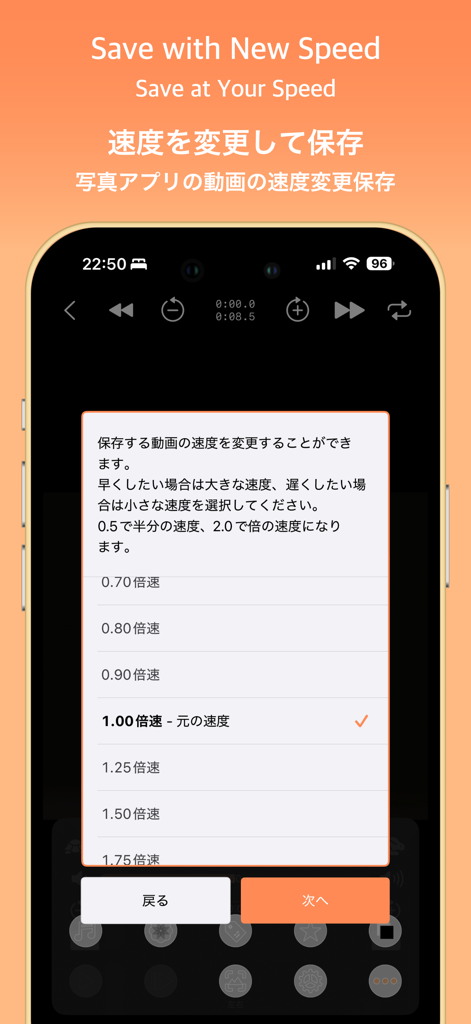
SymPlayer - Master Movement - - 動画の再生速度を変更して保存するオプションを表示するSymPlayerモバイルアプリの画面
動画の再生速度を変更して保存するオプションを表示するSymPlayerモバイルアプリの画面

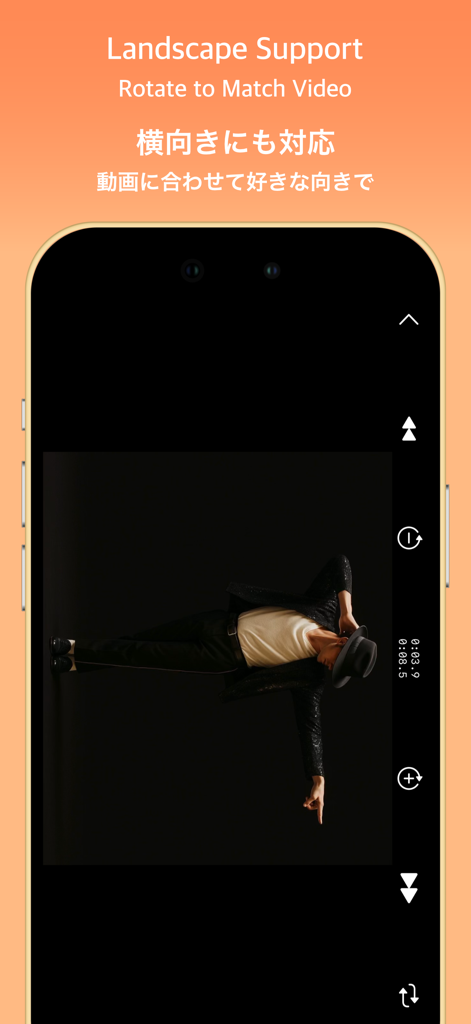
SymPlayer - Master Movement - - ダンス練習用の横画面ビデオサポートと回転機能を示すSymPlayerアプリ
ダンス練習用の横画面ビデオサポートと回転機能を示すSymPlayerアプリ

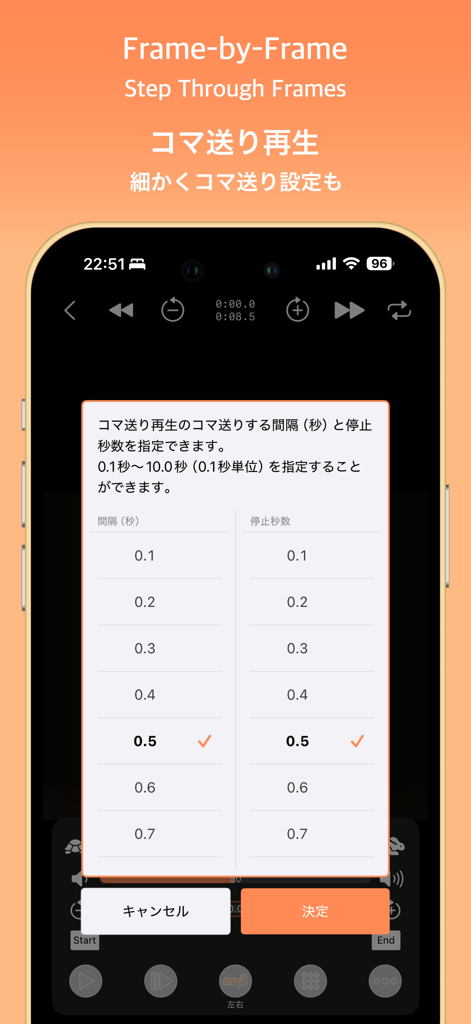
SymPlayer - Master Movement - - コマ送り再生設定メニューが表示されたSymPlayerアプリのスマートフォン画面
コマ送り再生設定メニューが表示されたSymPlayerアプリのスマートフォン画面

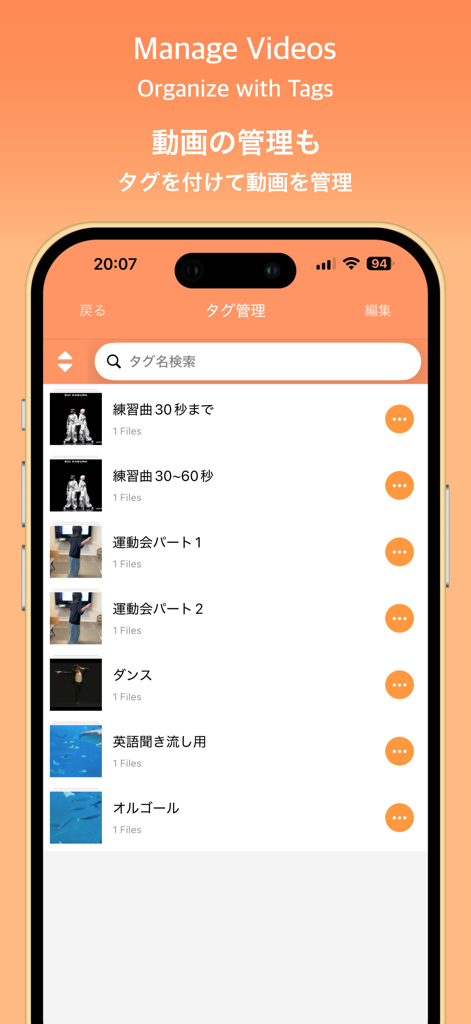
SymPlayer - Master Movement - - カスタムタグで整理された動画リストを表示するSymPlayerアプリのインターフェース
カスタムタグで整理された動画リストを表示するSymPlayerアプリのインターフェース

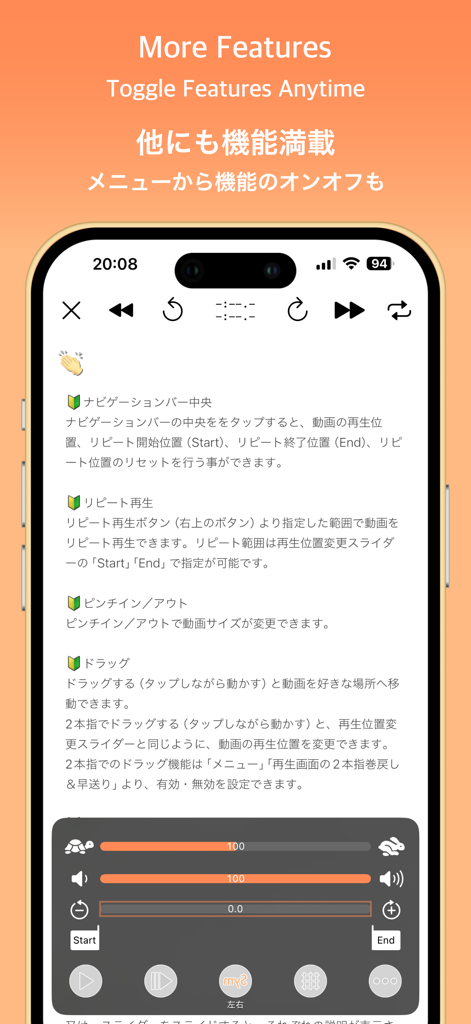
SymPlayer - Master Movement - - 速度調整とループのビデオ再生コントロールを表示するSymPlayerアプリのインターフェース

速度調整とループのビデオ再生コントロールを表示するSymPlayerアプリのインターフェース

説明

Master Professional Moves with Mirrored Playback! This app lets you play videos flipped left-to-right, making it easier to mimic movements without getting confused about direction. Just follow what you see as if looking in a mirror! You can also flip or rotate videos from your camera roll and save them as new files. Perfect for people who: - Need to learn idol group dances for a wedding or performance - Want to copy professional dance moves - Want to study a pro athlete’s form (like pitching) This app is made for anyone who wants to learn by watching and repeating. Give it a try — it’s free! [Features] ■ Adjustable Playback Speed Freely change video speed — slow motion or double speed are both supported. You can also adjust speed in 5-step increments, as requested by users. Perfect for dance practice, form checks, and more. Caution: Due to iOS limitations, available speeds are limited to 0.5, 0.666..., 0.8, 1.0, 1.25, 1.5, and 2.0. SymPlayer’s speed display is approximate and for reference only. ■ Loop Specific Ranges Set custom start and end points to loop only the section you want to repeat. Ideal for practicing tricky parts like guitar fingering or a swing. ■ Show/Hide Guide Lines Display vertical and horizontal guides over the video. Useful for checking positions in formation dances or comparing symmetry. ■ Zoom & Fit Screen Pinch to zoom in/out. Double-tap to fit the video to your screen. Watch movements in detail or full view — your choice. ■ Play from Google Drive & Dropbox Play videos stored in Google Drive or Dropbox. Mark favorites for offline playback (requires ad viewing). You can also play from a shared video URL. Note: Long videos may take time to load. A shared link is required for access. ■ Tag Your Videos Organize your videos with tags. You can assign multiple tags to a single video for better group management. [About in-app purchases] Please read before purchasing in-app purchases. After purchase, no matter what reason, refund can not be canceled. If you purchase, please confirm the above contents and purchase only if agreed. [About purchasing automatic subscription] As with music players, sound will be able to play even in the background. Also, all ads will be removed during the automatic subscription period. When purchasing, please confirm the following "Terms of service" and "Privacy policy" and purchase only if you agree. Terms of service) https://faboll.tattin.com/terms/symplayer/terms.html Privacy policy) https://faboll.tattin.com/terms/symplayer/privacy.html [Duration and amount of automatic subscription] - Extension 1 month ¥100(JPY) - Extension 3 month ¥280(JPY) - Extension 12 months ¥1000(JPY) [About auto-renewable] Subscription automatically renews unless auto-renew is turned off at least 24-hours before the end of the current period. Account will be charged for renewal within 24-hours prior to the end of the current period, and identify the cost of the renewal. Payment will be charged to iTunes Account at confirmation of purchase. Subscriptions may be managed by the user and auto-renewal may be turned off by going to the user's Account Settings after purchase. Any unused portion of a free trial period, if offered, will be forfeited when the user purchases a subscription to that publication, where applicable. [About the Dance Video] The dance video featured in the App Store preview was graciously provided by SUI Kagura. SUI Kagura — A Super Synchronized Dance Duo with Sincerity to Music — Formed in 2022 by choreographer Upolu and former idol Sayakichi Hanashiro, SUI Kagura is dedicated to their motto: “Sincere to the music.” They create performances that amplify sound and lyrics, shared seamlessly through stage and video. https://www.dignitive.jp/suikagura

Download

ダウンロード: App Store

このページはアプリまたはその開発者の公式ページではなく、情報提供および論評を目的として作成された独立した編集出版物です。明示的に別段の記載がない限り、アプリおよびその開発者は、MWM、Apple、Google Play、アプリのパブリッシャー、またはアプリの開発者と提携、承認、後援、認可、またはその他の公式的な関係はなく、このページのいかなる内容も、アプリがMWMのサービスを使用して開発されたことを意味するものではありません。すべての商標、ロゴ、スクリーンショット、その他のコンテンツはそれぞれの所有者の財産です。








