Tape Measure: AR Measuring
ダウンロード: App Store

このページはアプリまたはその開発者の公式ページではなく、情報提供および論評を目的として作成された独立した編集出版物です。明示的に別段の記載がない限り、アプリおよびその開発者は、MWM、Apple、Google Play、アプリのパブリッシャー、またはアプリの開発者と提携、承認、後援、認可、またはその他の公式的な関係はなく、このページのいかなる内容も、アプリがMWMのサービスを使用して開発されたことを意味するものではありません。すべての商標、ロゴ、スクリーンショット、その他のコンテンツはそれぞれの所有者の財産です。

ロゴ: Tape Measure: AR Measuring
ダウンロード: App Store

Tape Measure: AR Measuring

スマートフォンをプロ仕様のツールキットに変えましょう。ARテクノロジーで部屋を採寸し、瞬時に間取り図を作成し、正確な寸法を共有できます。DIY愛好家、引っ越し業者、デザイン愛好家向けです。

主要数値

ダウンロード

303K+

ユーザー評価

4.3/5

評価数

1K+

開発元

Fuentech Company Limited

カテゴリ

Productivity

対応言語

15

最新バージョン

2.2.5

サイズ

83.3 MB

リリース日

2023年10月4日
機能

手のひらの中の精密プランニング

手作業や嵩張るツールキットはもう必要ありません。AR搭載テクノロジーがiPhoneをDIYプロジェクト、家のリフォーム、インテリアデザインのためのプロ仕様の採寸スイートに変えます。

インスタントARルームマッピング

あらゆる部屋をスキャンして、周囲、面積、天井高を自動計算します。新居やリフォームのための正確な間取り図を数秒で作成できます。

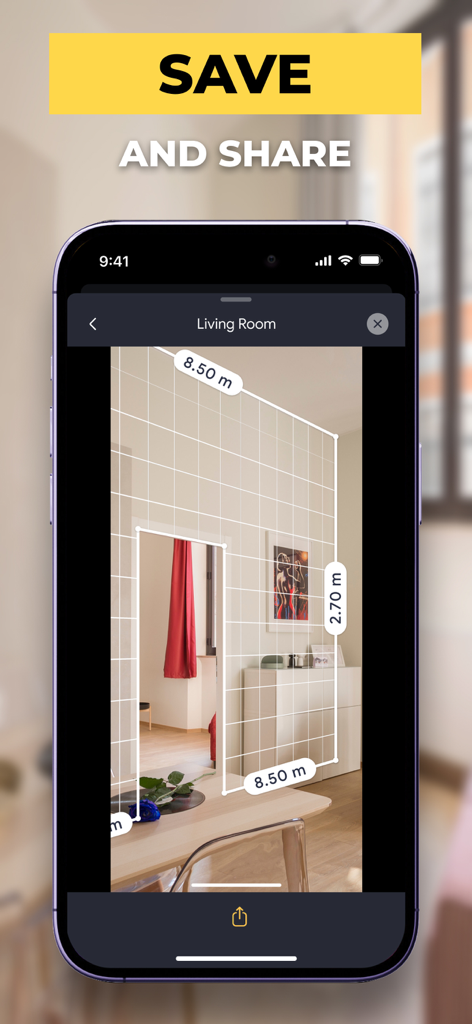
ビジュアルスケッチ&共有

ドア、窓、カスタムテキストをプランに追加します。デザインを瞬時にエクスポートして、請負業者、同居人、デザイナーと共有し、確かな意思決定を支援します。

以下のスクリーンショットと説明は、アプリの公式ストアリスティングから直接取得されたものであり、アプリ開発者の所有物です。

アプリストア

スクリーンショット
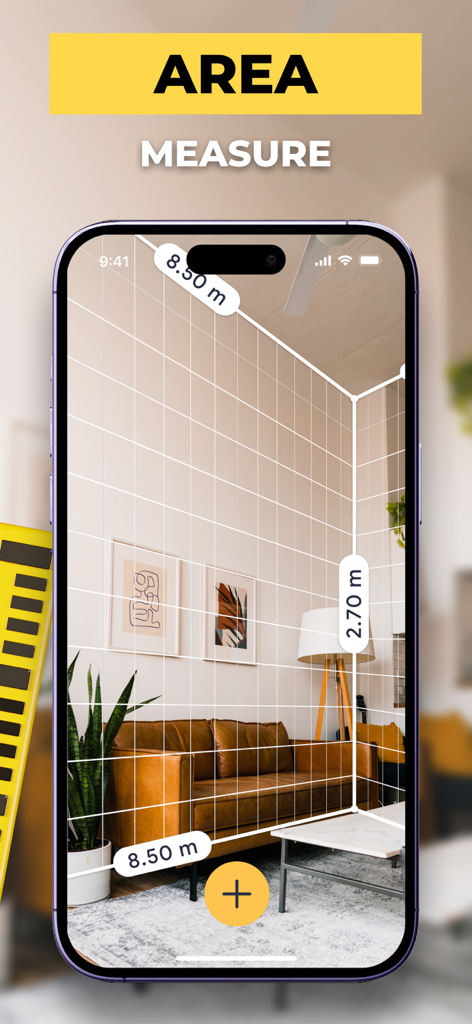
Tape Measure: AR Measuring - AR(拡張現実)を使用して部屋の寸法と面積を測定するスマートフォン

AR(拡張現実)を使用して部屋の寸法と面積を測定するスマートフォン

Tape Measure: AR Measuring - AR(拡張現実)を使用して少年の身長を測定するiPhone画面。1.33メートルと表示されている。
AR(拡張現実)を使用して少年の身長を測定するiPhone画面。1.33メートルと表示されている。

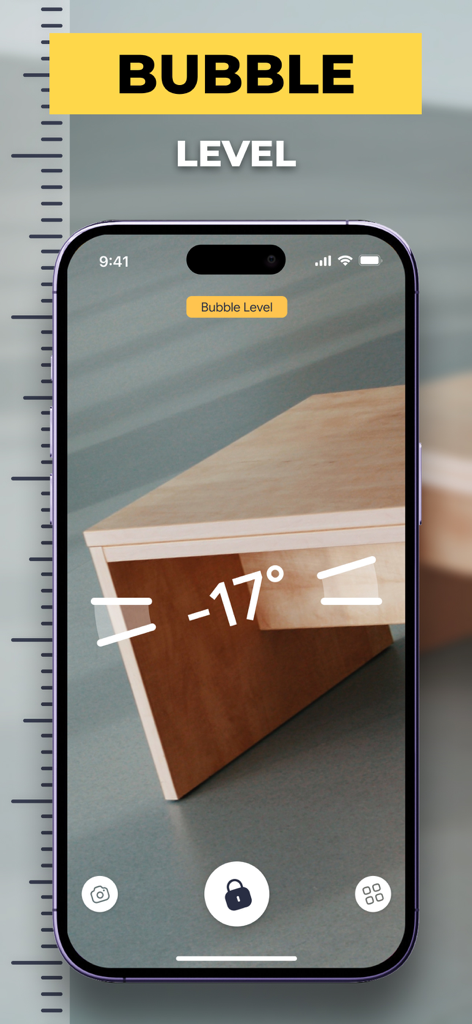
Tape Measure: AR Measuring - AR測定アプリのバブルレベル機能を示すスマートフォンの画面。木製家具の角度を測定している様子。
AR測定アプリのバブルレベル機能を示すスマートフォンの画面。木製家具の角度を測定している様子。

Tape Measure: AR Measuring - 寸法と保存・共有プロンプトが表示された部屋の壁のAR測定を表示するスマートフォン
寸法と保存・共有プロンプトが表示された部屋の壁のAR測定を表示するスマートフォン

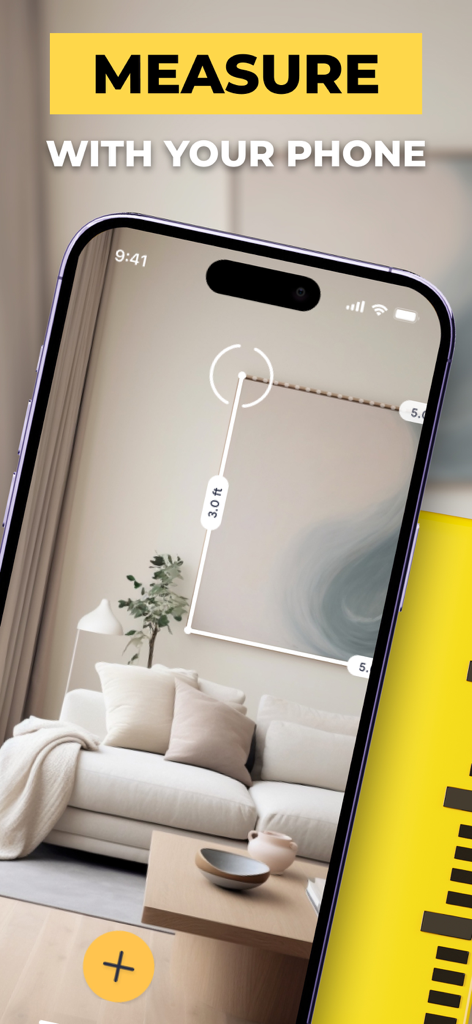
Tape Measure: AR Measuring - AR(拡張現実)テープメジャーアプリを使用して額縁を測定するスマートフォン

AR(拡張現実)テープメジャーアプリを使用して額縁を測定するスマートフォン

説明

Tape Measure: AR Measuring app is a smart and easy to use electronic ruler that delivers the same accurate and precise results as a traditional measuring tool. Measure objects or distances in different units. Create a sketch with a wide range of text editing options like size, color, and positioning. When everything is done share your measures and sketches right from the app. Measure your room’s perimeter and ceiling height with AR Room Planner! AR technology turns your smartphone into a virtual measuring tape. Measure real-world surfaces and create floor plans quickly and easily. Whether you use AR Room Planner for personal or professional needs, you get a great measuring tool at your fingertips. Just moved in? Map your place out in minutes and figure out how to furnish it. Need a floor plan? No problem, just scan the room and get a ready-made plan that you can save on your device or share it in any convenient way. With AR Room Planner you can: - Measure room’s perimeter and height - Switch between Imperial (ft, in) and Metric (m, cm) units - Take in-app screenshots to quickly share measurements - Get perimeter, square footage, and ceiling height calculated automatically - Add doors and windows to a floor plan - Store and organize your floor plans - Export or share floor plans via email, social media, messengers, etc. - Rangefinder – measure the distance from your smartphone's camera to any point in view - Sketch mode – prepare a plan, name it with a cool text editor - Share your sketch with anyone - A handy tape measure, always in your pocket - A clear and user-friendly interface - It is free! Try AR Room Planner now to make sure that measuring rooms and creating floor plans have never been so fun! Terms of use: https://dtstudiovn.blogspot.com/2021/12/terms-of-use.html Privacy Policy: https://dtstudiovn.blogspot.com/2021/12/equalizer-bass-booster-amp-privacy.html

Download

ダウンロード: App Store

このページはアプリまたはその開発者の公式ページではなく、情報提供および論評を目的として作成された独立した編集出版物です。明示的に別段の記載がない限り、アプリおよびその開発者は、MWM、Apple、Google Play、アプリのパブリッシャー、またはアプリの開発者と提携、承認、後援、認可、またはその他の公式的な関係はなく、このページのいかなる内容も、アプリがMWMのサービスを使用して開発されたことを意味するものではありません。すべての商標、ロゴ、スクリーンショット、その他のコンテンツはそれぞれの所有者の財産です。