TapShift - Shift manager
ダウンロード: App Store

このページはアプリまたはその開発者の公式ページではなく、情報提供および論評を目的として作成された独立した編集出版物です。明示的に別段の記載がない限り、アプリおよびその開発者は、MWM、Apple、Google Play、アプリのパブリッシャー、またはアプリの開発者と提携、承認、後援、認可、またはその他の公式的な関係はなく、このページのいかなる内容も、アプリがMWMのサービスを使用して開発されたことを意味するものではありません。すべての商標、ロゴ、スクリーンショット、その他のコンテンツはそれぞれの所有者の財産です。


ロゴ: TapShift - Shift manager
ダウンロード: App Store

TapShift - Shift manager

紙や使いにくいExcelシートでの格闘はやめましょう。TapShiftは、中小企業のオーナーが視覚的なスケジュールを作成し、給与計算を自動化し、数分でチームにシフトをテキスト送信できる、直感的でモバイルファーストなソリューションです。

主要数値

ダウンロード

13K+

ユーザー評価

4.3/5

評価数

500

開発元

Kazumasa Shimomura

カテゴリ

Productivity

対応言語

5

最新バージョン

1.26.0

サイズ

23.2 MB

リリース日

2020年11月21日
機能

ストレスなくシフト管理をマスター

スプレッドシートや手作業での計算に費やす時間を無駄にするのはやめましょう。TapShiftは、中小企業のオーナーに、数分でスケジュール管理と給与計算を行える、プロフェッショナルでモバイルファーストなツールキットを提供します。

視覚的なタップ・トゥ・シフトカレンダー

数分で一週間のスケジュールを構築します。色分けされたテンプレートを使用して、簡単なタップで役割とスタッフメンバーを整理し、フロアのカバー状況を明確かつ整理された状態に保ちます。

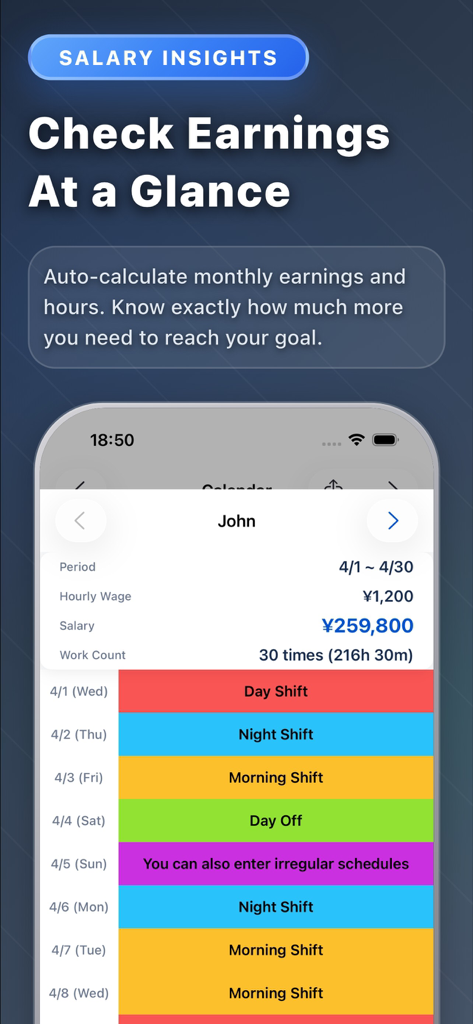
自動給与計算ロジック

アプリに計算させましょう。シフトを割り当てるだけで、TapShiftは時給に基づいて各チームメンバーの総労働時間と月給を自動的に計算します。

以下のスクリーンショットと説明は、アプリの公式ストアリスティングから直接取得されたものであり、アプリ開発者の所有物です。

アプリストア

スクリーンショット
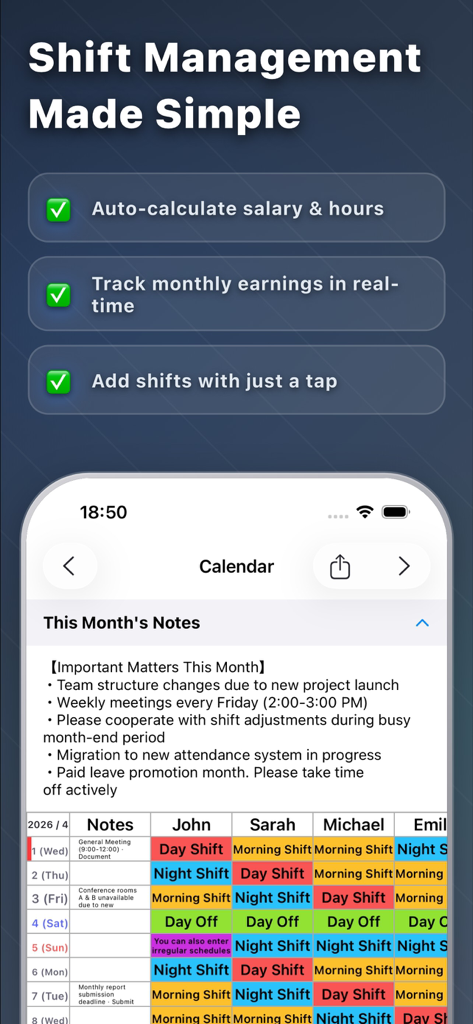
TapShift - Shift manager - TapShiftアプリのスクリーンショット。シフト管理機能と、自動給与計算を備えた色分けされたスタッフスケジュールカレンダーを表示。
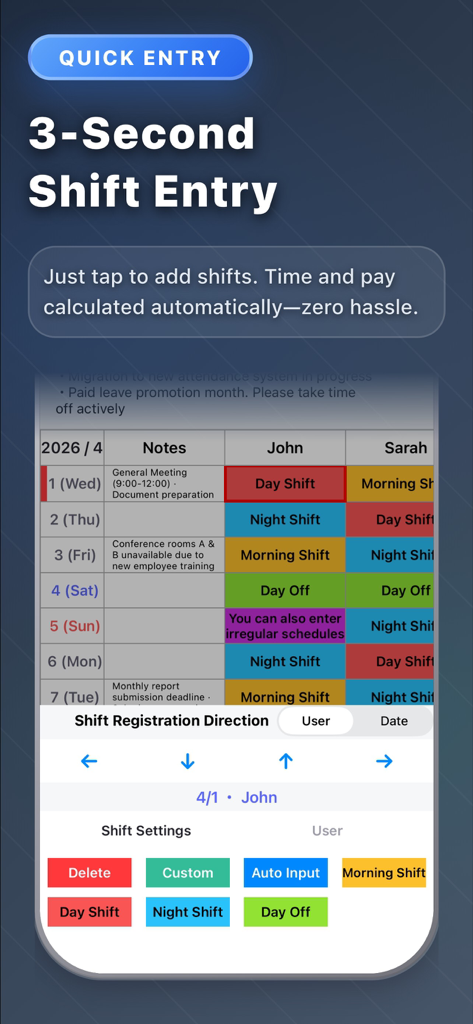
TapShiftアプリのスクリーンショット。シフト管理機能と、自動給与計算を備えた色分けされたスタッフスケジュールカレンダーを表示。

TapShift - Shift manager - TapShiftアプリのモバイルインターフェース。色分けされたシフトスケジュールと、従業員の労働時間を管理するためのクイックエントリーツールを特徴とする。
TapShiftアプリのモバイルインターフェース。色分けされたシフトスケジュールと、従業員の労働時間を管理するためのクイックエントリーツールを特徴とする。

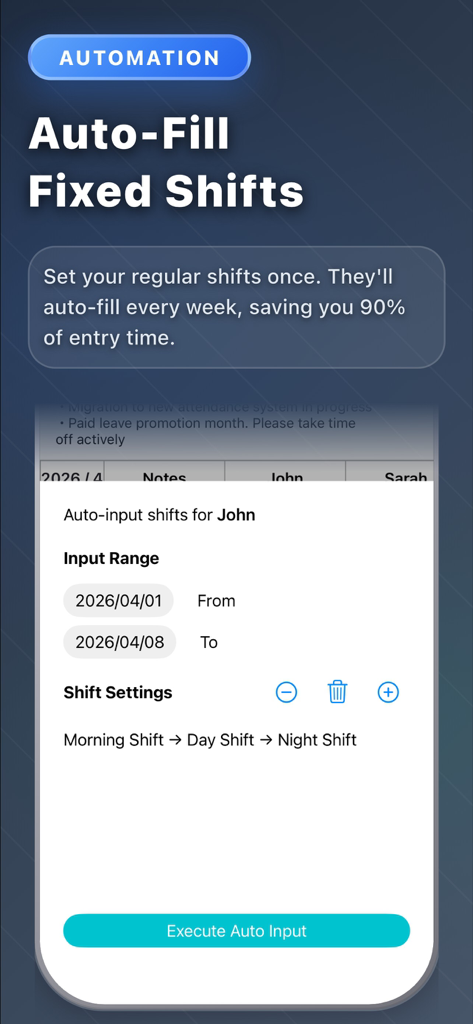
TapShift - Shift manager - TapShiftアプリの画面。従業員スケジューリングのための自動固定シフト機能を表示。
TapShiftアプリの画面。従業員スケジューリングのための自動固定シフト機能を表示。

TapShift - Shift manager - 月給計算と従業員の色分けされたシフトスケジュールを示すモバイルダッシュボード。
月給計算と従業員の色分けされたシフトスケジュールを示すモバイルダッシュボード。

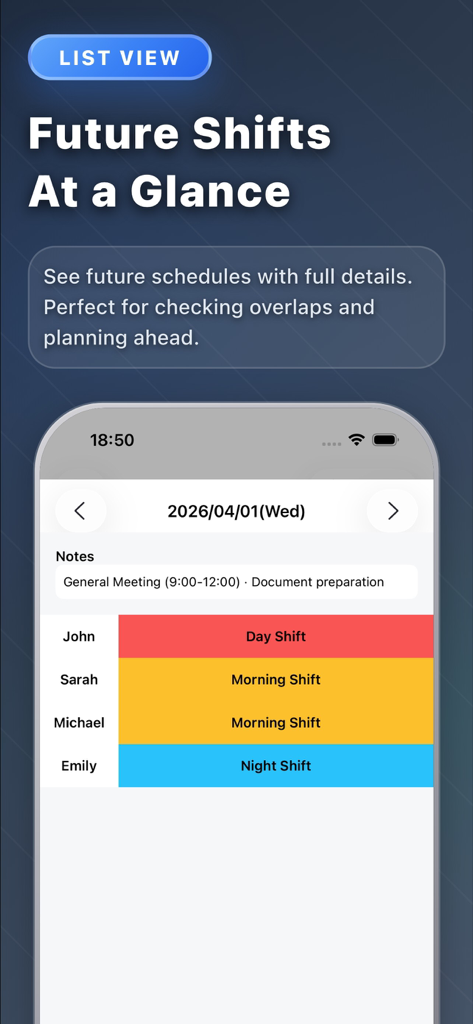
TapShift - Shift manager - TapShiftアプリのインターフェース。一般的な会議のメモを含む、スタッフメンバー用の色分けされた日次シフトリストを表示。
TapShiftアプリのインターフェース。一般的な会議のメモを含む、スタッフメンバー用の色分けされた日次シフトリストを表示。

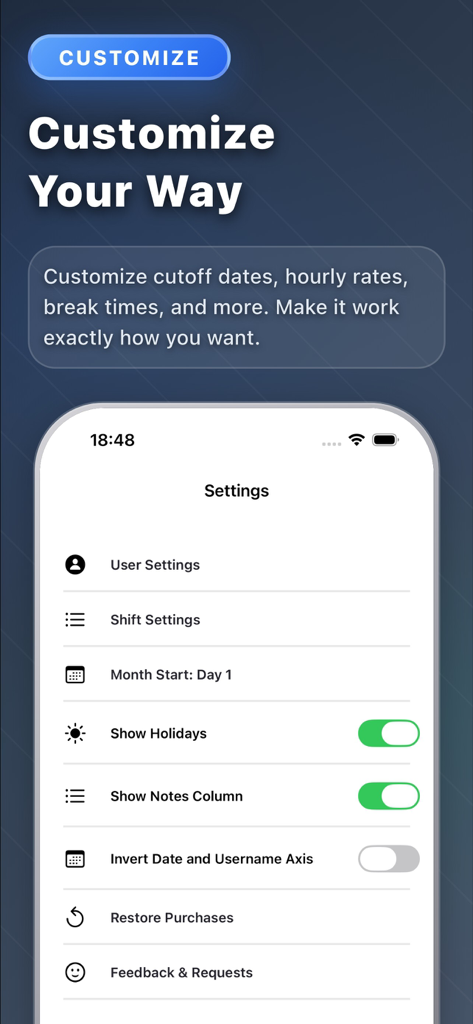
TapShift - Shift manager - TapShiftアプリの設定画面。シフトスケジュールと表示設定のカスタマイズオプションを表示。
TapShiftアプリの設定画面。シフトスケジュールと表示設定のカスタマイズオプションを表示。

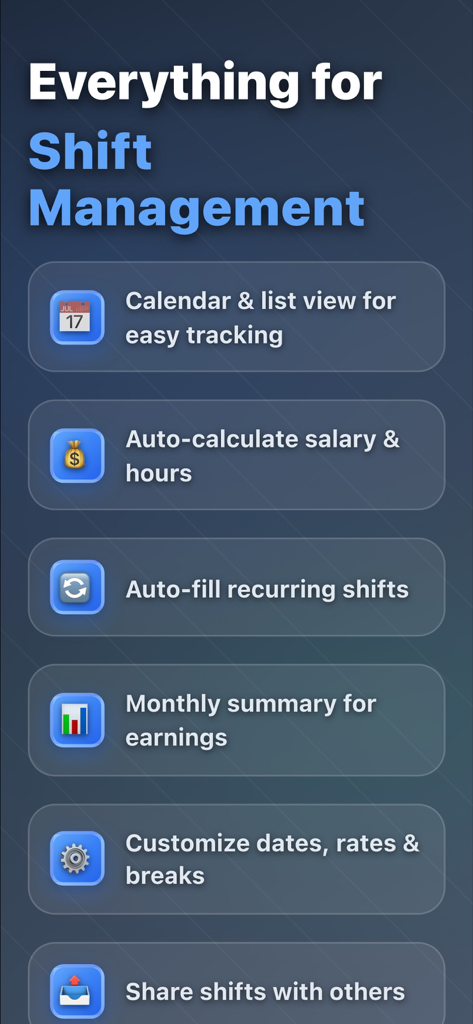
TapShift - Shift manager - スケジュール、給与計算、シフト共有を含む、TapShiftシフトマネージャーの主要機能リスト。

スケジュール、給与計算、シフト共有を含む、TapShiftシフトマネージャーの主要機能リスト。

説明

Still managing shifts with paper or Excel? Spending hours every month creating schedules, calculating payroll, and dealing with last-minute changes? TapShift solves these problems. From shift scheduling to payroll calculation, everything is done on your iPhone. 【KEY FEATURES】 ■ Calendar-Style Shift Schedule Create shifts intuitively with just a tap. Select a shift template, assign staff, and choose dates. Color-coded display makes it easy to see who works when at a glance. ■ Shift List View View shifts by date in a list format. Details that are hard to see in calendar view are displayed clearly. Add, edit, and delete shifts easily from this screen. ■ Staff Management Register staff with names and hourly rates. Assign colors to each staff member to quickly identify them on the shift calendar. Hourly rates automatically reflect in payroll calculations. ■ Monthly Summary & Payroll Calculation Automatically calculate monthly work hours and wages for each staff member. Instantly see "How many hours this month?" and "How much is the salary?" ■ Save & Reuse Shift Settings Register frequently used shifts (name, color, work hours) for unlimited reuse. Once configured, just tap to input shifts next time. ■ Auto-Fill by Day of Week For recurring weekly shift patterns, set shifts by day of week for bulk auto-fill. Complete a month's schedule in seconds. ■ Shift Copy Function Copy past shift patterns to different periods. Useful when "I want next week same as last week" or "use last month's shifts as a base for this month." ■ Export & Share Shifts Export shift schedules as PDF or JPEG images. Print for store display or share via email and messaging apps with staff. ■ Note Function Record monthly memos and date-specific notes. Keep reminders like "Busy season on X day" or "Event on Y day" to help with shift adjustments. 【BENEFITS OF TAPSHIFT】 ■ Drastically Reduce Shift Creation Time Tasks that took 1 hour with handwriting or Excel now take just minutes. ■ Automated Payroll Calculation Automatic calculation from work hours and hourly rates. No calculator needed. ■ Check & Edit Anytime, Anywhere With your iPhone, handle urgent changes even when out of the office. ■ Visually Clear Color-coded display makes shift balance obvious at a glance. ■ All Data Stored on Device No cloud sync required. Use with confidence while protecting privacy. 【PRICING PLANS】 ■ Free Version • Shift registration: Up to 50 entries • Staff registration: Up to 3 people • All basic features available ■ Premium Version (Subscription) • Shift registration: Unlimited • Staff registration: Unlimited • Ad-free • 2-month free trial included 【IDEAL FOR】 • Restaurant, cafe, convenience store, retail store managers • Those coordinating part-time and hourly worker shifts • Cram schools, event management staff coordinators • Those managing shifts across multiple sites or projects • Those wanting to reduce shift creation time • Those wanting easier payroll calculation 【FAQ】 Q. Is my data safe? A. All data is stored on your device. No external server transmission. Q. Can I manage shifts for multiple workplaces? A. Currently designed for one workplace, but you can manage by separating staff per workplace. Q. Can I share shifts with other staff? A. PDF and image export features allow sharing via email or messaging apps. Download TapShift now for smarter shift management. Share feedback anytime through the settings screen. We continuously improve based on user input.

Download

ダウンロード: App Store

このページはアプリまたはその開発者の公式ページではなく、情報提供および論評を目的として作成された独立した編集出版物です。明示的に別段の記載がない限り、アプリおよびその開発者は、MWM、Apple、Google Play、アプリのパブリッシャー、またはアプリの開発者と提携、承認、後援、認可、またはその他の公式的な関係はなく、このページのいかなる内容も、アプリがMWMのサービスを使用して開発されたことを意味するものではありません。すべての商標、ロゴ、スクリーンショット、その他のコンテンツはそれぞれの所有者の財産です。








