Teleprompter for Video
ダウンロード: App Store

このページはアプリまたはその開発者の公式ページではなく、情報提供および論評を目的として作成された独立した編集出版物です。明示的に別段の記載がない限り、アプリおよびその開発者は、MWM、Apple、Google Play、アプリのパブリッシャー、またはアプリの開発者と提携、承認、後援、認可、またはその他の公式的な関係はなく、このページのいかなる内容も、アプリがMWMのサービスを使用して開発されたことを意味するものではありません。すべての商標、ロゴ、スクリーンショット、その他のコンテンツはそれぞれの所有者の財産です。


ロゴ: Teleprompter for Video
ダウンロード: App Store

Teleprompter for Video

デジタルファーストのプロフェッショナルのためのオールインワンスタジオ。AIによるアイコンタクト補正、自動字幕、LinkedIn、TikTok、YouTubeに最適化されたスタジオ品質の編集で、完璧なスクリプトを届けましょう。

主要数値

ダウンロード

4M+

ユーザー評価

4.9/5

評価数

74K+

開発元

Norton Five Ltd

カテゴリ

Photo & Video

対応言語

7

最新バージョン

9.2.1

サイズ

150.8 MB

リリース日

2016年10月12日
機能

プロフェッショナルな動画作成をシンプルに

高価なスタジオ機材を使わずに、インパクトのある動画コンテンツを録画、編集、共有できるよう設計された、プロフェッショナルのためのオールインワンツールキット。

自然に視聴者を惹きつける

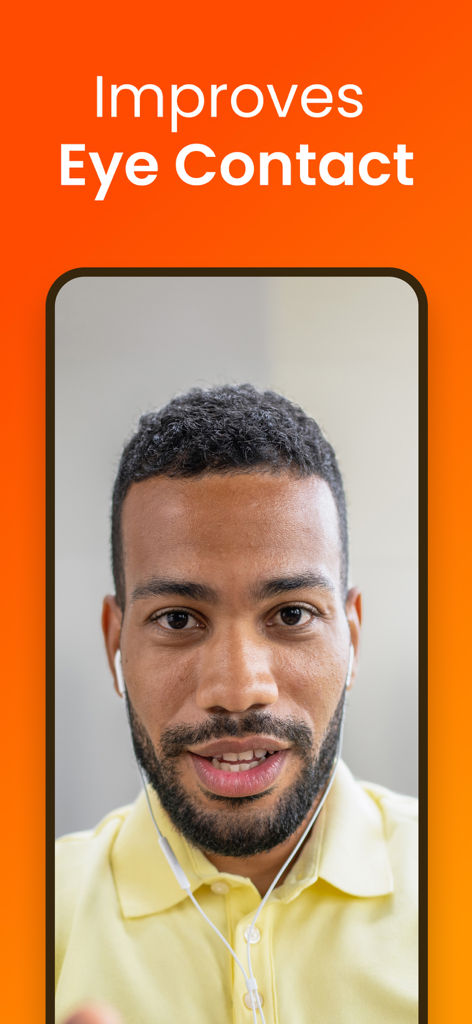
カメラレンズのすぐ横にある台本を読むことで、完璧なアイコンタクトを維持。すべてのテイクで自信と権威があるように見せることができます。

スマート音声起動スクロール

AIがあなたの声を認識します。話しているときはテキストが自動的にスクロールし、止まると一時停止するため、自然で会話のような話し方が可能です。

FAQ

よくある質問

について知っておくべきこと Teleprompter for Video

Teleprompter for Videoとは何ですか?

Teleprompter for Videoは、スクロールするスクリプトを読みながらiPhoneまたはiPadでプロフェッショナルなビデオを録画できるアプリで、視聴者とアイコンタクトを維持しやすくします。

Teleprompter for Videoはライブストリーミングに使用できますか?

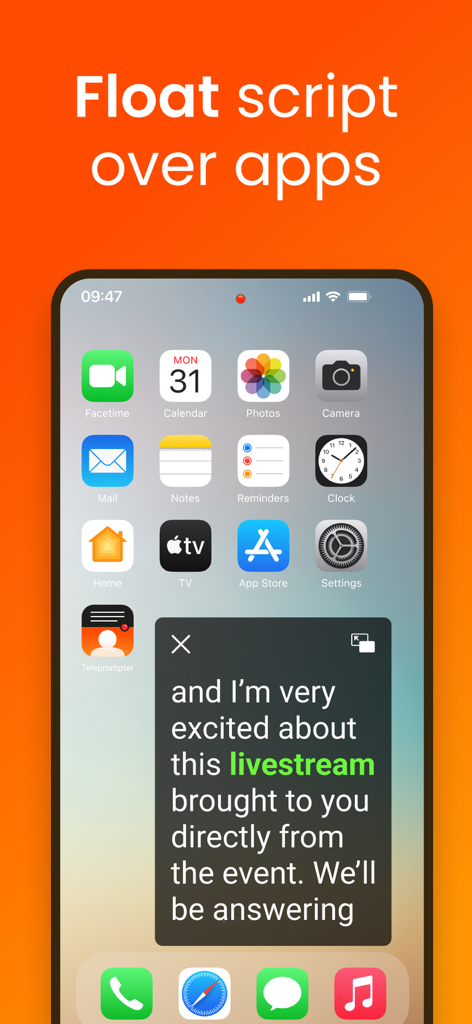
はい、Teleprompter for Videoには「フローティング」モードがあります。このモードは、スクリプトを他のアプリの上に重ねて表示するため、ユーザーはソーシャルメディアプラットフォームでライブストリーミングしながらテレプロンプターを読むことができます。

Teleprompter for Videoはビデオ編集機能を提供していますか?

はい、Teleprompter for Videoには録画後のビデオ編集機能が含まれています。これには、ロゴの追加、ソーシャルメディア用のリサイズ、グリーン スクリーン効果、テキスト、自動キャプション、およびBGMの追加が含まれます。

以下のスクリーンショットと説明は、アプリの公式ストアリスティングから直接取得されたものであり、アプリ開発者の所有物です。

アプリストア

スクリーンショット
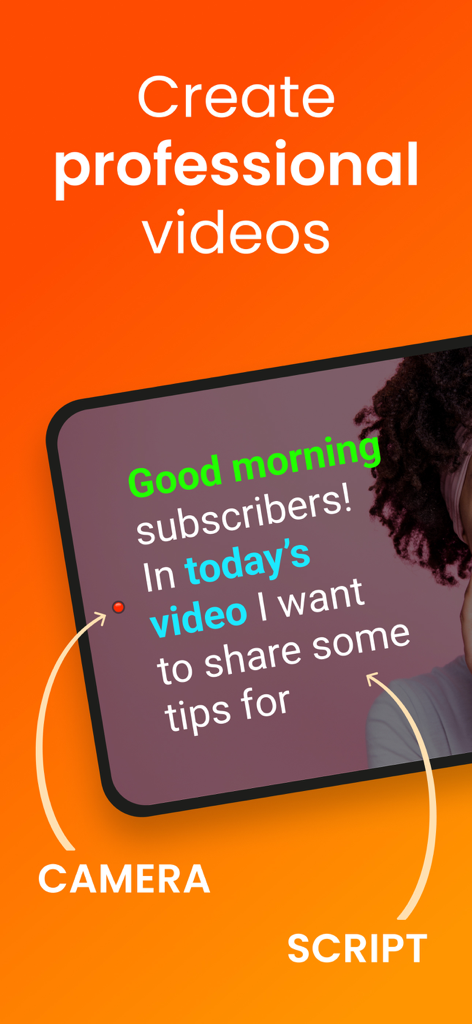
Teleprompter for Video - プロフェッショナルな動画を録画するために、カメラレンズの横にプロンプターの台本が表示されているiPhoneの画面
プロフェッショナルな動画を録画するために、カメラレンズの横にプロンプターの台本が表示されているiPhoneの画面

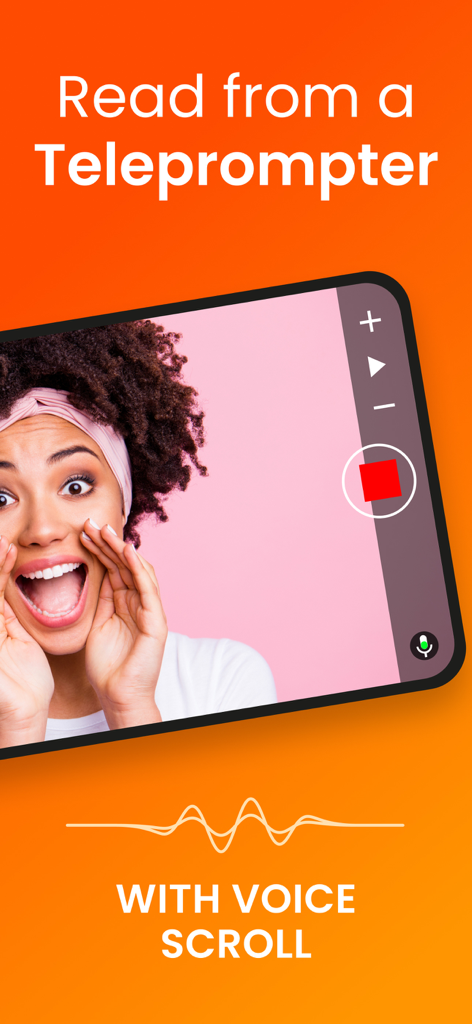
Teleprompter for Video - 動画録画用の音声スクロール機能を備えた「ビデオ用プロンプター」アプリのインターフェースを表示するスマートフォン
動画録画用の音声スクロール機能を備えた「ビデオ用プロンプター」アプリのインターフェースを表示するスマートフォン

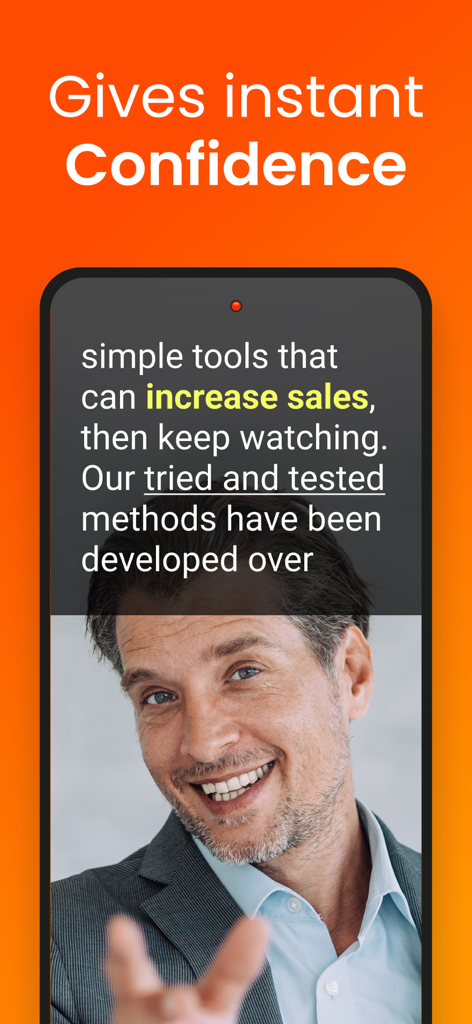
Teleprompter for Video - 「ビデオ用プロンプター」アプリのスクロール台本オーバーレイを使用して、動画を録画しているプロフェッショナルな男性を表示するスマートフォン
「ビデオ用プロンプター」アプリのスクロール台本オーバーレイを使用して、動画を録画しているプロフェッショナルな男性を表示するスマートフォン

Teleprompter for Video - 「ビデオ用プロンプター」アプリでアイコンタクト改善機能を実演する男性

「ビデオ用プロンプター」アプリでアイコンタクト改善機能を実演する男性

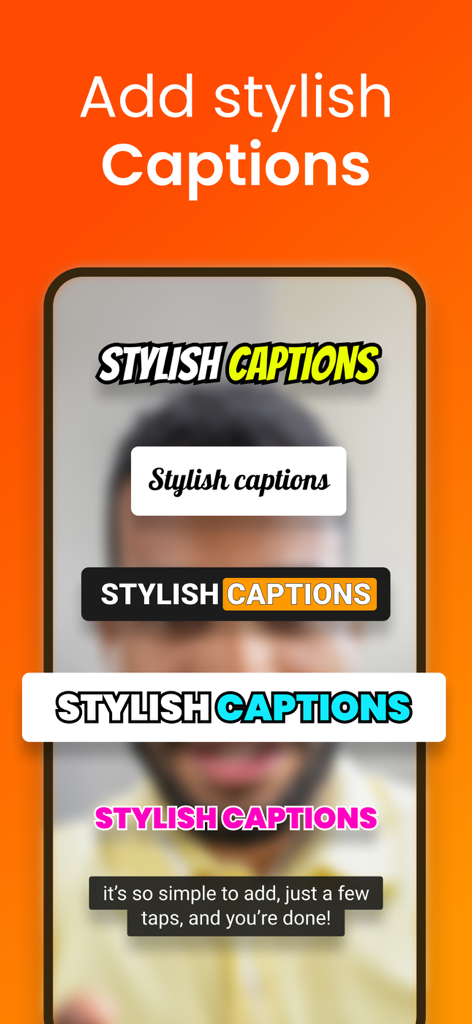
Teleprompter for Video - 「ビデオ用プロンプター」アプリでの動画編集に利用可能な、さまざまな字幕スタイルの例
「ビデオ用プロンプター」アプリでの動画編集に利用可能な、さまざまな字幕スタイルの例

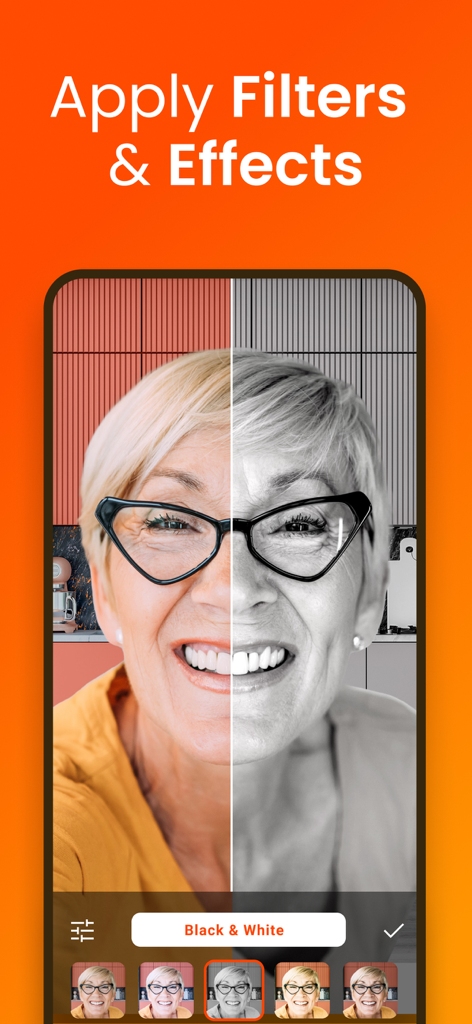
Teleprompter for Video - アプリ内での動画録画に適用された白黒フィルターの分割画面デモンストレーション
アプリ内での動画録画に適用された白黒フィルターの分割画面デモンストレーション

Teleprompter for Video - ライブストリーミング用に、他のアプリの上にフローティング台本ウィンドウを表示する「ビデオ用プロンプター」アプリ
ライブストリーミング用に、他のアプリの上にフローティング台本ウィンドウを表示する「ビデオ用プロンプター」アプリ

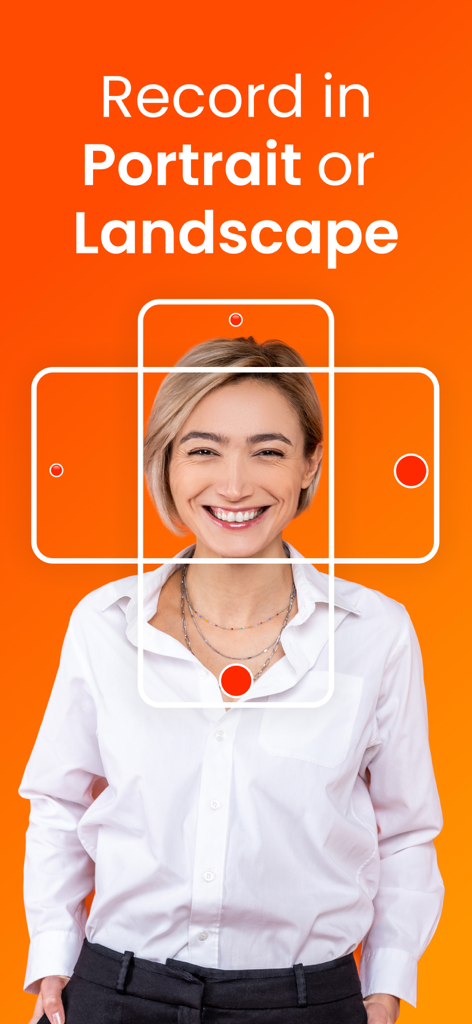
Teleprompter for Video - オレンジ色の背景で、縦向きと横向きの録画モードを表すグラフィックフレームの中で微笑む女性
オレンジ色の背景で、縦向きと横向きの録画モードを表すグラフィックフレームの中で微笑む女性

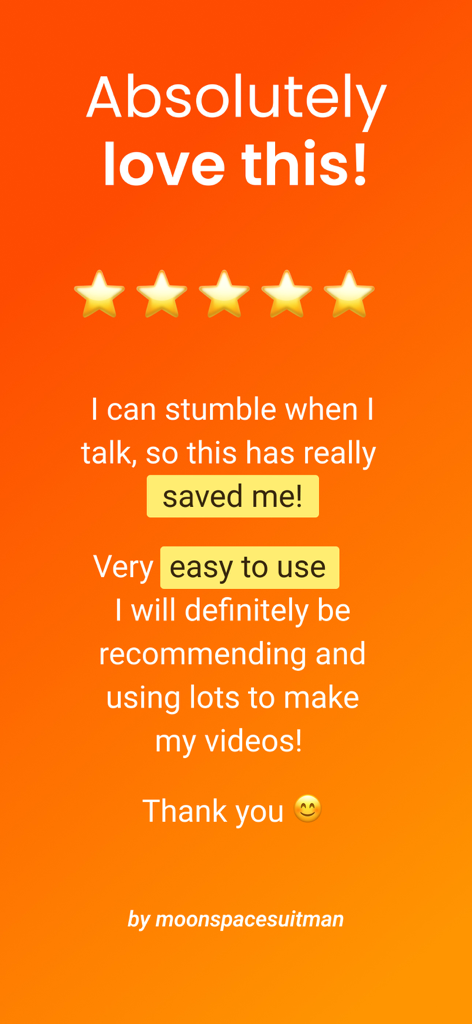
Teleprompter for Video - 「ビデオ用プロンプター」アプリの使いやすさと動画クリエイターへの有用性を強調する、5つ星のユーザーレビュー

「ビデオ用プロンプター」アプリの使いやすさと動画クリエイターへの有用性を強調する、5つ星のユーザーレビュー

説明

Teleprompter for Video makes it easy to create professional-looking videos on your iPhone or iPad. Simply read from the prompter while recording video. It's perfect for anyone wanting to record a vlog, practise a speech or give a business communication. The app helps actors film self-tape casting auditions, religious leaders give sermons, job seekers create video resumes and much more. Used by over 1 million people worldwide! Here's how it works... You read from a script while filming yourself in high definition. The prompter script (or autocue) scrolls next to the camera lens, helping you make eye contact with your audience. They won't know you're reading from a script! After recording, you can edit your video - add your logo, resize for social media, replace background using a green screen, add text and automatically caption the video using the timings from your recording (or export a .srt file for uploading captions on social media). You can even add a background music track using our royalty-free audio. The 'floating' mode allows you to overlay the script on top of other apps, such as the native camera app. It's perfect for live streaming on social media. Here's a summary of all the wonderful features: RECORD PRO VIDEOS WITHOUT EXPENSIVE EQUIPMENT * Record videos using the front and rear-facing cameras. * Record your video in landscape or portrait. * Choose your camera resolution (720p, 1080p, 4K) and frame rate (24, 25 PAL, 30, 60) based on what your device supports. * Add beautiful filters to your videos in real-time including Portrait mode (newer devices only). * Record sound using in-built and external microphones. * Long tap to set AE/AF Lock and manually adjust the exposure. * Pinch the screen to zoom. * Display a 3x3 grid to help you position yourself. A SIMPLE-TO-USE TELEPROMPTER FOR VIDEO * Use voice-assisted scrolling to sound more natural when presenting using a teleprompter. The script scrolls as you speak! * Set a countdown to get into position and a countdown to automatically end recording when the teleprompter script reaches the end. * Control the teleprompter app with a Bluetooth remote control, wireless keyboard, foot pedal or Apple Watch. Using a remote control you can start and stop the video recording as well as control the scrolling script (start / pause / resume / adjust speed). * Mirror the script for use in a teleprompter pro rig device. * Adjust the font size, scrolling speed and many other settings. EASILY MANAGE SCRIPTS ON MULTIPLE DEVICES * Import your scripts from Dropbox, Google Drive, OneDrive or iCloud in .doc, .docx, .txt, .rtf, .pdf formats. * Share teleprompter scripts across different iOS devices. * Format your scripts in Rich Text to make them easier to read. * Write and edit scripts using AI EDIT VIDEOS AFTER RECORDING * All videos are saved in the app for editing later. * Automatically add captions / subtitles to your videos or export a .srt file to import your captions into YouTube, Facebook or other video platforms. * Resize videos to landscape, portrait or square for uploading to social media. * Add an image or logo to your videos (in-app purchase required). * Add text to your video. * Change the video background after recording using the smart green screen / chroma key filter. * Add background music to your videos. Choose from your library or our selection of royalty-free tracks. * Use AI to enhance your eye contact PRO PURCHASE AVAILABLE * Teleprompter for Video is free for scripts of up to 750 characters. That's around 1 minute of video with no watermarks. * There are also purchases available for advanced editing features. Terms of use: https://www.apple.com/legal/internet-services/itunes/dev/stdeula/

Download

ダウンロード: App Store

このページはアプリまたはその開発者の公式ページではなく、情報提供および論評を目的として作成された独立した編集出版物です。明示的に別段の記載がない限り、アプリおよびその開発者は、MWM、Apple、Google Play、アプリのパブリッシャー、またはアプリの開発者と提携、承認、後援、認可、またはその他の公式的な関係はなく、このページのいかなる内容も、アプリがMWMのサービスを使用して開発されたことを意味するものではありません。すべての商標、ロゴ、スクリーンショット、その他のコンテンツはそれぞれの所有者の財産です。